• Skip to primary navigation
  • Skip to main content
  • Skip to footer

Teaching in Higher Ed

  • Podcast
  • Blog
  • SPEAKING
  • Media
  • Recommendations
  • About
  • Contact

Resources

Exciting Updates and Useful Resources

By Bonni Stachowiak | August 26, 2018 | | XFacebookLinkedInEmail

Photo by Barth Bailey on Unsplash

It has been a whirlwind of a month. I have some exciting updates to share with you, along with a few useful tools.

New Role

My role at my institution is being expanded in the coming academic year. The person who I have reported to this past couple of years has been named as our interim provost. Given the immense amount of respect I have for him, I welcomed the conversations about potentially taking on his prior role and continuing to report to him, at least until such time as a longer-term decision on the provost role gets filled.

I now have three titles. I’m not sure that they will fit on the business cards, but they do need to at least need to remain in place, particularly because one of them fulfills some of our obligations articulated in our Title V grant.

  • Director of the Institute for Faculty Development
  • Director of Teaching Excellence and Digital Pedagogy
  • Associate Professor of Business and Management

It all became official on 8/15/18.

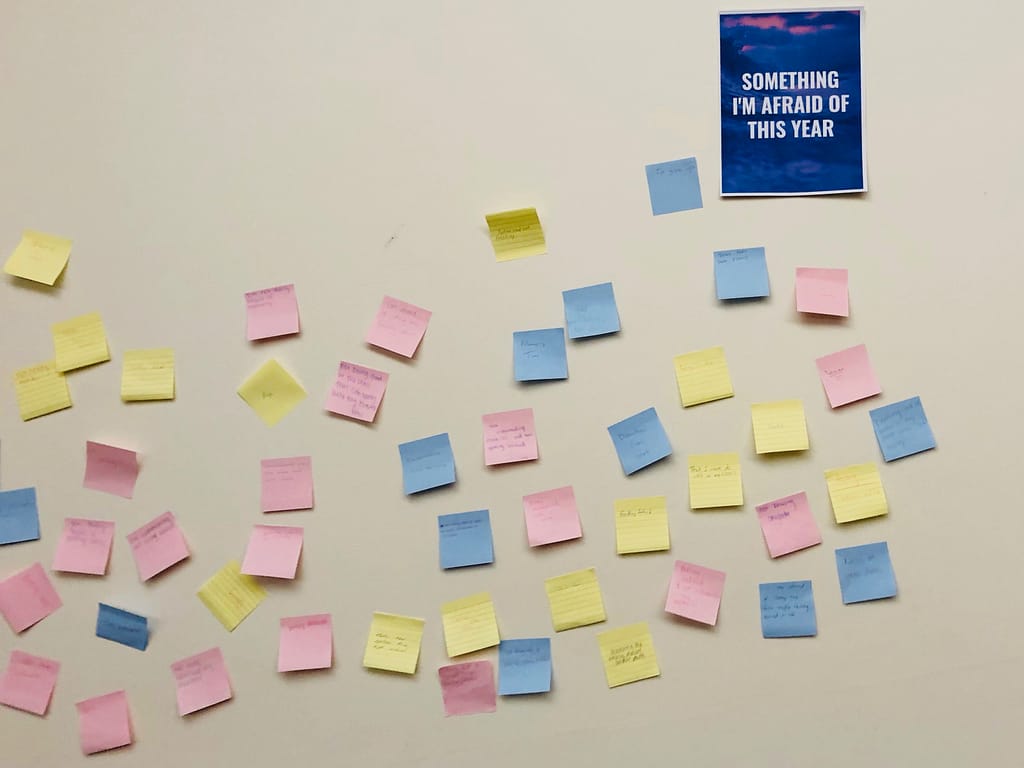
Things have been pretty nutty ever since. This past week, we had our new faculty orientation, adjunct training, and our resident faculty gathering. That, plus we welcomed 85 new business students into our department. I was responsible for leading that event, since the person who normally would have facilitated it was with our undeclared majors.

Welcoming new business students – sticky note exercise

My kids loved the opportunity to visit campus all day on Saturday – and the new students enjoyed watching them take pictures of me with their iPads, as I was presenting. Let’s just say there was an over-emphasis on the nostrils.

H (4) and L (6) visiting Vanguard University campus letters

New Advice Column

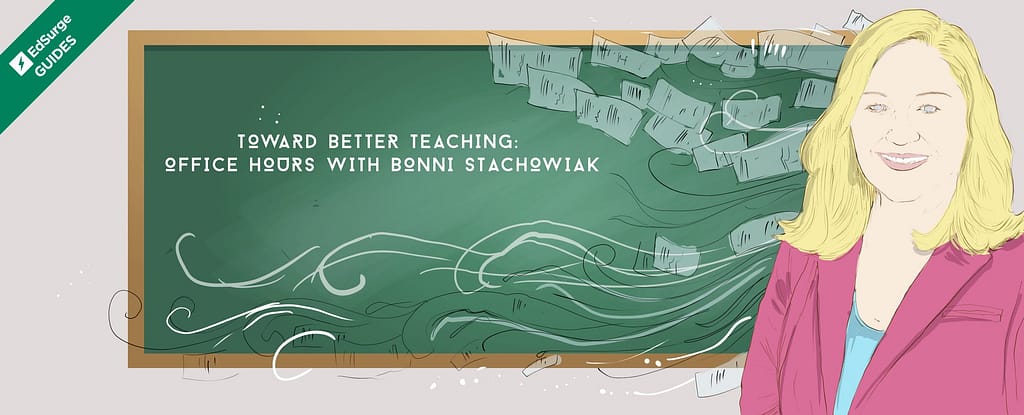
Another exciting thing that happened is that EdSurge invited me to become a columnist for them. Through conversation, we landed on me writing a monthly advice column for people who have questions about teaching within a higher education context.

EdSurge: Toward Better Teaching – Office Hours with Bonni Stachowiak

You can learn more about the column and how to submit a question on the EdSurge website. I have enjoyed seeing the first handful of questions come in and the kinds of things we all tend to struggle with at one time or another.

New Tools

It wouldn’t be back to school season if we didn’t get our hands on at least a few new tools.

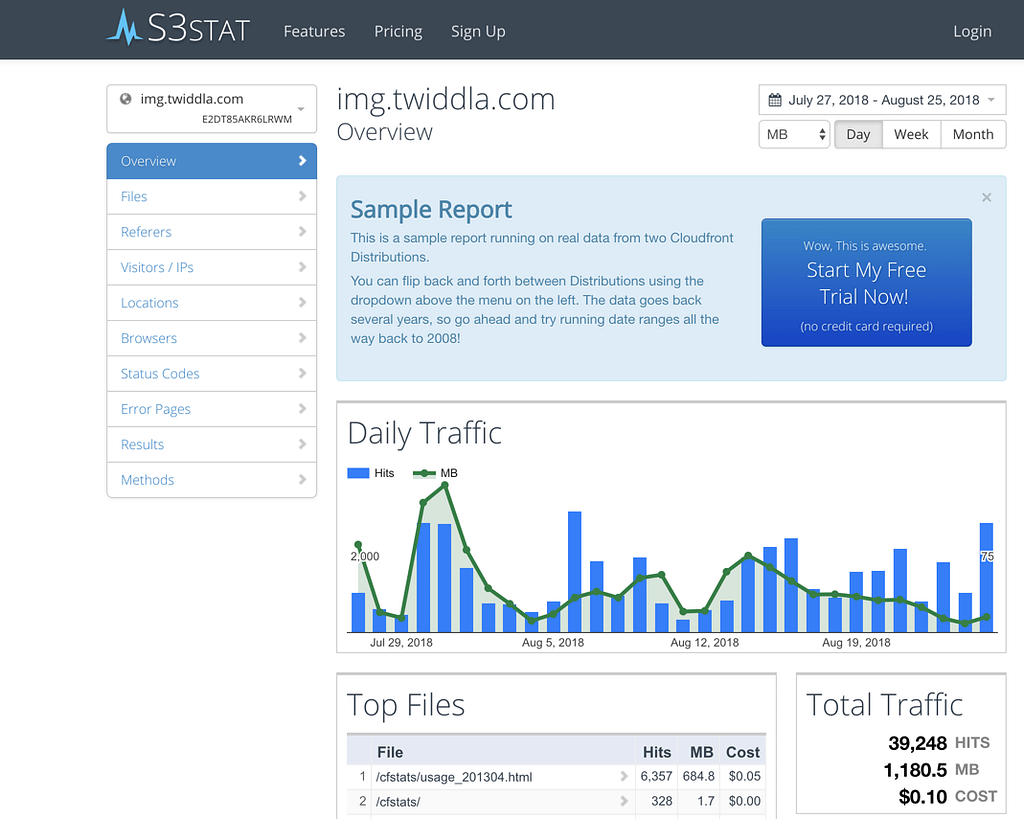
  • S3STAT – As most of you are aware, we have been plugging away at getting the transcripts up for each episode of Teaching in Higher Ed. We are 67% of the way through them, with each episode after 200 being transcribed as it was published. The transcripts are being hosted on Amazon’s S3 service. I am able to get analytics of the data using S3STAT, which translates the S3 data into “human readable statistics, reports and graphs.” If you use Cloudfront or Amazon S3, check out S3STAT for all your analytics needs: beautiful reports, simple setup, serious visibility.
s3stat
S3STAT – A free trial is available
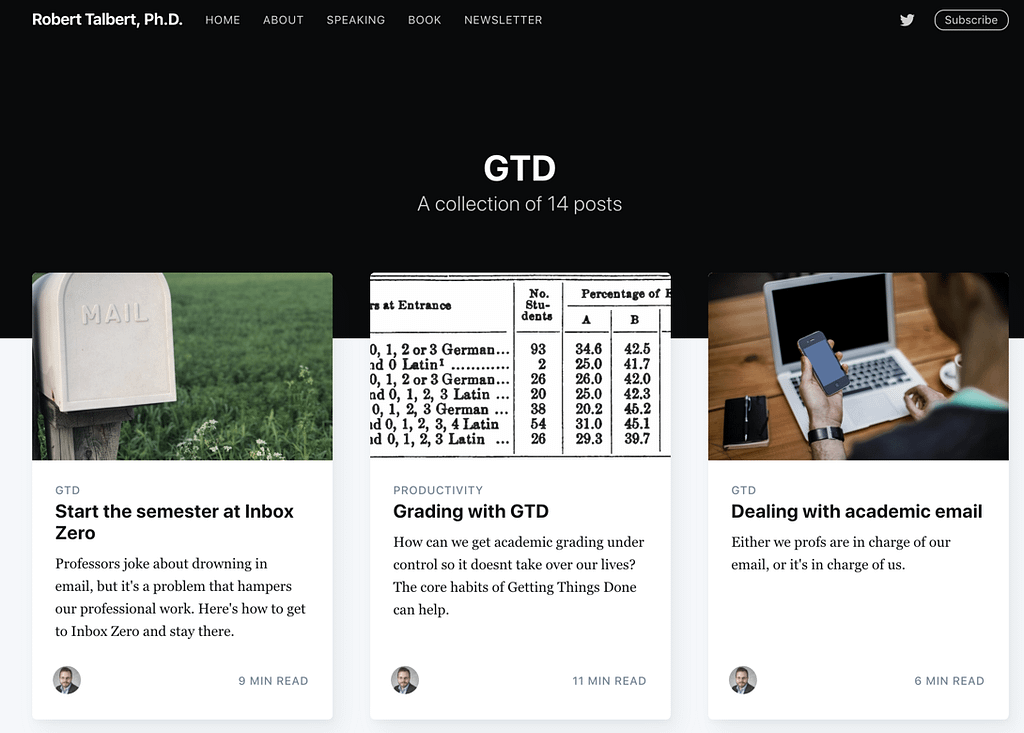
  • Robert Talbert’s GTD posts – I am a huge believer in the power of David Allen’s Getting Things Done. So much so that the course I’m teaching this Fall uses it as one of our two textbooks… Robert Talbert provides an overview of the GTD system and how he uses it in an academic context on his blog. Many of his 14 GTD posts also include videos, so you can see GTD in action in Robert’s life.
14 GTD Blog Posts from Robert Talbert
  • Timing App – I also started using the Timing App again (Mac). It tracks what I do on the computer and helps me identify and analyze how I am using my time. It is a great application, though I did forget to quit it before presenting in front of our full faculty and it started pestering me to tell it what I had been doing the last hour. I need to remember to add Timing to the AppleScript that I was able to set up for when I start/end presentations, thanks to the wonderful Work Smart and Be Remarkable: Productivity in Academia Blog by Helmut Hauser.

I'm feeling pretty overwhelmed at the moment, but also have enough of a sound mind to know that naps are a healthy way of keeping one's perspective. I completed my weekly review today and know that my most important priority in the next few weeks is related to hiring an administrative assistant to support our Institute for Faculty Development.

I also have a couple more columns I am drafting for the new EdSurge column,  along with a Personal Leadership and Productivity class to kick off tomorrow. If you haven't kicked off your class yet, this Faculty Focus article about Opening Intentions is well worth a read.

Your Turn

What new resource have you discovered lately?

Filed Under: Resources

Five Finds

By Bonni Stachowiak | July 31, 2018 | | XFacebookLinkedInEmail

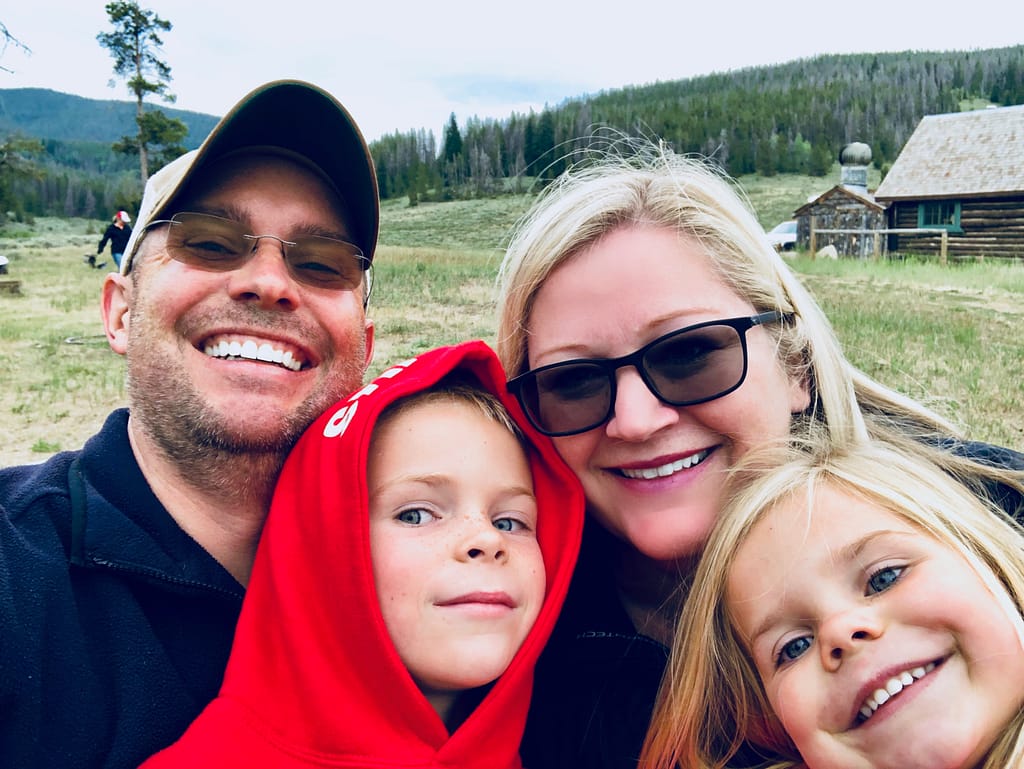
The Stachowiak Family in Keystone

I was able to attend the Instructure Conference (#instcon) in Keystone, Colorado this past week. While I learned a lot about Canvas, specifically, I am going to keep this post focused on things not directly associated with it. I know not all of the Teaching in Higher Ed community uses Canvas, so I’ll keep this fairly broad.

Tools and Hacking from Digital Pedagogy Lab 2018

While I can’t be there in person at this year’s Digital Pedagogy Lab (DPL), it sure is fun to witness some of the learning from the sidelines. They are curating some Tools and Hacking as a DPL learning community.

How to Prepare for Class Without Over-preparing in The Chronicle

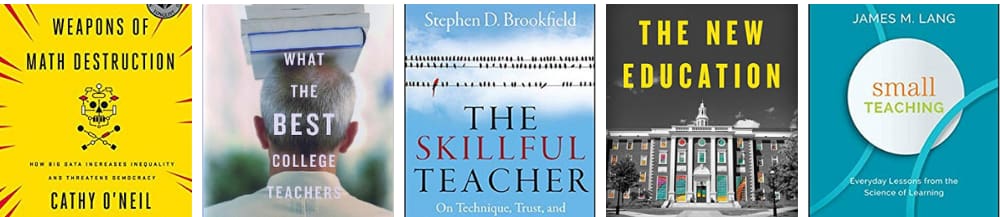
Another terrific article from James Lang in The Chronicle. Jim knows how to make our greatest challenges seem more palatable. From his ubiquitous book, Small Teaching, to this article in The Chronicle on how to not over-prepare for our classes.

Scene on Radio Podcast: Seeing White Season

Thanks to Bryan Dewsbury on episode 215, I discovered the Seeing White season of Yale’s Scene on Radio Podcast. From the Scene on Radio website: “Where did the notion of “whiteness” come from? What does it mean? What is whiteness for?” In addition to the great podcast episodes, there’s a study guide and an extensive bibliography.

Hipster Ibsum

Some of you may have heard of Lorem Ipsum, which is the “dummy” placeholder text that people use when designing something to see how generic text looks. You can generate some Lorem Ipsum of your very own.

At Instructure Conference, I was introduced to Hipster Ipsum. It is just like Lorem Ipsum, only way hipper. I kind of want to design something using Hipster Ipsum, just to get me some chuckles.

Make Time for Work That Matters in Harvard Business Review

Some great ideas for how to carve out more time to do things that really matter from Julian Birkinshaw. Dave (my spouse and best friend) and I have been working diligently to think about what we just aren’t going to do, anymore. It’s kind of embarrassing to admit, but this is one of the things we outsource about half of the “load” on these days.

Your Turn

What’s been one of your finds lately?

Filed Under: Resources

In Case You Missed It

By Bonni Stachowiak | July 20, 2018 | | XFacebookLinkedInEmail

Photo by Samuel Zeller on Unsplash

Looking at the Teaching in Higher Ed website analytics recently got easier for me for some reasons I won’t write much about here, lest I bore you. Since I can look at the data without as much friction, I check it more often and am often surprised by which posts from both long ago and recently got the most traction from readers.

Below are the posts that you may have missed that were particularly popular with Teaching in Higher Ed blog readers (in order):

  1. Heads Up Game is a Lively EdTech Tool – it still continues to be the case, four years later. And is the most accessed blog post I have ever written. If only I had known that would be the case, in advance, I would have taken more time with it.
  2. Active Learning Resources – A colleague is trying to build more of a culture of active learning so I curated some resources for her from the Teaching in Higher Ed site. Anyone interested in pursuing this aim should also read Josh Eyler’s post: Active Learning Has Become a Buzzword (and Why That Matters)
  3. How to Make a Seemingly Boring Topic Come Alive – Like the post I wrote on the Heads Up Game (#1), this 2014 post keeps coming up at the top of the analytics. If only the marshmallow study had held up as well. Sigh.
  4. How to Respond When Students Give Wrong Answers – I have regularly been told I do this well. I’ll take it, since there are so many other aspects of my teaching that I’m continually hard on myself about.
  5. Ways to Use Screencasting in Your Teaching – It has been fun to see the posts about creating content get some traction. We need to continually be working on doing this better.
  6. Surprises in the Classroom – This one sat on my blog post ideas for a long, long while. We don’t all have to be extroverted in our teaching or feel the pressure to be entertainers. However, regularly seeking ways to ignite curiosity in ourselves and our students is a vital practice, from my perspective.
  7. Listener Question: Essential Reading on Pedagogy – It is hard for me to ever write lists, for fear of all that I will leave out. But, this was my best attempt at the time to capture books that have transformed my teaching.
  8. Digital Reading – I continue to become more and more of a digital reader and have such a hard time ever committing the time to reading a physical copy of a book. This post outlines why that is…
  9. How to Create a Pencast – I haven’t been creating quite as many pencasts these days, but when I do – my workflow is still the same as what is described in this post and video.
  10. How to Create a Video for a Class – Speaking of videos, this post with advice on how to create these elements for our students attempted to break the process down into practical steps.

The most popular pages on the site, as a whole, continue to be:

  • Episodes – the searchable, browsable list of all the past podcast episodes
  • About – a newly redesigned about page with my bio, info about the podcast and my speaking, FAQs, and pictures.
  • Blog – The browsable blog page with all the posts I have ever written for Teaching in Higher Ed.
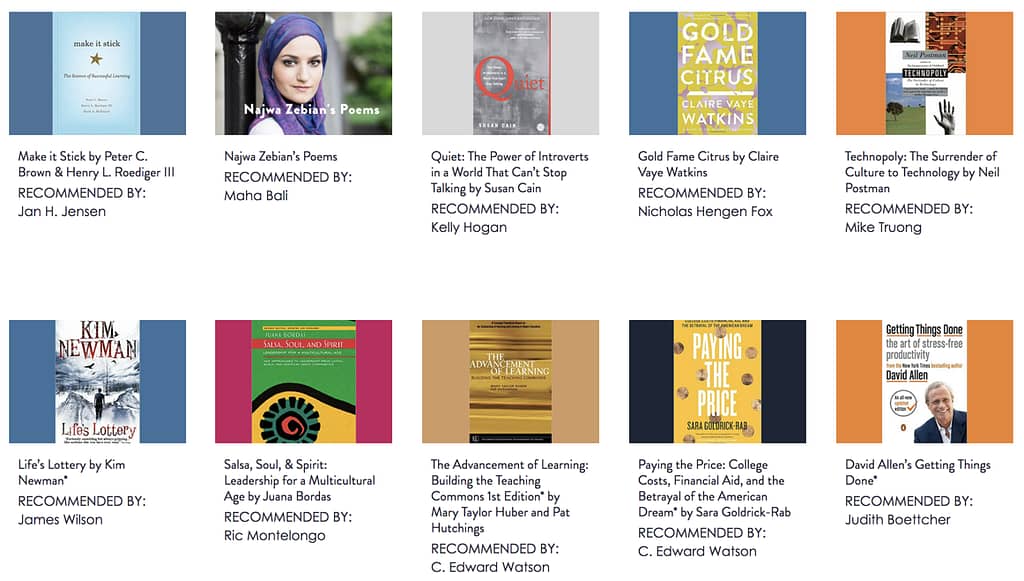
  • Recommendations – a recent website redesign has us working on pulling out all the recommendations that have ever been made at the end of each episode into a browsable list with categories such as music, books, ideas, and technology. We aren’t finished yet, but what is there does make for some good inspiration.

recommended books screenshot

I'm honored to get to be part of your professional development through the Teaching in Higher Ed community. I trust this post has given you an opportunity to catch up on some of the blog posts and web pages you may have missed.

Filed Under: Resources

Top Tools 2018

By Bonni Stachowiak | July 13, 2018 | | XFacebookLinkedInEmail

My votes on Jane Hart's Top Tools for Learning

Each year, Jane Hart compiles her Top Tools for Learning. You’re invited to participate in the voting either by filling out a form, blogging about your choices or sharing via Twitter.

My votes are not in order of priority, though most people who write about this topic do a ranked list. Recently, Jane Hart started having us categorize how we use the tools:

  • For our own personal and professional learning
  • In the workplace
  • In education

I will include how I use each tool, along with each vote. Also, I will share those tools that have been on my list for many years at this point.

Twitter (personal/professional learning)

This social network has been on my list for four years now. I’m able to connect with people who are (as Peter Newbury recommended on episode #53) “like me and who are not like me.” Twitter is a microblogging service, which means people share short thoughts and interact with each other by replying to others’ messages. For something that won’t fit as a short message a lot of people link to other resources on the internet, like articles, videos, or websites.

2018 Podcast Greats

Overcast (personal/professional learning)

This is the best iOS app I have found for listening to podcasts (which have been on my list for all four years now. I can subscribe to podcasts and have them all come into one app for me to listen to them when I’m ready. I listen to podcasts at double speed and Overcast takes care of removing silence. More learning in less time… My 2018 Podcast Greats post gives an idea of what I am listening to these days.

Feedly (personal/professional learning)

I was thinking about how much I dislike Apple News the other day. The reason why is directly related to why Feedly is on my top ten list. With a service like Apple News, you get what they generally think you might like, based on some not very intelligent algorithms. Using an RSS reader like Feedly, you pick exactly what websites you want to “feed” into your news feed and don’t have to rely on what technology thinks you may like. I’m seriously considering switching to Inoreader, which Laura Gibbs regularly shares ab out how to get it to integrate with the LMS my institution uses: Canvas.

Unread (personal/professional learning)

Think of Feedly as working behind the scenes to pull together all the stuff I might want to read into one place and to mark things as read, once I have either decided I don’t want to check them out, or once I have read them. Feedly also has a website and apps that can be used for actually consuming the content. However, my absolute favorite tool to use for reading my Feedly content is Unread (on the iPad). I do most of my RSS reading in bed. Unread allows me to easily mark a bunch of articles as read without having to move my hand around the screen hardly at all. It is hard to explain until you try it, but they definitely live up to their claim that, “Reading should not feel like work.”

WordPress (personal/professional learning)

I had the opportunity to interview Harold Jarche for the Teaching in Higher Ed Podcast recently (episode 213). It was like talking to one of my learning heroes. He’s an expert in personal knowledge mastery and emphasizes the value of “working out loud.” As I blog, I am sense-making. WordPress is the most widely used blogging tool in the world and it helps me both make sense of what I am learning and share it with anyone who visits my website. There’s a free version of WordPress that lets people get started with it. Those who want to extend its use a self-hosted WordPress site, which allows for greater customization. Reclaim Hosting is a company that offers self-hosted WordPress sites (among other things) for primarily an educational audience. Their website explains that they help people: “Take control of your digital identify. Reclaim Hosting provides educators and institutions with an easy way to offer their students domains and web hosting that they own and control.”

Poll Everywhere (education)

This polling system has been on my list for all four years now and shows no sign of stopping. I am a big fan of using retrieval practice in my teaching to help students retain more and achieve deeper learning in my classes. Poll Everywhere helps me do that and encourage students to pull their phones out, instead of telling them to put them away. I can use Poll Everywhere within PowerPoint on my Mac and never have to leave PowerPoint when I am using it. On the other end of the spectrum, I can use Poll Everywhere on my iPad and never involve a computer or projector at all.

Quizlet (education)

I mentioned making use of retrieval practice in much of my teaching when describing why I use PollEverywhere. That tool is used more in my teaching, but when I want to encourage students to take the learning with them, I highly recommend Quizlet. Flash cards have been shown to be great study tools. They are a form of retrieval practice. Quizlet takes flashcards to the digital world. I can create flashcards in Quizlet and share them with my students, or they can create them and share them with the rest of the class. In the classroom, I love using their Quizlet Live game. I’ve written about this experience on my blog and also Sierra Smith talked about how it helped her get to know other students in a class in a more authentic way on episode 199.

Glisser (workplace)

I use Glisser almost exclusively in my keynote speaking and workshops these days. Glisser is an audience response system. It lets me: Present my slides on the web (so I don’t have to worry about whether or not a computer is going to have the font I need or my slides might be formatted differently when I present them on someone else’s computer), poll an audience, share videos during a presentation, have people ask questions while I’m presenting and queue them up when I’m ready to address them, and even let people tweet out my slides as I’m presenting them.

Kindle app (personal/professional learning)

I enjoy reading on my iPad via the Kindle app and have documented my reasons for doing digital with my reading in the past. Being able to save my highlights and have them in one place well after finishing a book is wonderful. I also appreciate the integration with Goodreads, so I can keep track of what I have read and connect with friends who also use the service and provide good recommendations for what other books I might want to check out.

Zoom (education)

I have been using web conferencing systems of one kind oranother for decades. Sadly, they have mostly become bloated systems that make it difficult to share with an audience, but easy to bore that audience to tears. Zoom is different. If I want to share something. Anything. A slide deck, a video, an application, a picture, even my entire computer screen… I can do that in just a couple of clicks. It is seamless. That’s nice. What’s even nicer is that any person who is with me on Zoom may also do the same (unless I have a need to restrict that capability for some reason – I usually don’t, but there are certainly instances like with larger groups of people coming together where it does make sense to turn that setting off). Doug McKee has written about how he uses Zoom with Duet Display and PDF Expert in his econometrics classes. That actually represents another thing I love about Zoom. You can use just a few of its features and get started simply. But there’s a lot of additional features you can make use of to make it do some amazing things. I really enjoyed Andy Traub’s Master Zoom class which made me see more of what is possible using Zoom.

Past Top Ten Tools for Learning Votes

Here are my Top Tools for Learning blog posts from recent years:

  • Top Tools 2017
  • Top Tools 2016
  • Top Tools 2015

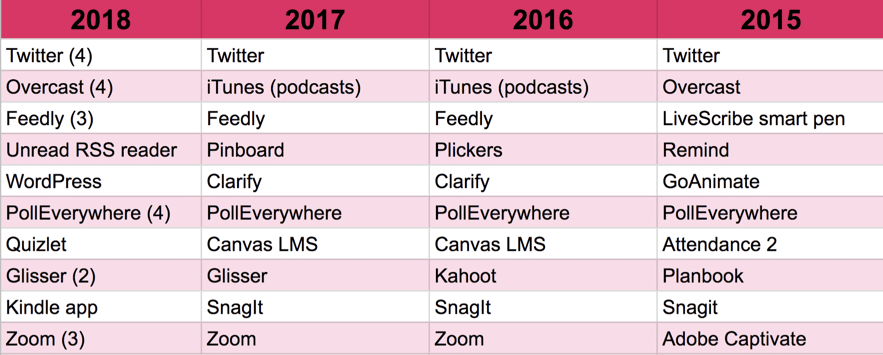
This year, I was inspired by Harold Jarche’s Top Ten Tools for Learning post to create a graphic of my year-by-year votes.

Here are a few items of note I found when looking through the lists:

  • I am still a huge fan of Canvas LMS, even though it didn’t make it on to this year’s list. There have been a lot of conversations going on about teaching outside the LMS. Yet, there are also reasons whey remaining inside the “walls” of an LMS are preferred. I have never seen an LMS as mobile-friendly, easy to use, and then easy to grow with as you learn more as Canvas LMS. They also have a wonderful community online that contributes to my learning about Canvas on a weekly basis.
  • I’m surprised Pinboard didn’t make it on my list this time, since I use it daily. It is still the best bookmarking tool I have used and integrates well with Unread, which did make it on the list this year.
  • I also still use SnagIt on a daily basis. Probably on an hourly basis, anytime I’m sitting in front of my computer. I think I probably think of it less as a learning tool than maybe I used to, but it is integral to all the kinds of work I do and I’m grateful for its continued improvement year after year for decades now.
  • Clarify sadly went out of business. I haven’t found anything affordable that is anything remotely as good as it was. Planbook (Helmansoft) also stopped being supported / actively developed and I haven’t found anything remotely as good, especially given that I can do most of my class planning within Canvas.
  • iTunes podcasts is now called Apple Podcasts. There’s a free app that comes on iOS devices called Podcasts that is a good place to get started with podcasts, but I still find Overcast to be superior. Google recently announced their new app: Google Podcasts for Android devices that looks like it is worth a look.
  • I left my LiveScribe smartpens back in 2015. I do all my pencasting now using an Apple Pencil and my iPad Pro.
  • Attendance 2 is still going strong and is my preferred method for taking attendance. However, other tools pushed it down a bit to have it make the top ten tools specifically for learning.
  • I chuckled a bit at my mentions of Plickers and GoAnimate, as they really turned out to be more aspirational than ones I actually used on a regular basis.

Your Turn

Consider voting on Jane Hart’s 2018 Top Ten Tools, or commenting below if there’s a tool you think should have been on my list that I may want to know about.

Filed Under: Resources

Teaching the Literature Survey Course

By Bonni Stachowiak | June 21, 2018 | | XFacebookLinkedInEmail

Teaching the Literature Survey Course

As I mentioned on episode #210 with James Lang, I wasn’t expecting to enjoy reading Teaching the Literature Survey Course as much as I was some of the other books in the West Virginia University Press Teaching and Learning in Higher Education series. Teaching the Literature Survey Course was thought of  as “eating my veggies” and as part of my obligation as part of West Virginia University Press' overall sponsorship of the Teaching in Higher Ed transcripts project.

I couldn’t have been more wrong.

Teaching the Literature Survey Course addresses two key challenges, which are often characteristics of general survey courses:

  • “Too much” to adequately “cover” in a single course
  • Lack of opportunities for deeper learning

In each of the classes I've taught in my career, I can’t ever recall a time when I didn’t feel at least some tension around wishing I could “cover” more. At the same time, my greatest desire in my teaching is that students would experience learning that would stay with them for the long haul and would be of great relevance in their lives.

Teaching the Literature Survey Course book coverIf you also find yourself feeling like you have too much to cover in a given class, or you want to find ways to have your students experience deeper learning, it is worth picking up a copy of:

Teaching the Literature Survey Course, Edited by Gwynn Dujardin, James M. Lang, and John A. Staunton

While the examples they provide are specific to literature classes, they are wide-ranging enough to have it be likely that you might find inspiration for teaching in a different discipline.

Leveraging Maps in Your Teaching

One area that really inspired me was involving using maps in our teaching. This is an approach I have never experimented with before, but have found myself regularly thinking about since I read Teaching the Literature Survey Course.

Two related tools that I regularly see people reference when talking about using maps in their teaching are Google Maps and Google Earth. I was confused about the difference between them, but found this explanation on Quora that cleared it up for me:

“Google Maps contains all of the navigation, lightweight mapping power and points of interest with just a small hint of satellite imagery, while Google Earth has complete 3D satellite data and just a small subset of information on places, without any point-to-point navigation.”

Todd Gardiner described them as related products. He advised that we think of them as a suite of products, like we would Microsoft Office.

Within that suite of products is Tour Builder (a Google Earth experiment), where you can “put your story on the map.” Instead of only seeing a map that was composed by others, we can add to an existing map points of interest, the way we might give someone a tour of our neighborhood. Google suggests that you:

“See how people are using Tour Builder on the site – From a nonprofit documenting its global missions, to a teacher transforming American history.”

sample google maps tours

While maps might at first seem primarily useful to those who teach history or other social sciences, Tom Barrett decided to use Google Maps to teach math. While his example comes from K-12, it provides us with enough inspiration to get us started thinking…

If you do teach history, there are plenty of sites that are great examples of ways to leverage Google maps in your teaching. Other disciplines will find inspiration on how to: “Pin point a book’s setting, use detective skills, measure distances” and more from Jessica Sanders. The Google Earth example categories are: history, science, space science, math, and geography, yet Teaching the Literature Survey Course is a perfect illustration of how to extend beyond those disciplines and into literature.

Doing something for one of my classes at this exact moment feels out of reach for me, until I become more familiar with the tools and what’s possible. However, I was thinking that I could start small and tackle the sixth suggestion from The Thinking Stick and to:

Create a Map for My Community

They gave an example of creating a map for friends who were visiting China with their favorite restaurants, places to visit, etc.


I could see making one for our local community and getting some practice with the tools. My colleague studies homeless populations and I imagine that maps like this could be very useful for his research (even if it started solely as a means for delegating the student researcher observations).

personalized book from WonderblyEven book publishers are starting to make use of Google maps in their creations. We ordered The Incredible Intergalactic Journey Home from Wonderbly for our son a couple of years ago. When he gets to the pages of the book that mean that he’s almost home, it is a picture of our neighborhood that is shown from Google maps. The book is customized much more than just the maps, but also throughout the book.

But Wait, There’s More

It is hard for me to stop writing at this point, because I have so many more notes I am reflecting back on after having read Teaching the Literature Survey Course. I started to think to myself that I should write ten posts about some of my take-aways, but then I thought I was getting a little ahead of myself with all of that.

Part of our work as educators is discovering new possibilities. But, there’s also the important step of beginning to experiment and increasing our tolerance for (or perhaps even delight with):

Not Yet-ness

As Amy Collier said all the way back on episode #70:

“When you embrace not yet-ness, you are creating space for things to continue to evolve.” – Amy Collier

Thank you to the editors and authors of Teaching the Literature Survey Course. You have given us so many ways to embrace not yet-ness in our teaching and contribute to deeper learning for our students. 

Filed Under: Resources

  • « Go to Previous Page
  • Page 1
  • Interim pages omitted …
  • Page 4
  • Page 5
  • Page 6
  • Page 7
  • Page 8
  • Interim pages omitted …
  • Page 17
  • Go to Next Page »

TOOLS

  • Blog
  • Podcast
  • Community
  • Weekly Update

RESOURCES

  • Recommendations
  • EdTech Essentials Guide
  • The Productive Online Professor
  • How to Listen to Podcasts

Subscribe to Podcast

Apple PodcastsSpotifyAndroidby EmailRSSMore Subscribe Options

ABOUT

  • Bonni Stachowiak
  • Speaking + Workshops
  • Podcast FAQs
  • Media Kit
  • Lilly Conferences Partnership

CONTACT

  • Get in Touch
  • Support the Podcast
  • Sponsorship
  • Privacy Policy

CONNECT

  • LinkedIn
  • Instagram
  • RSS

CC BY-NC-SA 4.0 Teaching in Higher Ed | Designed by Anchored Design