• Skip to primary navigation
  • Skip to main content
  • Skip to footer

Teaching in Higher Ed

  • Podcast
  • Blog
  • SPEAKING
  • Media
  • Recommendations
  • About
  • Contact

Resources

On-ramps: Reflections on the 14th Annual Open Education Conference

By Bonni Stachowiak | October 17, 2017 | | XFacebookLinkedInEmail

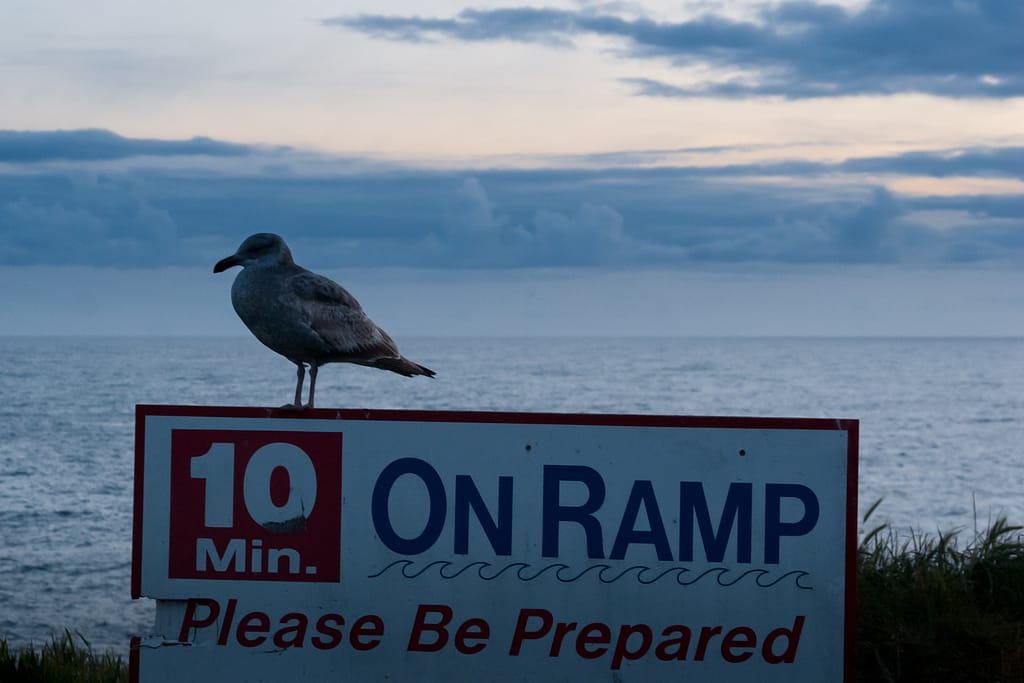
Photo: Seagull On Ramp by Orin Zebest on Flickr

On-ramps: Reflections on the 14th Annual Open Education Conference

At last week's OpenEd17 conference, Jim Luke introduced the idea of having on-ramps for faculty to get on board with open education initiatives at our various institutions.

Ever since then, I have been captivated by the analogy of on-ramps as a means of supporting learners.

  • In what ways did people provide me with ways to take my learning further regarding open education at OpenEd17?
  • What have I discovered as a better means for introducing students to new ideas in my teaching?
  • How do we address learners that are already speeding down a domain of knowledge's highway and have different needs to enhance their own learning than beginners do?

It seems like too daunting a task to attempt to give an overview of everything I discovered at OpenEd17. Instead, I will highlight a few key findings here, and assure you that my list of future potential podcast guests is larger than ever.

Start Somewhere

The first morning of the conference, we got to hear from a panel of students from Santa Ana College. They were articulate and celebrated what having open educational resources (OARs) in their courses has meant for them.

One of the panelists stressed that if faculty expect stellar assignments from their students, we should expect the same quality of work from ourselves. The overall message at this point in panel was that we should “just do it,” and start somewhere with our open education efforts.

Open Textbooks

I have been sharing recently that I'm embarking with my doctoral students on our first-ever open textbook endeavor. We are very early in the process (class just started last Saturday), but are all completely jazzed about what's possible.

Robin DeRosa's blog post on her open textbook efforts has been incredibly helpful to me, in considering how to get started. I decided to use Pressbooks for the composition and eventual distribution of the open textbook we will be writing.

Pressbooks is built on the popular blogging platform, WordPress. I am already familiar with WordPress, since that's what the Teaching in Higher Ed website uses. I was able to attend a session about the roadmap for future iterations of Pressbooks. They appear to be quite an innovative company and I'm excited to see what we are able to produce, using their service.

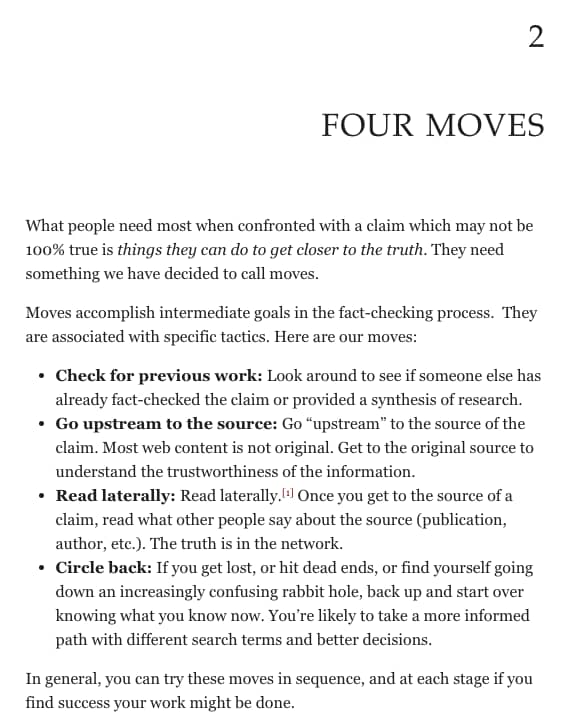
Screen shot of an open textbook by Michael A. Caulfield: Web Literacy for Student Fact-Checkers

Mike Caulfield has published an open textbook using Pressbooks. His Web Literacy for Student Fact Checkers is an excellent source for helping to grow information literacy.

You can view Mike's presentation about the Digital Polarization Project online, thanks to Robin's filming efforts at OpenEd17. He also made his slides available online.

That's just the beginning of what's available through open textbooks. The Ohio State University Library has a great list of ways in which to search for books, using different websites.

Using already-available open textbooks is just the beginning of what's possible in open education. Many presenters stressed how faculty enjoy the ability to customize open textbooks to best meet their needs.

We were also encouraged to not replace one passive tool (a traditional textbook) with another passive tool (an open textbook). There are many ways in which we can make open educational resources engaging and active.

Keep Going

One way I am getting started is through OpenTextbooks. But, that is just the beginning, I know.

The OER (open educational resources) World Map is brimming with possibilities of where to possibly head next.

Where to head next with open education?

I hope to find colleagues at my institution who are ready to begin exploring how we might better serve our students through open education, even if it means starting in the smallest of ways.

Ken Bauer describes well the failures we will experience if we try to introduce too many new tools to faculty too quickly. He also shares questions he has, after attending OpenEd17, himself.

If you want to get more of a taste of what happened at OpenEd17, here's an OER video Digest that shares much more than what I have in this post.

Gratitude

I am thankful for all the people who gave so generously at OpenEd17. It was wonderful to get to meet some friends in person for the first time, while reuniting with other friends I haven't seen in a long while.

It all reminded me of some of the writing that Maha Bali did, after she met some friends in person for the first time at OER17.  The experience is difficult to describe. I will treasure the opportunities to be in-person with such magnificent and inspiring educators and appreciate that we have such wonderful ways to stay in touch.

Filed Under: Resources

My vote for Jane Hart’s 2017 top 100 tools for learning list

By Bonni Stachowiak | September 22, 2017 | | XFacebookLinkedInEmail

My vote on the top 100 tools for learning

Jane Hart is conducting her annual survey of Top 100 Tools for Learning. The following are my top ten tools for learning, categorizes under Jane Hart's structure of: education, personal and professional learning, and workplace learning. You can also check out my 2016 votes, many of which carried across into this year.

Another related post worth checking out is Harold Jarche's Top Tools 2017. I'm glad (sort of ) that I made my list first. Otherwise, I definitely would have been influenced by his mentions of: Slack, 1Password (absolutely essential), and WordPress.

Education

Zoom – There's something that happens in communication when you can see another person and hear the sound of their voice. Zoom makes one-on-one conversations rich, not to mention entire classes. People can get set up simply and start connecting right away. I especially enjoy their breakout rooms feature, which is easy to use and gives the ability to have people discuss topics in smaller groups.

PollEverywhere – I'm a big believer in using retrieval tactics to strengthen student learning. PollEverywhere allows me to pose various types of questions to learners and have complete control over whether their results are displayed and when. Learners can give their answers to the questions that are posed via their smart phones, tablets, computers, or even via Twitter. Quizlet is another good tool for retrieval practice, especially Quizlet Live.

Glisser – I only just recently started using Glisser, but am really appreciating its ease of use and way to engage learners. It allows us to present slides, use polls, show videos, have students ask questions, allow people to tweet out slides from our slide deck, and more.

Canvas – Our university switched to the Canvas LMS just over a year ago and I'm still a big fan. I do believe in still thinking outside the LMS, though I appreciate the opportunity for grades and feedback to have a confidential, two-way place to occur.

Personal and professional learning

iTunes (podcasts)  – Learning never has to end with podcasts. They are like shows on the radio, but without having to be listening at the exact time the show airs. I listen to podcasts daily, using an app called Overcast, which accesses the iTunes podcast feed for the various shows I like to listen to… I can pretty much never keep up with all the wonderful resources that are out there in the form of podcasts, but it is fun to continually try.

Twitter – My personal learning network (PLN) completely changed when I started using Twitter regularly. Twitter is a social network that's value comes forth when you connect with “people who are like you – and also people who are not like you” (Peter Newbury on Teaching in Higher Ed).

Feedly – I still have fond memories of walking to a nearby bagel shop and reading the newspaper in my 20s. Now that I'm in my 40s, we have far superior newspapers. We can read them on our various devices and customize them to our exact preferences. Using Feedly, I can subscribe to the blogs and news sources that I want and have Feedly keep track of which stories I've read, already, and which ones are still unread. When I stop finding value in a particular source, I just unsubscribe on Feedly and can further increase the value of my virtual newspaper.

Pinboard – I can send articles that I want to bookmark (save for reference) from my preferred newsreader over to Pinboard.in, without having to leave the app. I have bookmarks saved on edtech,  open textbooks, productivity, blended learning, humor, parenting, and hundreds of other topics.

Workplace learning

Clarify – Another thing I did in my 20s (but this activity was a lot less fun than walks to the bagel shop) was make documentation. If you ever find yourself needing to build a how-to manual, Clarify will make this process incredibly easy for you. You just walk through the steps it takes to perform a function and have Clarify take screenshots along the way. You can add instructions and arrows/steps/annotations on your screenshots. When you're done, there are a myriad of export options, which can be customized so you get your documentation just the way you want it.

SnagIt – I've never been as concise as I would like to be, but SnagIt helps me move closer to that goal. When someone asks me a question, I can just take a screenshot (a picture of what's on my screen) and draw arrows and add text to give the answer in the proper context. I can also “video” what's on my screen (screencast), whether for the purpose of answering a question, or giving feedback on an assignment.

What tools have you found to be especially helpful in facilitating learning, or in contributing to your own personal and professional development? Comment below, or consider submitting your own vote for the 2017 top 100 tools list. 

Filed Under: Resources

Digital Reading

By Bonni Stachowiak | September 11, 2017 | | XFacebookLinkedInEmail

digital reading

I've written previously about the great laptop ban debate. Now seems as good a time as any to embark on yet another controversial topic:

Digital reading

Naomi Baron in The New Republic argues that digital reading is no substitute for the printed word. A couple paragraphs in, she does indicate that there's no simple answer to whether or not we learn better when reading in a digital format versus tangible books, however.

Why I Primarily Read Digitally

While I am among those who love the smell and feel of books, I still wind up doing most of my reading in digital form. Here are some reasons why:

Portability

Almost all my reading is done on my 10.5″ iPad Pro. It goes with me everywhere. To work, when I arrive a few minutes early to pick our kids up from school, to a doctor's appointment, and even to bed.

Night mode

I read at least an hour per night. Most apps have a setting that makes the background black and the text white. The Kindle app lets me adjust the brightness of the white text such that it emits as little light as possible.

Saving highlights and notes

It is as easy to highlight something in my Kindle app, as dragging my finger across the words I want to highlight. All highlights and notes are all then kept in a single place, making them that much easier to reference in the future. Highlights in physical books aren't at all easy to leverage, after I finishing reading something and put the book away on a shelf.

The Amazon Kindle site for storing all our highlights and notes recently went through a welcomed overhaul. The old system regularly confounded me. This one makes it easy to view my various Kindle books on the left, see my highlights and notes on the right, and search for books I've previously read.

Motivation

I use a service called Goodreads to track the books I've read and see what others I'm connected with in the community are reading. Goodreads invites me to set a reading challenge each year. Tracking my progress has definitely urged me to read more books than I otherwise might have in prior years.

To date, I have read 16 of my planned 20 books for 2017. I should easily be able to achieve my goal by the end of the year. I may even set my sights on reading 24 books in 2018.

Flexibility

Some publications, such as The Atlantic, are now even making their articles available as spoken word audio files. I was able to listen to this powerful pieceby Ta-Nehisi Coates the other night, while getting ready for bed. I did miss hearing Ta-Nehisi's own inflection in his words, but the audio feature still afforded me more flexibility in how to consume his writing.

Dave does the majority of his reading in the form of listening to audio books. I might do the same, if I didn't have so many podcasts to try (and fail) to keep up with… Dave especially likes when he owns the audio and the digital copy of a book, as it syncs his reading progress within the two formats.

Cautionary Notes

It isn't all unicorns and rainbows with digital reading, however. There are some potential downsides, if we aren't careful.

Distractions

The number one downside to digital reading for me is the potential for distractions. As I have been writing this blog post, I've encountered:

  • A hedgehog, wearing slippers, being tickled
  • Polarizing movie reviews for the movie An Inconvenient Sequel, which I sent to a friend who teaches statistics
  • 7 tips to improve your Instagram feed, because I keep thinking I'll get a workflow figured out to improve the Teaching in Higher Ed Instagram account one of these days

I wish more of my reading time was devoted to books and long form pieces (though not everyone appreciates that vernacular). It's easy to get lost in mindless skimming of my RSS feeds in Unread, versus having the discipline to stay focused on a book for an hour.

To be fair to myself, I'm under the weather. I'm grateful to have accomplished anything this morning. A few breaks from writing next week's blog post isn't the end of the world. I love being able to consume and compose content, while lying on my side, next to a giant box of Kleenex and cough drops.

I am at my most productive at reading when I use my Kindle e-reader, instead of the Kindle app on my iPad. My book completion rates go through the roof when I don't have digital distractions only a couple of taps away.

Inability to Give Books Away

While it is possible for me to loan my Kindle books to a friend for 14 days, it isn't something I do very often. With physical books, I can gift them to a friend or our local library, after I'm done reading them.

Digital Reading Workflow

Most of my daily reading involves consuming content from RSS feeds and Twitter. After that, there's usually at least another 15-30 minutes I'll still be awake enough to make progress on whatever book I'm reading.

RSS Feed Manager

Feedly is the service I use to manage all the content (RSS feeds) that I want to subscribe to… Each time a new article gets posted on a site I subscribe to, it gets “fed” into Feedly as an unread post. I can easily add new content sources (“feeds”) into Feedly and have a one-stop place to go for the most relevant content to me.

When I have read an article, it won't show up in my unread items any longer. That is the case whether I read it on my phone, my iPad, or on my computer. The information about what I have already read goes with me, wherever I happen to be consuming content.

Dave is a fan of Feedbin. He recently mentioned in the Teaching in Higher Ed Slack group that one of the features he likes is the way they let you subscribe to email newsletters inside of Feedbin.

Unread

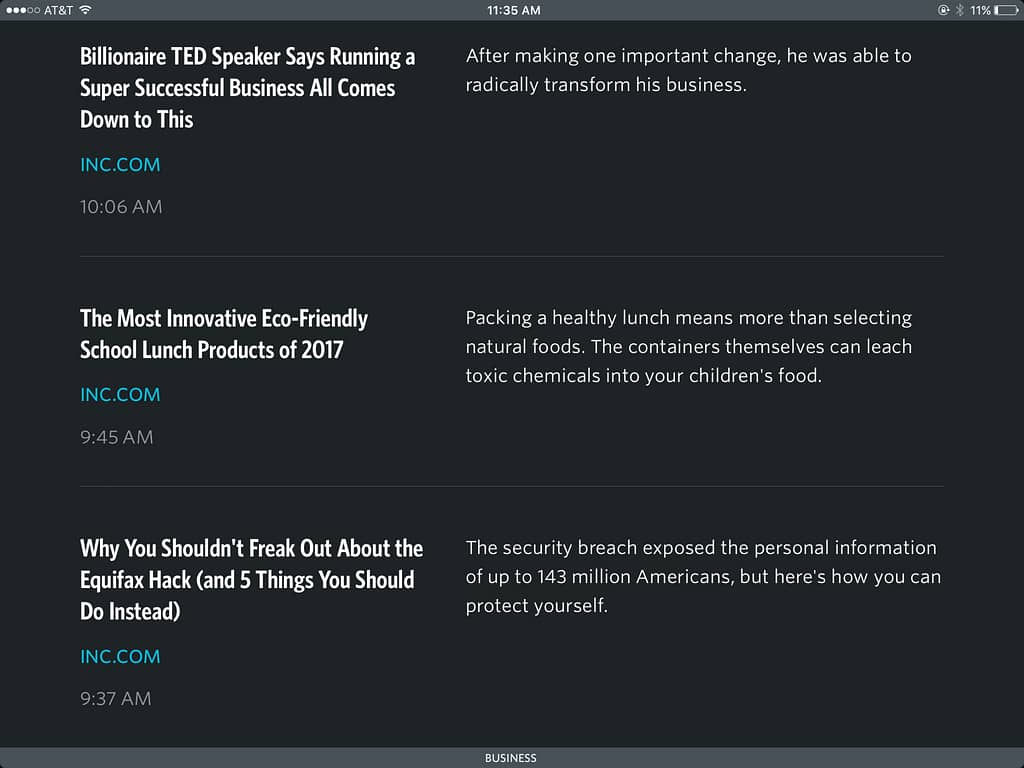
While Feedly and Feedbin take care of tracking/subscribing to all my feeds, Unread is the app I use to actually read them. It is a paid app, but worth every penny.

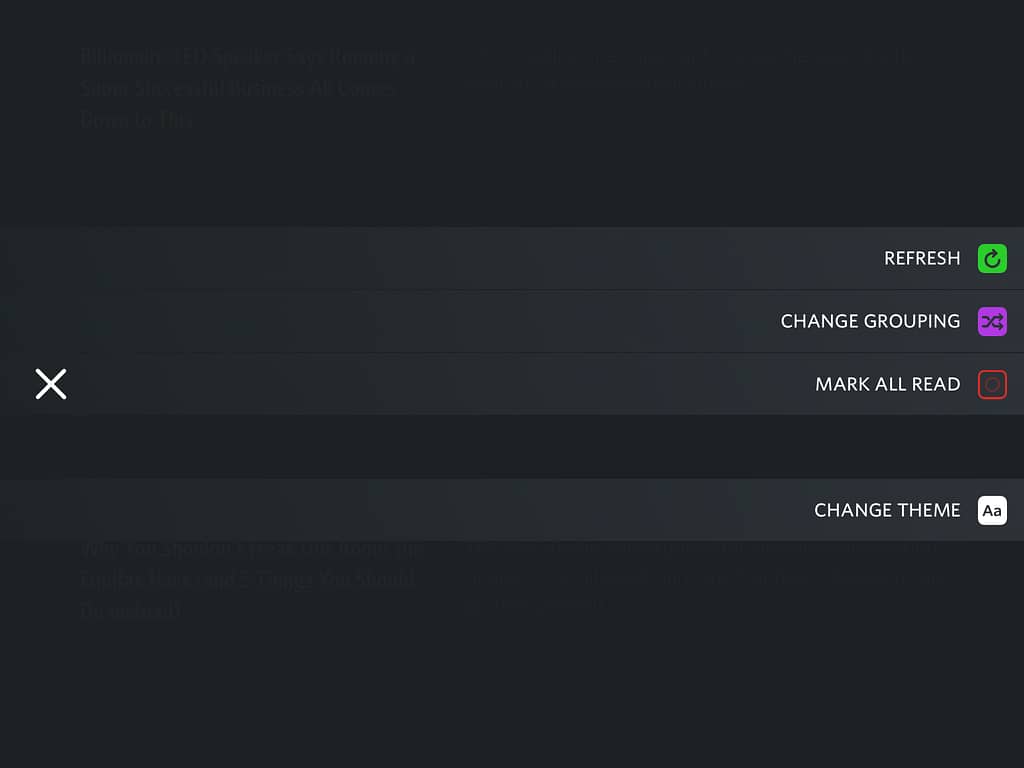
It did take awhile to get used to how to navigate Unread. It was an excellent use of time, however. Since I do so much reading while lying on my side (I had no idea this post was going to get so personal), I love that I can swipe from anywhere on the screen to navigate the various parts of the interface.

Skimming headlines in Unread, to see if I want to tap any of them to read more
Swiping to mark all as read, once I have gotten to the end of the list of headlines

I can save articles I read in Unread to Pinboard (my preferred bookmarking service). At the same time, I can include tags, to make it that much easier to find what I'm looking for down the road.

Kindle App

Even though I know I would read more if I stuck to only using my Kindle e-reader, I still do most of my reading on the free Kindle app.

I can use dark mode when I'm reading at night, highlight passages, and look up a word in the dictionary (right inside the app). I can Tweet a quote from the book, while in the middle of reading, as well as see approximately how many more minutes it will take until I will finish the chapter I am reading.

Your Turn

What's your take on digital reading? Are there any tools I left out that you would recommend? How do you address the potential for distraction when you're reading?

Filed Under: Resources

Tools for Travel

By Bonni Stachowiak | September 6, 2017 | | XFacebookLinkedInEmail

Travel sunset

I am going to be traveling more than usual this Fall.

I will have the honor of being the keynote speaker for the University of Georgia College of Education's Innovation in Teaching conference in October. Florida International University has also selected me as a keynote for their FIU Online Conference: Learning Inspired in November.

Some of the other workshops and conferences I'm speaking at allow me to stay local, but still require coordination and planning.

These upcoming speaking engagements have got me thinking of ways to reduce the stress that can sometimes come with travel. In this post, I recommend some products and services that make life easier when I'm on the road. At the end of the post, I invite you to share your suggestions with the community.

TripIt

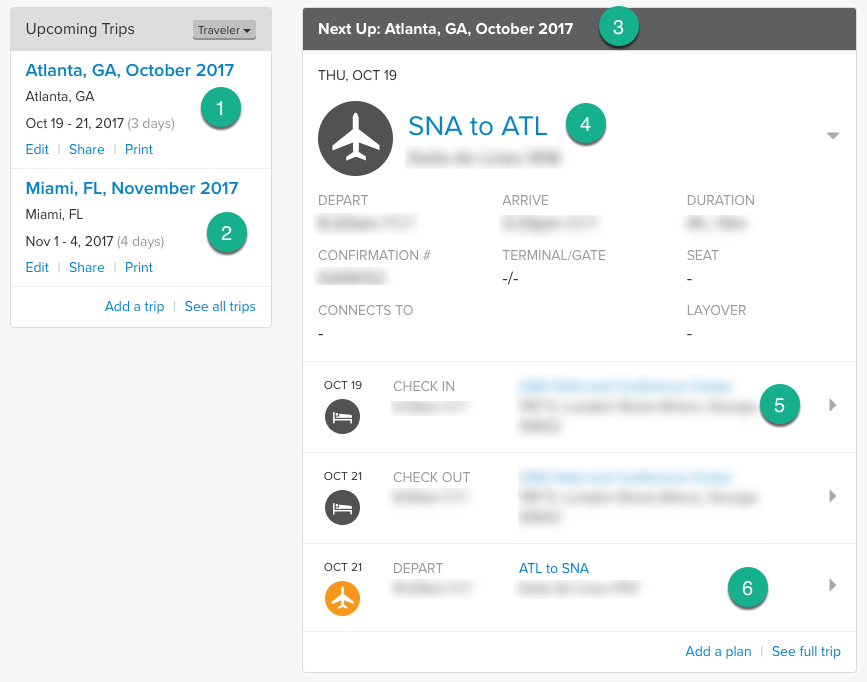
I wonder how I ever traveled without having access to TripIt. This service allows us to forward all our travel-related items into a single email address and have all the information collated into one place. When I receive an email about my plane tickets and flight times, I forward that message to my TripIt email. Once I book my hotel, I forward the communication to my TripIt account and know that everything I need will be in one place.

Whenever I email a trip-related message to TripIt, it either creates a new trip, if it doesn't see anything happening on those same dates, already. Otherwise, it adds the information to an existing trip.

TripIt Screenshot

The main screen of TripIt has all my trips in one place, such as the (1) trip to Georgia for the Innovation in Teaching Conference, or the (2) trip to Miami for the FIU Online Conference. I can click through to see more detail on any trip, including the (4) detailed flight information, (5) hotel details, rental car reservation, and (6) departing flight details.

TripIt is what is known as a freemium service, meaning they give us a lot for free in the hopes that we'll be even more excited to pay for additional features. I have found the free version more than sufficient, but will admit that this Fall has me thinking that maybe it would be worth the $49 for even more convenience.

TravelPro Platinum Magna Suitcase

No one can ever accuse me of not getting good use out of my suitcases. I used my old travel bag until the wheels literally fell off (sadly, during a trip). When I decided it was time to upgrade, I went to one of my go-to sources when buying something new: The Wirecutter.

If you are not already familiar with The Wirecutter (and its accompanying site – The Sweethome), it is time to take a look.

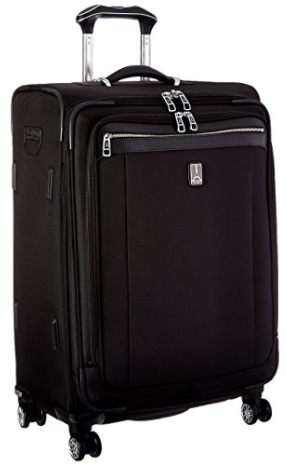
suitcaseHere's how they describe themselves:

The Wirecutter and The Sweethome (part of The New York Times Company) are lists of the best gadgets and gear for people who quickly want to know what to get. When readers choose to buy our independently

chosen editorial picks, we earn affiliate commissions that support our work.

I wound up purchasing their recommendations for a checked bag suitcase (Travelpro Platinum Magna 2 25-inch Expandable Spinner Suiter) and a carry on suitcase (Travelpro Platinum Magna 2 22″ Expandable Rollaboard Suiter). What a difference a bag makes…

The wheels on the suitcases are smoother than any I've ever used before. They have a detailed explanation on their website for why they did not wind up recommending hard case suitcases.

I also agree with a commenter on their site that the dimensions on carry on baggage can be deceiving. When I travel, I almost always check one bag and just carry a small bag or backpack with me on the plane. I like to avoid stressing out over whether there will be enough room in the overhead compartment by the time I get to my seat.

iPad Pro with Apple Pencil

Some of you may have heard on a recent episode of Teaching in Higher Ed of the dangers of being hit in the face by my old 12.9″ iPad Pro. I decided to buy the smaller 10.5″ iPad Pro when it came out and have never looked back.

Traveling with the 10.5″ iPad Pro and an Apple Pencil is delightful. I can now give hand-written feedback on students' papers using the new Canvas Teacher App. Amazon recently unveiled a simpler way to access notes and highlights that I have made in my various books.

AirPods make listening to iPad audio at home and while traveling a whole lot more convenient. I also now have my eyes (or should I say ears?) on the Beats Studio3 Wireless Over-Ear Headphones that were just released. The noise cancelation feature seems like a great way to be consumed by a movie or music while flying 35,000 miles above the ground.

Packing Tools

I'll admit that I lack credibility when it comes to actually how to pack a bag. I have saved how-to articles like this one from the New York Times, so that I'll improve my game. I enjoy perusing posts on what different people pack, in the hopes I will find some new trick to make packing easier.

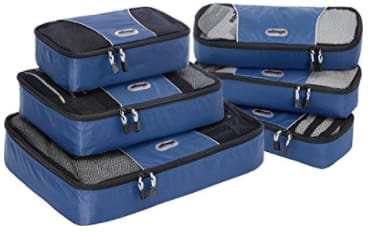
packing cubesOne item I am looking forward to seeing arrive on our front porch is the new eBags packing cubes I ordered.

There are plenty of articles out there on how to best make use of packing cubes and I am ready to give them a try on my upcoming trips.

At first, I thought I would buy a bunch of different colors of packing cubes. However, after doing some more reading about them, it seemed a better idea to have each family member get to have their own color of packing cubes. That way, we can tell at first glance whose cubes belong to which family member.

Your Turn

What tips do you have for making travel more enjoyable?

***

This post contains a few affiliate links. If you purchase yourself a set of packing cubes or suitcase using the links from this post, we will receive a small percentage of your purchase. Teaching in Higher Ed does not make a substantial amount of money through these efforts. We do occasionally make enough to support our monthly reading habits. 

Filed Under: Resources

Five Finds to Help Carry the Load

By Bonni Stachowiak | August 28, 2017 | | XFacebookLinkedInEmail

Our kids on their first day of schoolThe school year has started times three around here.

Our son started kindergarten last week, while I kicked off my semester. This morning, our three year-old excitedly started preschool. We are all celebrating the joys that new learning discoveries entail.

Thanks to all of you who have shared stories and your reactions to the recent episode about course evaluations, as well as your reflections on the episode regarding racial identity.

As you no doubt could tell, those two episodes were hard for me to be vulnerable enough to share. I'm grateful to have taken the required risks, in order to get to hear about your own experiences in such powerful ways.

Five Finds to Help Carry the Load

Below are some finds I have made in the past few weeks. They all have something to do with carrying the load, whether that be literally, or metaphorically.

eBags Professional Slim Junior Laptop Backpack

Over the summer, there were a number of times when I found myself in need of something larger than a purse to carry with me.

Dave started by loaning me his regular backpack, but it became such a pain to unpack and pack it each time, that we both decided another option was in order.

ebags backpack

The backpack I chose was made by eBags: the Professional Slim Junior Laptop Backpack. It has a zippered area at the bottom of the backpack to enable you to keep fragile items in it (such as reading glasses), or your power cords (making them easier to access).

It also has a zippered compartment on the side for carrying a water bottle that stows away when you're not using it. This is the most flexible backpack I've ever owned. Even the backpack straps can be tucked away and you can use the top or side handles for carrying it.

Hunger: A Memoir of My Body, by Roxane Gay

As you'll hear in upcoming episodes, Hunger winds up being recommended twice in a row. Cathy Davidson told me after we stopped recording that she read it in record time, which I found to be the case with me, as well.

Cathy O'Neil explained how her recent gastric sleeve surgery has her thinking a lot about weight. She even recently blogged about throwing away her scale.

Gay carries not only the literal load of her hundreds of pounds of body weight. She also travels with the memory of a sexual assault that still profoundly impacts her relationships today. She conveys what she hopes to achieve by breaking her silence, as follows:

If I must share my story, I want to do so on my terms, without the attention that inevitably follows. I do not want pity or appreciation or advice. I am not brave or heroic. I am not strong. I am not special. I am one woman who has experienced something countless women have experienced. I am a victim who survived. It could have been worse, so much worse. That’s what matters and is even more a travesty here, that having this kind of story is utterly common. I hope that by sharing my story, by joining a chorus of women and men who share their stories too, more people can become appropriately horrified by how much suffering is born of sexual violence, how far-reaching the repercussions can be.” – Roxane GayHunger, by Roxane Gay

FlipGrid

I started using FlipGrid in my class this semester, after getting to experience it from a learner point of view, thanks to Michelle Pacansky-Brock.

My students expressed both fear at expressing themselves via video, like this, but also delight at having such a powerful way to improve their communication skills.

backpack flipgrid hunger roxane gay

Our first day of class, we talked about what gaps they anticipate will exist when they graduate and start their first full-time job post college. These self-reported weaknesses weigh heavy on their minds, as they experience the fears that come with the forthcoming transition from college to whatever comes next.

One theme that kept emerging of areas where they may not match up with what is expected was regarding communication skills (specifically in a professional environment). After seeing a demo and talking it through, all the students agreed that FlipGrid could help them close some of that perceived gap, in advance.

It goes without saying that it will take much more than FlipGrid to address their needs, but I was glad there was a sense of commitment around developing our communication skills in this way.

Twine (Game-creation) Resources

As some of you already know, I have a family member who now lives in a memory care facility and is suffering from dementia. Another family member (J) is doing whatever she can to not be next on the list.

J mentioned that she wants to try to write a computer game. That's something completely out of her existing skills and knowledge and is something that can help diminish her risk of dementia. I suggested that she listen to Keegan Long-Wheeler talk about game creation on episode 122.

Keegan recently wrote a fabulous post with lots of resources for writing Twine games, including sample games from some of his students. I know he'll get a kick out of knowing that his work is helping bring comfort to someone who is grieving the loss of a ‘normal' relationship with her family member, and who is working to avoid the same fate, herself.

How to convert a Google Doc to RMarkdown and publish on Github pages

I hadn't heard of Northeastern's Storybench website, until someone Tweeted about it last week. If only I could remember who that was, so I could give them a proper h/t – hat tip.

As soon as I saw Storybench's post on How to Convert a Google Doc to RMarkdown and Publish on Github Pages, I wished I could rewind the clock by a couple of weeks and give it a try for this semester. These tools for helping us create online syllabi that are easy to navigate seemed intriguing.

There's a lot to like about keeping a syllabus online, especially when we consider how much easier updates can be down the road. I could get lost in Storybench's tutorials, not to mention their resources for educators.

Your Turn

What finds have you made, lately, that are helping you literally or figuratively carry the load?

Filed Under: Resources

  • « Go to Previous Page
  • Page 1
  • Interim pages omitted …
  • Page 7
  • Page 8
  • Page 9
  • Page 10
  • Page 11
  • Interim pages omitted …
  • Page 17
  • Go to Next Page »

TOOLS

  • Blog
  • Podcast
  • Community
  • Weekly Update

RESOURCES

  • Recommendations
  • EdTech Essentials Guide
  • The Productive Online Professor
  • How to Listen to Podcasts

Subscribe to Podcast

Apple PodcastsSpotifyAndroidby EmailRSSMore Subscribe Options

ABOUT

  • Bonni Stachowiak
  • Speaking + Workshops
  • Podcast FAQs
  • Media Kit
  • Lilly Conferences Partnership

CONTACT

  • Get in Touch
  • Support the Podcast
  • Sponsorship
  • Privacy Policy

CONNECT

  • LinkedIn
  • Instagram
  • RSS

CC BY-NC-SA 4.0 Teaching in Higher Ed | Designed by Anchored Design