• Skip to primary navigation
  • Skip to main content
  • Skip to footer

Teaching in Higher Ed

  • Podcast
  • Blog
  • SPEAKING
  • Media
  • Recommendations
  • About
  • Contact

Overcast Reports My 2024 Top Podcasts

By Bonni Stachowiak | November 23, 2024 | | XFacebookLinkedInEmail

My Top Podcasts 2024 ATP Pod Save America The Ezra Klein Show Mac Power Users Hard Form Sharp Tech Teaching in Higher Ed The Political Gabfest The Talk Show

Dave posted on LinkedIn about a recent podcast catcher app update which has both of us looking at our listening habits for this year so far. I didn’t realize that Marco had put out an Overcast update until Dave tagged me in his post. Like Dave, Overcast is my favorite podcast app. Here are some reasons why:

  • Playlists: I can organize my favorite podcasts and hone in on just what I’m in the mood to listen to at a given time. My categories include: Priority; Business + Economics; News; Politics + Law; Productivity; Teaching, etc.
  • Smart speed: As Dave mentioned in his post, it is a subtle shift that adds up over time.
  • Queue: There are one-off episodes that I’ll want to be sure to listen to, but I may not want to subscribe to all future episodes of a given podcast. That’s easy to accomplish by setting up a queue playlist in Overcast.

Dave highlighted what podcasts he pays for, which means that they can be listened to ad-free. We both like that we can support the makers of the shows in that way. I pay for the following shows: Accidental Tech Podcast (ATP); Mac Power Users; Sharp Tech, The Talk Show; The Political Gabfest (via a Slate subscription); and Hard Fork and The Ezra Klein Show (via our New York Times subscription).Now that the election is over, I imagine that my top podcasts will change and that over the next year will wind up being:

  • ATP (Accidental Tech Podcast): “Three nerds discussing tech, Apple, programming, and loosely related matters.”
  • Hard Fork: Often humorous exploration of the intersection of technology, culture, and the future.
  • The Ezra Klein Show: A phenomenal interviewer and writer discusses politics, philosophy, and culture. Ezra knows how to have rich conversations with people who agree and disagree with his views.
  • Mac Power Users: They keep me challenged in a good way to get the most out of my Mac and other Apple products and bring joy to my life.
  • Teaching in Higher Ed: Listening to my own podcast makes me seek to continue to get better as an interviewer. Plus, I can deepen the learning from having interviewed someone when I can relax more and consider what actions I may want to take from the conversations.

Some favorites don’t come out as often as other podcasts that I listen to, so won’t show up on my top listens. I also devote time to almost all of Tom Henschel‘s The Look and Sound of Leadership podcast (which only airs once a month), many of Dave’s Coaching for Leaders episodes, and John Biewen‘s Scene on Radio.

It was wild to me to see how many more hours Dave listened to podcasts than me so far in 2024 (and something tells me I’m not going to catch him by the year’s end). Some of that is likely attributable to Dave running 3-4 times per week and always listening to podcasts during his workouts via his Apple Watch (phone free). Me? I mix things up in my exercise practices by often doing walk ’n talks with friends over the phone, or doing Apple Fitness workouts (which are such a great way to infuse music that I love into my exercise).

What podcasts are you listening to most these days?

Filed Under: Personal knowledge mastery

2024 Top Tools for Learning Votes

By Bonni Stachowiak | May 6, 2024 | | XFacebookLinkedInEmail

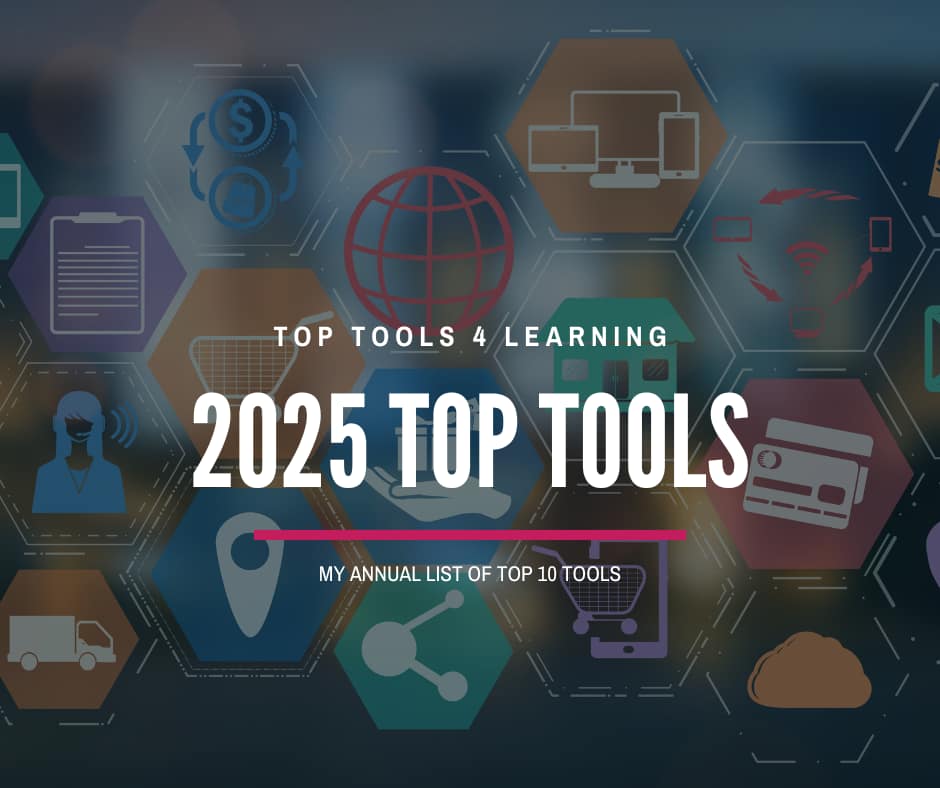
2024 top tools for learning with tv screens in the back filled with colorful imagery

Each year, I look forward to reviewing the results of Jane Hart’s Top 100 Tools for Learning and to submitting my votes for a personal Top Tools for Learning list. I haven’t quite been writing up my list every single year (missed 2020 and 2023), but I did submit a top 10 list in 2015, 2016, 2017, 2018, 2019, 2021, and 2022. I avoid looking at the prior year’s lists until I have identified my votes for current year.

My 2024 Top Tools for Learning

Below are my top 10 Tools for Learning for 2024. The biggest change in my learning tools involves using social media less, most specifically that service that used to have an association with a blue bird and can most closely be associated with a cesspool these days.

Overcast

This podcast catcher is a daily part of my life and learning. Overcast has key features like smart speed and voice boost, which you can have for free with some non-intrusive ad placements, or pay a small fee for a pro subscription and have them hidden from view. Overcast received a major design overhaul in March of 2022, which led me to reorganize my podcast playlists to take full advantage of the new features.

Unread

While Overcast is for the spoken word, Unread is primarily for written pieces. Powered by real simple syndication (RSS), Unread presents me headlines of unread stories across all sorts of categories, which I can tap (on my iPad) to read, or scroll past to automatically mark as read. I use Unread in conjunction with Inoreader, which is a robust RSS aggregator that can either be used as an RSS reader, as well, or can be used in conjunction with an RSS reader, such as Unread.

LinkedIn

The biggest change from prior year’s surveys has to do with social media. The bird app just isn’t like it used to be. I’ve found most of my professional learning via social media takes place on LinkedIn these days. If you’re on LinkedIn, please follow me and the Teaching in Higher Ed page.

YouTube

Once I found out that I could subscribe to new YouTube videos on my RSS reader, Inoreader, it changed how often I watch YouTube videos. That, plus subscribing to YouTube Premium, which means we get ad-free viewing as a family, makes me spending a lot more time with YouTube. I even have my own YouTube channel, which I occasionally post videos on, most recently about my course redesign and use of LiaScript.

Loom

The expression tells us that it is better to show than tell in many contexts. Loom is a simple screen casting tool. Record what’s on your screen (with or without your face included via your web cam) and as soon as you press stop, there’s a link that automatically gets copied to your computer’s clipboard which is now ready to paste anywhere you want. I use Loom for simple explanations, to have asynchronous conversations with colleagues and students, to record how-to videos, and to invite students to share what they’re learning. If you verify your Loom account as an educator, you get the pro features for free.

Kindle App

I primarily read digitally and find the Kindle iPad app to be the easiest route for reading. I read more, in total, when I am disciplined about using the Kindle hardware, but wind up grabbing my iPad most nights.

Readwise

It is so easy to highlight sections of what I’m reading on the Kindle app and have those highlights sync over to a service called Readwise. The service “makes it easy to revisit and learn from your ebook and article highlights.

Canva

My use of the graphic design website Canva has evolved over the years. I started by using it to create graphics and printable signs for classes. Now I also use it to create presentations (which can include embedded content, slides, videos, etc.). For some presentations I’m doing in the coming weeks, I’m experimenting with using Beautiful.ai for my presentations. I still think Canva is great, but am having fun trying something new.

Raindrop.io

Probably more than any other app, I use Raindrop on a daily basis. It is a digital bookmarking tool. I wrote about how I use Raindrop in late 2020. I continue to see daily benefits with having such a simple-yet-robust way of making sense of all the information coming at me on a daily basis.

Craft

I don’t change my core productivity apps very often. In the case of Craft, once I made the switch, I never looked back. This app has both date-based and topic-based note-taking, as well as individual and collaborative features. From their website: “Craft is where people go to ideate, organize, and share their best work.”

Those are my top ten for the year, not in any particular order. The first draft of this post had eleven items, since I lost count as I was going. I wind up using Zoom as so much a part of almost every day, it winds up getting forgotten, given its ubiquity in my life. I'm leaving it on this post, even though it takes me over my count of ten.

Zoom

I use Zoom so often that one of the years, I entirely left it off of my top ten listing, because it is just always there. Recent enhancements I have grown to appreciate are the built-in timer app, the AI transcripts and summaries, and that you can present slides while people are in breakout rooms.

Your Turn

Would you like to submit a vote with your Top Tools for Learning? You can fill out a form, write a blog post, or even share your picks on Twitter. The 2024 voting will continue through Friday, August 30, 2024 and the results will be posted by Monday, September 2, 2024.

Filed Under: Educational Technology

Achieving work-life balance (or is that even possible?)

By Bonni Stachowiak | April 13, 2024 | | XFacebookLinkedInEmail

A friend and colleague asked me about how to achieve work-life balance and what tools are best for doing that. Let's just say I got a bit energized by her question that I recorded a video for her and sent her some key points from what I shared. If you're wondering about these same questions, check out the comments for a link to the video I sent to her, which is now on my YouTube channel.

RESPONSE

I appreciate you reaching out with your concerns about achieving a more effective work-life balance and integrating tools like Microsoft Planner with your team. Here are some insights and recommendations based on what you've shared, which I share in more detail in the video:

View Work-Life Balance as a Journey: Rather than seeing work-life balance as a fixed destination, it's more helpful to view it as an ongoing journey. This perspective allows for flexibility and adaptation, acknowledging that some days or weeks might be more challenging than others.

Incorporate Consistent Tools and Habits: To achieve effective work-life integration, it's crucial to not only have the right tools but also to establish consistent habits that make the use of these tools part of your daily routine. Just as I shared in my video, using apps like Calm for meditation has helped me manage stress and maintain productivity through structured breaks like the Pomodoro technique.

Maintaining Flexibility in Tool Usage: It's okay to step away from certain tools occasionally. What's important is returning to them when you realize they bring balance and peace to your life. This adaptability is key in managing not just tasks but also your mental well-being.

Implement Practical, Routine-Based Strategies: Strategies such as a weekly review can dramatically reduce feelings of being overwhelmed and improve your organizational habits. Scheduling regular check-ins on your progress can guide you in managing your workload without feeling inundated.

Choose and Stick to Appropriate Technologies: The effectiveness of any tool depends on it being integrated thoughtfully into your day-to-day activities. My experience with tools like Raindrop for bookmarking and Zotero for academic references emphasizes choosing technologies that fit seamlessly with your workflow. Also, avoiding frequent changes in your toolset helps in building a routine that you and your team can rely on.

Continuous Commitment to Your Tools: Commit to your tools unless there's a compelling reason to change. This consistency will help not only you but also your team in becoming more proficient with the technologies adopted and ultimately, more cohesive and functional as a unit.

VIDEO

Remember, the key to integrating any new tool or process effectively into your work-life system relies heavily on consistent usage and the development of supportive habits around it.

Filed Under: Productivity

Ethan Mollick Shares Principles for Working with AI on Coaching for Leaders with Dave Stachowiak

By Bonni Stachowiak | April 1, 2024 | | XFacebookLinkedInEmail

"Assume this is the worst AI you will ever use." Ethan Mollick on Coaching for Leaders

I enjoyed listening to Coaching for Leaders episode 674: Principles for working with AI with Ethan Mollick this morning. Dave is traveling this week, but it was almost like he was here, keeping me company, as I listened to the interview. 😂

One key point from the conversation that really resonated with me was how quick and easy it is to assess the AI's output, it if is doing something that you're already good at. I have found many examples of that truth, in experimenting with various AI tools.

We use the CastMagic.io service for the first pass at our podcast transcripts, for example. It can identify key quotes from the interviews and recommend discussion questions. For me (or someone on our team) to carve out the time to listen to the entire episode and try to figure out which quotes might be good to share just isn't practical. Yet we can quickly look and discard what the tool identified as not particularly helpful in illuminating or amplifying the conversation.

In a recent workshop with faculty, they were surprised to learn how easy it is to set up a form for students to make a request for a letter of recommendation or reference for a job or for grad school. Then, an AI can take the first pass at writing a draft, based on your writing style and preferences for length, tone, etc. How much easier is it to correct it for what it got wrong about a particular student's recommendation vs starting from scratch?

I've been using an AI app called Whisper Memos, which is on both my iPhone and on my Apple Watch. When I get an idea or something I want to share with someone, I just tap the complication on my watch face and start talking. The key differentiator for Whisper Memos for me is that it automatically puts in carriage returns, making it that much faster for me to make edits later on.

Another thing I like is that I discovered my favorite “chicken scratch” notes app on my iPhone and Apple Watch, Drafts, has a special email address I can use to send text to it. So now I have Whisper Memos set up to send to my unique Drafts email address and all my thoughts wind up in one place, ready for me to process when I have time.

I encourage you to listen to episode 674 with Ethan Mollick on Coaching for Leaders with Dave Stachowiak. When you're done, check out the AI-related conversations that I've had for Teaching in Higher Ed.

How are you using AI in your work these days?

Filed Under: Resources

Reflections from the Higher Education for Good Book Release Celebration

By Bonni Stachowiak | November 25, 2023 | | XFacebookLinkedInEmail

Photo collage of the authors & artists of Higher Ed for Good book

What a way to start my week!

November 20, 2023, I attended an online launch celebration event for a magnificent project. The book Higher Education for Good: Teaching and Learning Futures brought together 71 authors around the globe to create 27 chapters, as well as multiple pieces of artwork and poetry. Editors Laura Czerniewicz and Catherine Cronin shared their reflections of writing the book and invited chapter authors, and Larry Onokpite, the book’s editor, to celebrate the release and opportunities for collaboration. In total, the work represents contributions from 29 countries from six continents. Laura Czerniewicz was invited to talk about the book by the Academy of Science of South Africa (ASSAf), where she describes the values of inclusion woven throughout this project.

Higher Ed for Good Aims

At Monday’s book launch, Laura shared how the authors aimed to write about the tenants that were directed toward the greater aims of the book. Catherine described the call for authors to engage in this project, such that the resulting collection would help people:

  • Acknowledge despair
  • Engage in resistance
  • Imagine alternative futures and…
  • Foster hope and courage

Laura stressed the way articulating what we stand for and not simply what we are against is essential in facilitating systemic change. Quoting Ruha Benjamin, Laura described ways to courageously imagine the future:

Only by shifting our imagination, can we begin to think of a world that is more egalitarian, less extractive, and more habitable for everyone not just a small elite.

It was wonderful to see the community who showed up to help celebrate this magnificent accomplishment. Toward the end of the conversations, someone asked about what might be next for this movement. Frances Bell responded by joking that she wasn’t sure she was necessarily going to answer the question, as she is prone to do. Instead, she described her use of ‘a slow ontology,' a phrase which quickly resonated with me, even thought I didn’t know exactly what it meant.

In some brief searching, I discovered a bit more about slow ontology. My novice understanding is that slow ontology asks the question of what lives might look like, were we to live them slowly and resist the socialization of speed as productivity and self-worth. Ulmer offers a look at a slow ontology for writing, while Mol uses slowness to analyze archeological artifacts. One piece I absolutely want to revisit is Mark Carrigan's Beyond fast and slow: temporal ontology in critical higher education scholarship. 

Next Steps

I'll have the honor, soon, of interviewing Laura and Catherine for the Teaching in Higher Ed podcast. I'm ~30% through Higher Education for Good and am glad I don't have to rush through the reading too quickly. I mentioned as a few of us remained online together after the book release celebration that reading Higher Education for Good and Dave Cormier's forthcoming Learning in a Time of Abundance has been an interesting juxtaposition. Rissa Sorensen-Unruh described a similar serendipity of reading Belonging, by Geoffrey Cohen at the same time as Rebecca Pope-Ruark's Unraveling Faculty Burnout. After skimming the book description of Belonging, I instantly bought it… adding it to the quite-long digital to-read stack. I suppose that while I struggle with slowing down, that challenge doesn't apply when it comes to my reading practice.

Resources:

  • Higher Education for Good Book
  • Book Launch Slides
  • Laura’s blog
  • Catherine’s blog
  • Writing Slow Ontology, Ulmer
  • ‘Trying to Hear with the Eyes’: Slow Looking and Ontological Difference in Archaeological Object Analysis, Mol
  • Learning in a Time of Abundance, Cormier
  • Belonging, Cohen
  • Unraveling Faculty Burnout, Pope-Ruark

Filed Under: Teaching

  • « Go to Previous Page
  • Page 1
  • Interim pages omitted …
  • Page 6
  • Page 7
  • Page 8
  • Page 9
  • Page 10
  • Interim pages omitted …
  • Page 69
  • Go to Next Page »

TOOLS

  • Blog
  • Podcast
  • Community
  • Weekly Update

RESOURCES

  • Recommendations
  • EdTech Essentials Guide
  • The Productive Online Professor
  • How to Listen to Podcasts

Subscribe to Podcast

Apple PodcastsSpotifyAndroidby EmailRSSMore Subscribe Options

ABOUT

  • Bonni Stachowiak
  • Speaking + Workshops
  • Podcast FAQs
  • Media Kit
  • Lilly Conferences Partnership

CONTACT

  • Get in Touch
  • Support the Podcast
  • Sponsorship
  • Privacy Policy

CONNECT

  • LinkedIn
  • Instagram
  • RSS

CC BY-NC-SA 4.0 Teaching in Higher Ed | Designed by Anchored Design