• Skip to primary navigation
  • Skip to main content
  • Skip to footer

Teaching in Higher Ed

  • Podcast
  • Blog
  • SPEAKING
  • Media
  • Recommendations
  • About
  • Contact

Educational Technology

When Open-Ended Live Polling Gets Rocky

By Bonni Stachowiak | April 29, 2018 | | XFacebookLinkedInEmail

One of my colleagues tried out open-ended polls for the first time the other day. I asked him to let me know how it went, if he had time afterward. Here is his [edited] reply:

“I ended up using PollEverywhere in three of my classes yesterday.  It seemed that students enjoyed the interactive nature of the review session. However, there were some challenges.

I did the open-ended polls for the review questions. Initially things went pretty smoothly; however, in both of my intro classes there were one or two students who anonymously posted unhelpful responses (i.e. YouTube links, comments on NFL, etc.) as the class progressed. It was fairly distracting for other students.

In the future, I’m thinking that I may need to assign an identified “scribe” for each group and only allow them to post their group responses. The upper division class did a good job staying on topic.”

His reflections reminded me of another person who had shared about her poll responders going rogue. She teaches classes of 200-300 and had a bad first experience using open-ended questions, as well. She had left the open-ended question showing on the screen as the students worked on the case. After about 20 minutes, it was a free-for-all for who could come up with something to type that would elicit the most laughter from the room.

Here are some ideas for how to have a better experience with polling, specifically with open-ended questions.

Incorporate Polling Early in a Class

In both cases where polling didn’t turn out to work as well as the professors had hoped, they had started using it in the middle or at the end of a 15-week semester. This is not to say that you couldn’t ever make that work.

However, my experience is that especially as our Spring semester draws to a close, the students are often ready to be done about 2-3 weeks before the semester has actually ended. Bringing in a new teaching approach might bring new energy during a challenging season. However, it also might bring out the temptation to destress though distraction.

By using polling earlier in the class, you can set some group norms around how you will use them and be able to establish more familiarity with the method. I typically use polling the first or second class session, with the majority of the questions posed being in multiple choice format, or as a clickable image.

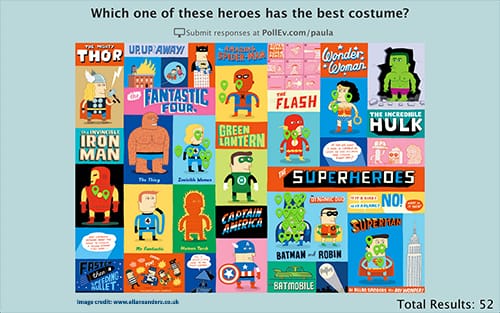
Clickable Images on PollEverywhere
Example of a clickable image from the PollEverywhere website

Present a Puzzle or an Opportunity to Predict

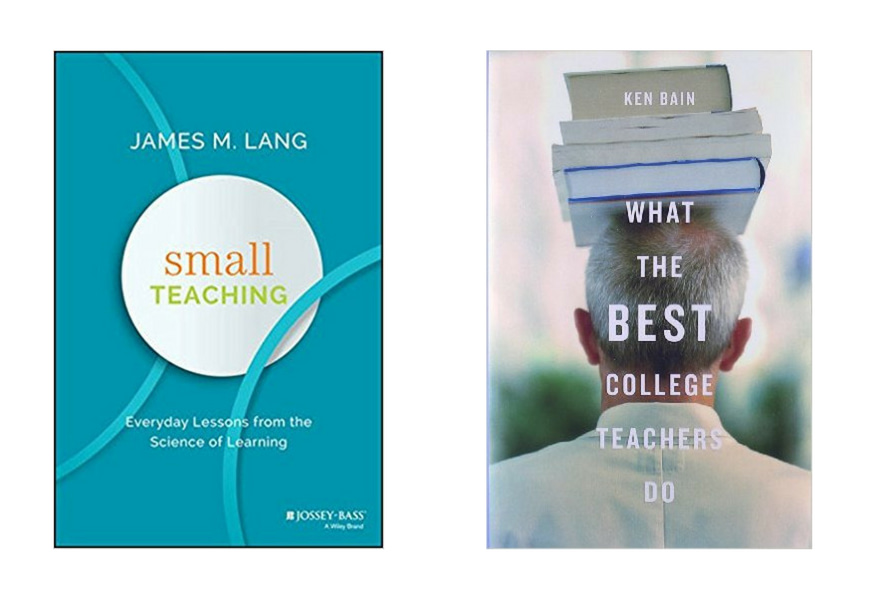
In Ken Bain’s What the Best College Teachers Do (2004), he stresses the importance of giving students problems to solve that are intriguing and even beautiful. When he was on Teaching in Higher Ed, episode 36, he asserted that we should:

“Ask engaging questions that spark people’s curiosity and fascination that people find intriguing…”

James Lang’s Small Teaching (2016) describes the power of having students make predictions. He suggests, “When presenting cases, problems, examples, or histories, stop before the conclusion and ask students to predict the outcome.” I enjoy using an episode of Planet Money about Brazil’s wild currency fluctuations and pausing it partway through to ask students what they thought the economists recommended to create more stability in their economic system.

Both Bain (2004) and Lang (2016) stress the importance of heightening learners’ curiosity. If they are being asked to wrestle with something that truly has their attention, they are much less likely to want to share the highlights of last night’s NFL game.

Lang shares about research reported in Scientific American where participants were asked to indicate their level of curiosity. The more curious they were, the more likely they were to remember the information being presented. The combination of curiosity plus the anticipation of receiving an answer created a wonderful combination to maximize both attention and retention.

Go with It

Depending on the nature of what is being entered into the open-ended prompt, consider enjoying the opportunity for some levity in what can all too often be a stressful season.

I followed Stephen Brookfield’s recommendation of using a backchannel service called Today’s Meet and kept it open as I played a couple of segments from a This American Life podcast episode about entrepreneurship.

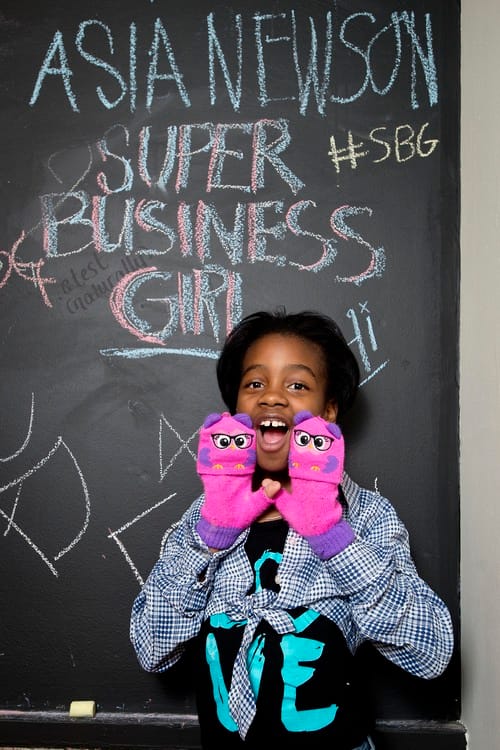
The first segment profiled Asia Newson, an 11 year-old who was making her mark in business through her sales abilities and dynamic personality. She referred to herself as Super Business Girl and had even crafted an addicting theme song for herself that still gets stuck in my head each time I remember it.

Asia Newsome

I had asked the students to note when the podcast episode discussed any of our learning objectives and to make those connections on either Today’s Meet, or visually on a large piece of paper I had hung on the wall (this technique is often called Chalk Talk). Side note: I’m not sure what possessed me to think that having both options was a good idea, but I likely would only offer up one mode of collective note taking in the future.

Before I knew it, someone in the class had entered the Today's Meet back channel with the name Super Business Girl. The class burst out in laughter with each additional line that appeared. Eventually, a Super Business Boy came on the scene. The two interacted with each other and had us cracking up each time either name was mentioned for the rest of the semester. I could have been frustrated by the ‘distraction.' Instead, I was grateful for the memory we shared as a class. Each time I have done this exercise with subsequent groups, I always hope maybe one of them will show up again. 

Stephen Brookfield shares about a fictitious character he often brings into his teacher who he calls Shannon. This individual argues with Brookfield about controversial topics, in the hopes of getting the students to feel comfortable expressing diverse views. Shannon also provides Stephen with ways he could have approached something in a better way. The students all know that Shannon is not a real person (and that it is Brookfield bringing this character into existence).  

Limit the Amount of Time the Open-Ended Poll Stays on the Screen

Probably the most powerful way that I have found to keep open ended questions’ responses more targeted is to limit the amount of time the poll question is left “open” on the screen.

I usually present the question on a slide (not a live, polling slide). Then, much of the time, I will have students discuss their answer with someone near them. Finally, I will bring up the live polling slide on the screen and ask students to respond to it on their devices. If I have done an effective job at creating a mystery, or asking them to solve an intriguing question, I very rarely have any answers that don’t relate to what we are discussing.

Use a Tool that Has a Moderating Feature

Many polling and audience response systems that I am familiar with have the option to moderate responses on their paid plans. I haven’t used moderation much in my teaching, but can imagine that I would need to assign that task to someone in the class. I doubt that I would be able to multitask that effectively, without slowing down the class considerably and losing people’s attention.

Have Names Be Public

If you use a paid plan for PollEverywhere, for example, you can require that students’ names be included with their responses. I am not a huge fan of this option, as it can create unwanted pressure for the students to perform in cases where there is a right/wrong answer. I want these opportunities for review in class to be low stakes and having students’ identities not be known is one of the ways I accomplish this.

Stephen Brookfield stresses the importance of anonymity in his teaching philosophy. His fictional character Shannon isn't the only anonymous person who enters his classes. He suggests that all students use nicknames in their backchannel and uses this same practice when presenting at conferences, as well. 

There may be reasons why having your students' names be public makes sense in your case. However. I have yet to see this feature anywhere but on paid polling systems.

Check Your Power

I find it important to reflect on why it bothers me so much when students do certain things. I remember vividly how personally I would take cheating, which I talk about on episode 19 with James Lang and on episode 157 with Phil Newton.

I have yet to take it personally when a student types something distracting into an open-ended poll question (it usually makes me laugh; they can really be quite amusing). But, that doesn’t mean that I couldn’t regularly use a dose of checking my own sense of power in my teaching.

When presented with students who are typing in text that doesn’t align with our plans for the class session, it can mess with our desire to have things be in control. Let’s get real and admit that probably should have been stated as our desire to be the one in control.

Handing control and agency over to our students can be challenging and exhilarating all at the same time. This semester I had options in the syllabus for students to do reviews for our exams. One of the requirements was that they involved the students in the class in some way and didn’t just present from a powerpoint. Seeing them take more of a shared responsibility for the learning that needed to take place in the class was delightful.

Having students give presentations in a class is an activity that probably requires its own post, since there are plenty of ways we can mess this up, as well. But, for now, realize that reflecting on those elements of our frustration are the result of losing control can be helpful in identifying remedies that will ultimately facilitate greater learning in the future.

Tools

I mentioned PollEverywhere in this post, as it was ultimately what I recommended to this colleague, based on the time he had and the goals he was looking to accomplish. Here are a few tools I have found particularly helpful at presenting poll questions:

  • Glisser – This is a tool I use more when I am presenting keynotes or workshops at conferences. It allows you to present your slides within their system (you upload your slide deck to Glisser), deliver poll questions, and has a whole host of other options that you can toggle on/off.
  • Sli.do – Present live Q&A and polls in events or classes. Again, I tend to use this one more at conferences, instead of in my classes, but you certainly could use it.
  • Plickers – If you want to do away with devices completely, Plickers are for you. You print out Plicker cards and students use them to indicate their answers. No open-ended questions for these cards, but I did want to include them here, if you are particularly adverse to having people use their devices.
  • PollEverywhere – One of the things I really like about PollEverywhere is all the different types of questions they offer. It is also great how easy it is to embed PollEverywhere questions within a slide deck, meaning that I don’t even have to toggle over to a separate application. Ah yes. One more thing: I like how I can administer a PollEverywhere poll without even a projector. I was once locked out of my classroom. We went out by a beautiful fountain on our campus and were all able to go through the PollEverywhere questions via my phone or tablet and with the students responding on their phones.
  • Kahoot – More on the playful side, “Kahoot is a game-based learning and trivia platform. It is restricted to multiple choice questions, but thought it was worth including here.

Other tools I have heard good things about, but haven't tried myself include: TopHat Classroom, Socrative, and Mentimeter. 

Don’t forget that you can use sticky notes, place review terms in envelopes and use all sorts of analog methods of reviewing information in a class. The more we can mix it up in our teaching, the more likely we are to combat some of the apathy that can come our way.

Your Turn

What’s your advice to someone who struggles with students typing in distracting items into an open ended polling question?

References

Bain, K. (2004). What the best college teachers do*. Cambridge, Mass.: Harvard University Press.

Lang, J. M. (2016). Small teaching: everyday lessons from the science of learning*. San Francisco, CA: Jossey-Bass.

This American Life (2014, September 5). 533: It’s Not the Product, It’s the Person. Audio podcast. Retrieved from https://www.thisamericanlife.org/533/its-not-the-product-its-the-person

Filed Under: Educational Technology

Getting the Most From Screencasting

By Bonni Stachowiak | April 19, 2018 | | XFacebookLinkedInEmail

screencasting

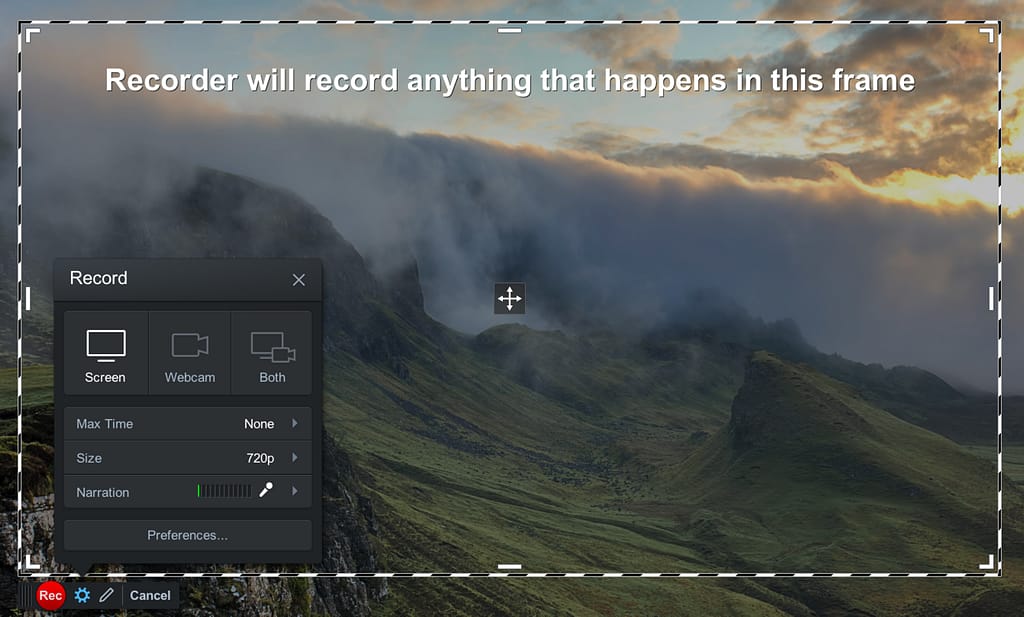
The last time I wrote about screencasting, I focused on what I look for in a good screencasting tool. This post focuses more on how to get the most out of the various ways you might use a screencasting application, like Screencast-O-Matic.

Kilickaya (2016) provides this definition of screencasting:

A digital recording of the computer screen output, including audio narration, which was first implemented in order to show learners how to use computer software through demonstrations. Since then, it has also been used in educational contexts e.g. to deliver lectures and to provide feedback.”

Below are some ways you can get better use out of a screencasting application.

Flipped Classes

When implementing a flipped class or blended learning teaching approach, screencasting can be an effective way to create whatever videos you might choose to use. Videos are not the only assets to include in a flipped classroom, but can be one way of conveying information.

When creating a screencast that revolves more around how to perform a task, have the theory and background contained in a separate video, or as text. Consider including a list of steps separate from the video to make it easier for students to complete the actions.

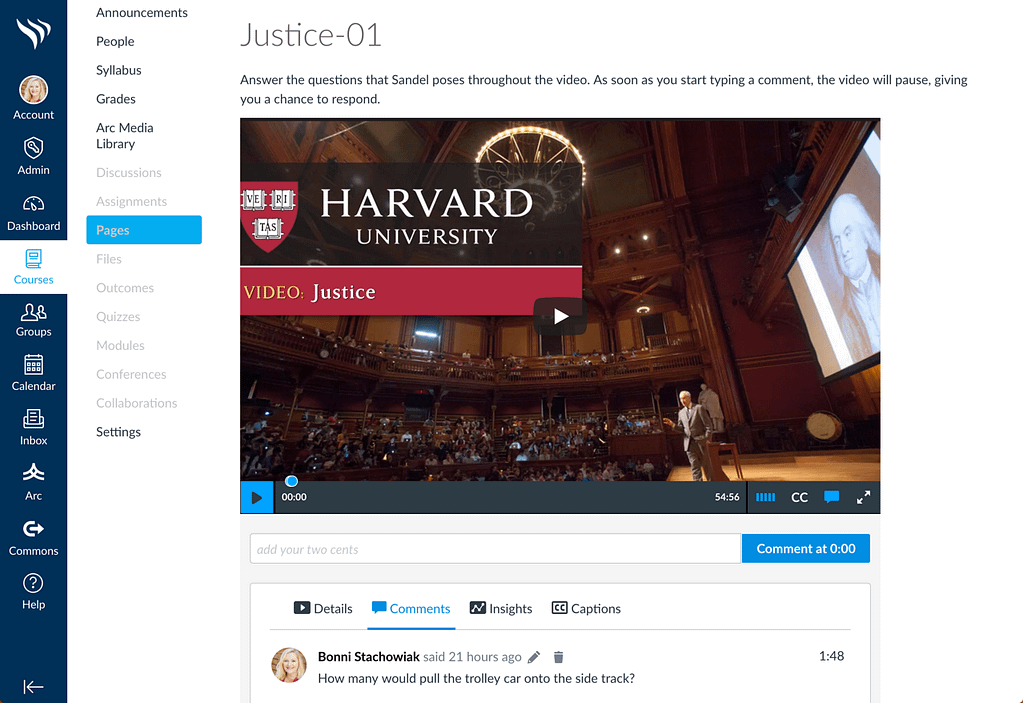
Include opportunities for students to engage beyond simply watching the video. The maker of the Canvas LMS now offers their streaming video service, Arc. One of my favorite parts of Arc is how students can comment in real time right below the video as they are watching it.

Arc Media

Other ways to engage students after watching a short video is to have them:

  • Submit a screenshot or other means for demonstrating that they completed the task
  • Write short, answers to reflective questions
  • Take a short quiz.

Be sure that whatever activity you have them complete aligns with what you intended that they take away from having watched the video. In one study, 70% of students stated that they preferred screencasts that had opportunities to answer questions, while 95% of them said that answering questions improved their recall (Snyder, Besozzi, Paska, & Oppenlander, 2016).

A few other resources to help you in creating videos for your classes (screencasted, or not) include:

  • How to Create a Video for A Class
  • Creating Authentic and Explanatory Videos
  • Hosting or Participating in Video Conferencing Sessions

That last link talks more about video conference sessions (that happen at a particular time), but much of it gives advice that also applies to screencasting.

Feedback

Another vital way to use screencasting is in providing feedback to learners. Faculty can provide a greater quantity of responses to students via screencasting, as compared to written feedback (Kiliskaya, 2016). Students are also able to pause, replay, and rewind the video, in order to more fully absorb the information being provided.

I like how Screencast-O-Matic and some of the other screencasting applications allow me to switch the video from showing the work I am providing feedback on (a paper, a blog/website, or an infographic, for example) to being able to show my face (along with my facial expressions and other visual cues that can be missed through written feedback, alone).

With Screencast-O-Matic, I can also “Zoom in/out, add text, draw freehand, or add drawing objects during recording,” along with the ability to edit my video before publishing it. My suggestion is that you not allow yourself to do too much editing, however, or you will lose the advantage that screencasted feedback provides, along with not having as authentic videos.

Your Turn

What advice do you have for people who are trying to use screencasting in their teaching most effectively?

References

Galligan, L., Hobohm, C., & Mathematics Education Research Group of, A. (2013). Students Using Digital Technologies to Produce Screencasts That Support Learning in Mathematics. Mathematics Education Research Group Of Australasia.

Kilickaya, F. (2016). Use of screencasting for delivering lectures and providing feedback in educational contexts: Issues and implications. In M. Marczak & J. Krajka (Eds.), CALL for openness (pp. 73-90). New York: Peter Lang.

Snyder, C., Besozzi, D., Paska, L., & Oppenlander, J. (2016). Is Flipping Worth the Fuss: A Mixed Methods Case Study of Screencasting in the Social Studies Classroom Authors. American Secondary Education, 45(1), 28-45.

Sponsorship

This blog post is part of a partnership between Screencast-O-Matic and Teaching in Higher Ed. I have received compensation as a part of this arrangement. However, I only recommend tools that I use in my own teaching and would have suggested you give them a try, regardless of any kind of formal agreement. After giving Screencast-O-Matic a try in recent weeks, I purchased a 3-year pro membership out of my own funds, I found it so easy to use.

Filed Under: Educational Technology

Ways to Use Screencasting in Your Teaching

By Bonni Stachowiak | March 13, 2018 | | XFacebookLinkedInEmail

I have been screencasting for many decades now. A screencast is a video you take of your screen. Often screencasts include audio, at the bare minimum, but they have become even more full-featured in recent years.

Criteria for Screencasting Applications

When I try out a screencasting tool, the following are the criteria I use to evaluate the application:

  • Easy to learn – It must be simple to get started screencasting using the tool. At a minimum, recording my screen, adding audio, and saving the screencast must be completely intuitive and not require watching any training videos or reading the documentation.
  • Fast capture – The process from start-to-finish must be fast, so I can quickly answer someone’s question and get the recording sent to them in hardly any more time than it takes me to record the answer.
  • Flexible – Once I have learned the basics of the application, I want it to have even more features I can discover to enhance my use of the software even more.
  • Accessible – Whatever screencasting tool I use must be able to produce accessible content, including the inclusion of captioning.

Uses for Screencasting

There are many ways we can use screencasting in our teaching. Here are just a few ideas to get you thinking:

  • Answer a question
  • Record a lecture
  • Give feedback on students’ work
  • Demo how to use an application
  • Build a course trailer

Screencast-o-matic

I was recently re-introduced to Screencast-o-matic when they got in touch with me to explore potentially sponsoring the Teaching in Higher Ed podcast. As you will hear in upcoming episodes, I did decide to enter into an agreement with them to support the show. After I used Screencast-o-matic, after not trying it for many years, I found it to meet all of the criteria I mentioned above that are important to me in selecting a screencasting application.


This video screencast I created using Screencast-o-matic will give you a glimpse of just some of the application's features.

Final Thoughts on Screencasts

You may have noticed that I didn't record my webcam in most of the demo videos I shared. I certainly find it helpful to be able to show my facial expressions and bring some more media variety to a video as I switch between graphics and my webcam. However, I absolutely appreciate that I don't have to include my webcam output in order to create a finished product.

There are just too many times when the kids have gone to bed and I'm wrapping things up after a long day. The ability to screencast without waiting until the next time I am able to present my most professional look is helpful. I can squeeze in answers to students, create new course content, or even create a Screencast-o-matic demo while my husband is off with the kids – as he is today.

A Selection of Articles on Screencasting

Here are some articles and blog posts about screencasting:

  • Byrne, R. (2016). A Video About Making Screencast Videos. FreeTech4Teachers.com
  • Ferris, D. R. (1997). The Influence of Teacher Commentary on Student Revision. TESOL Quarterly, 31(2), 315–339.
  • Green, S. (2017). A couple of podcasts on screencasting.
  • Martinez, R. (2016). Screencasting Feedback on Student Essays. Faculty Focus.
  • Von Bergen, M. (2017). Using Screencasts for Formative and Summative Assessment. Faculty Focus.

This blog post is part of a partnership between Screencast-o-matic and Teaching in Higher Ed. I have received compensation as a part of this arrangement. However, I only recommend tools that I use in my own teaching and would have suggested you give them a try, regardless of any kind of formal agreement. After giving Screencast-o-matic a try in recent weeks, I purchased a 3-year pro membership out of my own funds, I found it so easy to use.

Filed Under: Educational Technology

My First Experience Co-Writing an Open Textbook

By Bonni Stachowiak | December 31, 2017 | | XFacebookLinkedInEmail

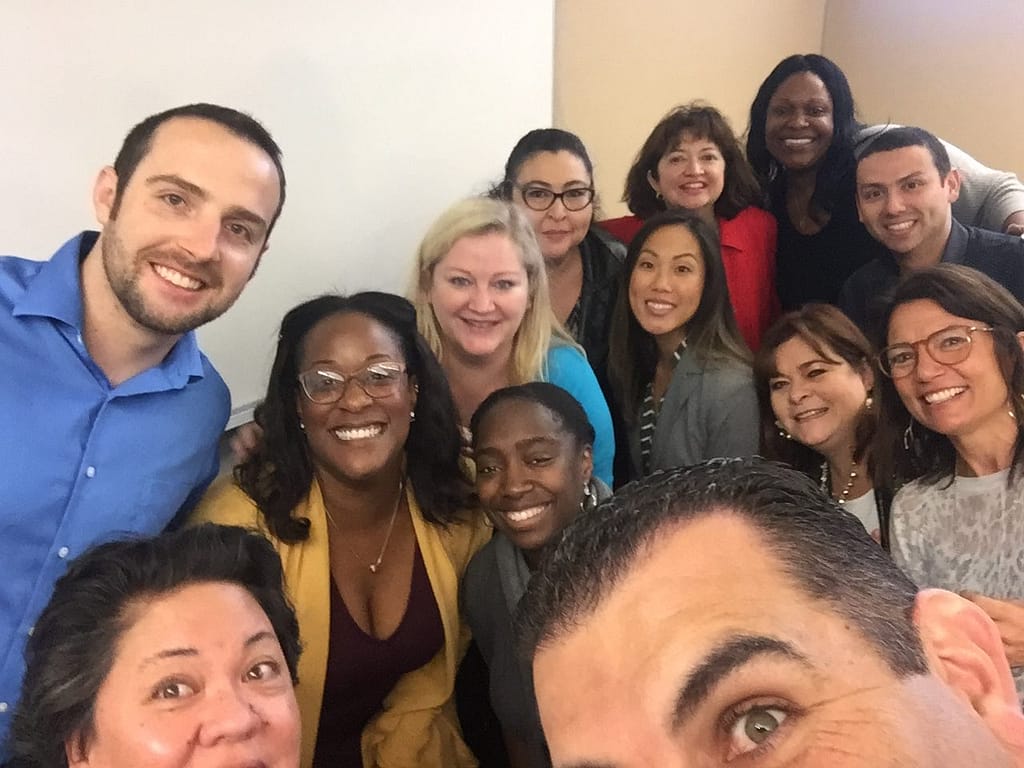
We met together for the last time on December 16th.

The way the course is structured, we gather in person for a half day at the start and end of the term and then have three web conferences every other week throughout the eight-week class. The weeks in between the web meetings, we have asynchronous learning experiences and connect on Twitter. We were concluding the term, after having created something that would last well beyond our class’ end date.

This class is now the hardest one that I teach with any regularity. I struggle with trying to have us all unlearn some of the ways that we think about the role of technology in our teaching and more broadly in our lives. I also fail regularly at trying to redefine what it means to be a teacher of a course like this.

The individuals in the class have always fit the description of what is known as “teaching to the tails.” I wind up having many learners who are uncomfortable experimenting with technology and seeing how it might enhance their teaching or learning in some way. There are also always at least a few who have regularly embraced educational technology in their pedagogy.

For the Fall of 2017, I took the radical step (at least to me) of doing away with a textbook for the class. The ones we had used in the past had too great an emphasis on K-12 when not everyone in the program worked within that educational context. They also got out of date too quickly and were somewhat cost-prohibitive.

Open Textbooks

This first recollection I have of hearing the phrase “open textbook” was from Kris Shaffer, who spoke about his Open Music Theory Textbook project on episode 74 of the Teaching in Higher Ed podcast. I am embarrassed to admit that I don’t think I got it at the time.

I understood that he had written an online textbook with another guy. At the time, I suspect that I hadn’t yet realized (and probably still am lacking in understanding) how much textbook costs factor into college students’ financial difficulties. Since music is not my discipline, I didn’t really have an appreciation for how this text compared to others published in a more traditional way.

After speaking with Kris for the podcast, I discovered his post for Hybrid Pedagogy: The Critical Textbook. He writes:

“Textbooks as fixed expressions limit academic freedom and arbitrate student success/failure to a non-trivial degree.” – Kris Shaffer (@krisshaffer), April 2, 2014

Getting Started

By the time I decided to have our class write an open textbook together, I had many sources of inspiration, but still felt unsure on much of the process.

Orientation

During our class orientation, I spoke at length about the problem with what are often referred to as throw-away assignments. Contrasting writing a research paper for our class that would only be read by me with co-writing a book together generated quite a bit of excitement. Alan Levine’ story about his first experience competing a renewable assignment in 1984 is inspiring. I was excited to create something more meaningful for and with this group of individuals.

What I wish I would have done during the orientation was to have students read through some clarifying text and asked them to digitally fill in their understanding of some core ways we would approach this endeavor together:

  • Authorship. The book would be authored by them, but did not need to have their name listed as an author in the book. They could use a pen name, or be an anonymous author. While I stated this multiple times during the orientation and during our first online meeting together, there was at least one person who had enough of a concern about this to send a note to the person I report to as an adjunct at this institution.
  • Book sales. The book would be sold on Amazon, both as an ebook and as a printed book. While I would receive some portion of money on each sale, these monies would likely only help me get closer to breaking even on the expenses I had already incurred to purchase a license from Pressbooks to publish in these formats.
  • Roles. They would take on various roles throughout the writing process, some of which would involve coaching each other and more intense collaboration than they would have grown accustomed to in the program so far. I was fortunate in that I had a wonderful project lead for this eight-week adventure. There were many hard workers without whom the project would not have succeeded. In some cases, they were misaligned in the roles that they took, or there was some misunderstanding about the extent to which I would be able to individually coach each person on their writing, versus having a role of editor include peer coaching.

The Finished Open Textbook

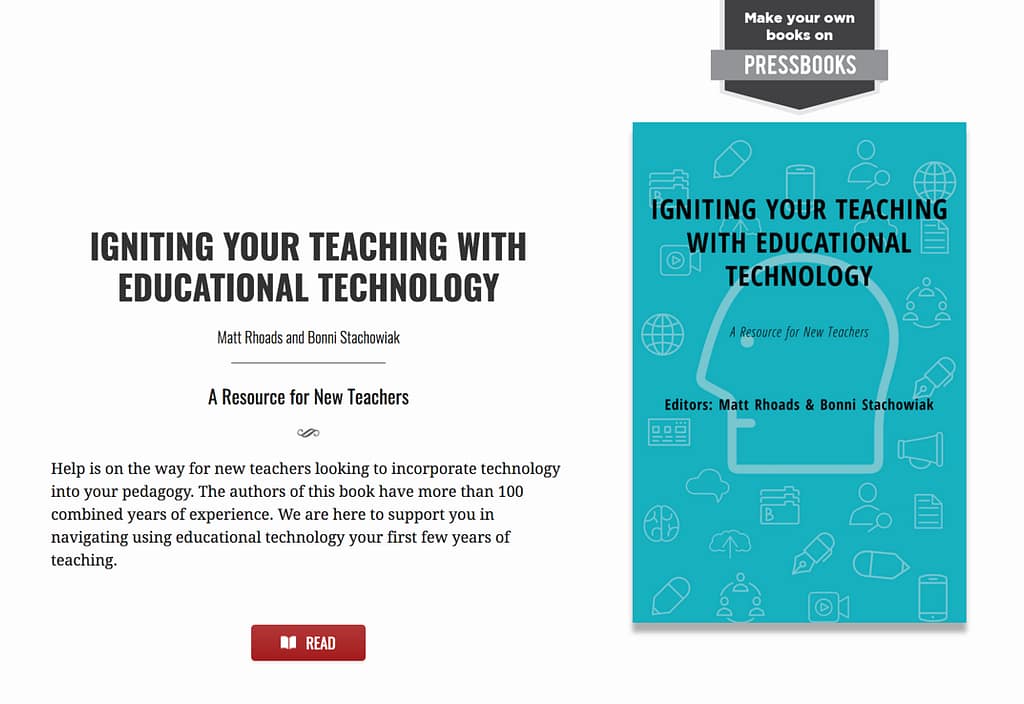
By the time our final meeting rolled around, we had written an 80-page open textbook entitled:
Igniting Your Teaching with Educational Technology: A Resource for New Teachers

We also had the following assets to “show” for our work:

  • Digital version of the open textbook, free to anyone with internet access
  • Print version and an ebook that could be purchased through Amazon
  • Electronic versions of the book that could be “forked” (a fancy way of saying saved-as, to start a new version for someone else’s purposes) – ours is available by request, but here’s a look at what this can look like via the Research Methods in Psychology textbook by Paul C. Price, Rajiv S. Jhangiani, and I-Chant A. Chiang – I also like that they included a dedication, about this book, acknowledgements, and preface before diving into their first chapter
  • Book cover graphic that could be used on the various editions of the book
  • Supporting website where people could go for links and other resources

The process was ridiculously hard and exquisitely invigorating. What made it hard was partially because anytime you try to get a group of 16 people together to accomplish anything worthwhile, it is going to get messy. There were also a whole bunch of things that came up along the way that I did not anticipate. Most of these were small (wait times for the book, once it was uploaded to Create Space, for example), but made the need for flexibility in our planning that much more important. It was completely worth it, however, and I am grateful to each person who was involved in the journey.

Tools

Thank goodness that I was aware of most of the tools that were essential in us reaching our goals for this project. The Individuals working on the project had done some blogging on WordPress and worked on the Google platforms, which helped.

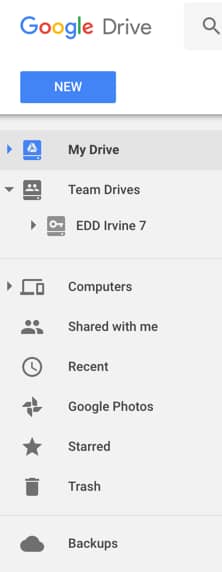
  • Google Team Drive – The doctoral cohort had already established a Google Team Drive that they had used to coordinate some of the logistics of their recent trip to Washington DC. I had only ever created shared folders on Google Drive in the past and now see the huge benefits of having a shared Team Drive for projects like this. That way, each time you create a new folder or add new information, you don’t have to worry about reinventing your group to the newly created content.
  • Google Docs – The bulk of the writing took place on Google Docs. We could make comments that people could then later address and mark as resolved. All edits took place in real-time, as we were typing. We could see a detailed revision history and even know who else was working on the book on a particular evening.
  • Pressbooks – The bulk of the book formatting and cover design took place on Pressbooks. If you have ever used WordPress, you will be comfortable using Pressbooks, as it is build off WordPress. Pressbooks is a freemium service, meaning that it is free to create a book using their tool, and have that book available online in a digital format for free. However, if you want to have an ebook that could be read on an ebook reader, such as a Kindle or the Kindle app, or you want it to be available to be printed on demand, you need to purchase a paid license for that one book title.
  • PowerPoint – I was originally going to use a graphics editor to design the background art for the book cover, but due to an uninteresting rabbit trail, I wound up just using PowerPoint (exported the individual slide as a .jpg graphic). Pressbooks has a cover generator that adds the title, authors, ISBN number, and other information onto the cover. However, if you want some kind of a background, as well, you need to upload a graphic.

Probably the two technical skills most essential in writing an open textbook would be having to do with text formatting. Word Processors can have formatting that shows up “behind the scenes” that make some of the beautiful template you select in Pressbooks not shine through. It is essential to copy and paste text into Pressbooks that doesn’t contain any unseen formatting that could potentially mess things up.

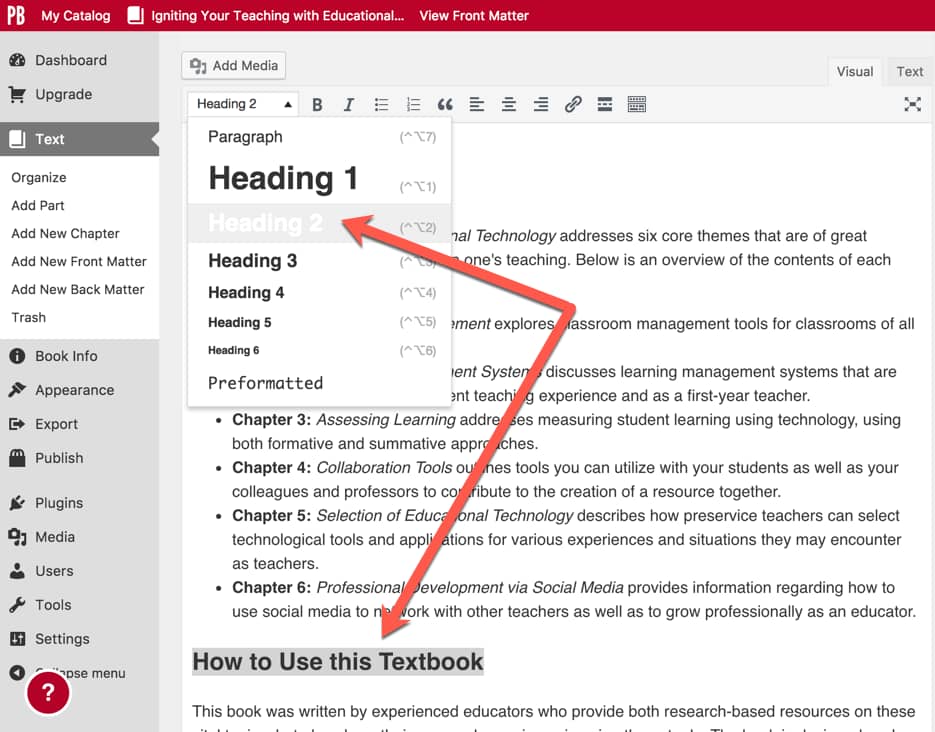
I recommend highlighting one chapter or section at a time and pressing command or control – c on your keyboard to copy the text. Then, find the standard text editor that is on your preferred operating system (notepad on Windows; textedit on Mac) and choose edit- paste to match destination formatting or paste unformatted text. The goal is to paste only the text and not any of the formatting from the word processor.

Applying formatting in PressBooksThen, copy and paste the text from the text editor into Pressbooks. Finally, apply the formatting from the predefined styles within the Pressbooks text editor. That way, you can leverage the way that the various themes within Pressbooks make headings and subheadings stand out and also have these items appear in your table of contents.

There is much more I could write about what I learned from this experience. However, it is new year’s eve and is time to get ready for our early celebration this afternoon. We will be celebrating with you New Yorkers, as the kids and adults attending our get together need our sleep.

Other Resources

Below are a few more resources to help you get started writing your own open text book, if you are interested.

  • My Open Textbook: Pedagogy and Practice by Robin DeRosa
  • B.C. Open Textbook Pressbooks Guide
  • FIU Online’s Affordability Counts Free and Low-Cost Textbooks resource
  • Billy Meinke’s Empowering Faculty and Staff to work with Open Educational Resources slide deck
  • The Rebus Community: We are building a new collaborative model for open textbook publishing
  • Robin DeRosa’s Open Textbook: Interdisciplinary Studies – A Connected Learning Approach
  • HarvardDART – Digital Assets for Reuse in Teaching
  • Educause on Open Educational Resources
  • The Ohio State University Libraries GE Textbook Project
  • SPARC – Open Education
  • Pressbooks Userguide
  • Getting Started with Pressbooks: A Guide for Higher Education
  • 8 Things We Learned About Making Open Textbooks from Making Media Innovation and Entrepreneurship
  • Episode 176 of the Teaching in Higher Ed podcast: OpenEd17 Recap and other Teaching Lessons
  • Episode 183 of the Teaching in Higher Ed podcast with Robin DeRosa: Open Education Inspiration

I welcome any questions you have about the process, as I have a feeling I will be revisiting this topic, again, in the future. I would also love to hear about your experiences working with or writing open textbooks.

Filed Under: Educational Technology

Reflections on the 2017 Digital Media and Learning Conference

By Bonni Stachowiak | October 10, 2017 | | XFacebookLinkedInEmail

DML conference
Credit: Jason Frohlichstein, Frohlichstein Inc. Design & Direction

It was my first time attending the Digital Media and Learning conference.

Then, I found out that it was actually the last year that the event would be held. Starting next year, DML will partner with the Connected Learning Summit, an entity associated with MIT. The merged conference will rotate each year from the East Coast (at MIT) to the West Coast (at UCI).

Still, I am grateful for the opportunity to be a part of this year's event.

SketchNotes from the DML Conference

Once again, I attempted to grow my sketchnotes skills. I still draw like a five year-old. But, I know that the only way to get better is to get more practice in, accompanied with additional resources to help structure the ways in which I attempt to build my skills.

Some of the attempts I made at DML are below, along with a few notes about what I took away from the sessions.

I wasn't familiar with Danah Boyd until attending DML. She's certainly someone now who I won't soon forget. Her presentation was called Learning All the Wrong Things. She described her plans for her talk as follows:

“I will interrogate some of the darker sides of networked media engagement: media manipulation, strategic harassment, and youth radicalization. And then we'll think through different kinds of interventions – and the unintended consequences of good intentions in a world where the internet mirrors and magnifies the good, bad, and ugly.” – Danah Boyd

You can view her keynote online (starts just after the 10 minute mark), as well as listen to the big announcement at the beginning of the video about their doing away with the DML conference and what is to come next.

Another person I had never heard of before DML was Esra'a Al-Shafei, “a Bahraini civil rights activist, blogger, and the founder and executive director of Mideast Youth and its related projects, including CrowdVoice.org.

I found her entire talk compelling and especially appreciated her descriptions of the ways in which music is amplifying the voices of those who would otherwise not be heard.

Another inspirational session was put on by two gifted individuals (Gabe Lyon and Edge Quintanilla) from the Chicago Architecture Foundation. They shared about DiscoverDesign.org, an “online platform where students, teachers, and mentors come together to design solutions for the real world.

Other Inspiring Sessions

There's only so much sketchnoting I can do before I wonder if I shouldn't give up hope. In other DML sessions, I took notes furiously and bookmarked items voraciously.

Elizabeth Lawley, a professor at the Rochester Institute of Technology, gave a fantastic session entitled: Fork Your Syllabus, You Slacker: Using GitHub and Slack to Collaborate with Students (and Colleagues). She created some amazing supporting materials that are worth exploring.

Another well-documented session that is worth visiting is the page built by Remi Kalir, for his session called: Annotating DML. Remi is going to be on the podcast soon and I'm looking forward to learning even more from him.

There's so much more I could share about, but I need to head to bed to get ready for day one of the Open Education 2017 conference tomorrow.

Yes, it is quite the busy couple of weeks with conferences, but I really wanted to take advantage of these being so close to home. In the meantime, consider checking out some of the videos from the DML conference. Especially energizing are the ignite talks, which are just five minute presentations on a wide variety of topics.


Filed Under: Educational Technology

  • « Go to Previous Page
  • Page 1
  • Page 2
  • Page 3
  • Page 4
  • Interim pages omitted …
  • Page 8
  • Go to Next Page »

TOOLS

  • Blog
  • Podcast
  • Community
  • Weekly Update

RESOURCES

  • Recommendations
  • EdTech Essentials Guide
  • The Productive Online Professor
  • How to Listen to Podcasts

Subscribe to Podcast

Apple PodcastsSpotifyAndroidby EmailRSSMore Subscribe Options

ABOUT

  • Bonni Stachowiak
  • Speaking + Workshops
  • Podcast FAQs
  • Media Kit
  • Lilly Conferences Partnership

CONTACT

  • Get in Touch
  • Support the Podcast
  • Sponsorship
  • Privacy Policy

CONNECT

  • LinkedIn
  • Instagram
  • RSS

CC BY-NC-SA 4.0 Teaching in Higher Ed | Designed by Anchored Design