• Skip to primary navigation
  • Skip to main content
  • Skip to footer

Teaching in Higher Ed

  • Podcast
  • Blog
  • SPEAKING
  • Media
  • Recommendations
  • About
  • Contact

Ways to Use Screencasting in Your Teaching

By Bonni Stachowiak | March 13, 2018 | | XFacebookLinkedInEmail

I have been screencasting for many decades now. A screencast is a video you take of your screen. Often screencasts include audio, at the bare minimum, but they have become even more full-featured in recent years.

Criteria for Screencasting Applications

When I try out a screencasting tool, the following are the criteria I use to evaluate the application:

  • Easy to learn – It must be simple to get started screencasting using the tool. At a minimum, recording my screen, adding audio, and saving the screencast must be completely intuitive and not require watching any training videos or reading the documentation.
  • Fast capture – The process from start-to-finish must be fast, so I can quickly answer someone’s question and get the recording sent to them in hardly any more time than it takes me to record the answer.
  • Flexible – Once I have learned the basics of the application, I want it to have even more features I can discover to enhance my use of the software even more.
  • Accessible – Whatever screencasting tool I use must be able to produce accessible content, including the inclusion of captioning.

Uses for Screencasting

There are many ways we can use screencasting in our teaching. Here are just a few ideas to get you thinking:

  • Answer a question
  • Record a lecture
  • Give feedback on students’ work
  • Demo how to use an application
  • Build a course trailer

Screencast-o-matic

I was recently re-introduced to Screencast-o-matic when they got in touch with me to explore potentially sponsoring the Teaching in Higher Ed podcast. As you will hear in upcoming episodes, I did decide to enter into an agreement with them to support the show. After I used Screencast-o-matic, after not trying it for many years, I found it to meet all of the criteria I mentioned above that are important to me in selecting a screencasting application.
 

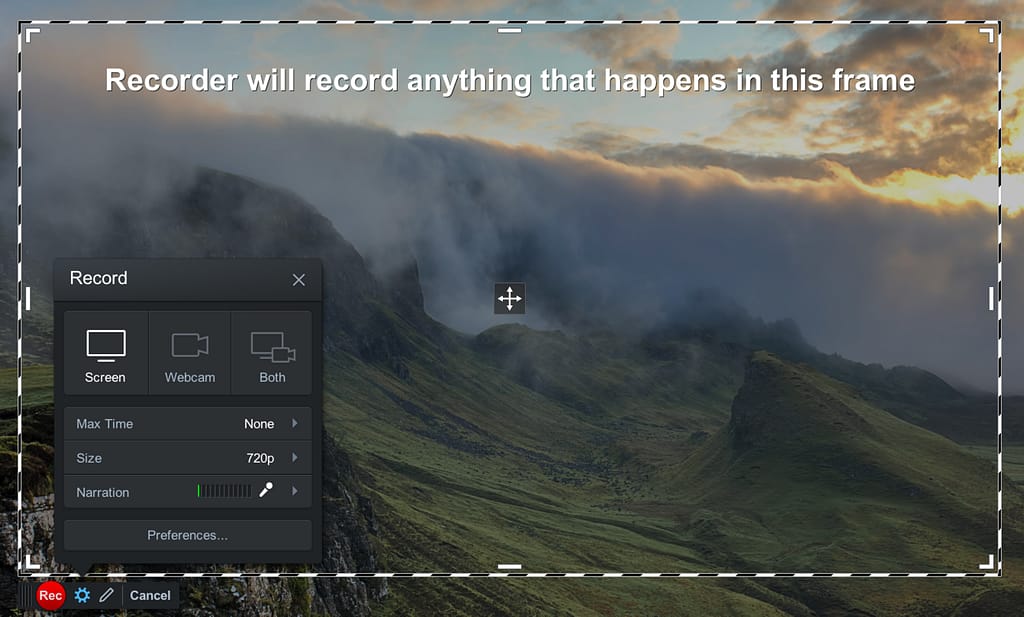
This video screencast I created using Screencast-o-matic will give you a glimpse of just some of the application's features.

Final Thoughts on Screencasts

You may have noticed that I didn't record my webcam in most of the demo videos I shared. I certainly find it helpful to be able to show my facial expressions and bring some more media variety to a video as I switch between graphics and my webcam. However, I absolutely appreciate that I don't have to include my webcam output in order to create a finished product.

There are just too many times when the kids have gone to bed and I'm wrapping things up after a long day. The ability to screencast without waiting until the next time I am able to present my most professional look is helpful. I can squeeze in answers to students, create new course content, or even create a Screencast-o-matic demo while my husband is off with the kids – as he is today.

A Selection of Articles on Screencasting

Here are some articles and blog posts about screencasting:

  • Byrne, R. (2016). A Video About Making Screencast Videos. FreeTech4Teachers.com
  • Ferris, D. R. (1997). The Influence of Teacher Commentary on Student Revision. TESOL Quarterly, 31(2), 315–339.
  • Green, S. (2017). A couple of podcasts on screencasting.
  • Martinez, R. (2016). Screencasting Feedback on Student Essays. Faculty Focus.
  • Von Bergen, M. (2017). Using Screencasts for Formative and Summative Assessment. Faculty Focus.

This blog post is part of a partnership between Screencast-o-matic and Teaching in Higher Ed. I have received compensation as a part of this arrangement. However, I only recommend tools that I use in my own teaching and would have suggested you give them a try, regardless of any kind of formal agreement. After giving Screencast-o-matic a try in recent weeks, I purchased a 3-year pro membership out of my own funds, I found it so easy to use.
Filed Under: Educational Technology

Surprises in the Classroom

By Bonni Stachowiak | March 5, 2018 | | XFacebookLinkedInEmail

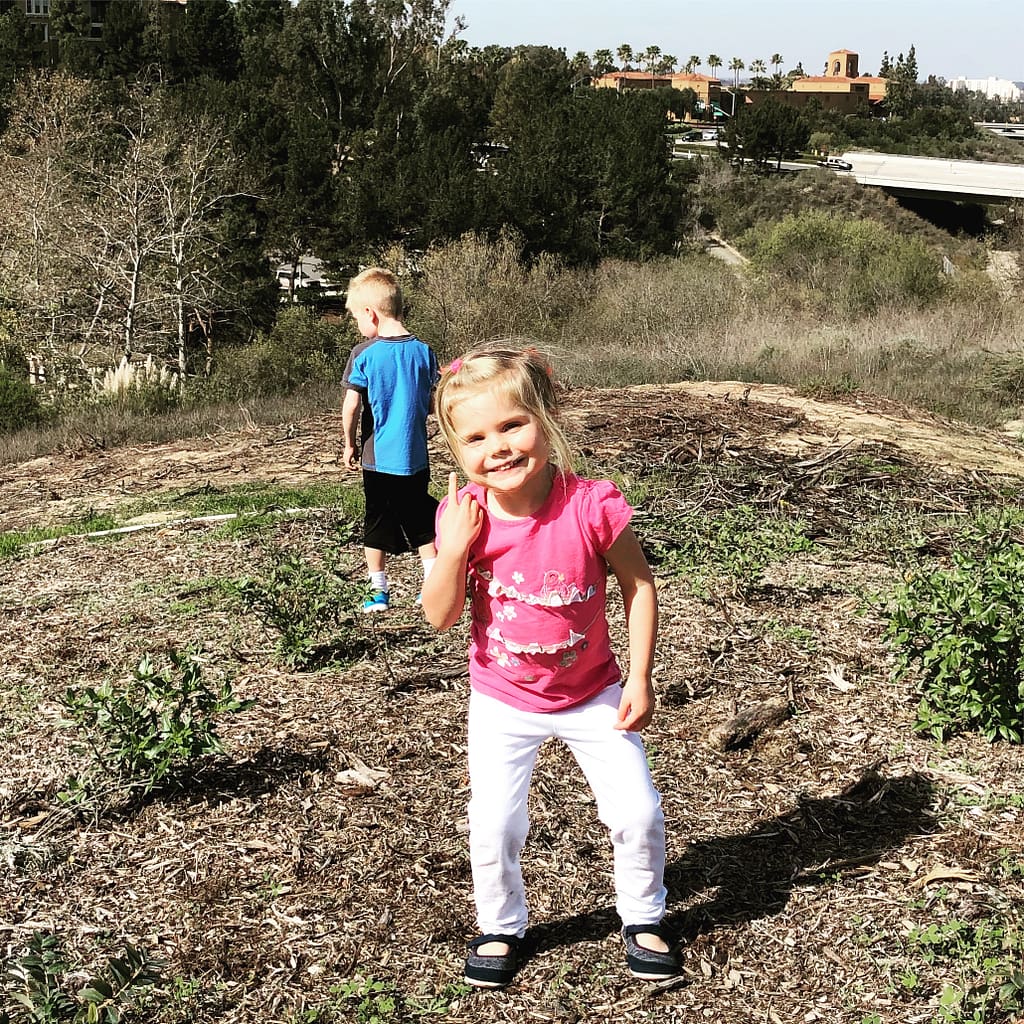
Both of our kids are really into surprises these days.

They enjoy hiding (but don't do it very quietly, so you know exactly where they are). Then, they like to jump out and yell at the top of their lungs:

Surprise!

They get such a kick out of it. Their joy is contagious.

Surprise

Our kids aren't the only ones who should recognize the importance of surprises. I have had some wonderful, challenging conversations with colleagues about how students often experience their classes, the exact opposite of anything unexpected. “We come in and sit down. He lectures for 20 minutes or so. He shows a video from the same content creation company, with examples that are not current. He lectures for a few more minutes and tells us of any upcoming exams.”

It is all way too predictable. We need to infuse our classes with authentic surprises and keep the learners curious about what will happen next. Here are a few sources of inspiration:

Create Times for Telling

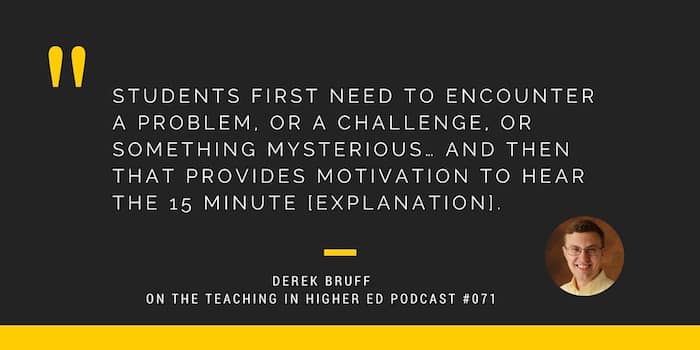
Derek Bruff introduced me to the idea of “times for telling” on episode #71. Ever since discovering this approach, I seek out opportunities to present problems, challenges, or something mysterious in my teaching.

Use Prediction

Another technique is to have students be presented with a situation and ask them to predict what happened next. James Lang writes about this in his book Small Teaching. One of my favorite experiences doing this was when I played the first part of a Planet Money podcast called How Four Drinking Buddies Saved Brazil's Currency. The episode starts with an explanation of how the Brazilians had lost all confidence in their currency.

For a while, inflation was so high that grocery stores were raising their prices every day. Shoppers would run ahead of the guy changing the price tags, so they could pay the previous day's price.”

The narrators then explain how Brazil's leaders brought together a group of economists together to make recommendations on how to solve the problem. I then pause the episode and have students get into groups of 3-4 and give their advice to Brazil on how to resolve the price instability. I do this early in the semester to get students accustomed to talking with each other and problem-solving in groups. It also helps them recognize that this class experience will be drastically different than professors they have had who rely primarily on lecturing in their teaching.

Bring a Prop

One of the most memorable classes in my doctoral program involved a guest speaker bringing a gift bag and setting it in the front of the class. He didn't say anything about it, at first. But, we were all captivated by it from the moment he brought it in. He brought in the unexpected. It turned out to be a $10 paperback book – one of his favorites about leadership. We valued it much higher than that because of the way in which he used it to get our curiosity going as to what was inside that bag.

Carry the Lessons Online

Having surprising elements is even more vital when we move to an online platform. When you create a video for your class, create some unexpected elements to capture the learners' attention. Give your students a taste of agency right when they enter your course. When they click on the section of your course that contains the syllabus, include a course trailer that really piques their interest in what they will learn in the class.

Go Somewhere

The feasibility of literally going somewhere will be limited by factors such as class size and campus location. I enjoy having my students meet me at Back Bay. We listen to a podcast and then gather around to discuss what we heard. Sometimes we visit local businesses or non-profits. In cases when moving outside the classroom isn't realistic, I invite guest speakers into the classroom using Zoom.

Play a Game

Another great way to create a surprise element in our teaching is through playing a game. My students absolutely love playing Ellen's Heads Up game as a review for an exam, or to reinforce some newer concepts in a class. It is available for iOS or Android. You can buy a .99 custom deck and create cards to align with your course.

Your Turn

What do you do to bring surprises into your classroom? 

Filed Under: Teaching

Four Approaches for When Stuff Happens

By Bonni Stachowiak | February 27, 2018 | | XFacebookLinkedInEmail

Photo by James Pond on Unsplash

About a year ago, I recorded an episode of the Teaching in Higher Ed podcast that I titled:

When Things Will Just Have to Do (Episode 145)

Similar themes are recurring this year, though I suppose in nowhere near as drastic of a case. I have been dealing with frustrating health challenges (dental work, anyone?), but ones that aren't likely to have any life-altering consequences. Still, my already-packed life resists being “forced” to tap into flexibility. Here are the ways I am attempting to navigate these challenges.

Get Perspective

I feel guilty writing about my dental woes, especially after finishing Everything Happens for a Reason: And Other Lies I've Loved, by Kate Bowler. The author teaches at Duke's Divinity School and researches what is known as the prosperity gospel. She shares the story of her stage IV colon cancer diagnosis and how it impacted her friendships and faith. This book had me laughing and crying from page to page.

Play Music

I have been enjoying exploring NPR Music's Tiny Desk Concert series on YouTube. I am a bit late to the party, but I think the gig is that they all play a concert surrounding a desk somehow. I started thinking it was the desks that were small (they don't seem to be), but I think it is the concerts that are supposed to be small. You can hear The Roots singing Ain't it Fair, Wyclef Jean singing Borrowed Time, and a favorite of mine – Jamila Woods singing Black Girl Soldier and Holy.

Take Stock

My weekly reviews and current projects list have been vital to not having too much fall through the cracks (at least without me knowing about it, in advance and making a conscious decision to let something slip). I write more about the tools I use in my weekly reviews on a post about managing during a stressful season from 2017. In that post, I also link to many of Robert Talbert's blogs about GTD (based on David Allen's book: Getting Things Done).

Celebrate Progress

Another tool I am grateful to be able to leverage is my “trimesterly” goals (based on Robert Talbert's Trimesterly Review process). Instead of being discouraged that I am not as productive as I prefer to be, I can look back at a longer duration and recognize that a lot more has happened than I realize. It is easy to get caught up on a single week's progress, instead of viewing achievement using a broader lens.

Let it Go

Our daughter would be disappointed if I didn't include the name of her absolute favorite song here. I have been in some pain, lately. When my body has had enough, it is showing up in my not being able to concentrate as long as I usually can. When that happens, I tell myself to let it go and to switch gears to something not as mentally taxing. Here are a few items I found on some of these less-structured browsing sessions:

  1. Five Ways to Use PowerPoint to Edit Images
  2. A Bill of Rights and Principles for Learning in the Digital Age
  3. 4 Questions to Help You Start a Successful Blog
  4. Anchor Turns Itself into a One-Stop Podcast Creation App

After a conversation about the recent Parkland shooting in one of my classes, a student shared this video entitled “Evan,” a gun violence video that is impossible to say much about without ruining it.

Your Turn

What advice do you have for those times when stuff happens? 

Filed Under: Productivity

Challenging My Thinking About Teaching

By Bonni Stachowiak | February 15, 2018 | | XFacebookLinkedInEmail

Photo by Jonas Jacobsson on Unsplash

I'm reading a book for an upcoming episode of the Teaching in Higher Ed podcast that has me reflecting on the choices I make in my pedagogy, particularly with regards to assessment.

The College Classroom Assessment Compendium: A Practical Guide to the College Instructor’s Daily Assessment Life, by Jay Parkes and Dawn Zimmaro

It's written from a highly prescriptive perspective. Each section starts out with the authors' recommendation regarding various aspects of assessment.

  • Should we give points for attendance?
  • Is extra credit a good practice?
  • Should late assignments be accepted?

Reflecting on Needed Changes

I have found myself agreeing with about 90% of their recommendations and wrestling with about 10% of their proposals. Each time I find myself mentally debating with them, I am able to revisit the rationale they give for their advice. Then, I discover that I am either more aligned with what they suggested than I originally realized, or I admit that I have some work to do in how I approach a given means of assessment.

Resources for Teaching Transformations

I was interviewed for the EdSurge podcast recently about how my teaching has changed since I first started the podcast back in June of 2014. I tried to discipline myself not to be too verbose regarding this particular set of questions. It would have been easier to answer how my teaching hasn't been changed from almost 200 conversations with such phenomenal educators.

I came across a number of articles in recent weeks that encompass a few of those transformational areas in my teaching that I wanted to share with you.

  • Open Education Resources Applications from around the world
  • Ten Key Points About Active Learning
  • Another Terrible Idea from Turn it In
  • Literature Review of Teaching

The more I learn about teaching, the more I discover the importance of being adaptable in our practice. Our collective humility is essential for becoming better able to serve our students.

Teaching in Higher Ed Transcripts

Episode 200 is coming in April. I'm excited to share a conversation with fellow educators about what we have changed our minds about regarding our teaching in recent years.

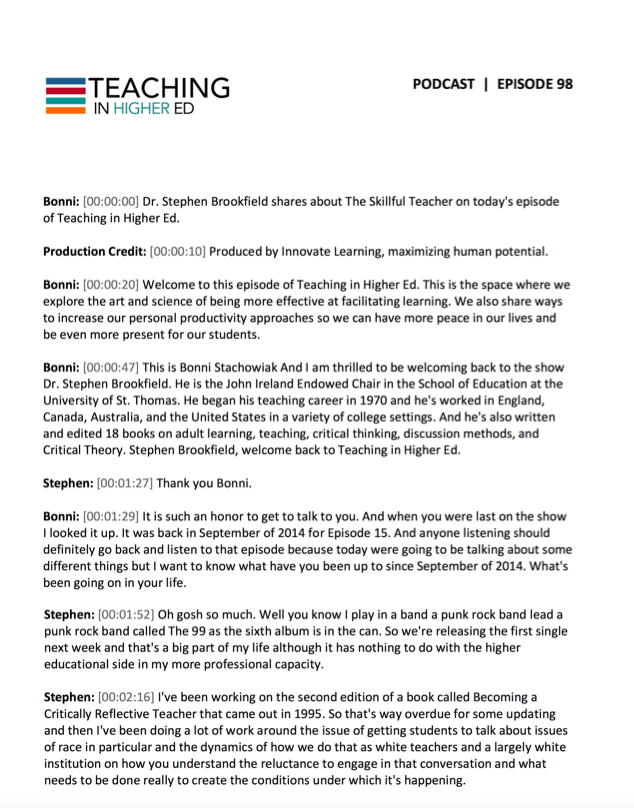
I was going to keep it a surprise until episode 200 airs, but have received such valuable feedback when I shared the news with others that I have decided to start spreading the news. The Teaching in Higher Ed podcast is going to have transcripts of every past episode and the ones going forward.

Teaching in Higher Ed podcast transcripts

We are still working out the precise user interface that will be available to access the transcripts, but hope that it will make the podcast more accessible, as well as having it be easier to discover. Here's a couple of transcripts to whet your appetite for what is to come:

  • Episode 92 with James Lang
  • Episode 98 with Stephen Brookfield.

If you have any input in terms of making the Teaching in Higher Ed podcast transcripts as beneficial for faculty as possible, please get in touch with me.

My husband and I had already begun to invest our own money in this important endeavor. However, when I recently asked for input on the transcripts on the POD Network listserv, we were able to discover an unexpected partner to support us on the financial end of things.

The West Virginia University Press Teaching and Learning in Higher Education book series’ editor, James M. Lang, has been a regular guest on Teaching in Higher Ed since the beginning. Jim was on episode 19, episode 92, and episode 146 (with Ken Bain).

Many of the other WVU Press’s Teaching and Learning in Higher Education authors have also been on the podcast in the past. The series is providing financial support to make the first 200 episodes of Teaching in Higher Ed available in transcript form.

As a part of our partnership, other authors will be visiting the podcast throughout the rest of 2018, about once every other month. I am looking forward to making the transcripts available to all of you and to share about the wonderful resources on how to make our teaching more effective with the books in the WVU Press’s Teaching and Learning in Higher Education series.

Discount Code for Preorders of My Forthcoming Book

As I shared recently, my new book is now available for preorder. Use the code TPOP20 to receive a 20% discount at checkout for:

The Productive Online Professor: A Practical Guide

Bonni Stachowiak

Forward by Robert Talbert

Thrive Online Series

I will be doing some type of giveaway to those who preorder using the Stylus website, though I haven't quite figured out what that is going to be just yet.

Let's just say that Katie Linder's Academic Book Promotion Toolkit has given me plenty of ideas and resources to spark my imagination and then some.

Filed Under: Resources

Lessons From My Email Emergency

By Bonni Stachowiak | February 6, 2018 | | XFacebookLinkedInEmail

This past week, I have been experiencing what can best be described as an email emergency. Somehow, all my email folders got erased and I went through processing what life would be like to lose all the emails I had ever been sent using one of my two primary email addresses.

The mostly happy news is that it looks like I am going to emerge out of this with my emails in place. However, I won’t be able to get the multitudes of hours back into my life that I have spent on this project.

Less is More – When it Comes to Email Folders

I had over 35 different folders and subfolders in my email storage structure. As I worked on moving my emails over from the backups, I decided not to replicate the same structure this time around. Instead, I kept it as lean as possible, knowing that search has come such a long way and I’m likely to be able to find what I need from that method of retrieval.

My folder hierarchy is now as follows:

  • Archive
  • Encouragement
  • Family
  • Humor
  • Innovate Learning
  • Personal
  • Purchases
  • Reference
  • Vanguard

There are some people who recommend not having any folders at all, except for archive. If you use an email app on your smartphone, you can likely swipe to one side and automatically send an email right into the archive folder. You can search by sender, receiver, subject line, or even in the contents of the emails, in most email clients.

I think I will probably trim down the number of folders I have in my teaching/work email, too. I like to have a folder for the current semester, in order to zero in on student emails that have come in related to classes. After a semester ends, I move all emails over to the archive folder.

I have a folder directly related to my role of Director of Teaching Excellence and Digital Pedagogy – for those times when I need to get a sense of what I have been focused on in recent weeks. But many of my other folders are excessive and I have far too many subfolders.

When I finish my work-related email clean up, it will look something like this:

  • Archive
  • 1-teaching-excellence-and-digital-pedagogy
  • 2018s
  • Departments
  • Encouragement
  • Personal
  • Research

I can feel myself resisting this change, even as I type it up. Since I was “forced” to in dealing with my email emergency on my personal account, it made it easier to “rip the band-aid off” in that case. I can now see how much more streamlined things are going to be, so hopefully I can remember that when I get to making the change on my work account.

Backups are Essential

Dave and I use a service called FastMail for our Innovate Learning emails. We pay extra for backups – and this past week’s adventures are a testament to why. If I hadn’t had a backup plan with them, I would have lost most of my emails from many years of email use.

Their response time has been less-than-ideal regarding my email emergency. However, the backups of my emails were well worth the money we paid and somewhat worked as expected.

Sanebox is a Game Changer

Another service I have had to live without, as I get this all sorted out, is SaneBox. It sorts through my emails and leaves only the most essential ones in my primary inbox. I have been lost without it. You can receive a free SaneBox trial if you want to experience the sanity that only SaneBox can deliver.

Email Clients are Not Task Managers

The biggest change in how I have needed to work this past week, while all this gets sorted out, involves leaving emails in my inbox for longer than normal. I typically keep with a “touch it once” approach to email. When I first look at an email, I read it for “action” – is there anything that requires action buried somewhere within this message?

If the answer is yes, and it only is going to take me two minutes or less to perform that action, I take care of it right then. If it will take more than two minutes, the email is sent over to my task manager (OmniFocus) and can then be prioritized amongst all the other things I have on my plate.

When we don’t do this, we allow others to dictate to us what our priorities should be, instead of allowing their requests to be considered in the context of the other things that are important to accomplish.

Speaking of task managers, The Sweet Set up just did a nice write up of their favorite task managers, along with recommending Things3 as their top pick.

Next Steps

I have recorded an episode of the Teaching in Higher Ed podcast that describes my process for managing email in detail.

  • Getting to zero inbox

Other episodes related to productivity include:

  • Get More Meaningful Work Done
  • Teaching in the Digital Age
  • Strength Through Habits
  • Get It Together
  • The power of checklists
  • The weekly review
  • Approaches to calendar management in higher ed
  • What to do before you act on all you've captured
  • Practical productivity in academia
  • Lower your stress with a better approach to capture

Preorder The Productive Online Professor

I’m excited to announce that preorders for my new book: The Productive Online Professor are available now. The book discusses even more methods for managing email more productively, along with plenty of other topics to help us have more peace in our lives, so we can be even more present for our students. Please consider pre-ordering a copy to support the launch of the book, not to mention your own potential productivity boost.

Filed Under: Productivity

  • « Go to Previous Page
  • Page 1
  • Interim pages omitted …
  • Page 20
  • Page 21
  • Page 22
  • Page 23
  • Page 24
  • Interim pages omitted …
  • Page 68
  • Go to Next Page »

TOOLS

  • Blog
  • Podcast
  • Community
  • Weekly Update

RESOURCES

  • Recommendations
  • EdTech Essentials Guide
  • The Productive Online Professor
  • How to Listen to Podcasts

Subscribe to Podcast

Apple PodcastsSpotifyAndroidby EmailRSSMore Subscribe Options

ABOUT

  • Bonni Stachowiak
  • Speaking + Workshops
  • Podcast FAQs
  • Media Kit
  • Lilly Conferences Partnership

CONTACT

  • Get in Touch
  • Support the Podcast
  • Sponsorship
  • Privacy Policy

CONNECT

  • LinkedIn
  • Instagram
  • RSS

CC BY-NC-SA 4.0 Teaching in Higher Ed | Designed by Anchored Design