• Skip to primary navigation
  • Skip to main content
  • Skip to footer

Teaching in Higher Ed

  • Podcast
  • Blog
  • SPEAKING
  • Media
  • Recommendations
  • About
  • Contact

Archives for 2026

My Experience in Said Saddouk’s Virtual Facilitation Masterclass

By Bonni Stachowiak | July 8, 2026 | | XFacebookLinkedInEmail

I recently was able to engage in Said Saddouk's Virtual Facilitation Masterclass and how he helps us facilitate like magic. If your role involves teaching or facilitating events online, I can't recommend this experience highly enough.

One of the many take-aways I have from the class is learning how to use the free, open source tool: OBS Studio. I created different ‘scenes' to use across various contexts. One scene could be for showing students how to do something technical, but still wanting them to be able to see me, as well. Or, I could have a scene to show during a break, which includes a count-down timer.

Watch my video where I recommend the Virtual Facilitation Masterclass and you can see some of the skills I learned in action.

I also now can make much more use out of something I already owned, the Stream Deck. I've owned it for a long time now, but pretty much only ever had used it for launching apps (pressing its buttons is oddly satisfying, even though I know perfectly well how to launch an app without my fingers even needing to leave the keyboard). Now, thanks to Said, I know how to bring up the various scenes I've set up in OBS, as well as use reactions in Zoom and mute/unmute myself.

Plus, I extended my learning about more effectively configuring Zoom for when I'm teaching or giving an online keynote. Said offers a guide on his website for how to improved our Zoom video and audio quality: Zoom Optimization Guide. I still have more that I want to do to continue to extend the learning from Said's course, but the beautiful thing is that I can continue to do so, without feeling overwhelmed and therefore risking inaction. I've got a core set of skills and tools to put to use right now, as I continue to grow and learn by being a part of Said's community of facilitators.

For more information about Said and the other resources he makes available, visit his website: The Facilitainer
Filed Under: Educational Technology

My Votes for the 2026 Top Tools for Learning

By Bonni Stachowiak | July 7, 2026 | | XFacebookLinkedInEmail

2026 Top Tools for Learning

Most people who know me well are aware that I'm a person who is quite motivated by streaks. Whether it is my current 93 days going strong in the Bend stretching app, or my current 1,027-day streak going with closing my rings of my Apple Watch, I enjoy seeing how far I can go.

Sadly, I haven't done quite as well with keeping my streak with votes for Jane Hart's annual Top 100 Tools for Learning. I was too late to be included in the votes for last year, but decided to write up my 2025 Top Tools post, regardless. Before that, I had posts for the following years:  2015, 2016, 2017, 2018, 2019, 2021, 2022, and 2024.

My Method

Each year, I write up my top ten without looking at the prior year's post, lest I be overly influenced by what the prompt evoked in past years. I center my thinking around Harold Jarche's Personal Knowledge Mastery (PKM) framework each time. Harold Jarche defines PKM as:

Personal knowledge mastery (PKM) is a set of processes, individually constructed, to help each of us make sense of our world and work more effectively. PKM keeps us afloat in a sea of information — guided by professional communities and buoyed by social networks.

When I consider which tools fuel my learning the most, it is those which contribute to my ability to practice PKM on a consistent basis.

My Top 10 for 2026

It is always hard to narrow down my list to a top ten, though I know how important constraints can be for our creativity and focus. To that end, here are my top tools for learning for 2026, as well as how I link them to my PKM practice of seeking, sensing, and sharing.

Seek

The following tools support my process of seeking, defined by Harold Jarche as:

… finding things out and keeping up to date. Building a network of colleagues is helpful in this regard. It not only allows us to “pull” information, but also have it “pushed” to us by trusted sources. Good curators are valued members of knowledge networks.

Overcast

Overcast tends to be the very first thing that comes up in my mind when I consider my top tools for learning. It is a podcast player with a wonderful free plan, supported by non-invasive ads, for people who want to try it. But the low cost of the annual subscription is a no-brainer for me, given all that it contributes to my learning.

I listen to podcasts on a daily basis. It still is so incredible to me what is available across all of my learning interests. I have custom playlists set up for news, politics, productivity, business and economics, teaching, technology, and more recently for audiobooks.

Overcast not only lets you subscribe to podcasts that you want to listen to and keeps track of ones that you've listened to or want to listen to in the future, but it also lets you upload audio files, and I find it helpful to have my audiobooks be available to me in the interface that I'm already so familiar with using, and it is such a well-thought-out interface from the developer Marco Arment.

Libby

As it relates to my learning through audiobooks and digital books, I can't say enough good things about Libby. Libby works with the two local library cards I have: my adored Mission Viejo Library card, and a second one I acquired this past year from the Orange County Public Library system.

And through Libby, I'm able to put e-books on hold and audiobooks on hold that I want to listen to, and it allows me to read those books in the Kindle app, and then I can listen to the audiobooks via their app as well. The nice thing about using Libby, which again then ports e-books over to Kindle, is that my highlights are still able to be saved in Readwise, and that way all the highlights that I create across all of my digital reading can be synced up and made available regardless of whether I purchased an e-book or checked it out from my library. I still think this is so remarkable. If it has been a while since you have checked out what's available through your public library, I highly suggest that you give it a go, especially in terms of what digital resources they may make available.

Unread

Unread has been my preferred RSS reading experience for a growing number of years. I use it primarily on my iPad, although any time I want to pull up the RSS feeds that I subscribe to on my iPhone, it works seamlessly there as well. What makes Unread unique to me from all of the other readers that I have tried in the past is that you can operate it with just one thumb doing your swiping.

I can go in and out of stories that I want to read more of as I am skimming through headlines and finding things I want to check out, and I'm able to therefore have such a seamless reading experience. Unread works with Inoreader, which I'll mention later on in the share section.

Sense

I often think of the sense-making part of my PKM as the wrestling with ideas and magnifying the power of learning out loud, despite often not feeling like I have any clue what I am doing. As Harold Jarche describes, when we are sensing:

…we personalize information and use it. Sensing includes reflection and putting into practice what we have learned. Often it requires experimentation, as we learn best by doing.

Obsidian

In this past year, I have switched to a new note-taking system. A long time ago, I used to use Evernote, but they started charging the most ridiculous prices, which eventually pushed me to move off of it. The application was also incredibly bloated. I then moved to a few others and finally made the move to Obsidian.

There's so much that I could say about it, but this is supposed to just be a top ten short look at them, but it is incredible what is possible through Obsidian. What I like about it is it's relatively easy to get started just to take notes, but it is incredibly expansive as you continue to learn more about it.

I have all of my notes for things like this very blog post that I'm writing to you now, along with my notes for classes that I teach or am preparing to teach, to notes for conferences that I attend, or workshops or keynotes that I offer. It's an amazing note-taking tool, and the most beautiful part about it is if I ever change my mind about that, every single note that I've taken in Obsidian doesn't live exclusively in Obsidian.

It is simply a plain text note sitting on my computer. So I never have to worry about being locked in to anything. By the way, if you're wondering how images show up in my notes if it's plain text, well, I have a single folder for all of the images that can easily then be embedded or otherwise pointed to from within a given note. I also like the ways that it links to other notes in some pretty incredible ways. I have notes for people who have come on the podcast, and then I can link to the episode notes for the time they came on the show, or over to the notes that I took on their book, or over to a quote that they shared that is now on my quotes list.

Raindrop

Raindrop is another tool that has long been on my top ten lists. It is a digital bookmarking tool. I have over 35,000 digital bookmarks that have all been placed into various collections, which you can think of as folders, and have been extensively tagged.

So when I'm reading an article or listening to a podcast, I can very easily add that bookmark to my Raindrop, place it in a collection, and add tags to it to make it that much easier to surface in the future. I'm still surprised more people don't use digital bookmarks for all the ways in which they can help us make sense of all the things that are coming at us that might be particularly relevant to us in our future learning and sense-making.

Zotero

Zotero is a reference manager and has been my go-to for academic references for a long while. I can be viewing a scholarly journal article, for example, and click on the Zotero button in my toolbar, and it automatically then adds all of the metadata for that source into my Zotero library.

And then later on, when I want to write about the sources that I have gathered, it has an add-in inside of Microsoft Word, which I still use for my scholarly writing, and I can easily cite the sources, search for them, create a bibliography off of all of the things that I've cited in a particular piece.

It makes that all seamless. I also like the way that Zotero easily lets me create collections for groups of people or join other people who are doing the same.

It is a wonderful tool, and I'm going to be teaching in our master's program in organizational psychology this fall, and am looking forward to introducing the students to Zotero from the very beginning of their experience and easing the road for them when it comes to doing scholarly writing.

Many of them will not have used a references manager before, and I'm excited to help them be proactive in making their own seeking, sensing, and sharing of their learning in the program that much easier through the use of Zotero.

Zoom

Zoom has been on my list most years for a long while now. The reason I especially didn't want to leave it off this year, though, is that I had a wonderful opportunity to learn from Said Saddouk, The Facilitainer, as part of his Virtual Facilitation Masterclass.

And while he offered the program through Zoom, he easily could have offered it through other online meeting platforms (as in the learning is applicable across a broad scope of tools). Said taught us hands-on how to be more effective in our facilitation, overall, including teaching us how to use OBS (an open-source tool that had previously been challenging for me to use effectively, before meeting Said).

If you facilitate often (online, or on campus), I highly suggest having a tool that allows you to set and modify agendas/class plans. I've been using SessionLab* for a couple of years now and highly recommend it. I set up all my courses within SessionLab, which then helps me stay organized and make shifts when things change. I pay for SessionLab, but if you use that link to sign up, you can help to defray some of those costs via the affiliate link.

Share

When we commit to sharing, we can extend our learning in unpredictable ways and sustain and extend relationships that can continue to enhance our growth. As Harold Jarche explains about this part of PKM, sharing involves:

…exchanging resources, ideas, and experiences with our networks as well as collaborating with our colleagues.

WordPress

WordPress continues to be what drives the Teaching in Higher Ed website, and I blogged a lot more this past year than I had in a long time. I participated in Harold Jarche's Personal Knowledge Mastery workshop and challenged myself to blog all the way through it.

I am happy to report that this went well and that I have deepened my learning because of my commitment to do that. I'm currently undertaking a redesign of the Teaching in Higher Ed website with my friend and web developer, and I'm excited that WordPress will still be the foundation for what drives so much of my ability to share, whether it be through the podcast feed, which runs through WordPress, as well as my blogging and other efforts.

Kit

New to the list this year, although not new to me, is Kit*, which is the email platform that allows me to stay in contact with the Teaching in Higher Ed community through the field journal.

The Field Journal allows me to share what I read, listened to, noted, and wondered about the prior week, and then get replies on what I wondered back from the community. And the Kit platform just makes this all seamless and gives an opportunity for people to see past posts, for if they join, they can always go back and look at some of the older posts, and it's just a great platform that I'm happy to have as part of my ways that I'm able to share.

Inoreader

And then finally, I mentioned Inoreader earlier. This is still my key RSS aggregator, and it is one of those things that is easy to get started with, but there's so much that you can do with it. Your creativity is kind of the limit here.

The Final Vote

I started this post, mentioning how motivated I can get while sustaining a streak. As I finalized my list and went over to the page for the 2026 voting, I noted a new word has been added to this page that wasn't there in prior years. That word is final. What a round number to wrap up with…

Looks like Jane is running her 20th annual and final survey in 2026. I saw on her LinkedIn page that she isn't consulting any longer and has mentioned being semi-retired. To get a sense of the depth and breadth of her work, see this profile in knowledge about Jane Hart by Stan Garfield on LinkedIn. What a resource she has provided to those of us in teaching and learning professions for decades now. I am glad that I had already determined that I wouldn't let this year's opportunity to vote pass me by and look forward to coming across others' posts with their top tools, not to mention the results of the final count.


* The Kit and SessionLab links above are affiliate links. Dave and I pay for both Kit and SessionLab, but if you use my link to sign up, you can help to defray our costs a bit.

Filed Under: Personal knowledge mastery

Easing Travel Prep: Packing Lists and Conference Hubs

By Bonni Stachowiak | June 25, 2026 | | XFacebookLinkedInEmail

I'm not always the calmest of travelers, but I've collected a few techniques that bring more ease as I prepare for trips. My favorite kind of travel doesn't involve an airplane at all. I like having room in my suitcase for everything I might need, plus the trunk of the car for more, and I enjoy driving one of our own vehicles, with a little bit fewer new things to learn on top of all the learning that travel already affords.

About a month ago, I traveled to Claremont, California for a conference at Harvey Mudd College: (Re)Imagining Liberal Arts and STEM Education in the Age of Generative AI. I heard about it from Josh Brake, a former guest on Teaching in Higher Ed. I shared more about the conference itself in a post about what we should know about AI, as well as a second one about finding value and meaning in a world of AI. For this one, I'll stick to how I prepared.

Cleaning up my packing list

I've used the Drafts app as my packing checklist for a long while, and both Dave and I have recommended it before. Over time mine had collected duplicates, and my categories had gotten messy. So I asked Claude Cowork to do a quick run-through: reorganize things more granularly, find duplicates, and suggest anything useful I was missing.

It didn't blow me away, but it caught a couple of duplicates and suggested some first aid basics, like band-aids and antiseptic wipes, that weren't a bad idea. My list is a variation of one Dave created and has used for years. What I like about it is that, alongside the expected categories (clothing, toiletries, health and medications, electronics and charging), he includes a section for “on person.”

The sections that keep me from forgetting

The “on person” section holds the things that are easy to forget on the way out the door, the kind that can make or break a trip: iPhone, Apple Watch, glasses (reading glasses, since I'm not going anywhere without the pair on my face), purse with wallet, backpack. I would rarely forget any of them, but I like marking them off instead of trusting that I'll remember.

More recently I added a second heading, “travel day items,” for things I can't pack the night before, like snacks that need to stay cold until morning. Small tweaks, but they have made a difference (especially in my stress levels).

My favorite new trick: Toggle Shopping Mode

Here's the part I got such a kick out of learning from Dave. Beyond tapping items on and off, Drafts has quick actions in a menu in the upper right. I've long used one called Checklist Unchecker to reset the whole list so I can reuse it for the next trip.

The new one Dave told me about solves a familiar annoyance: you're mid-pack, your phone goes to sleep, and you have to get back into wherever that list lives. The Toggle Shopping Mode action fixes that. Think of checking off a grocery list, then pausing to compare two products, and your screen goes dark. Instead, shopping mode creates a live activity, so the checklist stays right there in the Dynamic Island, that little black space at the top of the phone.

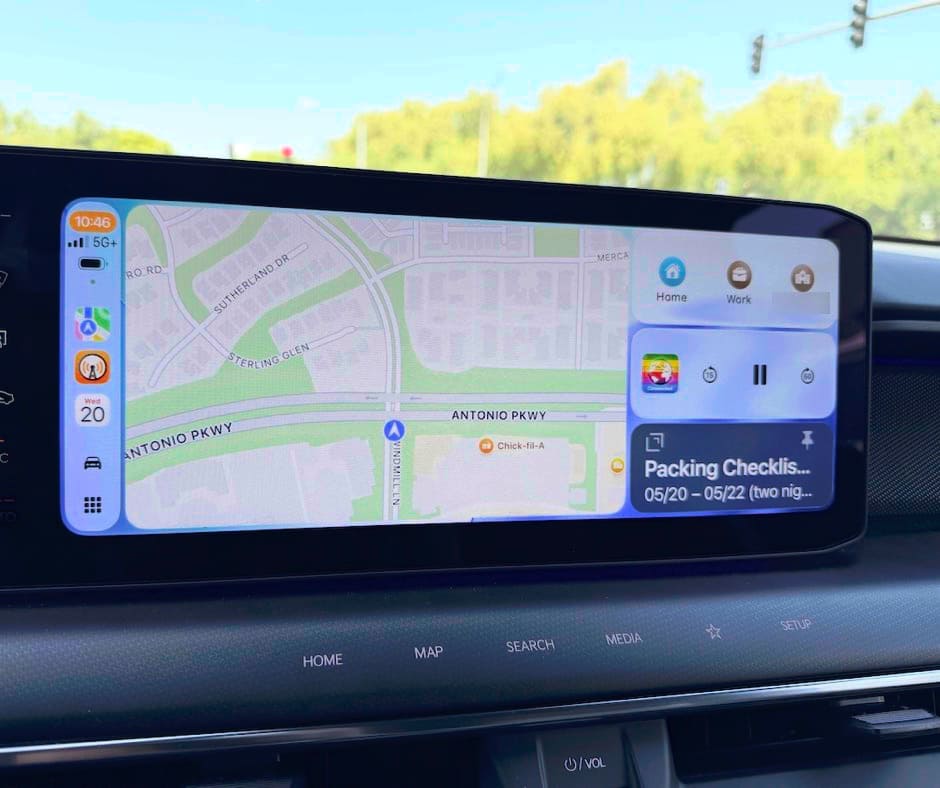
The whole time I packed, the Drafts indicator sat there, easy to return to. I left mid-day for this trip, so the list stayed live for hours. It even followed me onto CarPlay when I went walking with my friend Jeff, which I found particularly amusing. Talk about being reminded that I still needed to pack that day!

CarPlay screen showing that the drafts application - packing list - is active in the lower right hand corner
See in the lower right-hand corner how the packing checklist is still pinned there, lest I forget that I still needed to finish packing

Dave told me about this Toggle Shopping Mode feature a long time ago and I didn't get it until I experienced it. If you already use Drafts, go install Toggle Shopping Mode, and then never look back.

Building a conference hub in Obsidian

The other thing I did involved Claude Cowork and Obsidian, my main note-taking app for under a year now. It's a plain text system, so the files live locally on my computer, though I pay for the inexpensive sync so I can reach them on other devices.

This conference had me like a kid in a candy store, and I wanted to squeeze every bit of learning out of it. The planning team curated a stupendous range of perspectives on AI, with keynotes, lightning talks, and longer breakout sessions, and I was overwhelmed trying to decide where to spend my time. I'd also signed up for a virtual facilitation workshop with a session that conflicted with one here. My mind was alive with possibility and, candidly, a bit of decision-making fatigue.

So I pasted the schedule into Claude Cowork, along with a transcript of me talking through the conflict and my thinking on the choices. For learning opportunities like this, I've been building what I call hubs in Obsidian: a linked table of contents that lets me move between related notes the way you would navigate Wikipedia (hyper linked).

Before long, Claude had co-created a hub with key details at the top (event, host, location, dates, website, schedule, primary contact, tags) and a description of what the conference would explore. From there it linked to everything else I needed:

  • My personal schedule, once I'd settled it with Claude's help
  • The full conference schedule, plus day one and day two
  • People to try to connect with
  • The organizing committee
  • The recordings and materials
  • The scheduling conflict I needed to resolve
  • My travel and lodging info, which I keep in Tripsy, along with parking, campus and venue logistics, and the related tasks

It looks like a lot, but it was really just taking everything the planners provided and placing it somewhere easy to use. Because it's plain text and synced, I'd still have all of it on any device even without internet.

For the day one note, Claude turned my schedule into a simple table, easy to print if I had wanted a hard copy, with the time, session, location, and the part that makes it work: a link to a notes file for each session. Tapping a link opened a dedicated note, like the keynote “What should we know about AI?”, with the abstract, a few things to listen for, room to take notes, and a spot at the bottom for key takeaways, quotes, questions raised, and follow-ups.

Freeing up my mind

These two changes, Toggle Shopping Mode and the Obsidian hub, free up my mind for the creativity and learning a trip is really for, and cut the friction of remembering to pack or setting up notes from scratch. David Allen is famous for saying, many times:

Your mind is for having ideas, not holding them.

I think about that often. Even though it's taken me a while to sit down and write this (the conference was a month ago), I'm still turning over how much I learned. I look forward to continue to extend my learning through experimentation and future conversations for the podcast and am thankful to the conference planning team for such an enriching experience. That, plus to Dave, for continually teaching me things in life…


Resources mentioned

  • Drafts — the note-taking app I use for my packing checklist, made by Greg Pierce / Agile Tortoise
  • Toggle Shopping Mode — Drafts quick action that keeps a checklist live in the Dynamic Island
  • Checklist Unchecker — Drafts quick action that resets a checklist for reuse
  • Obsidian — my main plain text note-taking app
  • Tripsy — where I keep travel and lodging information
  • (Re)Imagining Liberal Arts and STEM Education in the Age of Generative AI — the Harvey Mudd / AXL conference I attended
  • Josh Brake on Teaching in Higher Ed — how I first heard about the conference
  • David Allen / Getting Things Done — source of the “mind is for having ideas” idea

Filed Under: Productivity

Marc Watkins on Finding Value and Meaning in a World with AI

By Bonni Stachowiak | June 8, 2026 | | XFacebookLinkedInEmail

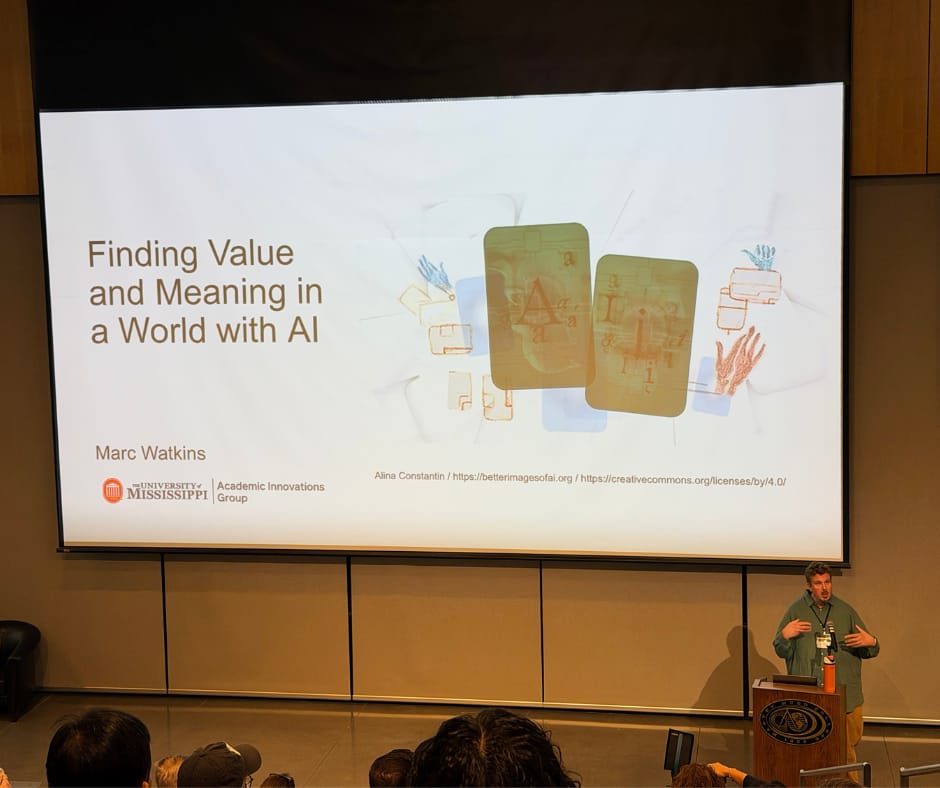
Man presents at the front of a large lecture hall with a slide that reads: Finding Value and Meaning in a World of AI

Reflections on Mark Watkins' Keynote at a Recent Conference

It was such a pleasure to get to see Marc Watkins' keynote at Harvey Mudd's (Re)Imagining Liberal Arts & STEM Education in the Age of GenAI Conference. Marc's talk was titled Finding Value and Meaning in a World with AI. I have had him on Teaching in Higher Ed before (Episode 613: Skepticism and Curiosity in the Age of AI), and that was such an enriching experience. This opportunity to see him speak gave me even more time than the podcast episodes typically allow, and I also got the pleasure of seeing the visuals that Marc had put together for his slides.

The conference as a whole, as I continue to think back on the experience of participating, was so full of nuance. Marc's presentation was no different. Early in his talk, he talked about the importance of creating space for conversation and quoted Molly Roberts from The Washington Post, who had written a story about the place where Marc works. She writes:

There is no better place to see the promise and the peril of generative artificial intelligence playing out than in academia. And there's no better place to see how academia is handling the explosion in ChatGPT and its ilk than at Ole Miss.

Though Marc spoke with maturity and wisdom, he also had his fair share of warnings. One such cautionary note was involving the extensive use of the free versions of artificial intelligence tools. TechCrunch revealed OpenAI's announcement that ChatGPT use reached 900 million weekly active users in a February 2026 story. Other players are growing as well, such as Google and even Claude, though Marc did point out that users of Claude are still in the minority.

Marc spoke about the opportunities that some companies have given students to use the premium versions of AI. Google has done that. So has OpenAI. That said, this isn't guaranteed to continue. In fact, quite the opposite. And the disparities in qualities of tools, perhaps often without the person even realizing it, are an ethical consideration we should all reflect on.

The instructional scales and traffic lights for use in articulating when artificial intelligence is allowable from an academic integrity standpoint was a key section of Marc's talk. He pointed to the AI assessment scale from Perkins, Furze, Roe, and MacVaugh, and also from the University of Sydney, the two-lane approach. Marc doesn't believe we can ban generative AI, and neither do the individuals who came up with this two-lane approach.

Testing centers can have a more locked-down assessment environment. These centers ask students to remove every gadget and also examine their glasses to ensure that they do not contain cameras. This is a very expensive way to do assessment, and it has a heavy lift, not accommodating for those students who require online learning to pursue their educational goals, nor is it particularly accessible.

Another ethical concern brought up by Marc is around the need that faculty have for support and training. We cannot, in higher education, expect faculty to implement these kinds of large-scale course redesigns on their own without funding and communities of practice being available in addition to faculty AI guides.

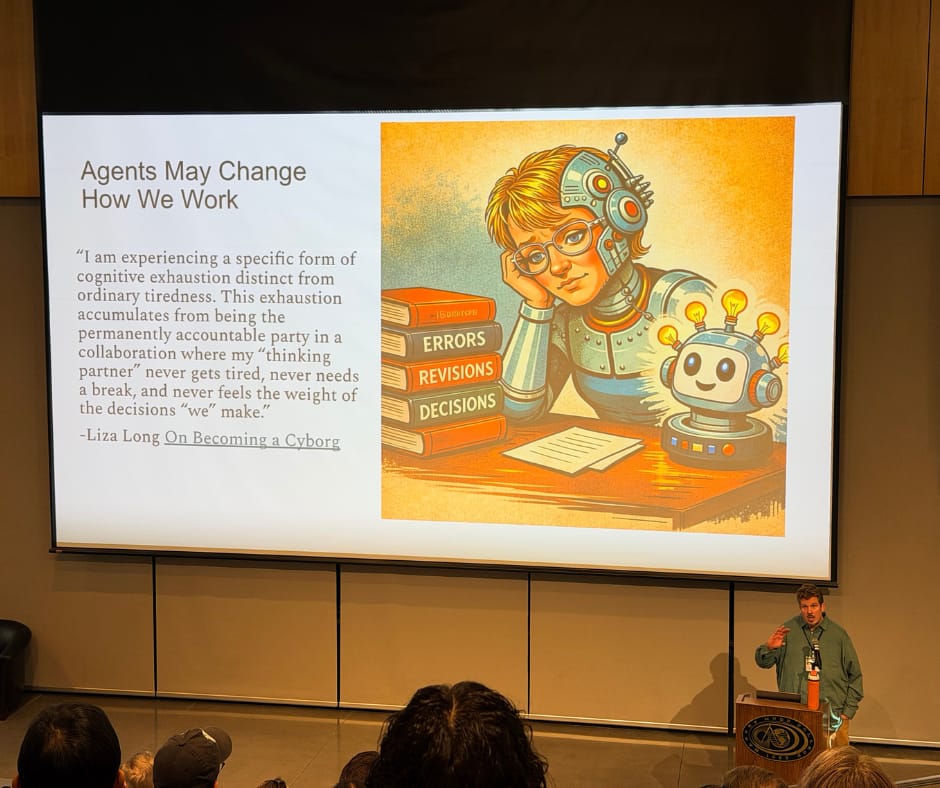
One thing I enjoyed about how Marc approached his keynote is that, in addition to speaking with such nuance, he provided a tremendous overview of not just the ethical concerns that get raised with artificial intelligence, but also how things have been changing within the last year or so. He quoted a piece from Liza Long, On Becoming a Cyborg, which explored the ways in which agents can perform tasks and change how we work.

Agents may change how we work with a half-robot/half-person as the image

Yet Liza points out how the inexhaustible nature of artificial intelligence raises some issues related to the nature of work. She writes, “I am experiencing a specific form of cognitive exhaustion distinct from ordinary tiredness. This exhaustion accumulates from being the permanently accountable party in a collaboration where my ‘thinking partner' never gets tired, never needs a break, and never feels the weight of the decisions ‘we' make.”

Marc explored the issues around integrity having to do with students' use of AI in addition to faculty members' use of AI. He referenced Jeff Young's podcast, Learning Curve: Is My Professor Using AI to Teach? from October 2025. Students are often unhappy with their professors using artificial intelligence to create courses. From the New York Times, “College Professors Are Using ChatGPT. Some Students Aren't Happy,” outlines the story of Ella Stapleton at Northeastern, who discovered that her professor had been using AI in a way that got her wondering what her tuition dollars were meant to be for if it wasn't to be taught by an actual human being.

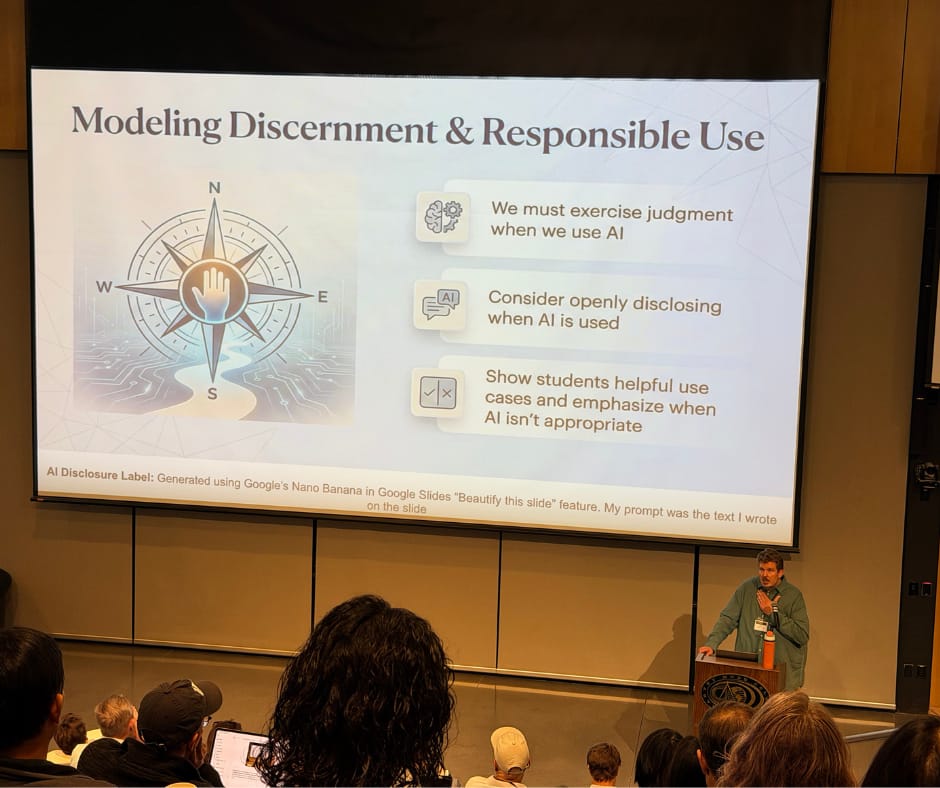
This brought up the importance of disclosure, which is something that Marc is a big advocate of. At the bottom of his slides, whenever he had an image that had been generated by artificial intelligence, he included detailed information about his approach. On this “Modeling Discernment and Responsible Use” slide, he said it used to be plain bullets. And then in the disclosure label, he explained that he used Google's Nano Banana in Google Slides to beautify this slide.

Slide: Modeling discernment and responsible use with a compass image and three icon-based bullet points

I am not sure I've admitted this in too many places publicly, but I'm a bit of a slide deck design snob. I would like to push back a bit on the idea that this particular slide is at all what I would call beautiful. My concerns are geared toward Google themselves and do not mean to imply this is a critique of Marc, who gave a wonderful keynote talk. Whenever I see these supposedly beautified slides, I tend to think that those of us who enjoy creating slide decks are safe from having that role be usurped by AI anytime soon.

If you would like to learn more about Marc Watkins and his wisdom around what he and colleagues called AI-aware teaching, there are a plethora of resources available. The Norton Guide to AI-Aware Teaching by Annette Vee, Marc Watkins, and Derek Bruff is now available. Marc wrote a post about it that will give you a good overview. Additionally, he published a post called “We Shouldn't Destroy Ourselves Fighting About AI” that is well worth a read.

I especially like the reflection about a third of the way through the post where he talks about how good work gets lost when we shout–when we have shouting matches over the machines. He's so good about pointing to other people's work and then reflecting in public about the ways that they have shaped his responses to artificial intelligence. He encourages us to be aware of changes as they come and be prepared to move forward. He doesn't specify where we should go, but he does stress that we not stay in the same place.

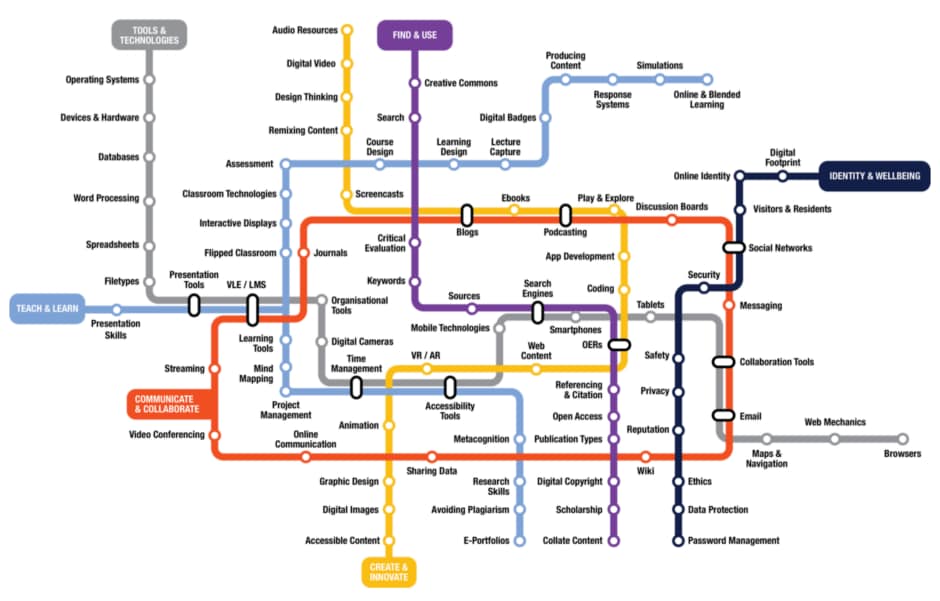
That has always been what I've advocated when offering a Go Somewhere keynote, or playing the Go Somewhere card game as part of a workshop. Let's move, even if none of us know exactly where we're going… I still hold that Ireland's All Aboard: Digital Skills in Higher Education Map offers a good starting point for thinking about where AI intersects with the various “stations,” even though it came out well before the release of ChatGPT got so many more people using AI than ever before.

Subway-looking map for the various ways technology can be used and digital literacies can be fostered

If you're looking for more ways to have conversations about AI, Marc offers some questions to spark dialog at the bottom of this post: The Norton Guide to AI-Aware Teaching and Using AIs as Provocative Pedagogy. That, plus subscribe to Marc's newsletter and follow him on LinkedIn.

Filed Under: Resources

Hammering My Way into AI-Related Metaphors and a Familiar Song

By Bonni Stachowiak | June 7, 2026 | | XFacebookLinkedInEmail

Hammer sits on a workbench with a lot of nails surrounding it (some of them bent)

This isn't the first time, nor will it be the last, that Maha Bali puts into words, ideas I've been wrestling with for a long while. In AI is Not a Tool: It's a Medium-Institution, Maha pushes back on a commonly-used metaphor. We're often told that AI is just a tool and Maha reminds us how a hammer, for example, actually works. If we use a hammer to put a nail in the wall, we can always expect that the nail is going to go in the direction that we started hammering. Such is not the case with AI, she asserts.

In AI is Not a Tool, Maha suggests we get started by reading Abi Awomosu's post: They Say AI is the Next Industrial Revolution. Gen Z Already Knows How Those End. They're not booing AI. They're booing the ‘invisible hand' that is holding it. After soaking in Abi's powerful words, Maha decided to extend some previous writing she's done to articulate her position on AI: neither all-in, or all-out. Maha writes:

Somewhere between techno-pessimism and techno-optimism is the position this piece is arguing for. Not refusal. Not uncritical adoption. Literacy. Sovereignty. The capacity to engage deliberately with a medium you are already inside. To understand its grain, its tendencies, what it does to you when you engage without awareness. Rather than being used by it in either direction: enchanted into dependency or shamed into secret use.

Individual abstention inside a society already saturated with AI infrastructure functions more symbolically than structurally. The medium is infrastructural now. People are already inside AI-mediated systems whether they consciously use AI or not. The struggle shifts from avoid all contact to preserve agency under conditions of contact.

That is why literacy is resistance.

Maha also links to Taz Daniels' Faculty Critical Engagement with AI Pyramid. Taz describes the benefit of the framework as: “[recognizing] that meaningful engagement with AI does not look the same for everyone and that both thoughtful use and thoughtful abstention are valid, ethical, and necessary contributions to higher education.”

In addition to Maha's post giving me a lot to think about today, I'm also reminded of a song from my college days: Hammer and a Nail, by the Indigo Girls. The lyrics of the chorus seem so fitting with Maha's musings, in addition to all the discourse around the importance of friction within educational contexts. See the thoughtful debate between Maha Bali, Jon Ippolito, Jeremy Douglass, Annette Vee, Mark C. Marino, and Marc Watkins for much more to consider when discussing the topic of friction. But now, back to the Indigo Girls and hammers. They sing:

I gotta get out of bed
Get a hammer and a nail
Learn how to use my hands
Not just my head
I think myself into jail
Now I know a refuge never grows
From a chin in a hand
And a thoughtful pose
Gotta tend the earth
If you want a rose

I had fun revisiting these lyrics via the annotations on Genuis.com and seeing even more connections and opportunities for reflection. That said, Dave and I planted some flowers the other day to keep our rose bushes company in the front yard and I'm feeling like I had better back slowly away from my computer and go see how they're doing.

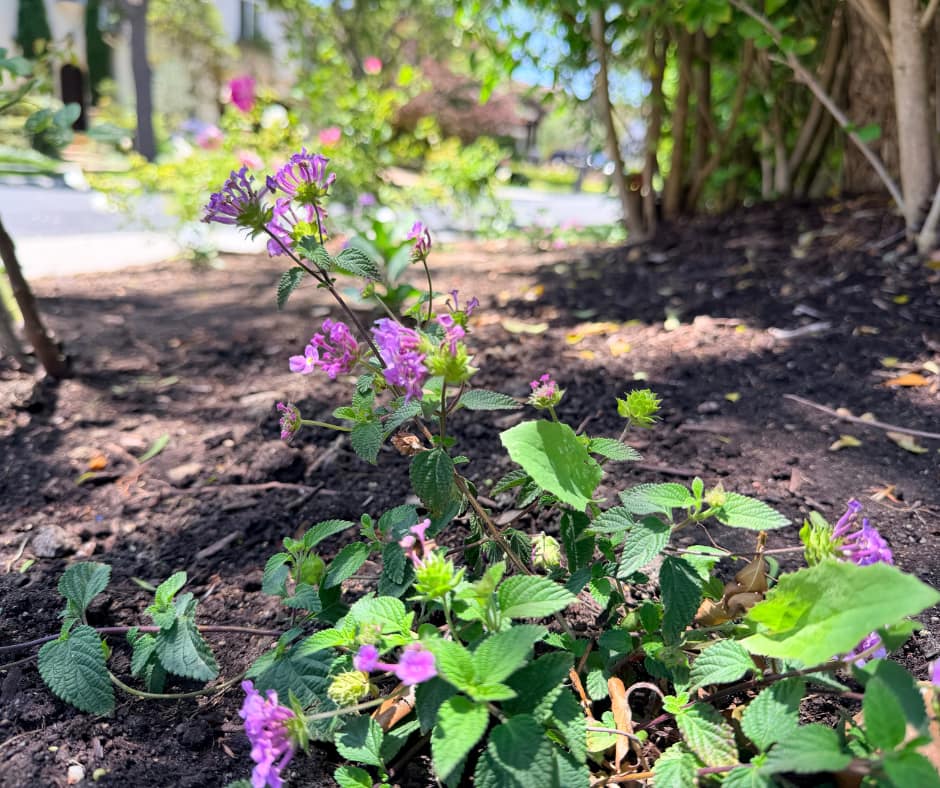
Small purple flowers with a background of soil and other foliage

Filed Under: Educational Technology

  • Page 1
  • Page 2
  • Page 3
  • Go to Next Page »

TOOLS

  • Blog
  • Podcast
  • Community
  • Weekly Update

RESOURCES

  • Recommendations
  • EdTech Essentials Guide
  • The Productive Online Professor
  • How to Listen to Podcasts

Subscribe to Podcast

Apple PodcastsSpotifyAndroidby EmailRSSMore Subscribe Options

ABOUT

  • Bonni Stachowiak
  • Speaking + Workshops
  • Podcast FAQs
  • Media Kit
  • Lilly Conferences Partnership

CONTACT

  • Get in Touch
  • Support the Podcast
  • Sponsorship
  • Privacy Policy

CONNECT

  • LinkedIn
  • Instagram
  • RSS

CC BY-NC-SA 4.0 Teaching in Higher Ed | Designed by Anchored Design