• Skip to primary navigation
  • Skip to main content
  • Skip to footer

Teaching in Higher Ed

  • Podcast
  • Blog
  • SPEAKING
  • Media
  • Recommendations
  • About
  • Contact

Productivity

Daily Practice – Tools of the Trade

By Bonni Stachowiak | January 13, 2020 | | XFacebookLinkedInEmail

Tools

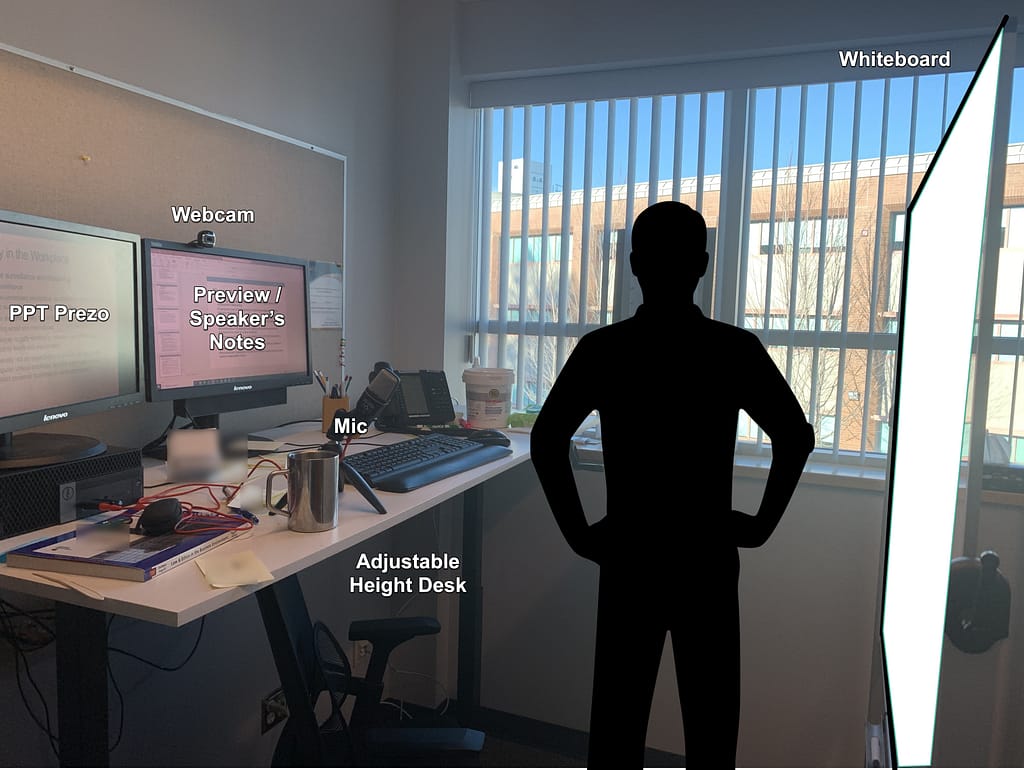
I was inspired by Bryan Alexander’s post on his Daily Practice: Tools of the Trade. If you aren't already familiar with Bryan, he is a higher education futurist who has quite an influence in our industry. He also wrote a kind post at the start of the new year about his recent visit on Teaching in Higher Ed:

Discussing the Future of Higher Ed with Bonni Stachowiak, A Podcaster Who Knows the Web

I enjoyed reading his appreciation for all the aspects of producing the show, such as taking the time creating show notes for each episode, transcripts, quote graphics, and then some. I had no idea that the transcript of his episode wound up being 17 pages. Amazing!

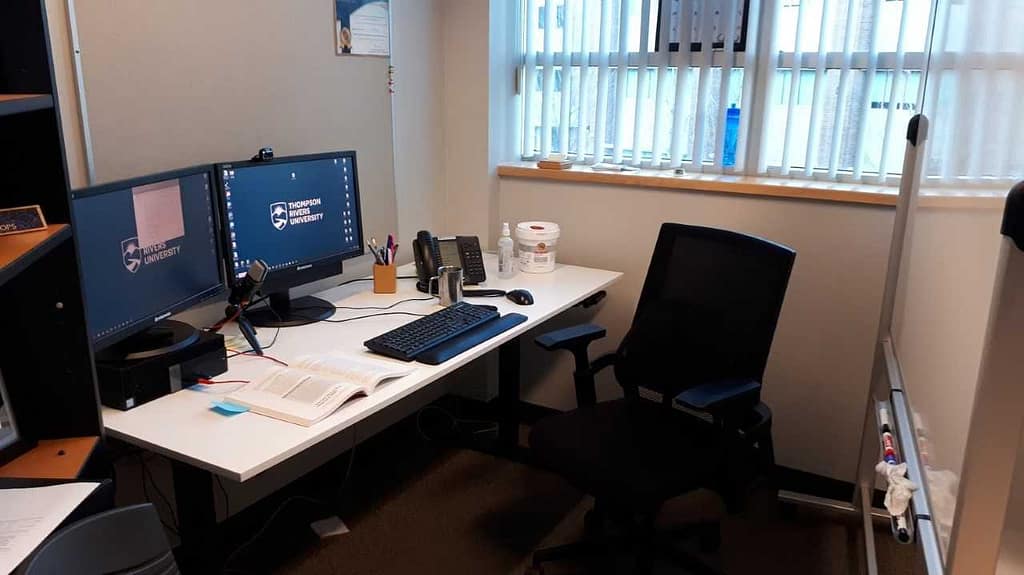
Back to Bryan's post about the tools he uses in his work. Here’s a treetop view of what I use to get my work done and facilitate other aspects of my life.

Writing

Two forms of writing require two different sets of tools:

  1. Longer-form writing (books, book chapters) – Microsoft Word. Despite all the bad-mouthing people do about Word, it is still the most fully-featured tool I know of for longer-form writing. A close second would be Scrivener on the Mac, but I just haven’t wanted to commit to the learning curve, since I know Microsoft Word like the back of my hand.
  2. Shorter-form writing (articles, blogs, etc.) – I often start writing in plain text using Ulysses. I write using a style called Markdown, which has text-based symbols to indicate where formatting belongs. 

Speaking

When I speak at a conference or am hired for a keynote or workshop, the following combination of tools helps me streamline the tasks – to free me up for the creative thinking end of things:

  1. Recent episodes, topics I present on, and how to get in touch – WordPress – Beaver Builder.
  2. List of all past and upcoming speaking engagements – WordPress, Beaver Builder, and a wonderful web designer. Naomi completely streamlined how I curate all my speaking resources.
  3. Cover slide in various sizes – Canva (pro version allows for magic resizing)
  4. Slide design – inspired regularly by Nancy Duarte, use a combination of Microsoft PowerPoint and Canva for slide designs
  5. Brainstorming and open loops for upcoming talks – Evernote
  6. Planned interaction (polling) for during talks – Glisser
  7. Resources page (sample) – WordPress page with Pretty Link (easier/shorter link for people to type in)
  8. Travel coordination – I’ve outlined my approaches on episode 261 with Dave Stachowiak and in a blog post.

Teaching

I had better be careful with this one, or I could write a few books on the topic. I’ll narrow myself down to the first nine tools of the trade that come to mind:

  1. PollEverywhere – One of my favorite tools for in-class retrieval practice. I poll students with questions that either have a correct answer, or ask for their perceptions/opinions. They answer on their smart phones. We get to interact far more than times when I lecture without some kind of approach like this. I typically have them be anonymous to invite even more participation.
  2. Quizlet Live – Once you have a set of flashcards on Quizlet – you can play a game in class with students where they have to collaborate together to come up with the right matches/answers. It is lively and engaging. Here’s a post where I talk about my experiences with Quizlet Live more.
  3. Canvas – This is the LMS we use at my institution. It is the best one I’ve ever used, coming from having used Blackboard (still do, sometimes), Moodle, and WebCT in the past. I like how easy it is to integrate other tools inside of Canvas. For example, if I want to connect Quizlet with Canvas, that’s something I can do without having to possess admin rights in Canvas. There are a lot of conversations happening regarding who owns student data within Canvas right now that are outside the scope of this list of tools.
  4. Canvas Studio – This service makes videos interactive, while still offering the “protection” that the walls of the LMS can provide. For example, if I want to add a YouTube video within studio, students can interact with me and with each other, without having to deal with all the messiness that online commenting invites. You can also upload your own videos and essentially have your own YouTube-like channel with videos you can use across the LMS (and beyond).
  5. PowerPoint – As I mentioned earlier, I’ve been inspired for years by Nancy Duarte – especially her book Slideology. Another person who has made an impact on my design approaches most recently is Oliver Caviglioli.
  6. Pinboard – having a place to store digital bookmarks is essential to me for keeping examples I use current in my classes and continually engaging with my personal knowledge management system (PKM). Here’s an example of all the bookmarks I have tagged (categorized) related to my technology and leadership doctoral class I teach as an adjunct a couple of times a year: EDD 703. I also keep track of things I want to share with the Teaching in Higher Ed community. Topics like ungrading that I continue to want to learn more about are saved on Pinboard, as well.
  7. AcuityScheduling – I’ve written for EdSurge about how we can get people to join us for office hours. One approach is to make it super easy for students, using an automated scheduling tool like AcuityScheduling. I especially like it because I can use it for “regular” office hours, but it also integrates with Zoom and I can have people book online appointments using Acuity, too.
  8. Zoom – speaking of Zoom – it is the absolute best online meeting service I have ever used. And I’ve been using them since the 1990s… It’s not even a close competition with the rest of these kinds of online conferencing tools.
  9. Meeting Owl Pro – Integrating flawlessly with Zoom (plug and play) is the Meeting Owl Pro. It is a 360 degree, smart video conference camera that allows virtual guests to see everyone in the meeting room who is with you. And hear everyone in the room. The Meeting Owl Pro is definitely my best find of 2019.

Collaborating

I tend to mostly meet people where they are, when it comes to collaboration. Here are a few of the ways I collaborate on projects with others:

  1. Microsoft Teams – I set up a Team for each major project and department I lead. We can track who has committed to what actions using Microsoft Planner (within Teams). Sharepoint lets us sync the files we share with our local computers. If I put a file in that folder on my computer, it automatically syncs it back over to SharePoint/Teams.
  2. Dropbox Paper – This collaborative writing space is the best I have ever used. I can share a link to a Dropbox Paper file and others can collaborate – without needing to have a Dropbox or other account.
  3. Google Docs – My monthly EdSurge Office Hours advice column gets edited using Google Docs, thanks to the wonderful Jeff Young.

Getting Stuff Done

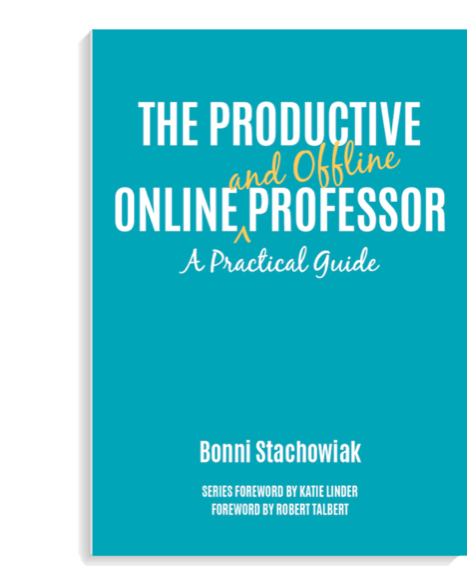
I not only could write an entire book about this topic – I have. Consider pre-ordering your copy of The Productive Online and Offline Professor to learn more about how I set goals, manage my tasks and calendar, keep track of projects and items I have delegated, and how I avoid crashing and burning (by not having backups of my computer data, or having secure passwords).

Learning

I follow the practice of Personal Knowledge Mastery (PKM) in my commitment to lifelong learning. Harold Jarche is the person I’ve learned the most about PKM from… He was a guest on episode 213 of the Teaching in Higher Ed podcast.

Here are some posts where I share more about PKM:

  1. My updated PKM system
  2. Practicing curation
  3. Cataloging course resources using PKM

Link: All of the podcast episodes on the topic of PKM

Communicating

I focus on enabling communication tools to work for me, instead of me working for them. That means I keep as few of notifications as I can (while still being accessible to our kids’ school, for example).

Email

  1. SaneBox – This service helps me keep my email from taking up more time than it deserves. It works on Gmail, Office 365, iCloud, or any email address.
  2. Mail – I use the regular mail client on my Mac.
  3. I avoid using email as a task manager and commit to achieving inbox zero once a day. Learn more about my approach way back on Episode 56. Discover even more about email management in my forthcoming book.

More email advice from an email emergency I experienced (how to organize folders, etc.)

Other communication tools

  1. Remind – An easy way to stay connected with my students, even when class isn’t in session. I can preschedule reminders about offsite visits, connect one-on-one with students – without sharing my personal cell number, and easily send photos, files, and other messages to an entire class.
  2. Disconnecting from the attention economy – Episode with Mike Truong – Teaching in the digital age.
  3. The kind of faculty to communicate with most often via my column on EdSurge.

I just finished reading Cal Newport’s Digital Minimalism: Choosing a Focused Life in a Noisy World. He recommends tangible practices we can use to help us get the most out of what digital tools have to offer, while leaving the rest behind. I highly recommend this book.

Your Turn

I would enjoy hearing what tools of the trade you are finding most essential these days…


Photo cred: Philip Swinburn on Unsplash

Filed Under: Productivity

Answers to 11 Questions

By Bonni Stachowiak | January 6, 2020 | | XFacebookLinkedInEmail

Question mark spray painted

Recently, Katie Linder recommended on her blog that we answer 11 questions, which were inspired by Tim Ferris. They come from his book Tribe of Mentors: Short Life Advice from the Best in the World*. Here are Katie’s answers to the 11 questions, which I found so fun to read.

My Answers to 11 Questions

I thought I would try to tackle the questions for this week’s blog.

What is the book (or books) you’ve given most as a gift, and why? Or what are one to three books that have greatly influenced your life?

The book I’ve given most as a gift is Richard N. Bolles’s What Color is Your Parachute?* The reason I find it to be a valuable gift is that it gives graduating seniors a structure to use to stay focused on job hunting. While they are in school, we tell them when papers are due and when the exams are scheduled.

As they look toward graduating, they often lack a system to carry them through the transition. It also helps them gain the most leverage with the time they spend in the various job-hunting activities. Spoiler alert – sending out unsolicited resumes won’t produce much fruit, as compared to relying on relationships.

The book that has influenced my leadership approach is Peter Block’s The Empowered Manager*. It also happens to be in second place for the book I have given as a gift most often. I view The Empowered Manager as an anecdote for burnout. Block proposes we have an inter-dependent relationship with our employers and transition from traditional hierarchical models.

I talk about this shift in my work life on Episode 208. I also share about it often on Dave’s (my husband’s) podcast: Coaching for Leaders.

What purchase of $100 or less has most positively impacted your life in the last six months (or in recent memory)? 

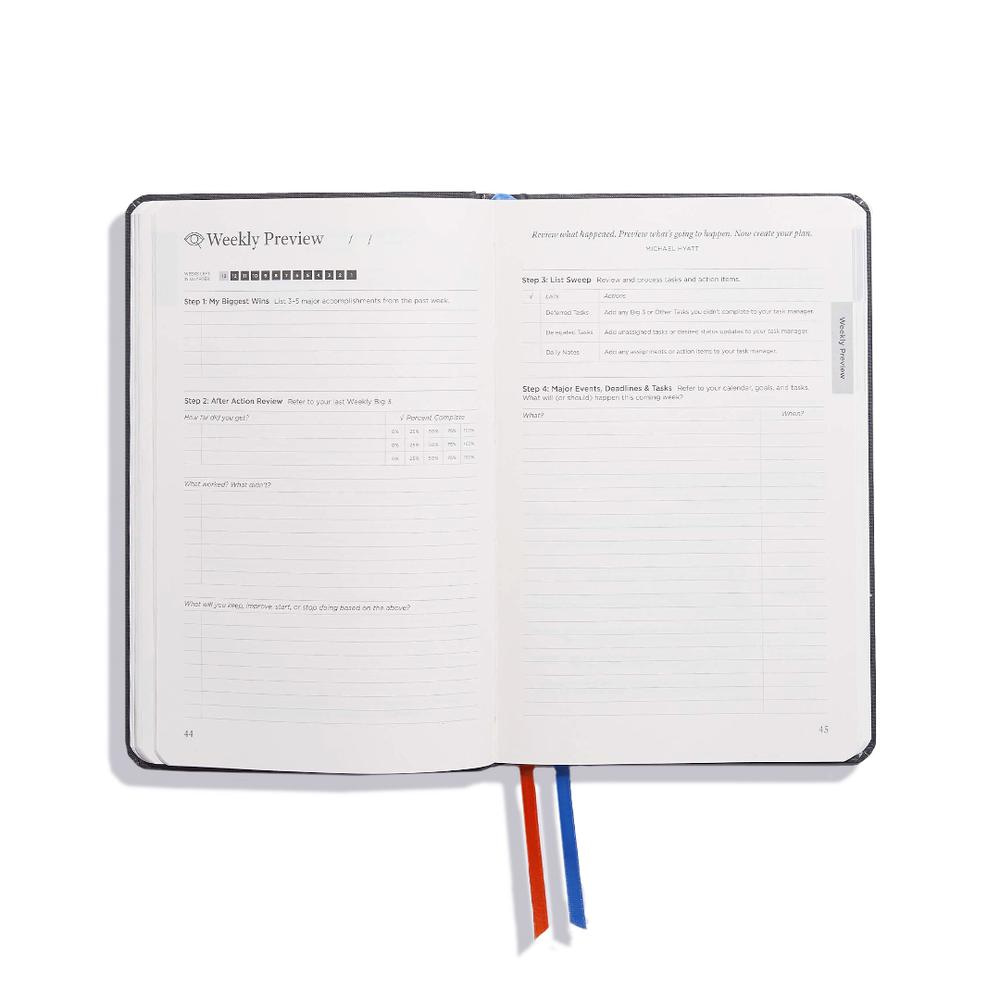
I purchased an annual subscription for the Full Focus Planner from Michael Hyatt*. I bought it prior to recommending it on Teaching in Higher Ed episode 290 and before Dave and I entered into an affiliate relationship sharing about the planners with our podcast communities.

Full Focus PlannerOne of the many practices recommended in the planner is to identify a big three for each day. What are the three things I will focus on completing, beyond everything else that comes up? This has seriously helped me focus, in addition to making sure I am realistic about what a day may entail. For example, when I teach (once a week for three hours) – that is entered as one of my big three. I try to keep the other two wins as smaller items since teaching really does take up a big part of my Mondays.
Here’s another thing I really like about the Full Focus Planner* (well, it is really four planners, since the subscription gets you one planner for each quarter of the year). It is made with care and is such high quality. It has two bookmarks that can be used to save places you want to access frequently. It has an elastic band to keep it closed when you’re not using it. Unlike every other planner, it stays wide open on my desk when I am using it, which I didn’t realize I would appreciate so much until I was able to contrast it to other planners I’ve used.

How has a failure, or apparent failure, set you up for later success? Do you have a “favorite failure” of yours?

It is a story that I don’t like to talk about very much. The transition was such an awful time in my life. I was laid off after 11 years working for the same company. I had earned a steady-and-growing paycheck for more than a decade. Living with unpredictable streams of revenue was challenging for me (it still is).

The reason I decide to talk about it, despite it not always being my favorite story to tell, is that these seasons can bring about shifts in our lives that we eventually find to be even more suited to our strengths and passions. William Bridges wrote a book called Transitions: Making Sense of Life’s Changes*, that is very good on this topic.

For those of you who have read it – let’s just say it was a ride of a lifetime in the neutral zone.

Bridges also has a wonderful leadership book on the topic of change called: Managing Transitions: Making the Most of Change*. I have been revisiting it recently, after having been promoted to dean at my institution.

If you could have a gigantic billboard anywhere with anything on it — metaphorically speaking, getting a message out to millions or billions — what would it say and why? It could be a few words or a paragraph. (If helpful, it can be someone else’s quote: Are there any quotes you think of often or live your life by?)

One message I would love to see get out to millions of people would have to do with worry. Dale Carnegie prescribed a method for this in his book: How to Stop Worrying and Start Living*.

It begins with a counter-intuitive step of imagining what the worst thing that could happen is… Once that beast has a name, it is easier to put it into perspective and begin to move to step two.

Next, we prepare to accept that worst thing. When I bought my first house, I was troubled by doing this alone. I thought you were supposed to be married when you made that kind of a purchase. My husband is glad I took the risk back then and also realized how empowering it can be to own your own property as a single person.

My Mom had me brainstorm what the worst thing that could happen if I took the plunge. The big fear was that I might lose my job and wind up needing to live with them for a few years, until I was back on my feet. I never wound up needing to do that, but it truly didn’t seem like such an awful outcome, all things being equal. Preparing to accept the worst allowed me to feel more confident in making the decision to purchase the home.

Finally, Carnegie recommends taking steps to avoid needing to accept that worst outcome. In my case, I could have an emergency fund, which would allow me to carry through difficult financial times, should they come along after committing to a 30-year mortgage.

How to Stop Worrying and Start Living* has a lot of other practical approaches we can use to put worry on the back burner. Even though it was written all those decades ago, Carnegie’s advice still rings true.

What is one of the best or most worthwhile investments you’ve ever made? (Could be an investment of money, time, energy, etc.)

The Productive Online and Offline ProfessorI invested a lot of time and money in setting up a productivity system that I can trust.


By that, I mean that I know that things won’t fall through the cracks, unless I am aware of them and decide to renegotiate my commitments and focus on them at a later time.

If you are interested in my approach and the tools I use, consider pre-ordering my forthcoming book:

The Productive Online and Offline Professor*

What is an unusual habit or an absurd thing that you love?

I don’t think I have any unusual habits. One thing that amuses people is that I do enjoy the smell of manure. It reminds me of getting to go to horse camp as a young person.

I stayed for two weeks and was able to take care of “my own” horse during that time. I have such fond memories of those experiences and am reminded of them whenever I come across that scent.

They built some new houses near where we live that backed up to a horse ranch recently. We do not, by any means, live in a rural area, but there just happen to be some equestrian properties in the town we drive through often to take our kids to school.

I thought it would be so cool to get to take in that smell every day. Fortunately, more practical minds prevailed and we still live in the same place we did before. It was better for a whole host of reasons, not to mention that no one else that I know has that same fondness for manure smells.

In the last five years, what new belief, behavior, or habit has most improved your life?

One of the practices we have really had to hone these past five years around here is having a place for everything. With two kids, ages five and seven, there are always a lot of “things” coming and going. It seems like every weekend, there’s a kids’ birthday party, resulting in some kind of goody bag coming home.

My work generates a lot of paperwork and I strive to convert all of it to electronic form. Whenever I find things getting cluttered, it is almost always because whatever things are sitting out don’t have a place where they belong.

What advice would you give to a smart, driven college student about to enter the “real world”? What advice should they ignore?

I try to avoid using the phrase “real world” when talking to smart, driven college students. I used to say that, but found that it could come across as patronizing, as they tend to perceive that they already are living in the “real world” and for me to think otherwise is insulting.

In general, I find that many recent alums have challenges managing their time and their money upon graduation. Jane Bryant Quinn’s book on Making the Most of Your Money Now* is more than ten years old, but still contains the best advice I’ve ever received about money. As for managing their time, I recommend David Allen’s Getting Things Done*.

Advice they should ignore is to do something they love. Yes, find meaning in your work. But early in our careers, we can have unrealistic expectations about the first few years and what that experience will be like, that it can actually hold us back from experiencing authentic joy in our lives.

More on this can be found on episode 54 in my conversation with Jonathan Malesic (who is far more eloquent on this topic than I’ll ever be).

What are bad recommendations you hear in your profession or area of expertise?

A lot of bad recommendations stem from not trusting students. When we focus our pedagogy and systems on catching people who might be cheating, or may not be working to their fullest extent or capabilities, we lose the greatest things teaching has to offer.

Here are some reflections on trusting our students on Hybrid Pedagogy by Amy Hasinoff.

In the last five years, what have you become better at saying no to (distractions, invitations, etc.)? What new realizations and/or approaches helped? Any other tips?

My biggest advice on saying no is recognizing that with every no answer you give, you are freeing yourself up to say yes to something more directly related to your priorities, dreams, and sense of meaning.

Greg McKeown’s book, Essentialism: The Disciplined Pursuit of Less*, provides lots of practical approaches to use in saying no. I don’t take it quite as far as what he recommends, but have heard his words echoing in my years for long enough to affirm what a difference reading his book made for me in my life.

I would also recommend reading some of Michael Hyatt’s posts on saying no, as they are quite helpful.

When you feel overwhelmed or unfocused, or have lost your focus temporarily, what do you do? (If helpful: What questions do you ask yourself?)

I have an app I have been using over the last couple of months called Focus I use to block applications and websites that have the potential to distract me while I’m working. I set it for a certain amount of time (usually 50 minutes) and it redirects me, if my mind starts to wander and so do my mouse and keyboard.

I am also such a big fan of walks. My friend and colleague, Shannon, and I walk together on almost a daily basis. This time helps us have greater energy and focus when we return. Also, it is almost like having short meetings together, daily, to catch up on work stuff. We are in the same department and always have lots to talk about and strategize on.

Your Turn

If you wind up answering the 11 questions, I would love to see your post. Alternatively, feel free to share your answer to just one of the questions with me.

Photo cred: Evan Dennis on Unsplash

* denotes affiliate links

Filed Under: Productivity

Celebrating the Decade

By Bonni Stachowiak | November 27, 2019 | | XFacebookLinkedInEmail

Confetti

I have enjoyed seeing various members of the higher education community write about what has happened in their lives over the course of this last decade. I'm inspired to share some of what has transpired in my life these past ten years.

ACADEMIC PROMOTION. I received tenure early in the decade, as well as promotion to associate professor. As we near the end of this ten-year period, I'm applying for full professor. Those of us who submitted our portfolios won't find out until 2020 the results of our applications.

Stachowiak kids

CHILDREN. After more seasons than I feel like counting, we finally were able to have our first child in 2012 – and then two years later, had a second. Our children are one of the absolute joys of my life.

Sample episodes of Teaching in Higher Ed

PODCAST. In June of 2014, I started the Teaching in Higher Ed podcast, thanks to a lot of nudging from Dave. Nothing has shaped my teaching more than these opportunities to speak to amazing educators from around the world.

LOSSES.  Three of my colleagues passed away from cancer during this period. I can still feel the weight of the grief ever-present in our community. Mary Wilson (librarian) introduced me to writers and thinkers who helped me be able to better integrate my politics with my religious beliefs. Sheri Benvenuti had such a powerful blend of humor, grace, and strength. Elizabeth Leonard had a tremendous capacity to find interdisciplinary ways to extend her research on women who had been incarcerated for defending themselves against abusive husbands. She wouldn't hold back in sharing her perspectives on things, but would transition the conversations back to action with her use of the word: nevertheless… Yes, these are the challenges we face, but nevertheless… Then, we would get back to the work.

CHANGE OF FOCUS. I took on an administrative faculty role a few years back: director of teaching excellence and digital pedagogy. Leadership at the time had wanted me to become the institution's director of online learning, but I wasn't interested in a role that targeted only one way of facilitating learning. However, when I shared a broader vision for what role I would like to play at the institution, they decided to change the focus.

Stachowiak family with Canvas Panda mascot

PARTNERSHIP. Dave and I have had our relationship continued to grow and evolve. I love watching him as a parent and how well he cares for our kids. I also enjoy that even after almost 15 years of marriage, I still look forward to talking with him about things we're passionate about. Some of those conversations even get recorded on his podcast – Coaching for Leaders Q&A episodes.

Speaking engagement at Sam Houston State University

SPEAKING. I started doing more keynote speaking and workshops in 2017. I'm thankful for each organization that has trusted me to come in and share stories and inspiration toward better teaching. I even drove through a snowstorm in Nebraska and learned that there are not-one-but-two convention centers in Miami.

EdSurge Column Graphic

WRITING. I also was paid for the first time to write something. EdSurge launched my monthly advice column in 2018. Toward Better Teaching: Office Hours with Bonni Stachowiak helps me connect what I've learned through hosting the podcast and in my own higher ed teaching these past 15 years with my goal of serving others and giving back. I'm also thankful for the opportunity to be guided through all of this by the ever-capable Jeffrey R. Young, senior editor at EdSurge.

PROMOTION. In August of 2019, I became the dean of teaching and learning at Vanguard University. I continue to lead our Institute for Faculty Development, but I am also overseeing the people who lead our library, student success initiatives, and academic resource center. We are just starting to dream together about possibilities, but I can say that there are great things in store as we work to serve our students and faculty even better than we do today.

BOOK. It looks like it probably isn't quite going to happen in this decade, but in early 2020, The Productive Online and Offline Professor will be released. The work that we do as professors is essential, yet there can often be the sense that there just isn't enough time to do all we want to accomplish. This book seeks to identify those areas where we can identify our priorities and focus on the most essential areas to focus on. I also share ways to save time on the seemingly small stuff, to give us greater freedom to be more fully present for our students and other people who are important to us.

Please consider pre-ordering your copy today, so it gets to you right away once it gets released early in the year.


Thanks for joining me in revisiting this past decade with me.

These past few months have brought some fun speaking engagements and presentation opportunities. Here are just a few links to resources from those talks that may be of interest to you:

  • Leverage Social Media to Extend and Express Your Teaching and Learning Center's Values, Katie Linder + Bonni Stachowiak at the POD Annual Conference
  • Igniting Our Collective Imagination at Sam Houston State University's Teaching and Learning Conference
  • Productive Productivity at Sam Houston State University's Teaching and Learning Conference

If any of you have tweeted, blogged, or otherwise shared about what has transpired for you over the last decade, I would love to read your reflections.


Filed Under: Productivity

Keeping Content Up to Date in the LMS

By Bonni Stachowiak | January 22, 2019 | | XFacebookLinkedInEmail

Keeping content current photo

This article was first published on EdSurge as part of my column – Toward Better Teaching: Office Hours With Bonni Stachowiak. You can pose a question for a future column here. While the following question was posed about working within two LMSs, the advice applies even to those who only teach within one LMS platform.


This semester—at the same institution—I will be teaching 2 online graduate courses: a brand new one on Canvas, and an existing one on Blackboard. Any tips on keeping my eye on the teaching/learning objectives while having two major LMS’s in play simultaneously? —Adjunct at a tier 1 research university in the mid-Atlantic


Even a little bit of effort toward streamlining content that could be moved to multiple learning management systems (LMSs) can have a big payoff. There are approaches that can help even when only working within a single LMS, particularly given the changing nature of some course content.

I, too, teach between Canvas and Blackboard. I know Canvas much better since I use it both as a professor and in coaching faculty. There is nothing that helps me learn faster than to hear how other people are trying to use an LMS.

Embed Often

Instead of trying to learn the creation tools for each learning management system, I suggest turning to mainstream platforms, like video for Youtube or Soundcloud for audio, and then embedding video or sound clips into any LMS you use.

Examples of this in approach abound, from embedding a form or signup sheet within a page on the LMS, to embedding a Kahoot game for your students to play from within their familiar course environment.

The Embed Responsively website can make this process easier for sites like YouTube, Vimeo, Google Maps or Getty Images, though I find that I can fine-tune most content to display just the way I want it within Blackboard or Canvas without needing to use the help from Embed Responsively.

A Canvas-specific resource I have found helpful in thinking more creatively about embedding is a CanvasLIVE video featuring Laura Gibbs, an online instructor at the University of Oklahoma: Beautiful Curation: Flickr & Pinterest (+Diigo & Padlet).

Subscribe to Class Calendars

Both Canvas and Blackboard allow you to subscribe to your course calendars and have them display within your primary calendar application on your computer or mobile device. On my laptop, phone and tablet, I am able to see all the calendars for courses I teach across both Canvas and Blackboard within my other appointments.

I like being able to see when assignments are due, as it helps me recognize the need to block off time in my calendar for grading. It’s especially helpful for me to be able to see what week in the semester or term we are in, especially as what I have previously called “the dip” starts to take its toll on a class.

Link Smart

I first started down this path of wanting to make my life easier solely when it came to course syllabi. I grew tired of uploading the syllabus as a file within our LMS, only to need to upload a new version every single semester. It also seemed like every time I would send my document off to the department’s administrative assistant, I would find an error, or something else would change. I then found myself needing to send out a revised syllabus to her and once again having to upload a revision to the LMS.

I then found a much better way. Dropbox (a cloud-based storage service) became the place where I would store my syllabi, and then I could just link to the files in the LMS. In Microsoft Word, I would do a file save-as each semester and name the file something time-based, like 2020f-syllabus-BUSN114.docx. However, instead of uploading the Word document in the LMS, as most people do, I would save the file on Dropbox as a PDF. The file name was crucial in eventually saving me time. I would name it something like syllabus-BUSN114.pdf with no indication of what semester’s syllabus the file contained.

Each time a new semester would come around, all I had to do was perform a save-as on the syllabus Word file to have an archive of date-specific syllabi from past semesters and then make modifications to the Word file for the new semester. When all the changes were done, I would save a PDF copy with the non-date-specific name (e.g. syllabus-BUSN114.pdf) that would take the place of the previous semester’s file on Dropbox. The link to the syllabus remained unchanged and therefore did not need to be updated on the LMS.

Here’s a screencast that shows this process of having a syllabus live in Cloud-based storage (like Dropbox, Microsoft OneDrive, or Google Drive).

A walkthrough of how to “link smart.”

Another option is to maintain syllabi within cloud-based document systems and to embed these documents inside the LMS. Google Docs and Dropbox Paper are two examples of these types of tools. As updates occur throughout the semester, they can be made within the cloud service and those changes are instantly reflected within the LMS.

Leverage Other Cloud Services

Once I saw how easy this process for managing syllabi was, I became intrigued by what other possibilities existed. Scott Self, assistant professor of organizational leadership for Abilene Christian University, joined me on the Teaching in Higher Ed podcast to share how he uses Evernote to minimize the time he needs to fumble around with different versions of documents.

Self uses Evernote notes to convey assignment information and to provide resources related to the course. He links to Evernote notes within the LMS, so whenever he makes changes within Evernote, he can rest assured those changes are instantly reflected in the LMS. Changes can be made to his Evernote notes on his computer, or even via his mobile devices.

Microsoft OneNote has a way to set up a class notebook that you can use in a similar way that Self uses Evernote. However, Microsoft’s OneNote takes it a step further and let you create interactive course content from within OneNote and give each student their own copy of the shared notebook that they can use to complete assignments, take notes, and receive feedback within their own notebook from their teacher.

Next Steps

It is not necessary to try to implement all these recommendations at once. Colleagues who have minimized the need to update their syllabi within the LMS by “linking smart” have said that the one idea saved them a great deal of time.

You can start small, and begin to see what works best within your classes.

Filed Under: Productivity

An Essential Time Saver

By Bonni Stachowiak | August 4, 2018 | | XFacebookLinkedInEmail

TextExpander: An Essential Time Saver

If you have been listening to the Teaching in Higher Ed podcast over the last few months, you have heard me talk about TextExpander (available both on the Mac and Windows). This application is one of the first programs I ever install on a new computer because it is so essential to me getting work done.

However, talking to you about TextExpander isn’t quite as powerful as getting to show it in action. That’s what I’ll do in this post. I have created three, short demos that let you peek behind the curtain to see how I use TextExpander.

You Can Still Keep a Personal Touch

Before I get to that, however, I did want to mention that my goal in saving time with TextExpander isn’t to lose the personal touch that comes from authentically-written prose. Instead, my approach is to consider that whatever time I can save through the automation that TextExpander affords me means that either I can give that much more of a personal approach as I customize boilerplate text, or that I have additional time to be able to reply to more people.

When someone comes on the podcast as a guest, I do use TextExpander to help me curate a message of gratitude to the person. There are a few basic pieces of information I always send:

  • A link to the episode’s show notes
  • Information about where the podcast is distributed (Apple Podcasts, Stitcher, etc.)
  • A link to the quote graphics from the episode

By automating that part of the email, I can spend more time letting them know the kind of response I have been getting about their episode on social media or some of my own personal reflections about our conversation.

When someone gets in touch with me asking about how to join the Teaching in Higher Ed Slack group, by having a “canned” response, I am able to get back to more people who have questions or suggestions.

TextExpander screen
View demonstrations of TextExpander in action below

Demos

Below are three demos that show TextExpander in action.

Demo: Part 1

In this demo, I show TextExpander in action as I create new show notes for an episode. The example I show uses fill-in snippets, where I can customize the text before it gets entered. TextExpander has a video showing how easy fill-in snippets are to create.

Demo: Part 2

In this demo, I give even more examples of TextExpander in action.

Demo: Part 3

In this final demo, I show how to add new snippets to TextExpander and how easy it is to make it work for you.

Purchase TextExpander

Get 20% off your first year of TextExpander and a 30 day free trial (select Teaching in Higher Ed from the dropdown menu os where did you hear about TextExpander?)

Other TextExpander Resources

I’ve only skimmed the surface here, as there are so many ways that TextExpander can save us time and improve our workflows. The more I learn about TextExpander, the more time it saves me (and lets me know with periodic reports on my TextExpander stats).

TextExpander statistics
My monthly TextExpander statistics

Below are some links to articles that extend the benefits of TextExpander in higher education.

  • An Introduction to Text Expansion, by Hanna Peacock on Inside Higher Ed
  • TextExpander video: Introduction to TextExpander
  • TextExpander video: TextExpander on Windows
  • Download existing collections of TextExpander snippets
  • TextExpander video: Sharing snippets
  • Jason Jones shares his uses of TextExpander on The Chronicle’s ProfHacker
  • Using Text Expansion Software in Your Workflow by Jason Heppler on Inside Higher Ed
  • Ryan Cordell shares his uses of TextExpander on The Chronicles ProfHacker
  • I share about TextExpander and other tools that contribute to Frictionless Systems
  • The Sweet Setup shares TextExpander as one of the “Apps We Love”

This post is a sponsored post. I am grateful to TextExpander for helping to support the Teaching in Higher Ed podcast. However, I have been sharing about the benefits of using TextExpander on the podcast and in the blog long before they provided any financial support.

Filed Under: Productivity

  • « Go to Previous Page
  • Page 1
  • Page 2
  • Page 3
  • Page 4
  • Interim pages omitted …
  • Page 11
  • Go to Next Page »

TOOLS

  • Blog
  • Podcast
  • Community
  • Weekly Update

RESOURCES

  • Recommendations
  • EdTech Essentials Guide
  • The Productive Online Professor
  • How to Listen to Podcasts

Subscribe to Podcast

Apple PodcastsSpotifyAndroidby EmailRSSMore Subscribe Options

ABOUT

  • Bonni Stachowiak
  • Speaking + Workshops
  • Podcast FAQs
  • Media Kit
  • Lilly Conferences Partnership

CONTACT

  • Get in Touch
  • Support the Podcast
  • Sponsorship
  • Privacy Policy

CONNECT

  • LinkedIn
  • Instagram
  • RSS

CC BY-NC-SA 4.0 Teaching in Higher Ed | Designed by Anchored Design