• Skip to primary navigation
  • Skip to main content
  • Skip to footer

Teaching in Higher Ed

  • Podcast
  • Blog
  • SPEAKING
  • Media
  • Recommendations
  • About
  • Contact

Use www.picnik.com for quick-and-easy photo editing

By Bonni Stachowiak | June 1, 2010 | | XFacebookLinkedInEmail

Picnik

I’m surprised how time-consuming it still is to crop and resize photos in most photo editing applications. That’s why I’m constantly turning to a free, web-based application called www.picnik.com for most of my photo-editing needs. I like it so much that I paid the nominal fee to go pro, so I can connect to more than one service (like Facebook and Flickr.com, for example) to do editing of photos that I’ve stored there.


The ease of resizing and cropping photos is just the beginning with www.picnik.com, however. You can also create collages, add text to photos, create frames (my favorite is the Polaroid effect), get rid of red-eye, and even remove blemishes. I’m only naming a small selection of the features that are available to you on Picnik.


Having an easy-to-use photo editor will help you as you seek to have more visually-appealing PowerPoints, as well as when you’re asked to edit your faculty web page. I hardly ever find myself opening up my more robust photo editing tools, except when I want to remove the background from a photo, for example.


Here’s to www.picnik.com – and becoming more effective, visual communicators.


Filed Under: Resources

For students: Networking 101

By Bonni Stachowiak | May 25, 2010 | | XFacebookLinkedInEmail

Brand

One of the most neglected skills in college is the ability to build relationships. While you're studying about microorganisms, the antient Greeks, and the Revolutionary War, sometimes the ability to connect on a meaningful level with others gets forgotten.

Here are a few tips on what is called ‘networking' in business, an important skill to master, regardless of your chosen field of study.

BEFORE

Before you start networking, it is critical to have thought hard about your personal brand and what you most intend to communicate to others. McNally & Speak (2003) write:

“Your [personal] brand takes shape as a result of your ability to make what you do distinctive, relevant, and consistent.”

They have a great way of helping you think about what you want to project by developing a personal brand model.

Personal_brand_model

Roles

You begin by identifying the different roles that you play for others in your life.

Standards

This part of the exercise is where you consider how you deliver your roles. These are like your standards of service. What level of performance can others expect from you? Keep in mind that one of the best ways to build a brand is to be distinct – so think about how you are unique in what you deliver to others.

Style

Last, consider how you interact with others. Since a brand ultimately comes down to a relationship a company (or a person) has with a customer (or a person with whom they interact), the way we will relate to others becomes an important aspect of our personal brand.

I suggest that before you attend that networking event, job interview, or your friend's college graduation party, that you reflect on these three elements of your personal brand. You can consider buying Be Your Own Brand: A Breakthrough Formula for Standing Out from the Crowd to go through their exercises and to solidify your approach, or just get out  a piece of paper and begin by writing down your roles, standards and style.

While working on my doctorate, one of our professors, Vance Caesar, had us go through this exercise. Below is what I came up with as I considered my on roles, standards and style.

Mybranddimensionssm

Final preparations

The only other thing you need to do to prepare is to be sure you have a professional way for people to remember you and to keep in touch. If you are working, of course all you need to do is to be sure to tuck a bunch of business cards in your wallet/purse. If you are focused entirely on school or your job is not one where business cards are produced, have some business cards printed that list your contact information. One of the least inexpensive ways to do this is to use a business card template and to print them yourself, using pre-perforated paper products from an office supply store. I also recommend Vista Print, as they frequently have great deals on professionally printed business cards and you can use their templates, if you prefer them over the ones that come with your Word Processing program. The two most important things to remember in this process are:

  1. Keep your business card design simple and professional (less is more; no graphics, unless they are simple shapes that add to the professional look-and-feel)
  2. Make sure your email address is professional and contains your first and last name (e.g. john.towers@gmail.com). Gmail still ranks as the best free email application, so consider getting an account, if you don't already have one.

DURING

While you're at the event, capitalize on the opportunity to connect. Arrive well before the ‘main event,' if you are there to see a speaker or to attend a meeting. When you meet someone new:

  1. State your name clearly and slowly – it can be tough for people to remember names. You can help by saying your name clearly and slowly and by pausing between your first and last names, so the listener knows where your first name ends and your last name begins. Practice this a few times out loud right now. It may feel silly (especially if you've decided to read this blog while in public), but the listener will never notice you are doing this and will have a greater likelihood of remembering your name.
  2. Give a firm handshake and maintain eye contact – you know what it is like to have a wimpy handshake. Don't give that same feeling to others. Ask three separate people you trust to shake your hand and give you feedback on what you're communicating in that simple gesture.
  3. Ask at least three questions to your new contact – the appropriate question to ask can vary considerably, depending on where you are. If you're at a party, a natural conversation starter would be ‘how did you come to know [our host]?” If you are at a professional association, you could ask the person about how they have been involved in the organization and if they have any recommendations for new members. Between the questions, you will of course want to be able to have something to contribute to the conversation, so your lifelong quest for learning will payoff in this sense, too. Ferrazzi (2005) writes in Never Eat Alone: And Other Secrets to Success, One Relationship at a Time:

“Just remember not to monopolize the conversation or go into long-winded stories. Share your passion, but don't preach it.”

Consider signing up for Ferrazi's tip of the week to keep you current on building relationships for professional success and personal happiness. You will find these additional student-specific tips from Ferrazi useful as you navigate building relationships throughout school.

AFTER

Ferrazi (2005) reminds us that:

“If 80% of success is, as Woody Allen once said, showing up, then 80% of building and maintaining relationships is just staying in touch.”

With all the juggling of priorities that we're expected to do these days, we can tend to prioritize higher those pieces of data that hit us most recently. If you want to form a relationship with someone, you will need to follow up after a first meeting in more than one of the following ways:

  1. Send an email with a resource they might benefit from, based on your conversation
  2. Call to say it was nice meeting them and to thank them for the advice they gave
  3. Follow up with a hand-written thank you note, particularly if you met one-on-one
  4. Find out when their birthday is (not at your first encounter, but as the relationship progresses) and call them to wish them a happy birthday on their special day
  5. Forward a timely news story, related to their career or industry

It comes down to being authentic. Helping others achieve their dreams as you pursue yours… If your personal mission involves more than just meeting your own needs, you will no doubt be naturally gifted networker as you seek to change the world.

Filed Under: Resources Tagged With: for students, networking, personal brand

GTD Tools for Faculty

By Bonni Stachowiak | May 24, 2010 | | XFacebookLinkedInEmail

Students often perceive that they're the only ones in our lives making requests of us. The first couple of weeks in the Fall as I attempt not to perspire directly on my students as I go from class-to-class teaching typically from 9:00 am till 3:00 pm with only a lunch break in which to catch my breath, students will come up and ask, “Did you get my emails?”

I ask, “When did you send them to me?”

The typical reply: “A few minutes ago.”

We're definitely living in the age of instant-communication. It can be tough to juggle all the demands for our time and attention. Those of us with a system at least find some relief in the structure it provides.

In this post, you'll discover what tools are available in your quest to get things done (GTD) as a professor.

GETTING THINGS DONE

If this is the first time you've heard the phrase ‘getting things done,' Nels Highberg clearly articulates what this system is and how to apply it in an academic setting. I use a combination of David Allen's GTD system, along with some of the classic approaches described in the Franklin Covey system, such as considering our various roles and prioritizing tasks around our roles. If you want a great training system to walk you through getting started with GTD, check out their GTD system product. [Read more…] about GTD Tools for Faculty

Filed Under: Productivity Tagged With: gtd, preparation, productivity

For students: How to be a lifelong learner

By Bonni Stachowiak | May 1, 2010 | | XFacebookLinkedInEmail

Graduation2

I know many of you who are graduating. It is a time for celebration, but also a time of fear and anxiety. There are your concerns over what to choose as a career and what life will be like after college. The good news is that you could have very well written your last academic paper (unless you elect to attend graduate school). The bad news is that it will take more work now to maintain a posture of lifelong learning.


Here are five ways to ensure that learning never stops, even after graduation day:

Listen to podcasts in the car during your commute. I’m still amazed at how much new knowledge can be acquired during the drive to and from work. My favorites are APM’s Marketplace (business news) and Marketplace Money (financial literacy), Slate’s Daily Podcast (political gabfest, cultural gabfest, and the green lantern’s environmental stories), and Tony Campolo’s Podcast (sermons, talks and radio programs from the author, professor and speaker). I also listen to Creating a Family (talk about adoption and infertility) and just subscribed to The Chronicle of Higher Education's podcasts.

Get to know your local public library. I remember loving the library as a kid and making good use of Chapman’s library while I was there in the early 90s. Somehow I forgot how wonderful the library is as an adult. I rediscovered it a couple years back and love the opportunity to explore all that our local libraries have to offer. If you live in South Orange County and haven't visited the Mission Viejo Library, you're missing out on a wonderful part of our community. Your public library likely has the following all for free: DVDs, audio books you can listen to on your iPod, CD player or computer, magazines, newspapers, movie nights, author visits, and even a used bookstore to either donate to or support.

Find a mentor. We can sit back to wait until we find a person who gives us good advice, or we can be proactive and set up a mentoring relationship ourselves. Ask someone to mentor you and then set up regular times to get together to discuss your goals and challenges. Take the next step from there and set up a personal board of directors, where you have someone who you can ask questions about your personal finances (your CFO), another who you can talk to about branding yourself (your VP of marketing), and an individual who you consult when it comes time to negotiate salary at your new job (your VP of sales).

Set up RSS feeds for customized news updates. RSS stands for really simple syndication. Instead of having to read every industry publication or website, you can customize the news you receive and discipline yourself to spend a little time every day staying up to speed with what is going on in the world, in your industry, and in your area of expertise. Common Craft can get you up and running with RSS feeds in no time.

Friend learning organizations on Twitter. While Twitter is becoming widely known as the place to catch up with the latest on John Mayer or Ashton Kutcher, it is also a great place to keep up with learning.  The Wall Street Journal has a bunch of useful topics including: WSJWallet (personal finance), WSJBusiness, WSJManagement, WSJCareers, and WSJ. Subscribe to our Innovate Learning Twitter feed and we’ll sift through the masses and bring you the best in leadership and personal effectiveness.

Let us know how you remain a lifelong learner in the comments.


Filed Under: Resources Tagged With: for students, learning, lifelong learning

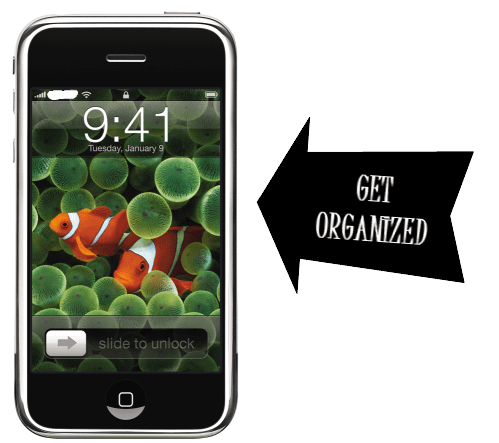
Five favorite iPhone apps for professors

By Bonni Stachowiak | April 15, 2010 | | XFacebookLinkedInEmail

Iphoneapps

As busy as we faculty all are, it is wonderful having an iPhone to simplify our vocations somewhat. The following five iPhone applications have paid off in spades in terms of time saved and effectiveness gained.


Remember the Milk: This easy-to-use to do program can be accessed on the internet, on your iPhone application (it syncs), and it integrates with other services you may use such as Twitter and Jott. Start easy with entering tasks and entering due dates. As your skills grow, you can add tags to each task that associate it with specific classes and activity types (such as grading, meetings, and preparing). You can also set it up to text message your iPhone as far in advance of a task being due as you desire. COST: the application is free, but the $25 annual PRO membership is required. Well worth the expense.


Attendance: I discovered this application by reading about it in PC World. My hopes got quite high, as I thought about keeping attendance in real-time and not letting my sign-in sheets stack up quite so tall on my desk. This application has a slow learning curve and in no time, you’ll have your classes set up and can take roll with ease. I still use a sign-in sheet for the students, but immediately after the class can mark the entire roster as present and then one-by-one change the status of those students who were absent/late. COST: $3. No brainer in terms of time saved.


WorldCat: Type in an author, title, or category and find library resources nearby. The application uses your current location and when you type in what resource you’re searching for, it lets you know the closest libraries to you that have the item. COST: Free


Quick Checklists: This application is similar to Remember the Milk in that it tracks things, but it is better used for steps you go through on a frequent basis. Packing for a trip? Getting ready to speak at a conference? Have all the steps you’ll need to take or the things you’ll need to bring stored in a template and check the items off as you complete them. I create checklists for my first class (things I don’t want to forget to me ntion), as well as for the first day of school (until I’m back in the swing of things and remember the materials I’ll need for teaching). COST: $1


Evernote:This application can be accessed on your computer, on the web, and on your iPhone. It is a note-taking application that allows you to set up different notebooks and to have tags for each note you enter. Tags are similar to putting things in folders, only you can have the same item in multiple folders (if only we could do this with manila file folders without killing trees and taking up more space). My favorite feature on Evernote is the ability to take a picture of a whiteboard drawing that I’ve done. Evernote recognizes the text in photos and makes that content searchable, in addition to the content you’ve typed in. I prefer skipping meeting minutes for more informal meetings and storing the record of our conversations in Evernote. If I ever need to look back for when we discussed a particular issue, I can just type in the search box and it will search my white board verbiage, in addition to the rest of my notes. I don’t even have that good of penmanship and it does a superb job of recognizing the text. COST: Free


Let us know what other applications you have found useful as a college professor in the comments.

Filed Under: Teaching Tagged With: apps, gtd, iphone, time management

  • « Go to Previous Page
  • Page 1
  • Interim pages omitted …
  • Page 62
  • Page 63
  • Page 64
  • Page 65
  • Page 66
  • Interim pages omitted …
  • Page 69
  • Go to Next Page »

TOOLS

  • Blog
  • Podcast
  • Community
  • Weekly Update

RESOURCES

  • Recommendations
  • EdTech Essentials Guide
  • The Productive Online Professor
  • How to Listen to Podcasts

Subscribe to Podcast

Apple PodcastsSpotifyAndroidby EmailRSSMore Subscribe Options

ABOUT

  • Bonni Stachowiak
  • Speaking + Workshops
  • Podcast FAQs
  • Media Kit
  • Lilly Conferences Partnership

CONTACT

  • Get in Touch
  • Support the Podcast
  • Sponsorship
  • Privacy Policy

CONNECT

  • LinkedIn
  • Instagram
  • RSS

CC BY-NC-SA 4.0 Teaching in Higher Ed | Designed by Anchored Design