• Skip to primary navigation
  • Skip to main content
  • Skip to footer

Teaching in Higher Ed

  • Podcast
  • Blog
  • SPEAKING
  • Media
  • Recommendations
  • About
  • Contact

Productivity

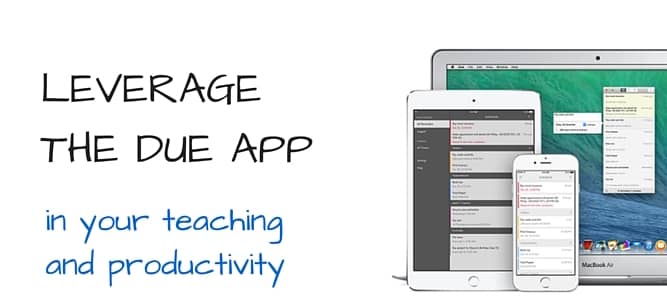
Leverage the Due App in your teaching and productivity

By Bonni Stachowiak | February 9, 2016 | | XFacebookLinkedInEmail

LEVERAGE THE DUE APP

I mentioned in a recent episode how much I'm getting out of using the Due App.

When I had Natalie Houston on the show, she inspired me to make more use of timers in my teaching and productivity. Here are some of the places she has written about her use of timers:

  • An everyday essential: The timer
  • My personal productivity rules
  • Why 15 minutes

As I started to find multiple uses for timers in my life, I ran into a challenge. As soon as the timer went off and I turned off the alarm, the item quickly went out of my head.

Enter the Due App.

I don't have that problem with the Due App. I set a “timer” and it keeps bugging me however often I tell it to… If I get distracted in the moments following a reminder to take care of something, I quickly get my attention pulled back by the next alert.

Here are a few ways I'm using the Due App reminders in my teaching and productivity:

Meeting with students. What I enjoy the most about teaching are the one-on-one conversations I get to have with students. That means that I frequently lose track of time and run the risk of missing something urgent. Now I set up an alert in the Due App for five minutes before our conversation is supposed to end and set it up to buzz me every five minutes after that. You have complete control over how often it will bug you.

Committee meetings. I'm charing a few committees this semester and often have to squeeze the meetings in between my teaching schedule. I set a Due alarm for ten minutes before the meeting is supposed to end and then for each five minutes after that.

Reminders to take / pick up students' exams that are being proctored by the disabilities office. I like to do blind grading for exams. That doesn't work very well if I don't have the students' exams with me who have had their exams administered by another person. I set a Due reminder to nudge me to pick up their exams from the office prior to me leaving the office and heading home. Then, I can be sure to grade their exams along with everyone else's.

As I was researching stuff for this post, I discovered that there are also reusable timers as a feature of the app. They give the example of a Pomodoro timer that you might launch when doing a burst of productivity. Maybe you have a set period of time for each time you brew tea, or start a load of laundry in the washer? You can reuse the timers anytime you want to perform that activity that could use a set duration of time.

There are so many possibilities that I know things are  just getting started.

I just bought the Due App for the Mac and look forward to syncing all my reminders between my Apple Watch, iPhone and Mac.

[reminder]Are there apps you're using in place of a “traditional” timer to keep tasks top of mind for yourself? [/reminder]

Filed Under: Productivity Tagged With: gtd, productivity, timers

Every book in its place

By Bonni Stachowiak | December 8, 2015 | | XFacebookLinkedInEmail

Dark wood book shelf with old books

I am starting my initial preparation for a presentation I'll be giving at the 2016 Lilly Conference in Newport Beach, CA in February.

As I went to search for Dan Roam's Show and Tell book, which has a method for outlining presentations, I discovered a book I have been looking for on my shelves for more than a year now. It is unusual for me to lose books, since I have a pretty good system going for cataloging them.

Most organizing experts all have some way of stating that everything should have a place that it belongs. I find whenever I lose things, or start to get messy, it is because I have acquired items that have yet to find a “home” either in my university or home office.

In my delight over my discovery of the lost book, I decided to describe a few of the approaches I use to ensure that my books have a place.

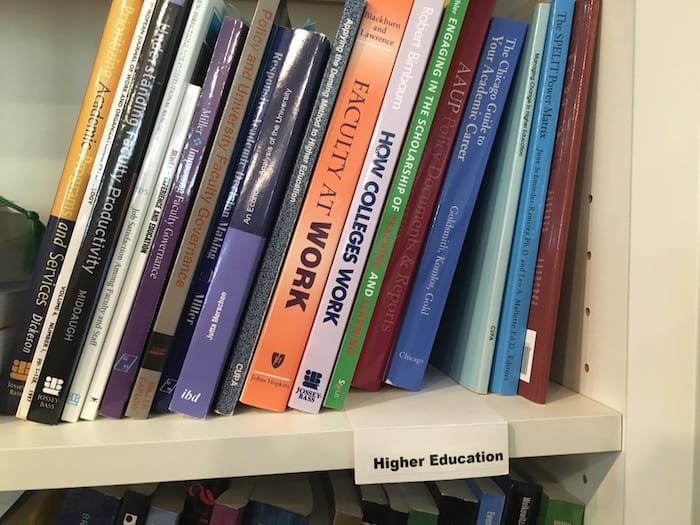
Group physical books by category and label them

Decades ago, my Mom used to work in a bookstore and is pretty much the family librarian. She has twice now helped me categorize my books through two moves. Thank you Mom.

In order to maintain the categories that she set up, I printed labels using my label maker.

IMG_0563

I used an index card, folded down about an inch from the end of the card, with a label with the relevant category attached.

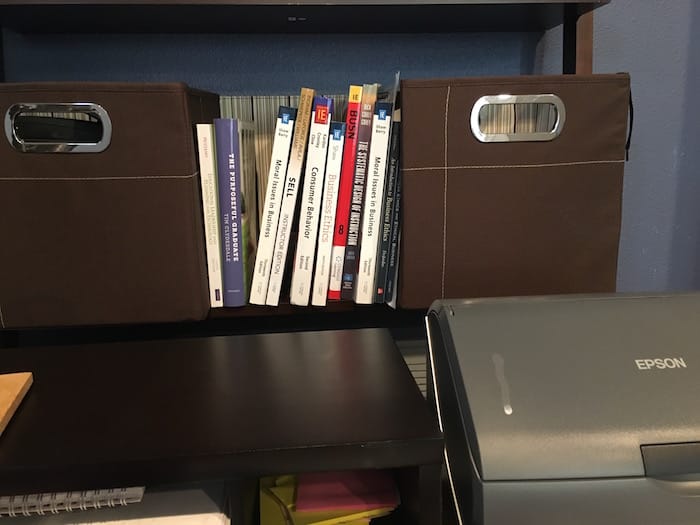
Devote a space near your primary working desk for books you're using this semester

I tend to read the majority of my books these days via either my iPad or my Kindle. The big exception to that is that I tend to read hardcopy textbooks. I use them more than any other books during a given semester.

IMG_0559

It makes it simple having them all grouped together within arm's reach of where I do the majority of my focused work.

Weed out old books once a year and consider donating them

On a recent episode of Very Bad Wizards, the hosts spoke about their powerful experiences in teaching prison inmates.

One need they mentioned was for textbooks for inmates. This isn't something I have done before, but through a bit of searching found the Prison Book Program and Books Through Bars as a couple of organizations that may help facilitate your giving.

There's also a listing by the Prison Book Program website for other prison book programs, in case none of the options above serve in your area. Again, I can't vouch for these organizations and welcome any feedback you have in the comments section.

Another idea for donating books is to consider giving to Books for Africa.

Consider transitioning to ebooks

As I mentioned previously, most of my new reading takes place via my iPad or my Kindle. It is great to have all my highlights in one place and have the ability to search annotations that I've made previously.

When reading electronic books, there's no longer a physical book that needs to be stored. You can let whatever service you use keep all your books organized and avoid spending more than a year looking for that one missing book, like me.

I also enjoy using Goodreads to catalog books that I've read and even to share with the grandparents the books that our kids own.

Bonni's bookshelf: faculty_development

How Learning Works: Seven Research-Based Principles for Smart Teaching
0 of 5 stars
How Learning Works: Seven Research-Based Principles for Smart Teaching
by Susan A. Ambrose
tagged:
faculty_development and to-read
Learner-Centered Teaching
0 of 5 stars
Learner-Centered Teaching
by Maryellen Weimer
tagged:
faculty_development and to-read
Creating Significant Learning Experiences: An Integrated Approach to Designing College Courses
0 of 5 stars
Creating Significant Learning Experiences: An Integrated Approach to Designing College Courses
by L. Dee Fink
tagged:
faculty_development
Educative Assessment: Designing Assessments to Inform and Improve Student Performance
0 of 5 stars
Educative Assessment: Designing Assessments to Inform and Improve Student Performance
by Grant P. Wiggins
tagged:
faculty_development and to-read
Effective Grading: A Tool for Learning and Assessment
0 of 5 stars
Effective Grading: A Tool for Learning and Assessment
by Barbara E. Walvoord
tagged:
faculty_development


goodreads.com

[reminder]What methods do you use to keep your books organized?[/reminder]


Filed Under: Productivity Tagged With: books, organization

It’s that time in the semester

By Bonni Stachowiak | October 20, 2015 | | XFacebookLinkedInEmail

stress

I'm in the midst of the most challenging part of my semester.

It's called the dip.

I just finished grading 95 research papers (industry analyses), launched a doctoral class I teach a couple of times a year, and am gearing up for a couple of experiential learning activities for my sales class that require considerable coordination.

While I type this blog, I yearn for a nap.

I also know, however, that things aren't anywhere near as bad as they have been in the past, because I follow a set of principles that keep me sane during times like this.

Capture

It is easy to get overwhelmed with all the stuff we have to do. However, it is also easy to get overwhelmed at all the stuff we are trying to hold in our head that needs doing.

I take the time out to do a daily “mind dump” of what has my attention… of all the stuff I feel like I'm forgetting. When I'm confident that the system I have built has identified everything that needs to get done, I can prioritize where to start and what comes after that.

Track

Any time I think of something (or someone) that I'm waiting on, I make a note of that. In my case, I use OmniFocus, which has this as a built-in part of their applications. However, any list-making tool can have a waiting-for list easily incorporated into it.

Rest

This one is easier for me than for others I know. I just am dreadful at sleep deprivation, so I can't function when I'm exhausted.

As my day is coming to a close, I look at the following day's calendars and figure out the minimum things that have to get done in order to not drop the ball on anything important and then I go to sleep.

Reflect

The temptation is for me to lose perspective at this time of the semester. It helps to keep letters from former students nearby, as well as pictures of my family in spots where I'll see them often.

There's a reason I teach. If I allow stress to overtake my entire perspective, I stop being effective at what I do. I'm no longer good at teaching, I'm not fully present for my family, and I'm not enjoying all the good stuff that comes my way on a daily basis.

What things do you do to keep your stress in check during the challenging times of the semester? 

Filed Under: Productivity Tagged With: stress

It's that time in the semester

By Bonni Stachowiak | October 20, 2015 | | XFacebookLinkedInEmail

stress

I'm in the midst of the most challenging part of my semester.

It's called the dip.

I just finished grading 95 research papers (industry analyses), launched a doctoral class I teach a couple of times a year, and am gearing up for a couple of experiential learning activities for my sales class that require considerable coordination.

While I type this blog, I yearn for a nap.

I also know, however, that things aren't anywhere near as bad as they have been in the past, because I follow a set of principles that keep me sane during times like this.

Capture

It is easy to get overwhelmed with all the stuff we have to do. However, it is also easy to get overwhelmed at all the stuff we are trying to hold in our head that needs doing.

I take the time out to do a daily “mind dump” of what has my attention… of all the stuff I feel like I'm forgetting. When I'm confident that the system I have built has identified everything that needs to get done, I can prioritize where to start and what comes after that.

Track

Any time I think of something (or someone) that I'm waiting on, I make a note of that. In my case, I use OmniFocus, which has this as a built-in part of their applications. However, any list-making tool can have a waiting-for list easily incorporated into it.

Rest

This one is easier for me than for others I know. I just am dreadful at sleep deprivation, so I can't function when I'm exhausted.

As my day is coming to a close, I look at the following day's calendars and figure out the minimum things that have to get done in order to not drop the ball on anything important and then I go to sleep.

Reflect

The temptation is for me to lose perspective at this time of the semester. It helps to keep letters from former students nearby, as well as pictures of my family in spots where I'll see them often.

There's a reason I teach. If I allow stress to overtake my entire perspective, I stop being effective at what I do. I'm no longer good at teaching, I'm not fully present for my family, and I'm not enjoying all the good stuff that comes my way on a daily basis.

What things do you do to keep your stress in check during the challenging times of the semester? 

Filed Under: Productivity Tagged With: stress

How to be more productive by factoring in context

By Bonni Stachowiak | October 13, 2015 | | XFacebookLinkedInEmail

context

I have always been a big fan of personal productivity books and tools. When David Allen's first edition of Getting Things Done came out, I liked his methods, with one big exception:

I completely didn't get how considering context was going to be useful to me at all

For those of you who may not be familiar with the idea of using context in your planning, he advises that with each action item on our to do list, we not only consider when this action needs to be taken, but also what (or who) would need to be present in order to do it.

The examples I remember him giving in the first edition were primarily location based. If I were going on an errand to our local CVS, it would also be good to know to stop at the grocery store, which is next door. Also helpful would be to drop by and pick up our dry cleaning.

The problem with his examples was that I can't stand going on errands and it is mostly Dave (my husband) who does the grocery shopping and dry cleaning drop offs in our household. If I'm going to grocery shop, it is likely going to be via the Amazon Fresh delivery service.

While this post links to how to articles on OmniFocus, the set up of contexts is available in many different kind of task managers. Even if your specific tool doesn't have a field for context, you can still type in an @ symbol at the end of each task name and include the context you want to use, such as:

@agenda:FDC or @energy:high or @grocerystore

Why I Changed to Better Appreciate Context

Three factors caused me to make a dramatic shift in my appreciation of context in personal productivity:

  1. I become an OmniFocus user. OmniFocus is one of the task management applications that has features set up for leveraging contexts.
  2. David Allen revised his Getting Things Done book and somehow it stuck better with me on this edition.
  3. I expanded my thinking of how contexts might be set up beyond location-based ones, thanks to experts like Tim Stringer.

There are still ways that other people make use of contexts that don't resonate with me too heavily.

Some people use energy-level contexts and work on the @focus tasks when they are at a time of the day that allows them to target their attention at a given task.

Others set up sophisticated location-based contexts that are better served for people who run lots of errands at once.

If you have set up a system like OmniFocus, but don't think it is working well for you, check out these potential pitfalls and associated solutions.

Contexts that Work Well for Me

By far, these are the contexts that work best for me:

  • Setup and track agenda items for meetings using contexts
  • Track action items that I am waiting for a response on before completing the task
  • Keep track of things I need to talk to someone about (like a spouse, or direct report) by setting up their name as a context
  • Set up a context for programs/services I use frequently (I have one set up for our LMS, so whenever I go login, I can take care of all the small actions that need to be addressed during that one visit)

Here are the application-related contexts that I have set up on OmniFocus:

mac-contexts

By far, the biggest time saver on the list is the @Moodle context.

Another one that works well for me is the @Studio context. We have a studio set up at home with professional audio equipment. Whenever I have tasks that can only be accomplished when accessing the audio equipment, I apply that context.

Then, each time I sit down at that computer, I have all the tasks I should take care of in that sitting.

[reminder]How do you use the concept of context in your personal productivity approaches? [/reminder]

Filed Under: Productivity Tagged With: context, gtd

  • « Go to Previous Page
  • Page 1
  • Interim pages omitted …
  • Page 3
  • Page 4
  • Page 5
  • Page 6
  • Page 7
  • Interim pages omitted …
  • Page 11
  • Go to Next Page »

TOOLS

  • Blog
  • Podcast
  • Community
  • Weekly Update

RESOURCES

  • Recommendations
  • EdTech Essentials Guide
  • The Productive Online Professor
  • How to Listen to Podcasts

Subscribe to Podcast

Apple PodcastsSpotifyAndroidby EmailRSSMore Subscribe Options

ABOUT

  • Bonni Stachowiak
  • Speaking + Workshops
  • Podcast FAQs
  • Media Kit
  • Lilly Conferences Partnership

CONTACT

  • Get in Touch
  • Support the Podcast
  • Sponsorship
  • Privacy Policy

CONNECT

  • LinkedIn
  • Instagram
  • RSS

CC BY-NC-SA 4.0 Teaching in Higher Ed | Designed by Anchored Design