If you don't pay appropriate attention to what has your attention, it will take more of your attention than it deserves.
Save time by linking smart
We have all been there.
You wrap up next semester's syllabi and someone writes in with a policy that needs to be added to the document. You have already posted it to your learning management system, emailed it to the department coordinator, and sent it to a few proactive students. Now you have to track all the copies down and send out the revisions.
In this demo, discover how to skip all those steps by linking smart:
Let me know in the comments what other ideas you have for cloud-based time savers, as well as any future demos you would like to see…
Top 100 tools for learning announced
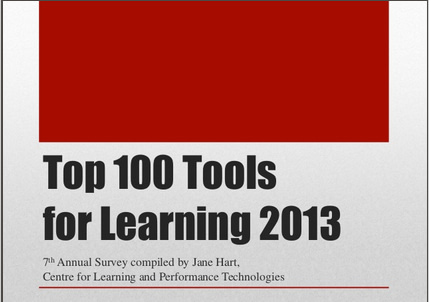 Jane Hart has released her annual survey of the top 100 tools for learning for 2013. Some of the top tools aren't much of a surprise. Between Google announcing it was no longer going to offer their Google reader product (which allowed people to subscribe to different blogs/feeds in one place) and more people wanting to avoid having a bunch more things to keep up with, it isn't surprising that Twitter is once again on top of the list. I've stayed with my newsreader service, called Newsify, though I now subscribe to RSS feeds via a free, online tool called Feedly (#19 on the list).
It isn't surprising to see Evernote so high on the list. They just keep on innovating, making it easier to store and share important information. One of the ways I've been using Evernote lately is to answer students' questions that require a more lengthy response in audio format, from within Evernote. I also have really enjoyed the tight integration that Evernote has with an iPhone app called Drafts, which completely does a 180 on how you think about capturing a thought or a note. With most apps (including email), you start with where to save whatever it is you're typing, or who to send that email or text message to… With Drafts, you start by capturing the thought/idea, and then decide what to do with it.
One of the simple ways I'm using Drafts is to compose and send an email, when I don't want to be distracted by other emails that might have come in to my inbox since I was last on email. It also offers a quick way of sending a text message (far faster than the built-in iPhone messaging app), as well as a speedy way of appending or prepending some text to an existing Evernote note.
Check out the top 100 list from Jane Hart and tell us which ones are your favorites in the comments.
Checklist for class planning efficiency

I have written previously about using checklists to maximize my efficiency in class planning. The Chronicle of Higher Ed has had posts regarding this topic, as well, with this one being a terrific introduction to the topic. My semester checklist continues to evolve, so have hesitated sharing it here. However, I passed it on to a few of my colleagues and they said it was quite beneficial, even though they modified it considerably for their own use.
Here is my work-in-progress class planning checklist on Evernote.
In order to boost my productivity even further, I take a condensed version of the checklist and import all the items via a single email to my task manager tool of choice (Remember the Milk). The comments about each item in the checklist don't need to be repeated in my to do list, but I have left them there mostly for the colleagues who I have sent the list to in the past who might benefit from the additional detail. RTM allows you to import a whole series of tasks in a single email, For tasks that repeat, based on the number of classes that I teach, I enter a separate task for each course (for example, revising and posting a syllabus needs to happen for each class). For items that only occur once per semester, such as updating my CV and re-posting, I only include a single task.
Here is my also-work-in-progress Remember the Milk task list import email.
If you want an entirely different example of what an academic in a scientific field keeps in mind as he develops his to do list, see this post from drosophiliac.com.
Feel free to comment below on any of the many items I'm sure I have missed on my ever-changing checklist. This is my second year using it and I've already made a bunch of changes from last year. I'm looking forward to hearing from you on how to improve it even more.
Best wishes to you as you plan your upcoming classes,
Bonni
Seth Godin on amazing
“If you set your bar at ‘amazing,' it's awfully difficult to start… The only path to amazing runs directly through not-yet-amazing. But not-yet-amazing is a great place to start, because that's where you are. For now.
There's a big difference between not settling and not starting.”
For the full quote:
http://sethgodin.typepad.com/seths_blog/2013/05/overcoming-the-impossibility-of-amazing.html