• Skip to primary navigation
  • Skip to main content
  • Skip to footer

Teaching in Higher Ed

  • Podcast
  • Blog
  • SPEAKING
  • Media
  • Recommendations
  • About
  • Contact

My vote for Jane Hart’s 2016 top 100 tools for learning list

By Bonni Stachowiak | August 3, 2016 | | XFacebookLinkedInEmail

Jane Hart's top 100 tools for learning

Top 100 tools for learning

Jane Hart has launched her 10th edition of her annual top 100 tools for learning list. Each year, she collects votes from learning professionals from around the world, including those in the education and corporate training fields.

This year, she's increasing the total number of tools that will be listed to 200, but will now be differentiating between education, workplace learning, and personal and professional learning. Jane will be releasing her compilation of everyone's votes on October 3, 2016. You can also go back and revisit her 2015 list to discover what people were saying last year.

Ethics and educational technology

One thing I am keenly aware of, as I start to compose this list, is how important it is to keep questioning the ways in which educational technology companies make their money and their level of transparency around how student data is used/protected. Audrey Watters has this superb edtech guide for educators with information that all of us who are using technology to facilitate learning should be aware of…

Especially when we make use of free tools, we should be mindful that no educational technology comes without some kind of price. We need to know what we're really paying when they tell us their tool is free.

My vote on the top 100 tools for learning

The following are my top ten tools for learning, categorizes under Jane Hart's new structure of: education, personal and professional learning, and workplace learning.

Education

PollEverywhere – I'm a big believer in using retrieval -tactics to strengthen student learning. PollEverywhere allows me to pose various types of questions to learners and have complete control over whether their results are displayed and when. Learners can give their answers to the questions that are posed via their smart phones, tablets, computers, or even via Twitter.

Canvas – Our university is switching over to the Canvas learning management system (LMS) in the Fall and I couldn't be happier. This LMS was built from the ground up with mobile in mind and is also strong in terms of making the fewest clicks possible needed to perform various functions.

Zoom – There's something that happens in communication when you can see another person and hear the sound of their voice. Zoom makes one-on-one conversations rich, not to mention entire classes. People can get set up simply and start connecting right away. I especially enjoy their breakout rooms feature, which is easy to use and gives the ability to have people discuss topics in smaller groups.

Plickers – There's something to be said for sometimes leaving the technology outside the classroom. Plickers combine the power of retrieval practice without the distractions that smart phones can bring. Learners hold up cards that are specially printed to allow them to indicate their answer, based on the orientation that they're holding the card. If they hold it straight up, their answer is A. If they rotate it 45 degrees, their answer is B, and so on. The person facilitating the session can capture all the Plicker card answers by scanning them with the Plicker smart phone app. The first time I tried Plickers, I was blown away at how fast those answers got into the app.

Kahoot – Sometimes it can be fun to mix things up and bring in a game show. Kahoot makes it easy to add questions to your game and brings a level of energy and excitement to a class like nothing I've experienced before. It even works in contexts you might not expect (like when I used it with our faculty, who aren't always known for their silly nature, as a whole).

Personal and professional learning

iTunes (podcasts)  – Learning never has to end with podcasts. They are like shows on the radio, but without having to be listening at the exact time the show airs. I listen to podcasts daily, using an app called Overcast, which accesses the iTunes podcast feed for the various shows I like to listen to… I can pretty much never keep up with all the wonderful resources that are out there in the form of podcasts, but it is fun to continually try.

Twitter – My personal learning network (PLN) completely changed when I started using Twitter regularly. Twitter is a social network that's value comes forth when you connect with “people who are like you – and also people who are not like you” (Peter Newbury on Teaching in Higher Ed).

Feedly – I still have fond memories of walking to a nearby bagel shop and reading the newspaper in my 20s. Now that I'm in my 40s, we have far superior newspapers. We can read them on our various devices and customize them to our exact preferences. Using Feedly, I can subscribe to the blogs and news sources that I want and have Feedly keep track of which stories I've read, already, and which ones are still unread. I can send articles that I want to bookmark (save for reference) to Pinboard.in, without having to leave the news reader app that I use. When I stop finding value in a particular source, I just unsubscribe on Feedly and can further increase the value of my virtual newspaper.

Workplace learning

Clarify – Another thing I did in my 20s (but this activity was a lot less fun than walks to the bagel shop) was make documentation. If you ever find yourself needing to build a how-to manual, Clarify will make this process incredibly easy for you. You just walk through the steps it takes to perform a function and have Clarify take screenshots along the way. You can add instructions and arrows/steps/annotations on your screenshots. When you're done, there are a myriad of export options, which can be customized so you get your documentation just the way you want it.

SnagIt – I've never been as concise as I would like to be, but SnagIt helps me move closer to that goal. When someone asks me a question, I can just take a screenshot (a picture of what's on my screen) and draw arrows and add text to give the answer in the proper context. I can also “video” what's on my screen (screencast), whether for the purpose of answering a question, or giving feedback on an assignment.

What tools have you found to be especially helpful in facilitating learning, or in contributing to your own personal and professional development? Comment below, or consider submitting your own vote for the 2016 top 100 tools list. 

 

Filed Under: Educational Technology

Sticking with Getting Things Done (GTD)

By Bonni Stachowiak | July 26, 2016 | | XFacebookLinkedInEmail

Depositphotos_38239361_l-2015 2

One of the members of the Teaching in Higher Ed Slack channel shared of her struggles with sticking with the Getting Things Done (GTD) system, after she had read the book. It certainly can be challenging. I thought I would share a few strategies I've used for staying consistent with GTD practices and hope to hear what has worked for you, as well.

First, if you aren’t familiar with Getting Things Done, the following resources are highly recommended:

  • Getting Things Done, by David Allen
  • Getting started with GTD
  • Podcast: Lower your stress with a better approach to capture
  • Podcast: Practical productivity in academia
  • Podcast: What to do before you act on all you’ve captured
  • Podcast: Getting to zero inbox
  • Podcast: The weekly review

Here are a few thoughts about how to better integrate the Getting Things Done methodology into your life and stay with it:

Separate capturing and clarifying from doing

It is easy to fall into this temptation when presented with something that needs doing. We can get distracted from whatever we were in the middle of working on and start trying to do the new thing that now has our attention.

We need a system that every action item (task) goes into, so that we can better identify the most important work we should be doing at any given time.

Take time out to reflect

The busier our schedules get, the more we need time to reflect and review. I have a weekly review and a monthly review that I’m faithful to about 90% of the time.

Those practices help me identify areas where I need a better system, so that the next time I encounter a similar season in life, I am better prepared with tools to help me navigate.

Avoid taking an all-or-nothing approach

David Allen has indicated that it takes a few years to really get in the groove with GTD. That figure seems daunting, until you recognize that we’re hardly ever “perfectly” GTD.

I like has David Allen has grouped the entire GTD system into five distinct areas (http://gettingthingsdone.com/fivesteps/). Consider which area could use the most attention in your own productivity system and determine how to close any gaps that exist to having it work the way you want to see it work.

Ensure you have the necessary tools

Finally, be sure you have the tools you need to properly implement your GTD system. Here are what I consider to be essential tools, along with what I use in each area:

  • Calendar – I use Fantastical 2 on my Mac and the built-in calendar app on my iPhone.
  • Task list – The one I use is over-kill for most people, but in case you’re interested, it is OmniFocus. If you aren’t accustomed to using a task list, a good place to start is Todoist, or Wunderlist.
  • Projects list – My projects list is stored inside my task management system. I review it, regularly, to determine if I have properly identified the various projects that I’m responsible for…
  • Archive – We used to call these filing cabinets. I keep most of my record electronically these days. PDFs and other reference information that I am unlikely to want / need to share with others goes into Evernote. I also have a file/folder system set up in Dropbox that keeps my general course resources separate from students’ work from a specific semester.

What advice do you have for others who are trying to stick with GTD? Are there any essential tools you use that I missed in my list?

Filed Under: Productivity Tagged With: gtd

A taste of agency

By Bonni Stachowiak | July 19, 2016 | | XFacebookLinkedInEmail

A taste of agency

I didn't formally know what agency was when I started teaching, yet somehow found ways to foster it in some aspects of my pedagogy. I also failed at it in other ways.

In my first couple of years teaching Introduction to Business, I let students choose from a set of “development opportunities” to learn more about business and demonstrate learning. More recently, I have been teaching a business ethics course using what I've informally started referring to on this blog as ‘Choose Your Own Adventure Assessment.'  There's a podcast episode about this approach, in addition to a two-part blog post (part 1, part 2).

Agency isn't only about giving learners choice, but that is the aspect that I'm touching on with this post. If you want more of a holistic appreciation for what is involved with agency, look no further than Larry Ferlazzo's site. While his resources speak to high school teachers, there is much to glean from his student agency collection for higher education. There's also a wonderful description of how agency fits in with critical digital pedagogy from Jesse Stommel.

First impressions

When students walk into a class of mine on the first day, I like to set the stage that something is going to be different about this class. I have historically found it harder to do an effective job at that with online classes (or, the online portion of a hybrid course), because I think I have valued consistency over the power of the unexpected.

Our university is switching learning management systems (LMSs) this summer: from Moodle to Canvas. The change has challenged me to rethink my course design. As I've learned more about Canvas and started to experiment a bit, I have found a way to create a way of giving choice to learners from the very beginning of the online portion of the class.

Choose your movie trailer

I've written before about being inspired to make a movie trailer for my classes. I finally took action and wound up creating two different course trailers. I circulated them on the Teaching in Higher Ed Slack channel and among some friends at work, asking which one people preferred.

One person suggested, “Give them a choice. Let them watch the one they would rather watch, or let them see both.” And so…

Workflow

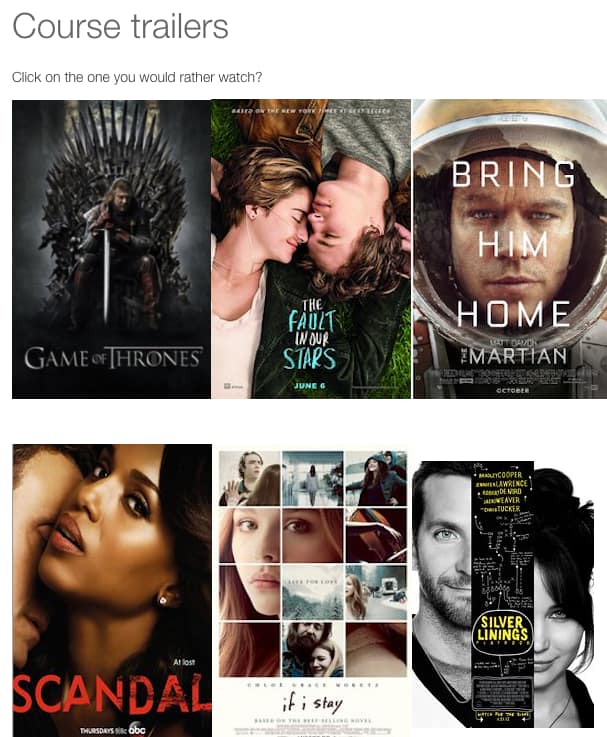
Students taking my Introduction to Business course will now start with an instruction to click on whatever tv show / movie they would rather watch. Below is just a screenshot of what they will see and isn't formatted to work on this particular blog post. 

1-choose-your-movie

Trailers

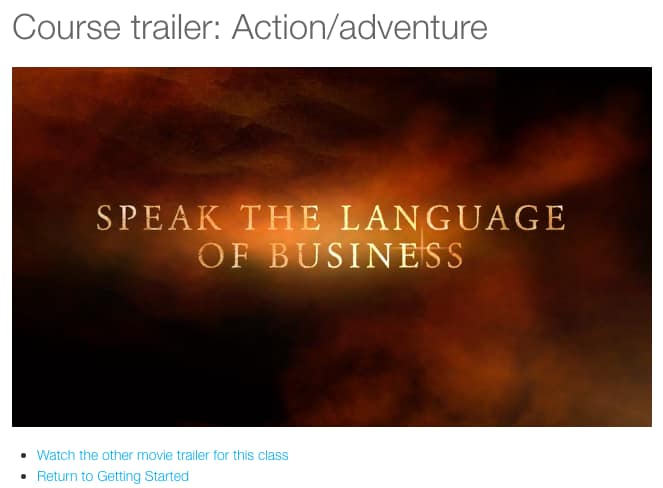
Then, if students choose one of the more action-oriented options, they will be shown this page, on which they can view the action-themed trailer.

2-action-adventure

Those who watched the action-themed trailer can then either watch the romantic comedy-themed trailer, or return back to the getting started section of the course.

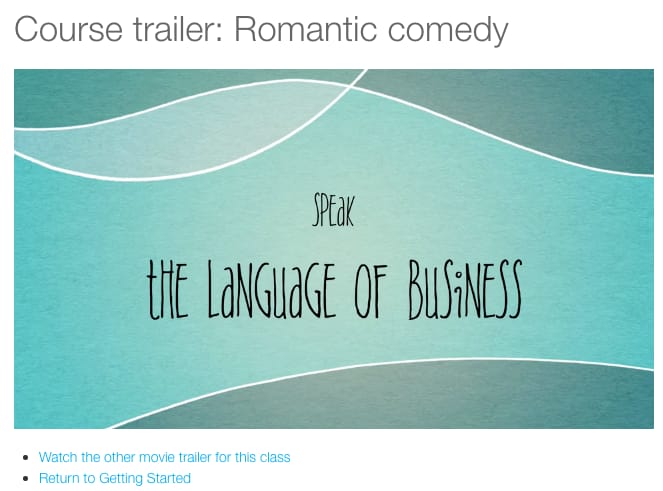
Of course, the same approach happens if students choose a romantic comedy genre of entertainment. They get a similar-but-different movie trailer.

You can click on the graphics of each of the trailers (action and romantic) and see the videos that my students will see, if you're interested. 

3-romantic-comedy

Next steps

The next logical step after this might be to have students create their own course trailers to demonstrate what they learned by taking the class. Then, I could use some of those in future courses and have an even bigger collection of potential trailers for the students to navigate to…

What are some small steps you take in the beginning of your online courses to give students agency?

Filed Under: Teaching Tagged With: agency, course trailers

Tools for better presentations

By Bonni Stachowiak | July 12, 2016 | | XFacebookLinkedInEmail

Tools for better presentations

My imagination has been captured for what's possible through presentations, after attending the Podcast Movement Conference in Chicago last week.

The conference brought together such masterful storytellers as Glynn Washington, Alex Blumberg, and Anna Sale. There were a few other presenters who showed themselves to be more adept at podcasting than they were with an in-person audience.

Better presentations

The whole experience got me thinking about what approaches may be used to help create better presentations. Here are a few that I have found particularly helpful:

Make your slides interactive

One of the biggest flaws I noticed in a few of the presentations at the conference was the excessive use of the “raise your hand if you _____” technique. You can get away with that once, maybe twice. But, I counted over 20 uses of it in one presentation and that's over the top.

You can engage using audience response systems, most of which are available for use on mobile phones these days. Google slides recently was updated to include ways for audiences to engage with their phones and Educational Technology and Mobile Learning has this tutorial to get you started.

I use PollEverywhere and Sli.do currently. I am intrigued, though, by the way that Google is integrating the interaction within their service, vs having to embed outside services the way that it is when you use the other two services.

Know the difference between slides and handouts

Whenever I'm asked to provide my slides in advance of a talk, I usually start politely asking questions about the reason for the request. Often, the person asking wants to make photocopies of the slides for the attendees, since people are used to slides being really just the presenter's notes, which are shown on the screen during their talk.

What they are really asking for is a handout, a tool that can be used as reference after the presentation with additional ways to reinforce the learning from the session. Mark Hofer wrote about the importance of using slides for their intended purpose and creating handouts, when necessary, on the Luminaris blog.

Sometimes, the presentation part of the entire picture isn't even necessary. Check out this gorgeous example of how much can be communicated within a slide program from Nancy Duarte. She refers to this method of communicating via this medium as Slidedocs.

Communicate visually

Slides aren't designed to be handouts. They also weren't intended to display your notes on the projector screen for everyone to see.

There's a place for you to type notes that you want to see on the computer you're using to present on, but it reduces your learners' cognitive load if you use a relevant image to convey your idea, instead of a bunch of bullets that you'll attempt to “talk over.”

Better yet, with some practice and guidance on how to approach it, you can learn to present without any notes at all. That way, the focus can be on your message, and not on you losing credibility by needing to be lost in your notes throughout your presentation.

This design guide from Canva has bunch of phenomenal examples of visual slides throughout the article. Even if you don't have time to read all of their advice, just flip through some of the slide decks and prepare to be inspired.

HaikuDeck is a great place to get started creating visual slides, if you don't have as much experience at it. The way their service is designed is to “force” you into not putting too much on a slide.

Here's an example of HaikuDeck in action. I never actually got to give this presentation, since it was planned at our faculty gathering last year and I got super sick on the day I was supposed to give the talk.


USING TECHNOLOGY TO BE – Created with Haiku Deck

Resources

My presentation approaches have been profoundly shaped by two resources:

  • Presentation Zen: Simple Ideas on Presentation Design and Delivery, by Garr Reynolds
  • Slide:ology: The Art and Science of Creating Great Presentations, by Nancy Duarte

You can see some of their influences in this slide deck I designed for the Lilly Conference earlier this year.

What resources have you found particularly helpful in your ability to create better presentations?

Filed Under: Teaching Tagged With: presentations

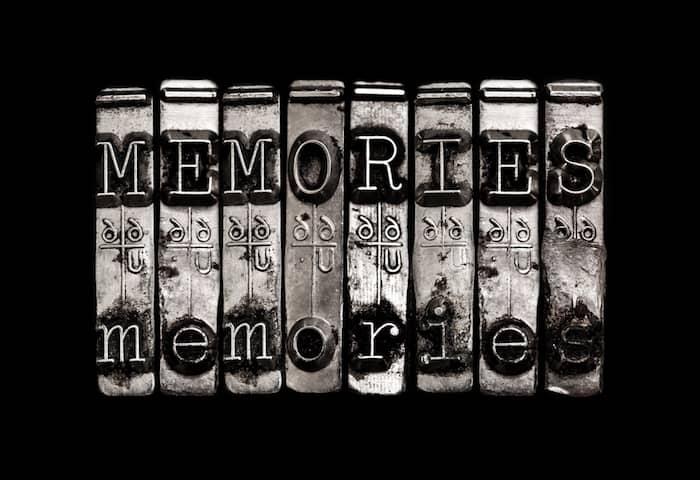
Creating memories as teaching

By Bonni Stachowiak | June 27, 2016 | | XFacebookLinkedInEmail

Creating memories through teaching

I had the honor of interviewing Gardner Campbell this week: twice. The first episode with him airs on June 30, while the second one posts on July 28.

[Spoiler alert] One of the things he spoke about during the recommendations segment was his recent purchase of the quadrophonic albums of the group, Chicago.

Ever since our conversation, I've had Chicago playing almost non-stop in the soundtrack in my head.

https://www.youtube.com/watch?v=XxarwzuFEug

Chicago always reminds me of my Dad and the many trips my family would take out to Joshua Tree when I was little. It was touching for me to discover that Gardner and I share such a deep connection with the music of Chicago.

Music almost always evokes deep memories for me. When students recommend music to me, the memory of them introducing me to a phenomenal musician or musical group is forever etched in my mind.

Before streaming music services existed, my students used to be amazed that I had over 10,000 songs in my digital music collection. I've always enjoyed playing music before class and often invited students to take the role as DJ to find songs that they liked to play.

My favorite memory of those early days of teaching was the student who asked if he could find a song from my collection to play and came up with this little number:

To be clear, this was not done in any sort of flirtatious way, but rather as an attempt to embarrass me for owning the song. I think it was also a “test” to see what kind of professor I was going to be, since it was early in the semester.

I must have passed the test, since this took place ten years ago and I'm still in touch with about half of the students who were in the class.

Creating memories as teaching

I promise not to give the entire episode #107 with Gardner away in this post, but he also shares about listening to Peter Gabriel's Solsbury Hill with his study abroad students and the lasting memory that it is for him of his teaching experiences.

While any study abroad experience is going to be an extreme example, I keep reflecting on the aspect of our role as teachers of creating memories.

I teach a sales and sales management course once per year that I've taught for 11 years now. I've stayed in touch better with the students who have taken that class more than any other that I teach. I also hear from more of them, years later, as they share some way that the course is still having an impact on them.

I attribute much of that to the way that the students take risks in the course and are able to demonstrate their skills in a powerful (public) way at the end of the semester.

The final experience of the course is called Sales Challenge #3 (as in there are a couple of lessor challenges that come before it, to build up their skills and help prepare them for the experience.

Sales challenge 3

The students dress in professional attire and role play a sales scenario with a business professional they have never met before. It is typically a nerve-wracking experience for them. However, even years later, they tell me what an impact it had on their confidence that they now have the skills needed to influence others and help people solve business-related problems.

We create a memory together, through the experience. It is one that lasts for years down the line and helps them reflect even further on the skills that began to develop, during their college years.

How do you see creating memories as an aspect of your teaching?

Filed Under: Teaching

  • « Go to Previous Page
  • Page 1
  • Interim pages omitted …
  • Page 36
  • Page 37
  • Page 38
  • Page 39
  • Page 40
  • Interim pages omitted …
  • Page 70
  • Go to Next Page »

TOOLS

  • Blog
  • Podcast
  • Community
  • Weekly Update

RESOURCES

  • Recommendations
  • EdTech Essentials Guide
  • The Productive Online Professor
  • How to Listen to Podcasts

Subscribe to Podcast

Apple PodcastsSpotifyAndroidby EmailRSSMore Subscribe Options

ABOUT

  • Bonni Stachowiak
  • Speaking + Workshops
  • Podcast FAQs
  • Media Kit
  • Lilly Conferences Partnership

CONTACT

  • Get in Touch
  • Support the Podcast
  • Sponsorship
  • Privacy Policy

CONNECT

  • LinkedIn
  • Instagram
  • RSS

CC BY-NC-SA 4.0 Teaching in Higher Ed | Designed by Anchored Design