• Skip to primary navigation
  • Skip to main content
  • Skip to footer

Teaching in Higher Ed

  • Podcast
  • Blog
  • SPEAKING
  • Media
  • Recommendations
  • About
  • Contact

Feedback and grading workflow guest on Mac Power Users

By Bonni Stachowiak | February 24, 2015 | | XFacebookLinkedInEmail

feedback-workflow

A couple of weeks ago, I was the mini workflow guest for the Mac Power Users podcast, episode 240.

Katie and David were in rare form. It was David's birthday and perhaps nearly the last episode he recorded prior to announcing that he was going solo with his law practice…

I spoke about how to use screencasting to give feedback to students in a way that students report seems more authentic, honest, and helpful.

It's the first 15 minutes of their live show, recorded live on February 7, 2015, episode 240.

Listener Follow Up

I heard from a couple of Mac Power Users, after the episode, which was so rewarding.

David M. from Qatar wrote to say that he purposely doesn't include a track changes document for his students, as he wants to be sure they listen carefully and digest more of the feedback that way.

I hadn't clarified on the episode that I don't do track changes for the purpose of making corrections to the students' papers, either. I use the Word (or other) documents to place written comments or to highlight things.

David described more of his process for me:

Amongst other areas of EFL, I teach a lot of writing classes.

I am always concerned about the level of feedback I give students in their drafts. Too much and I am basically writing it for them and too little and I am not helping them.

I began to do feedback by screen cast using Camtasia and MS Word or PDFPen.

I read the essay before casting and then go through it asking for clarification, correcting errors and pointing out poor vocabulary, grammar, etc. I do type into the Word file but importantly I do not send them back the file with corrections, in fact I do not save my changes.

This forces students to listen, understand and fix their own errors.

I post the videos on Vimeo with a password only the student knows. Vimeo is great because I can track how often the students watch the video (up to 8 times). I do have a paid account and uploading can be a little slow but those negatives are not outweighed by the ease and tracking functions.

Tom S. also wrote to say that he uses screencasting in his business. He finds the feedback gets followed through on much more like his original intent when he uses this form of communication.

Tom wrote:

I am a Sales Vice President for a mid-sized electric manufacturing company in Connecticut.

Over the past year I’ve been using Tapes as a mode to provide feedback to not only my direct reports (regional sales managers) as well as my peers on the executive team at the company.

I do this often with financial reports such as excel documents as well as detailed word documents such as contracts and strategic planning documents.

The feedback that my team has about the process is incredible and I’ve found that the understanding and implementation of the feedback I provide is faster and more in-depth.

Reaching Out

I even got to touch base with Betsy Weber, Chief Evangelist for TechSmith (the makers of SnagIt), who I knew way back in my days in the computer training industry.

She thanked me for the mention of SnagIt on the show and also inquired as to whether or not I had any additional feedback for them.

SnagIt is, and has been for years, a fantastic piece of software. The only minor complaint I had was that it would be nice is there was greater parity between the Mac and PC versions.

Even More Tools

As I mentioned on the live MPU show, I reached out to the Mac Power Users Google Plus community for help on another grading-related workflow.

On the thread, Soram K. from UCLA Medical School reached out to share about other annotating tools he discovered from others in the community that meet his needs and augment the power of SnagIt.

He wrote:

I did find iAnnotate in my own research but do not like to convert the Word file my students send me to PDF. Too many steps!

I am looking at the following as a way that I think will be easier with a desktop screen writing app that will record in Snagit.

Here are some links…

  • Annotate for Word
  • Desk Scribble App
  • AstroPad (and this is way cool to use your ipad as a Wacom tablet)

Next Steps

As those of you who know me (or are getting to know me through the podcast and the blog) will predict, I am thrilled to discover these new tools.

However, I am going to force myself to hold off until after the semester ends before doing too much experimenting. It is too easy to go down a rabbit trail and lose time on the most important priorities for now.

I just finished reading the book Essentialism and am even more reminded of the importance of saying no to things. I've added the suggestions to my Evernote list of tools I want to try in the future.

Summer will give me opportunities to play a bit with technology, especially going to read some of the older posts on The Digital Researcher blog.

Filed Under: Productivity Tagged With: grading

The struggle is real (group projects)

By Bonni Stachowiak | February 17, 2015 | | XFacebookLinkedInEmail

The struggle is real

I've been thinking a lot about group projects.

Back in episode 25, Chrissy Spencer introduced us to the CATME team maker and other group project tools. I also recently became aware of Babson's group project survival guide, which offers students many tools to set a solid foundation for their work, not to mention resources for when they run into trouble.

While I've been thinking a lot about what to incorporate, my actions have been limited (read non-existent) in making any changes.

I keep succumbing to the faulty logic that if I introduce just the right set of tools to students, that they won't have as difficult of a time working on group projects. If I can tweak the processes I use just a bit more, I'll identify a magic combination of approaches that will make everything run smoothly.

I've been getting discouraged, thinking that I'm in my tenth year of teaching and when it comes to group projects, it might as well be my first.

Then I settle myself down a bit and revisit letters and emails from former students. A friend had once advised me to have a folder in my filing cabinet where I keep words of encouragement to serve as fuel for the days in teaching when I find I have little left to give.

When I look at those letters, they remind me that it is the very messiness that I attempt to remove from the process of group projects that enabled these individuals to learn the most.

The struggles students encounter that they so very much want me to save them from will have the most value if I don't step in. My desire to be helpful and supportive has the potential for blocking opportunities for deep learning to occur.

I keep wanting to make things seamless. When my mind realizes the impossibility of that, I lose all motivation to make the ongoing changes I've been considering.

Nevertheless, this semester I plan on using the CATME team charter, instead of the one I've been using. Also, after the students select their groups, there will be a place for teams to post agendas and minutes each week inside our LMS, using the CATME agenda and minutes template.

Then, I'll remain confident that it is going to get messy.

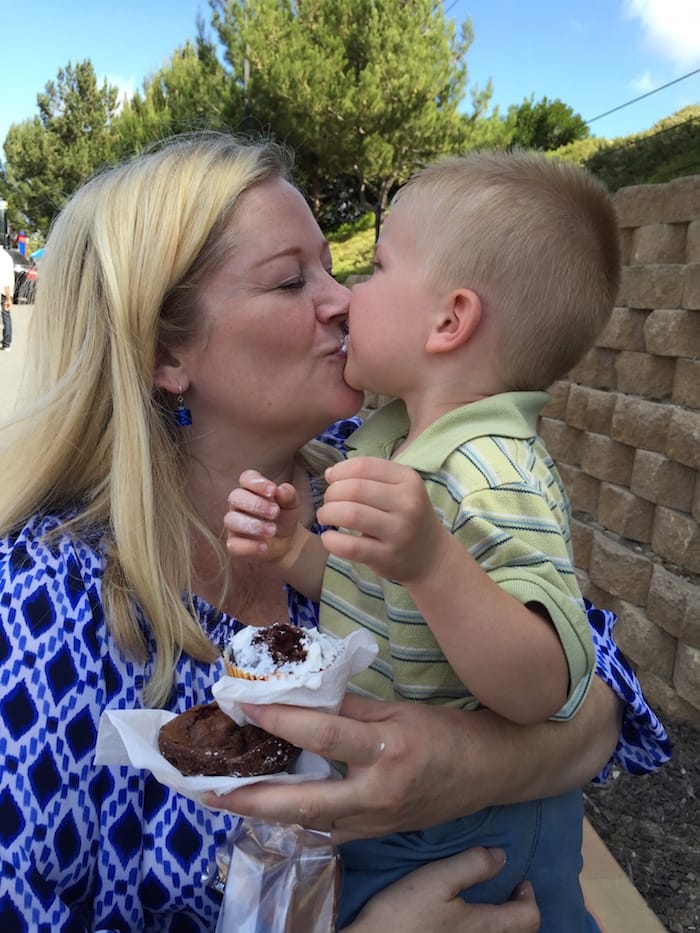
And messiness isn't always such a bad thing…

Cupcake kiss
Cupcake kiss


Filed Under: Teaching Tagged With: groupprojects, teams

Inviting more ease into your week

By Bonni Stachowiak | February 10, 2015 | | XFacebookLinkedInEmail

ease

I enjoyed the conversation with Natalie Houston immensely, which aired this past week in episode #034. She reminded us all to find ways to have more of a sense of ease in our lives.

She said:

Productivity, to me, is not about doing more things faster. It is about doing the things that are most important to me and creating the kind of life I want to have…

Here are a couple of opportunities for having more ease in my life that I discovered this week:

Set a timer to better enjoy breaks and conversations with students

Since the conversation with Natalie, I've been setting timers like crazy. While I had used this approach previously, she shed new light on the practice and inspired me to take more regular advantage of the focus on the moment.

I found a Tweet where Natalie coached a colleague who wanted motivation and concentration to:

@rgfeal set timer for one minute; close eyes and breathe. Then ask yourself: what should I do next? Write down whatever comes up. Then act.

— Natalie M. Houston (@nmhouston) September 30, 2012

I met with a few students this week and really felt more connected with the conversations in those times when I remembered to set a timer. There was one time when I neglected to do so, and I both wound up completely throwing off my schedule for the latter part of the afternoon, and wasn't as engaged as in the other “timed” conversations.

Natalie also offers these tips about using a timer while grading.

Install a custom style in Zotero, which enables you to create an annotated bibliography

This one is really more for my doctoral students than for me, though I treasure the opportunities to bring more ease into other people's lives. As a part of their program, they're asked a number of times to develop an annotated bibliography.

We also strongly encourage the use of the citations manager, Zotero. The annotated bibliography assignment hasn't aligned well with using the automated features in Zotero, since until now, I thought it could only “spit out” a list of sources, not something that included annotations.

Thanks to Emory Libraries and Information Technology, I found out I was wrong. Turns out, you can create a custom style in Zotero, or download one from their repository and leave the heavy lifting to others.

[reminder]How are you inviting more ease into your life this week?[/reminder]

Filed Under: Productivity Tagged With: grading, productivity, timers, zotero

Let’s get moving

By Bonni Stachowiak | February 3, 2015 | | XFacebookLinkedInEmail

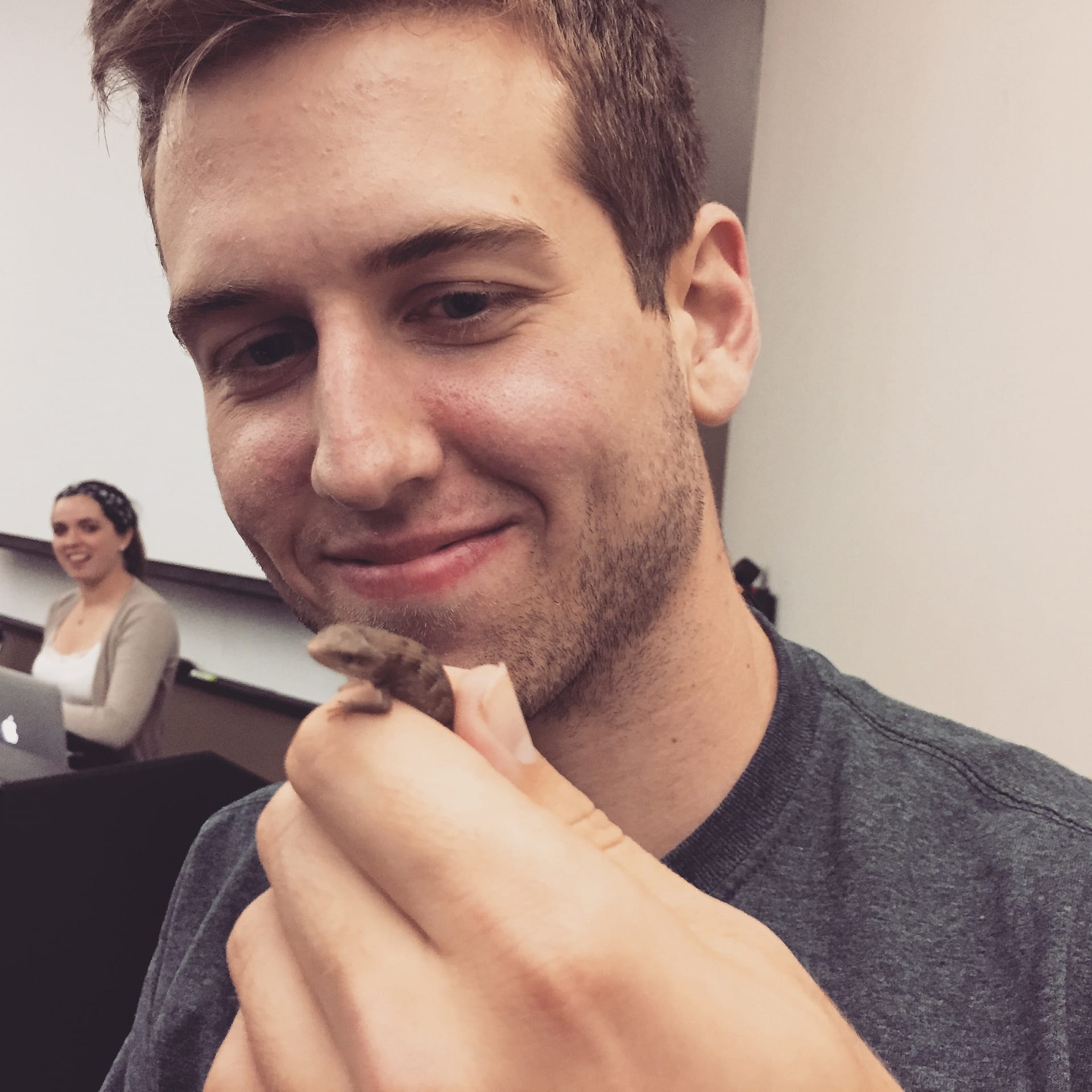
We had a little visitor come in to my night class this week.

I haven't seen students move that fast in the ten years I've been teaching.

get moving

Traditional gender roles were played out, perfectly, as the young women raced to the side of the room without a lizard, and the young men ran toward it with glee.

I'm proud to report that I just stood there, completely entertained.

Even though they are an engaged class, this incident brought about a whole new level of energy for the rest of the evening.

I particularly enjoyed how the presenters who went immediately after our lizard friend was evicted from the classroom, were able to incorporate the reptile into an example on Rawls' theory of justice.

There's just something that happens when we all get moving, students and faculty alike. To that end, here are some ideas for getting physical movement happening inside and outside the classroom:

Tape signs on the wall and have students give input via sticky notes

I've written previously about an exercise that uses sticky notes and gets students moving around the classroom.

There's also a PostIt Plus app that will allow you to capture the data, virtually, and then let you sort and move the individual sticky notes on your screen, as needed. As with any good app, there are plenty of sharing options made available.

Have students walk and talk

When I'm reviewing a concept that can sometimes be difficult for students to apply, I often have them take a walk around the building, while they talk to someone else in the class about the topic.

I make it clear that when they return from their walk, that I will be randomly calling on students, so that they feel a bit more pressure to stay on task during their walk.

I also always join with a group for the walk, or go with a student who doesn't have a partner. This always gives me one more opportunity for one-on-one interaction.

Use a FitBit

Fitness trackers are becoming all the rage these days. Those of us who use them know that they have the power to get us making all sorts of seemingly small changes that add up to signifiant change.

We take the stairs, park further away, and run around more with our kids.

The FitBit device tracks steps and flights of stairs. Dave and I both use one, though he likes the FitBit charge that goes on your wrist and I prefer the one you wear on the waist of your pants.

Consider a treadmill desk

When we finished off an extensive consulting project about a year ago, Dave and I decided to reward ourselves with a treadmill desk. He had wanted one for a while and I was ambivalent (but not opposed to spending the money, necessarily).

I didn't think I would use it that much, since I thought it would be too hard to maintain a train of thought.

It wound up being just the opposite experience. I find that I'm able to get into a flow and work longer and stay focused more than when I'm sitting at a desk.

We have a LifeSpan treadmill desk and both absolutely love it.

[reminder]What do you do to get your students (or yourself) moving?[/reminder]

Filed Under: Teaching

Let's get moving

By Bonni Stachowiak | February 3, 2015 | | XFacebookLinkedInEmail

We had a little visitor come in to my night class this week.

I haven't seen students move that fast in the ten years I've been teaching.

get moving

Traditional gender roles were played out, perfectly, as the young women raced to the side of the room without a lizard, and the young men ran toward it with glee.

I'm proud to report that I just stood there, completely entertained.

Even though they are an engaged class, this incident brought about a whole new level of energy for the rest of the evening.

I particularly enjoyed how the presenters who went immediately after our lizard friend was evicted from the classroom, were able to incorporate the reptile into an example on Rawls' theory of justice.

There's just something that happens when we all get moving, students and faculty alike. To that end, here are some ideas for getting physical movement happening inside and outside the classroom:

Tape signs on the wall and have students give input via sticky notes

I've written previously about an exercise that uses sticky notes and gets students moving around the classroom.

There's also a PostIt Plus app that will allow you to capture the data, virtually, and then let you sort and move the individual sticky notes on your screen, as needed. As with any good app, there are plenty of sharing options made available.

Have students walk and talk

When I'm reviewing a concept that can sometimes be difficult for students to apply, I often have them take a walk around the building, while they talk to someone else in the class about the topic.

I make it clear that when they return from their walk, that I will be randomly calling on students, so that they feel a bit more pressure to stay on task during their walk.

I also always join with a group for the walk, or go with a student who doesn't have a partner. This always gives me one more opportunity for one-on-one interaction.

Use a FitBit

Fitness trackers are becoming all the rage these days. Those of us who use them know that they have the power to get us making all sorts of seemingly small changes that add up to signifiant change.

We take the stairs, park further away, and run around more with our kids.

The FitBit device tracks steps and flights of stairs. Dave and I both use one, though he likes the FitBit charge that goes on your wrist and I prefer the one you wear on the waist of your pants.

Consider a treadmill desk

When we finished off an extensive consulting project about a year ago, Dave and I decided to reward ourselves with a treadmill desk. He had wanted one for a while and I was ambivalent (but not opposed to spending the money, necessarily).

I didn't think I would use it that much, since I thought it would be too hard to maintain a train of thought.

It wound up being just the opposite experience. I find that I'm able to get into a flow and work longer and stay focused more than when I'm sitting at a desk.

We have a LifeSpan treadmill desk and both absolutely love it.

[reminder]What do you do to get your students (or yourself) moving?[/reminder]

Filed Under: Teaching

  • « Go to Previous Page
  • Page 1
  • Interim pages omitted …
  • Page 47
  • Page 48
  • Page 49
  • Page 50
  • Page 51
  • Interim pages omitted …
  • Page 70
  • Go to Next Page »

TOOLS

  • Blog
  • Podcast
  • Community
  • Weekly Update

RESOURCES

  • Recommendations
  • EdTech Essentials Guide
  • The Productive Online Professor
  • How to Listen to Podcasts

Subscribe to Podcast

Apple PodcastsSpotifyAndroidby EmailRSSMore Subscribe Options

ABOUT

  • Bonni Stachowiak
  • Speaking + Workshops
  • Podcast FAQs
  • Media Kit
  • Lilly Conferences Partnership

CONTACT

  • Get in Touch
  • Support the Podcast
  • Sponsorship
  • Privacy Policy

CONNECT

  • LinkedIn
  • Instagram
  • RSS

CC BY-NC-SA 4.0 Teaching in Higher Ed | Designed by Anchored Design