Follow the Teaching in Higher Ed Podcast
About this Episode
Dan Levy talks about his book, Teaching Effectively with Zoom on episode 324 of the Teaching in Higher Ed podcast.
Virtual provides a wider range of ways in which our students can engage in our classrooms.
Dan Levy
On episode 324 of Teaching in Higher Ed
Voices on this Episode


Show Notes + Resources
Recommendations from this Episode
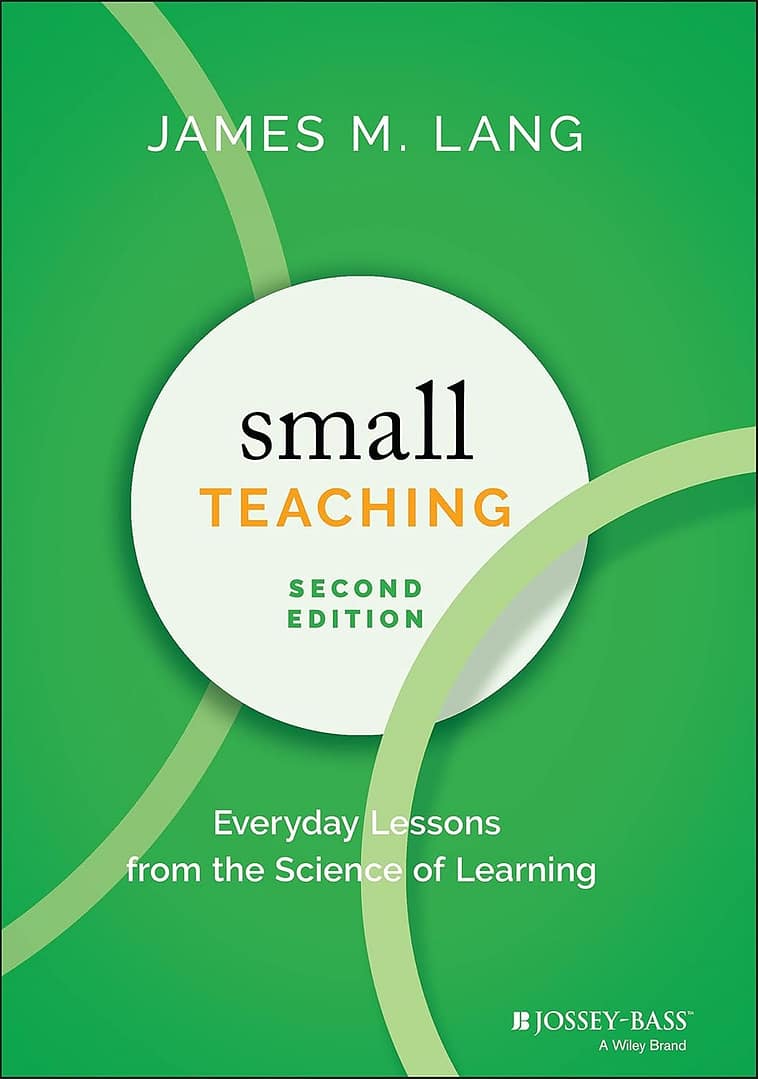
Book
Small Teaching by James Lang
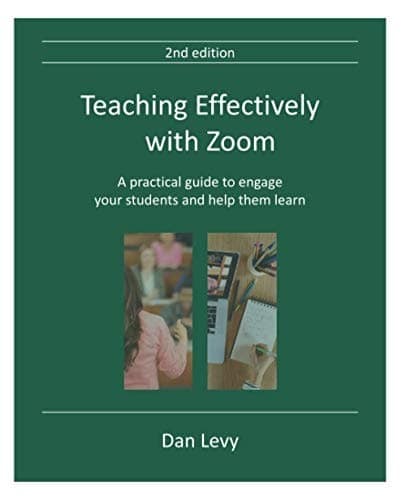
Book
Teaching Effectively with Zoom by Dan Levy

Technology
TextExpander
Transcript
[00:00:00] Bonni Stachowiak: Today, on episode number 324 of the Teaching in Higher Ed Podcast, Dan levy joins me to talk about his book, Teaching Effectively With Zoom.
[00:00:13] Production Credit: Produced by Innovate Learning, maximizing human potential.
[music]
[00:00:24] Bonni: Hello and welcome to this episode of Teaching in Higher Ed. I’m, Bonni Stachowiak. This is the space where we explore the art and science of being more effective at facilitating learning. We also share ways to improve our productivity approaches so we can have more peace in our lives and be even more present for our students. Dan Levy has been a faculty member at Harvard University for over 15 years where he has held various positions related to promoting excellence in teaching and learning.
He currently serves as the Faculty Director of the Public Leadership Credential, the Harvard Kennedy School’s flagship online learning initiative. His teaching was featured in Instructional Moves, a project coordinated by the Harvard Graduate School of Education aimed at helping faculty incorporate and refine high leverage teaching practices. He co-founded Teacherly, a web application aimed at helping faculty members to teach more effectively and more inclusively.
He has won several teaching awards, including the university-wide David Packard Award for Teaching and Mentoring. Dan is passionate about effective teaching and learning and enjoys sharing his experience and enthusiasm with others, which you are about to hear. Dan, welcome to Teaching in Higher Ed.
[00:01:52] Dan Levy: Thank you so much, Bonni. It’s a pleasure to be here.
[00:01:55] Bonni: I want to start out by doing a little detective work. You wrote a book about Zoom. Some people are really concerned that Zoom has taken over the world. I first need to find out, are you in cahoots somehow with Zoom? Are you an investor? Did you secretly write a book to try to grow Zoom’s sales even more than they already have grown?
[00:02:14] Dan: Thank you for that question. No, I’m not an investor. I wish I had been an investor before COVID, but I’m not an investor in Zoom. I know some of the people in charge of education and Zoom. I feel like the heart is in the right place and they are trying to do good for education, but I don’t have any formal affiliation with them. Actually, I didn’t intend to write this book.
When COVID came, I, like many other educators, struggled to see what we were going to do online despite the fact that I had taught online. The book came about from observing educators, teachers, and professors, and faculty members do very creative things with Zoom to teach effectively. I thought it would be helpful to share with the rest of the world what I was seeing.
[00:03:04] Bonni: You start out by acknowledging something that I think is absolutely key. I don’t feel like it’s being talked about enough right now, and that is just naming things. Specifically what you ask us to name is to name the loss or the losses that we’ve had. Many of us have experienced such vibrant rich experiences in an in-person class. We don’t know quite how to– I want to be careful not to use the word replicate because it’s not an exact replication. That would be not really how we want to approach it. What are some of the losses that you either have seen or your colleagues have seen in terms of what do we have to mourn? What should we name from those losses?
[00:03:48] Dan: This is a very good question. I would say that for each of us being in a classroom with our students represents a very human experience. Each of us is going to miss different aspects of it. In my case, as I was actually trying to prepare for producing an online video, I had footage from an actual physical classroom last year when I taught. I don’t know why I started watching my own class and realized how much of what was going on in that class had to do with the fact that we were in the same physical space.
Within those 10 minutes, there was a student making a joke and then a student on the other side of the room laughing about it. Then there was something so human about that experience. That moment I realized, “My God, I’m going to miss this. I really am.” Despite the fact that you can do great things online, I think that part, that human connection, is one that I think is hard to replicate online.
I don’t know that that’s universal for every teacher, but I suspect that for all of us, we’re going to miss something of being together in a physical space with our students. I don’t think people are asking us to embrace online learning. I don’t think we can fully embrace online learning until we have acknowledged that loss, until we have understood the values that we were trying to advance in that physical classroom and we find different ways of enacting those values and advancing them in the virtual classroom.
[00:05:26] Bonni: We’ve explored those losses and that’s an important part of the process, but another part can be looking at the affordances. What can a synchronous class deliver via zoom or some other type of web conferencing tool? What are those affordances that couldn’t easily be replicated if we tried to do it in person? Let’s start out by just what’s an affordance that has surprised you where you go, “Wow, I didn’t really think about this, but look you could do this in Zoom,” but you wouldn’t as easily be able to do this in person?
[00:06:00] Dan: I’m going to suggest a few things. One of them that’s very clear to me is that in a physical classroom, a lot of our interactions with students happens through voice. We speak, they speak, and there is the dialogue. I have to say despite remarkable advances of technology, I think dialogue is not the place where virtual is going to provide affordances over in-person experience. Having said that, I think what virtual provides is a wider range of ways in which our students can engage in our classroom. That has been interesting to me and somewhat surprising.
Yes, we can do polling in a physical classroom, many of us do it anyway. I’m going to talk about two particular things that surprised me. One is the group work. Many of us in a physical classroom assign students to do some group work, but the way at least I used to do it in the past is students would get together and they would work for a little while. Then I would circulate and try to see what was going on in the groups. You’re trying to listen. They see you that you’re trying to listen. It’s hard to know whether they are actually doing the same thing that they would do without you being present and so on.
In Zoom and I presume in other platforms, if you send the students to this breakout room and you combine this with a collaboration tool like Google Doc or Google Slides, you can actually see the work that the students are producing in real-time, and so why they’re doing this work, you are basically collecting information. You are seeing, oh, group three, five minutes have gone by and they haven’t written a thing about what I asked them to do. Let me go and check on them, or group four wrote this very interesting argument that is not exactly consistent with what group seven did.
When they come back, you are able to generate a conversation and a discussion that I don’t think frankly– At least I didn’t see the equivalent of doing that in a physical class. I think this is one of the ways in which the virtual classroom is better because it’s allowing you to see where the students are. The second one I want to say even though it’s a little bit controversial, the use of chat. In a physical classroom, you might say, “All right, can you give me an example of X?” Then student one would give you an example of X, and then student two will give an example of X and so on.
The process is very sequential. Whereas in a virtual classroom, within two minutes you can have 10 or 15 examples that you can use to launch a discussion, or you can ask students, “What did you learn in today’s class?” Within two minutes, you can have every student is giving you two or three lines of what they learned. It’s so easy to do. We have the physical classroom equivalent. In this case, the one-minute paper, but I don’t think we have appreciated some of the affordances that the virtual classroom gives us
[00:09:13] Bonni: What you talked about and we’ll explore a little bit more, especially the group work because I want to ask you a few questions even because that’s not something I have explored quite as much as you have, but I just love even the aspect of how quickly you could do what I refer to as sort of a grownup version of show-and-tell. The other day, my colleagues and I were putting on a training for our new faculty. They hadn’t arrived yet. We’re just connecting. We don’t get to see each other that much in terms of in-person, which is to say never in-person anymore.
I happened to work with a colleague who his birthday is either two weeks or a month after mine, so we’re very, very close in age. Our musical repertoire is very, very on key. In fact, I don’t think we’ve ever brought up a song that the other one doesn’t have some reference to a memory, you know how they really taught music can tie so much with your memory and stuff? There’s this group of teenage boys who started listening to music they’ve never heard before, and in real-time, they’ll stream their reactions to it.
They listened to the drum solo from Phil Collins in the air tonight, which brought me instantly back [laughs] to my own and we’re showing it to our other colleagues, Shannon, who hadn’t seen these yet so I can go to share screen and share video and optimize for video, and then she could watch it and then David could say, “Wait, no, but I like the Jolene song. Let me show that song.”\
Then, of course, we had to get serious when the new faculty came on, but they didn’t come on at the same time. One of the new faculty members teaches chemistry. I said, “Since other people haven’t joined us yet, I want to show you this streaming video. I just saw a little clip of a guy that does a bunch of streaming chemistry classes, and he uses Twitch.”
It was just so fun to be able to be like, “Show and tell, show and tell.” You couldn’t really do that as quickly or as easily back and forth if you were all in the same room even if you had the best airplay type setup or that kind of thing.
[00:11:15] Dan: Absolutely. In a physical classroom in some way, there’s a predominance of the teacher being the main person sharing the work. I think in a virtual classroom, the students can share the work much more easily. There’s a chapter in the book that is about that of students sharing their work, and I think that’s chapter in my mind is a little bit underdeveloped because I don’t think we have yet thought about all the ways in which our students can share the work. My hope is that over the next few months, we’re going to discover a lot of ways in which our students will be able to do that.
[00:11:50] Bonni: You have tremendous advice throughout the whole book, I’d like to focus on one of the broad areas and that is around engagement because that does tend to be the area I’ve seen faculty would have the most challenge with, Zoom is a relatively easy platform if I want to share my slides and give a lecture that’s not that hard to do. You talked about chat, I can figure out, who’s my participants? Are they raising their hand? Those are really quick and pretty easy features to use, but to figure out how do I take the level of engagement that I might hopefully have, by the way, that’s one of the assumptions we sometimes make that they were actually engaging in the classroom, and then trying to take it online sometimes-
[00:12:29] Dan: In the…
[00:12:30] Bonni: -we have to relearn these things. You mentioned a few things. We could have students speak, which we were just talking about, they can vote, they can write, they can work in groups, and they can share their work. Let’s start with voting because voting would be one of those things that– There’s two broad ways we can do it. What are the two broad ways we might have students vote on something? Maybe there’s more than two. [laughs] I was thinking more broadly, like within Zoom or outside of Zoom?
[00:12:59] Dan: Well, first of all, I’m a super big fan voting or polling as a way of understanding where your students are. I actually learned this the hard way about 10 years ago and I tell the story in the book, but when I asked what I thought was a warm-up question to my students, thinking that, oh, 80% of them are going to get this question answered correctly. When the results came up, only 17% of the students got the right answer and that to me was like a wake-up call as to, frankly, how clueless I can be as to where they are. I am a super big fan of poll in a physical classroom, to begin with.
I think in the Zoom classroom, or in any virtual classroom, you can use the polling tool in this case from Zoom, or you can bring an external tool. In my case, the external tool that I used to use in a physical classroom was poll everywhere. It’s an electronic tool, but it’s great. It has meant many, many benefits. I would say in trying to make that decision whether you use an external tool versus the Zoom’s native tool, I would say that a big question is the extent to which you need the sophistication of a polling solution that was just available for that.
I think it’s fair to say that some polling capabilities at this moment are fairly basic, my hope is that they’ll improve over time, but if you need something more sophisticated, you can move to another tool. The big trade-off in my mind, or the big disadvantage is that as anyone who has taught in Zoom or in any of these other solutions can attest, there are many windows in your computer to monitor at the same time. If you look for an external solution, then you have to keep track of another window and frankly, your students have to keep track of another window and so that I think is a trade-off.
In my particular case, I happen to say, you know what, I’m going to stick to the Zoom native polling tool, because I think, for my purposes, it does pretty much what I would like. In the book I also described that within Zoom, you can do a little hack without using Zoom’s native polling tool to know not only the aggregate results, but to know which student voted for which option, which again, speaking of engagement, allows you to engage the students in a way that would be much harder to do because you can say, “Bonni, I noticed you said, B, can you tell us why.” Then, “Jimmy, I noticed you said C can you tell us why.” You generate a dialog that’s super easy to do because where each student stands.
[00:15:45] Bonni: You also talk about the downside of doing something like that, that you wouldn’t want to do that if you’re going to make someone look foolish that there are certainly a lot of advantages to anonymous so you need to pick the right tool. The other thing I think we need to be aware of as educators is watching the types of questions that we’re asking, and you have an entire table and many different examples to make sure we’re not only asking a right or wrong question, but bringing in other types of questions, and one that I don’t do enough, but I’m still obsessed with this idea is the technique of using prediction.
There is a lot of research in the Scholarship of Teaching and Learning around if we ask someone to predict what do you think happened next? Or what would you advise them to do next. Just getting people to think about what was coming, what would come, what would the result be? That crap carries over a lot of different disciplines to the approach to do that. Right or wrong, predict what happens. Give your opinion.
Then poll everywhere, those external tools, they even have things where you can see the degree to which so sometimes I’ll do a two-by-two grid, and, it could even be like the Eisenhower matrix where it’s how urgent is something or non-urgent, how important or not important and then if I just asked a multiple-choice question, I see no degrees there, but if you could tap on that graphic, then I can really see, “Wow, this person is living in just urgent, urgent, urgent.” The house is on fire urgency and not really able to, in that particular example I’m giving, do some of the more proactive things and reflection and that kind of thing.
[00:17:21] Dan: Absolutely. I think more generally, the moment that you ask yourself the question, what is in my student’s mind right now? What do they think about this issue? That is a moment where doing some poll is one that you want to think about because it can tell you and it can affect how you conduct the rest of the class.
In your case, if you have a prediction question, and 90% of the class predicted something, one option, that is a very different classroom discussion to be heard, then if there were split 50/50 on the question that you ask. Knowing where they are allows you to not only assess your understanding or their understanding, but it also allows you to decide how you conduct the next part of your class.
[00:18:08] Bonni: I’m always also intrigued when they do get the question and this goes on air quotes, but people can’t see me doing the air quotes right now when they get a question wrong, so often if we talk about, especially if it was close like you mentioned, but it doesn’t really matter, so I’d be, “Okay, let’s say the people who voted for A. They were wrong according to this, but how could we make them right, how do you think that they were right?”
Just let’s argue, A and I can find out either where my teaching has been really poor. I didn’t explain something well, or there was some confusion that emerges, or the question was actually written really bad and that actually they actually knew more than getting the answer wrong would have suggested.
[00:18:51] Dan: That’s right. I think we often discover when we do polling that sometimes the question is not written well enough to allow us to distinguish. I love the way that you frame that. One of my favorite things to do after polling particularly if say only 20% of people or students voted for option A, sometimes it’s hard to get that 20% to defend their choice because they’re thinking, well, maybe that’s not the– I like to ask the question, “If you had voted for question for option A, what might have been the reasoning you could have employed to this option.” All of a sudden, then people want to participate because they’re like, “Well, I’m not confessing that I did question A, I’m just trying to look for an argument.” I love the way that you frame that.
[00:19:38] Bonni: I want to go back for just a minute because we were talking about all other things being equal, using the native polling tool in Zoom is the way to go. I’d like to explain a little bit more explicitly for people that haven’t experimented with it yet. When you say native, you literally mean that if I have the Zoom window open right now which we do, this is not even pretend, we really have a Zoom window open right now.
Dan, if you were to poll me right now, I could just take my mouse and click inside of the Zoom window, there’s no other windows that I need to pull up or be worried about. A lot of times when you start sharing your screen, it pops open the Zoom window to a maximized window on someone’s computer anyway so it’s hard for me to get somewhere else, how do I get behind this? Once I start clicking literally on the Zoom window itself, I suppose it pops up actually in a separate window but I mean it feels like I’m still in Zoom.
[00:20:37] Dan: It’s really like a dialogue box that shows up on top of your Zoom screen so once you vote then that’s it, you can get it out of the way as opposed to going into an internet browser and so on. I want to be clear that referring the Zoom native tool to an external tool I don’t think that’s a universal recommendation, that’s certainly where I fall in the tradeoff but other people might fall elsewhere.
For example, if you will like the kind of voting like the one you described where you want to have people locate something in a diagram or if you want people to type words and do a word cloud, right now Zoom’s polling tool doesn’t have that as a capability so you might sacrifice convenience for using a more powerful tool. I would say if you’ve never done polling and you’re just getting started, probably starting with a native tool that Zoom has is probably the best thing. If you don’t even want to use some native tool and again, there are trade-offs, you could just ask a question and there are some buttons at the bottom of a participant list. Just vote, yes, no, go slower, go fast, and right there, in an instant, you’ll see where your class is.
[00:21:51] Bonni: My kids are used to using iPads and so if they come over and I’m working on my Mac, they start touching the screen. I’m sure you’ve seen kids and adults do the same thing. It’s hard when we’re in a different context, it’s hard for any of us sometimes to know. I did want to encourage people, yes please use the native tool if you’re new to it but don’t be too afraid to get started. I can guarantee you, some of your students will have difficulty managing those multiple windows but once they get over the hump, it’s going to become quite natural for them.
If you get them used to, “Okay, we’re going to do some poll everywhere.” Really, in a pretty quick succession, they’ll become accustomed to it but there definitely is a longer learning curve than if you just use that native tool.
[00:22:36] Dan: Absolutely.
[00:22:38] Bonni: One area of your book that I am the most excited about exploring, I mentioned already, I want to describe where I have colleagues who described this challenge where they love using the breakout rooms but even they felt distanced from their students in terms of that engagement just in general but then all of a sudden I’ve sent them out and I see can’t them or hear them anymore and I have no idea what’s going on.
You started to imply about this earlier, some of that’s about a control thing and we have to get over that, “My learning is messy, you’re not going to be able to control it all and why would you want to.” That kind of thing. Realistically speaking, it is helpful to be able to have some gauge on what learners are experiencing. Many of the instructional methods bring this to mind. You have so many examples in the book but talk to us about an example where one of the faculty or you use a collaborative document, whether it’s Google slides or Google docs and you send them out into the breakout rooms and then they do some sort of a collaborative exercise, just so we can get a picture of it.
[00:23:41] Dan: Before I describe the very concrete exercise that I can tell you about a colleague who did this, I want to say a few things about breakout rooms. I think they’re an incredibly powerful tool. In fact, they’re very powerful and a lot of faculty members recognize that and a lot of students recognize that, that it’s a powerful tool but I want to mention two things that I think are particularly important. The first one is as an instructor, this is true for anything you do online but I think it’s particularly true for breakout rooms, you have to be incredibly explicit about what is it that you want your students to do in the breakout rooms.
I cannot tell you the number of students that I have spoken with that say, “Well, sometimes they’re very helpful but sometimes we don’t know what the instructor wants and we spend the first five minutes of the breakout room trying to figure out what is it that we’re supposed to be doing.” Being super explicit and by this, I literally mean discipline yourself to have a slide. If you’re going to invest 10 or 15 minutes of class time for this activity, you want to make sure that it has a good payoff and I think being able to explain it to your students is very important. I would say that’s probably the number one mistake.
Then the other thing which I know teachers and instructors rarely have the luxury of time but the other thing I would say is in a lot of occasions, we give students too little time to do the activity that we’re asking them to do and so we bring them back from the breakout rooms before they have had a real chance to wrestle with the issue. Those two of some general guidelines that have little to do with using collaborative tools but I want to put them on the table before we proceed because even if you didn’t do any of the collaborative tools, I think these two things apply.
[00:25:30] Bonni: May I also call out what you said in terms of disciplining yourself to have a slide, I see two reasons for that. One reason is and I’m laughing because I feel like you caught me. This would be an area if you observed my teaching, you’d think, “You didn’t plan that out, you’re going off the cuff here. You could’ve planned that out better.” I’ve definitely fallen into that trap.
One is if I discipline myself to have a slide, I will be more explicit in those instructions. The second thing you talked about earlier, the dialogue isn’t necessarily the affordance of a synchronous virtual session like this. We may have bandwidth issues, you might have cut out right in the middle of giving the instructions and there’s no other way for the student to get the information that you’ve just shared so you let me accomplish two things when I discipline myself enough to have that slide. Thank you for that advice.
[00:26:24] Dan: I want to go one step further which is not only the bandwidth in terms of what the internet is doing but the mental bandwidth for students. Imagine that you indicated the instructors in 10 seconds and imagine for a minute that in those 10 seconds someone came into the room of your student or your student, whatever, was tweeting, just something that they shouldn’t be doing but those 10 seconds are lost. The student has no idea of what the instructors want and now all of a sudden they are in a room for 10 or 15 minutes or five minutes or 20 minutes without knowing that. That goes to that.
In terms of using collaborative tools, I’m a big fan because of what I said before. I think being able to observe the students’ work in real-time has incredible advantages for you, it makes their work more visible, it makes them more accountable for producing something so that I think it also creates incentives for them. I’m going to describe what Julie Wilson who teaches at the Kennedy School does with breakout rooms which I found very interesting. If you want, I can send you a link to the sample slides that she uses so your listeners have a very concrete example.
The basic idea is she’s in a classroom, she has, say, roughly 50 students. In her case she’s teaching a case study and she has different stakeholders in that case study and so she assigns different breakout rooms to different stakeholders. If you’re in breakout group number one, this was a case about Jamaica government so you are in the central government of Jamaica and if you are in group number two you are in the local government and if you’re in group number three you’re in a school, if you’re in group number four you’re in a health center and so on.
For each of these groups, she creates a template slide and Google slides in this case but any other tool could work, that basically has a table that students are meant to fill in during that breakout room time. They will also have like what the group members are, who is going to be the timekeeper, who’s going to be the spokesperson, everything is there. While the participants are working, she’s examining all the Google slides, group number one is making this argument, group number three is making this argument.
When she brings them back together, it’s a thing of beauty. She’s like, “Okay, group number three, you said this and now group number five, actually you seem to say something different. Let’s connect with group number three.” All of a sudden, there’s a conversation happening just because she took the time to orchestrate what the students did.
[00:29:12] Bonni: Is she using four different files or five different files? The templates getting-
[00:29:17] Dan: Sorry, I forgot to clarify.
[00:29:18] Bonni: Templates getting copied or is it one slide that they’re filling in collaboratively off of one?
[00:29:23] Dan: Obviously it depends on the instructor, in her case and especially my case, I think the easiest thing to do is to have one Google slide deck and in that slide deck, you have essentially the same slide reproduce as many times as groups you have. The title of the slide makes very explicit, this is for breakout group one, this is for group two and so on. You create a template, you make sure that the template is good and once you do, you reproduce it in, say, 10 times if you’re going to have 10 breakout groups and then you just use it.
I think it works fairly well but if you have like 100 students then students then a hundred students working on the same Google X, becomes a little bit cumbersome. There’s a little trick you could use two slide decks instead of one, it gets a little bit more complicated, but it can be done.
The key thing is that while they’re working in groups, Julie’s actually checking the work that they’re doing and thinking about how she’s going to orchestrate the next discussion not only based on the arguments that this groups are making, but also based on the students that are in each group so she can say, this group has a student who hasn’t participated in a while. I’m going to call on them to see if I can get this student to participate. A lot of that is hard to do in a physical classroom where you’re just circulating trying to see what his group is doing.
[00:30:45] Bonni: I’m so excited about being able to experiment more. That’s where I want to take my teaching to the next level. That will be my focus for the fall. I so appreciate all of that advice. Well, I hate to end this conversation. I can’t begin to tell you how much I hate because I just so enjoyed your book. In fact, this is the time in the show where we each get to give our recommendations and my recommendation is to read your book.
I do not recommend the books for every author who comes on the show, but it was both a maybe sound patronizing, I don’t mean it that way. It was a very easy to read book, but it’s laid out. It’s laid out in a very practical way to say these are the ways you could engage. These are the ways you could teach. Then it’s laid out simple steps to follow and then examples of how you could apply this in different disciplines.
It just was a delight to read. I’m going to say the other thing I really enjoyed about it in terms of it’s very easy to translate into one’s practice and pedagogy, but I also really liked that you treat things like there’s no magic answers. You appropriately communicate the nuance to some aspects of our teaching. You’ll say, this is how one person tries it, there are other ways. You don’t try to simplify things so much that you leave out room that there’s a lot of ways you could approach things in these spaces.
[00:32:09] Dan: Thank you so much. I truly appreciate it. I don’t take it simple as patronizing. I actually worked very, very hard to try to make it as practical and as simple as possible without losing the nuance that I think are essential to being able to teach effectively. If I can help educators to a little bit of a better job this fall than we did in the spring, that would be a great reward from my perspective. I think in terms of recommendation– Well, first of all, before we end, and I know we have to end soon, but I do want to thank you, Bonni, for the service actually that you provide to the teaching community.
I think your podcast deals with teaching in a very, very broad way that I think makes it very applicable. You have a very wide range of guests, of topics. The last few episodes that are listened to you, and then you have someone talking on mental health and then the next day you have someone talking about assessment. I think you provide a huge service to the education community and I want to thank you very genuinely for doing that. It’s pretty clear to me that you do that out of a sense of service to your community. I’m very grateful for that.
[00:33:26] Bonni: Thank you very much.
[00:33:27] Dan: I think in terms of recommendations, I’ll divide them into two. Again, I don’t receive royalties from many of these people just to be super clear. The first one in terms of a book about teaching and I think you probably have read this book, but I wrote this book a couple of years ago called Small Teaching by Jim Lange that I thought was incredibly thoughtful. What I liked about the book was how practical it was to make changes. In fact, I say in the preface of the book that there were two books that generated this enthusiasm for me, it’s like, “Oh my God, I could do this in the classroom.”
My hope is that my book can do that. Although that’s a tall order, but this is a book that I recommend you read because it has, in my mind, the right mix of being rounded on the literature of affective teaching and learning and at the same time being very practical in terms of the things that can be done. I realized that this book was written pre-COVID so maybe there are some things there that are a little bit harder to apply nowadays, but I think the principles are there for sure.
I know you do a lot of productivity stuff, so I cannot resist, and I know that they’re a sponsor of yours, but they’re not a sponsor of me. I’ll just say, I use Text Expander all the time to automate stuff on my own life and I find it to be incredibly useful and helpful. More generally, in terms of technology, I subscribe to the idea that if you can automate something you should try to do it so that you save more time to do other stuff that you want to be doing.
[00:35:05] Bonni: First of all, I can’t resist going for a little bit more in the sense of I’m excited to tell you that James Lang is coming out with a new book. I love the Small Teaching too. His new book will be in, oh, I can’t remember if it’s October, December, but it’s called Distracted. It is very much in the same vein as Small Teaching. I can’t remember the subtitle, but it’s why our students are distracted and what we can do about it.
The premise is instead of trying to remove the distractions, ban the laptops, all the different things, it’s about the attention not getting rid of the distraction. I’m not explaining it very well, but it’s a brilliantly written book and I love that you admire him too, because your book is written very much in a similar structure that practical ways to, here’s the theory and then here’s how you can put it into practice.
Then funny thing I just have to tell you about the sponsor’s thing I should have told you from the very beginning. My husband and I have used Zoom for many, many, many years, and we actually are an affiliate of theirs. When I send people to Zoom, I actually will make money now, not millions of dollars, but we might get a month or two free off of our service that we already pay for. I’m actually the money maker in this gig. You can sell some books and we can make money off our affiliate link.
[00:36:22] Dan: That’s good. Again, thank you so much for having me. I hope this is helpful to your audience and if you’re interested in more I hope the book will be helpful.
[00:36:33] Bonni: Oh yes. I’m interested not just in the book, everyone should go pick it up, but also having you back, because let’s talk about productivity on another show. It’s been a while since we did that and we need these kinds of things during COVID. We really need that. It looks different to me. I have to simplify things. It’s not about every trick in the book, but just what are the small ways that we can just try to manage this stuff so I’d love to have you back.
[00:36:56] Dan: Absolutely. A pleasure.
[00:37:01] Bonni: I’m so thankful to have been connected with Dan Levy for today’s conversation. Thanks for the person who recommended him for the show. It was a perfect fit and I’m so glad to have read his book as well and encourage everyone to head over to the show notes @teachinginhighered.com/324, in order to access his book and the resources associated with that. He’s got a bunch of online resources with examples and other possible ways to incorporate the learning from the book.
Thanks to all of you for listening and to being a part of the Teaching in Higher Ed community. If you’ve got to subscribe to the, I would say, weekly updates, but they’re not weekly. Who are we kidding? The sometimes occasional email updates would love to have you subscribe @teachinginhighered.com/subscribe. Thanks for listening and I’ll see you next time.
[music]
[00:37:55] [END OF AUDIO]
The transcript of this episode has been made possible through a financial contribution by the Association of College and University Educators (ACUE). ACUE is on a mission to ensure student success through quality instruction. In partnership with institutions of higher education nationwide, ACUE supports and credentials faculty members in the use of evidence-based teaching practices that drive student engagement, retention, and learning.
Teaching in Higher Ed transcripts are created using a combination of an automated transcription service and human beings. This text likely will not represent the precise, word-for-word conversation that was had. The accuracy of the transcripts will vary. The authoritative record of the Teaching in Higher Ed podcasts is contained in the audio file.