• Skip to primary navigation
  • Skip to main content
  • Skip to footer

Teaching in Higher Ed

  • Podcast
  • Blog
  • SPEAKING
  • Media
  • Recommendations
  • About
  • Contact
EPISODE 623

Can’t Stop, Won’t Stop: Teaching with AI Tools with Rebecca Fordon

with Rebecca Fordon

| May 21, 2026 | XFacebookLinkedInEmail

https://media.blubrry.com/teaching_in_higher_ed_faculty/content.blubrry.com/teaching_in_higher_ed_faculty/TIHE623.mp3

Podcast (tihe_podcast):

Play in new window | Download | Transcript

Subscribe: Apple Podcasts | Spotify | RSS | How do I listen to a podcast?

Rebecca Fordon unpacks vibe coding and the eight AI teaching tools she built in a single semester on episode 623 of the Teaching in Higher Ed podcast.

Quotes from the episode

Vibe coding, I think of being able to describe the kind of application or website that you want in just words, a narrative, rather than having to code it, knowing coding language.

Vibe coding, I think of being able to describe the kind of application or website that you want in just words, a narrative, rather than having to code it, knowing coding language.
-Rebecca Fordon

I think the easiest place to start is in ChatGPT, or Gemini, or Claude Code.
-Rebecca Fordon

Many of my students have not used it for anything related to law school. Until they get into my class, and then they see there actually are some good, legitimate uses.
-Rebecca Fordon

If you want to mess with things on your own, you can really just ask AI: How do I do that? Where should I look?
-Rebecca Fordon

Resources

  • Can't Stop, Won't Stop: One Semester, Eight Vibe-Coded Teaching Tools
  • AI Law Librarians
  • TokenExplorer
  • NPR's Driveway Moments
  • David Colarusso
  • Lovable
  • Replit
  • Video: Bonni Shows Jon Ippolito's Connect Random Things Exercise
  • Jon Ippolito's Connect Random Things Exercise
  • SongLink (Odesli.co)
  • Wolf Worm, by T. Kingfisher
  • Snipd
  • Artificial Intelligence and Human Legal Reasoning, by Bednar, Cleveland, Erbsen, and Schwarcz

ARE YOU ENJOYING THE SHOW?

REVIEW THE SHOW
SEND FEEDBACK

ON THIS EPISODE

Rebecca Fordon

Assistant Director of Innovation, Research & Instruction

Rebecca Fordon is the Assistant Director of Innovation, Research & Instruction and an Assistant Professor of Practice at the Ohio State University Moritz College of Law. She earned her BA from Ohio Wesleyan University, her JD from Boston University School of Law, and her MLIS from UCLA. Before entering law librarianship, she practiced corporate bankruptcy law for a decade at a Boston law firm, eventually becoming a partner there.

At Moritz, Professor Fordon teaches legal writing, legal research, and legal technology, regularly integrating AI tools into her courses. She frequently speaks on the intersection of AI and the law and is co-founder of the blog AI Law Librarians. She also serves on the board of the Free Law Project, a nonprofit dedicated to improving public access to legal information and supporting research on the legal system. In 2024, she was named a member of the vLex Fastcase 50 and in 2025 was nominated for an American Legal Technology Award in the category of Education.

Bonni Stachowiak

Bonni Stachowiak is dean of teaching and learning and professor of business and management at Vanguard University. She hosts Teaching in Higher Ed, a weekly podcast on the art and science of teaching with over five million downloads. Bonni holds a doctorate in Organizational Leadership and speaks widely on teaching, curiosity, digital pedagogy, and leadership. She often joins her husband, Dave, on his Coaching for Leaders podcast.

RECOMMENDATIONS

SongLink (Odesli.co)

SongLink (Odesli.co)

RECOMMENDED BY:Bonni Stachowiak
Snipd

Snipd

RECOMMENDED BY:Rebecca Fordon
Wolf Worm, by T. Kingfisher

Wolf Worm, by T. Kingfisher

RECOMMENDED BY:Rebecca Fordon
Artificial Intelligence and Human Legal Reasoning, by Bednar, Cleveland, Erbsen, and Schwarcz

Artificial Intelligence and Human Legal Reasoning, by Bednar, Cleveland, Erbsen, and Schwarcz

RECOMMENDED BY:Rebecca Fordon
Woman sits at a desk, holding a sign that reads: "Show up for the work."

GET CONNECTED

JOIN OVER 4,000 EDUCATORS

Subscribe to the weekly email update and receive the most recent episode's show notes, as well as some other bonus resources.

Please enter your name.
Please enter a valid email address.
JOIN
Something went wrong. Please check your entries and try again.

Related Episodes

  • EPISODE 480Teaching Philosophy Outside

    with Ryan Johnson

  • EPISODE 382Teaching Change

    with Jose Bowen

  • EPISODE 397Teaching Machines
    Audrey Watters

    with Audrey Watters

  • EPISODE 092Small Teaching

    with James Lang


EPISODE 623

Can’t Stop, Won’t Stop: Teaching with AI Tools with Rebecca Fordon

DOWNLOAD TRANSCRIPT

EPISODE 623: Can’t Stop, Won’t Stop: Teaching with AI Tools with Rebecca Fordon 

Bonni Stachowiak [00:00:00]:

Today on episode number 623 of the Teaching in Higher Ed podcast, Can’t Stop, Won’t Stop: Teaching With AI Tools, with Rebecca Fordon. 

Bonni Stachowiak [00:00:13]:

Production Credit: Produced by Innovative Learning, Maximizing Human Potential. 

Bonni Stachowiak [00:00:22]:

Welcome to this episode of Teaching in Higher Ed. I’m Bonni Stachowiak, and this is the space where we explore the art and science of being more effective at facilitating learning. We also share ways to improve our productivity approaches so we can have more peace in our lives and be even more present for our students. Joining me for today’s episode is Rebecca Fordon. She’s the Assistant Director of Innovation Research and Instruction, and an assistant professor of practice at Ohio State University’s Moritz College of Law, where she teaches legal writing, research, and legal technology, and as you’ll hear in the episode, with AI tools woven throughout her teaching. Before entering law librarianship, she spent a decade practicing corporate bankruptcy law at a Boston law firm, eventually becoming a partner there. She’s the co-founder of the AI Law Librarians blog and serves on the board of the Free Law Project.

Bonni Stachowiak [00:01:32]:

In 2025, she was nominated for an American Legal Technology Award in Education, and our conversation, buckle up, Rebecca is going to share how she’s been teaching students to vibe code, and also doing so herself, using AI to build functional tools with no traditional programming background. We’re going to talk through what her students have made in a single session, let alone a whole semester, what it’s like to look at when you’re spotting bugs but you don’t even have to necessarily know how to read code, and why she genuinely can’t stop doing this. And secretly, neither can I. Rebecca Fordon, welcome to Teaching in Higher Ed.

Rebecca Fordon [00:02:17]:

Thanks so much for having me. I’m a longtime fan of the podcast.

Bonni Stachowiak [00:02:20]:

Well, I am a short-time, but only because I’ve only known about your work for a short time. Short-time fan of your work. There used to be, or maybe still is, this podcast called Driveway Moments, and it was kind of something that would keep you in the driveway before going inside your home, because it was that compelling. Well, I definitely had a driveway moment, although I have to find another analogy because I was most certainly not driving anything other than my computer when I came across a post you had written called “Can’t stop, won’t stop: 1 semester, 8 vibe coding teaching tools”. And we’re going to be talking a lot about your experimentation here, but let’s begin by just, what do you consider to be Vibe coding? Because a lot of people, they’re- they’ll hear that word or that phrase, I think it’s often expressed in negative ways, not always, but tell us what you think of when you say I was doing some Vibe coding. What do you mean?

Rebecca Fordon [00:03:20]:

I think of being able to describe the kind of application or website, or program that you want in just words, a narrative, rather than having to code it, knowing the coding language, like Python or HTML or whatever. So that’s, that’s how I think of it, just creating something from- with words and not code.

Bonni Stachowiak [00:03:43]:

And we heard a little bit about your background, but I think it might be helpful to people listening to get a little bit more of a sense of you as a programmer or not. I mean, do you have a background that you’ve done programming, where when you do Vibe coding, you can kind of look at it and see what it’s doing?

Bonni Stachowiak [00:04:00]:

Or was this a new fresh thing for you?

Rebecca Fordon [00:04:02]:

I only have a tiny bit of coding background. I am a librarian, and when I went to library school, I had an idea I might want to be a developer. And so I took some classes during school and around school, and then did my first internship and was like, oh, no way, I don’t want to do this. It’s very frustrating, like running into bugs and stuff like that. But luckily, vibe coding, you don’t run into those issues. So I do have a little bit of background, like I can read Python and, I also was a blogger back to the early 2000s, so I can read HTML. But I’m not a developer, so I am not writing anything, but I can kind of read it and follow it.

Bonni Stachowiak [00:04:38]:

And I always love this because, because I’ve thought a lot about, in my discipline, but then also talking to other people, we tend to sometimes oversimplify things of like, you either know this or you don’t. Versus there’s just- I was mentioning on a recent episode that I just barely know that GitHub exists, and I can just barely use it. Like, I can get a file up there and then I can remember that I have to do something with that file in order for anyone to ever see it. Could you describe to us a little bit about when the- I’m totally asking you such unfair questions. When you look at an HTML file, what kinds of things do you see? And then when you look at Python, what kinds of things do you see? Just from the very, very basic levels, like when you, when somebody were to look at it, what does it look like?

Rebecca Fordon [00:05:23]:

So I’m usually looking for, what can I change in there? So, like, the types of apps I’m creating, they often have, like, content to them or text to them. So usually when I’m trying to figure it out, I’m like, what can I edit? And because that’s easier to me once the app is created than going back in and saying, oh, but now could you change the text to say such and such? Like, if I can figure out where to edit the text myself. So if you look for a body, if you look for headings that, that can help you orient yourself, or if I can’t find my way around, like, I will often just ask, ” Hey, I want to change the prompt that is showing on this page. Where in the HTML or where in the Python code would I find that?” Or anything really? Like, if you want to kind of mess with things on your own, you can really just ask AI, how do I do that? Where should I look?

Bonni Stachowiak [00:06:12]:

And that’s super helpful. I don’t have any experience with Python other than I know the word and I know that’s a programming language. When I think about HTML, one of the earliest things I can remember learning is that there’s the greater-than sign. That means we’re about to start something, whatever, start- I mean, whatever it could be. We’re about to start bolding words, or we’re about to start telling you something’s gonna get linked to, or things like that. And then there’s the opposite of that, where we go, a slash, and then this thing is now gonna stop. So we’re gonna stop bolding something, or we’re gonna stop linking to this thing.

Bonni Stachowiak [00:06:50]:

Are there similar things in Python that like start, stop? I mean, how vastly different would looking at something in Python be than looking at something in HTML?

Rebecca Fordon [00:07:00]:

It’s quite a bit different. Python works a lot in defining formulas. So each little block of code starts with a DEF, and then that defines that formula, basically, or defines that function. And… so you can kind of follow them one to the other, and any, a program will probably have dozens or more functions, like even a small program. So and then you have to kind of follow through.

Rebecca Fordon [00:07:24]:

There can be variables in it as well, so there’s a lot of equal signs. So it might define, like, define a variable and say, if you want to know what this variable is, follow this function elsewhere in the code. So it’s a little bit harder to follow, which is why I do find it helpful to get help orienting myself still, like, even as someone who knows my way around a little bit.

Bonni Stachowiak [00:07:47]:

Yeah. Before I scare listeners off too much, I probably should have started here. Could someone who had never seen HTML, never seen Python, still Vibe code with today’s tools?

Rebecca Fordon [00:07:59]:

Yes, absolutely. I do it with my students, and they pick it up in 15, 20 minutes. So, yeah, definitely.

Bonni Stachowiak [00:08:04]:

Okay.

Bonni Stachowiak [00:08:06]:

So talk us through then, what kinds of things that you get students or others started with? What’s kind of like a getting started, these are the things that you would need in your toolkit in order to get started with Vibe coding?

Rebecca Fordon [00:08:20]:

I think the easiest place to start is in ChatGPT, or Gemini, or Claude Code can do it too. They all have- You can ask for an application, and then sometimes you might have to click something that will get it onto, I think ChatGPT and Gemini call it Canvas Quad, calls it an artifact. But if you click a little, the little plus sign at the bottom of your chat window, you can say, I want Canvas, and you can just describe the app you want, and it will build it for you. So I find that to be kind of the easiest way. And that works for quite a few things. Like, I’ve had students do kind of like a flowchart guided interview where, at the end, it produces a PDF document.

Rebecca Fordon [00:09:04]:

They are able to do that in Gemini, or able to build like a simple website, a data visualization. There’s trying to think of what else I’ve had them do. Even like really simple things like enter text and have it be recognized. And then it takes you to something. It can’t do- You can’t connect to an LLM like within those typically. So, like I’ve built, I built something where someone enters a prompt they want to put in to communicate with AI, and then the AI gives them feedback on it. That kind of thing I wouldn’t be able to build in Gemini because it requires linked outside to an AI. So it has to send the response out to an LLM and get it back, and that’s not how Gemini, Gemini’s Canvas or ChatGPT’s Canvas is set up. 

Rebecca Fordon [00:09:50]:

So if you want to go further, where your app is like actually talking to other things, then I think the easiest is, Google has this product called Google AI Studio, and it actually makes some of those connections for you, so it can access AI within the app and give you feedback. So that one, super easy. I’ve had students use that for like simple chatbots that they create. So those are, those are some of the easiest starting options.

Bonni Stachowiak [00:10:23]:

I certainly don’t expect you to be the expert at what I’m about to ask, nor do I expect you to live to this, because we’re having this conversation, and it could all change tomorrow. But a general sense of the extent to which these things are available for free on the free plans or the extent to which they’re locked down by some sort of a paywall, so to speak.

Rebecca Fordon [00:10:44]:

Yeah, so all those things I mentioned are free. So those are all available on the free plans, and that’s why I usually recommend them as starting, because I never want my students, for example, to have to go out and buy anything. And then there’s also like bigger platforms that do have some like kind of more, I don’t know, you can do more complicated projects on them, or you can host your project. Because all of these things I just said, they won’t host it for you. You can give a link to people, and they can open the link, but it’ll look like you’re on. It’ll be like, here’s a Gemini website or here’s a ChatGPT website. Like you’ll still be within that, or you can just download your HTML and save it and give it to someone, or you can host it somewhere. So all the things I mentioned won’t do the hosting for you, or it’s a little bit difficult to.

Rebecca Fordon [00:11:33]:

So there are also solutions that do it all in one. Like Lovable is one, Replet is one, and those do have three options. And those will make the app for you, and then create a website that anyone could go to, and make it a little bit more, more professional looking.

Bonni Stachowiak [00:11:49]:

Well, we now get to dive into the post I mentioned at the top, Can’t stop, Won’t stop: One Semester, Eight Vibe Coded Teaching Tools. We won’t go through all of them, but I would love to have you take us a tour of ones that really, really to you kind of stood out as, “oh my goodness gracious, what is happening here that this is even possible?” So I don’t know if… Do you have a place that you would like to start with this list of them?

Rebecca Fordon [00:12:16]:

You know, I think, I think the first one I have is, is a really good one, because it was something that. So the first one is, I called it a token explorer. So it’s a way for people to see, like you may have heard that AI, generative AI, is not a knowledge extraction tool. It’s like a next word predictor. And that’s hard to explain what that means, really. And so what this tool does is that you can type a question and then it will give you the LLMs response to it, but it will show you the it’ll color code how likely each next word or each next token is. And I had wanted to do that ever since I saw someone do something similar.

Rebecca Fordon [00:13:04]:

And I could not find anyone who made it. And I was like, I just want a website I can go to to share with my students. And then finally I thought, like, oh, maybe I could build that. And it took maybe 20, 30 minutes to do. Like, it was so fast. This was like, probably the first thing I made, too. That was very complicated. And I, every time I use it, I have students, they have that light bulb moment where they actually understand better how that next text prediction works.

Bonni Stachowiak [00:13:35]:

And I just tried it with- I typed in, there’s- I’m looking at a place where I can put input. So, and then there’s a place where it provides some output. I probably used it wrong, but that’s kind of, you know, that’s how these things go. I said, “I am talking with Rebecca Forden about…”

Bonni Stachowiak [00:13:53]:

And then it says, it seems that you might be referencing a conversation or topic, this is what it put back to me, involving Rebecca, could you provide more details or specify what aspect of your discussion you’d like to know more about? This way, I can assist you better. And since this is an audio podcast, I can tell you that this is a colorful rainbow of text, where certain text is colored yellow, certain text is red. I’ve got some purpley colors, and that’s where it’s corresponding to probabilities of 90 to 100, 70 to 89, 50 to 69, etc. And maybe there’s a better example that I could have typed in because it looks like I was doing it wrong. Is there a better prompt I could type in there?

Rebecca Fordon [00:14:37]:

Well, okay, so I just tried, like, what is the capital of, and I just put in a completely fictional country. Okay, I put Mini Rana, which is not, not a country. And so I did that, and it’s all green, “The capital of Mini Rana is”, and then it hits red, and it says Astoria. And so the red tells us that there is no, like, no next word.

Rebecca Fordon [00:15:03]:

That is really common here, and that’s probably because this is not a real country. So I love to play around with hallucinations on this because it really shows what, like, highlights them well, where the hallucinations are happening. Because a hallucination is just like, they tried it, tried its best to predict the next word, but there wasn’t anything often. So I, I show students case citations with this a lot. I’ll say, like, do something like, give me 10 cases on this issue, and then I’ll deliver them. And the names are often in green, but then the citation part is usually in red because they’re not real. And it’s just kind of guessing. So it lets you see better what it’s guessing at.

Bonni Stachowiak [00:15:46]:

You are entirely- I’m so glad that I asked the question. You’re reminding me of an exercise that Jon Ippolito has done a number of times, where he has a list of words on the left that you choose from, a list of words on the right that you choose from, or you pick your own. And he says, how does this, this is a prompt you would type into an AI chat, but how does this relate to this? And I think he’s gonna love this. I’m literally, when we hang up, I’m gonna let him know about this because it’s always fascinating to have students go through this.

Bonni Stachowiak [00:16:21]:

And I went through it with something that I knew nothing about. And I did experience what many people would describe as hallucinations. But then I went through where I do have some expertise in a seemingly esoteric but actual connection between two things. But I think what he’ll love about this is its visualization. So your example just kind of set my mind on fire. 

Bonni Stachowiak [00:16:44]:

So this time I did, where might I find fields of Ranunculus? Ranunculus are a type of flower, and it happens to be generations ago in my family, they were in agriculture, and specifically flowers. And so in Carlsbad, California, many people are familiar with the Ranunculus fields. And today it’s more commercialized, they don’t really make their money on actual selling of agriculture, but it’s more of a marketing thing. Legoland is down there, so it’s a very touristy thing. But sure enough, I’m seeing such a different response now, where the text that I’m looking at in its output back to me, most of it is this 90 to 100% this bright green. And it’s saying fields of Ranunculus are known for their vibrant and colorful blooms, and they can often be found in specific areas known for flower cultivation. Here are a few notable locations.

Bonni Stachowiak [00:17:36]:

And of course, it does include Carlsbad, California. I’m now curious to see it. Also, I’m not sure I’m pronouncing this right. I should know, but Lompoc Valley, California, is another place I’ve not seen them. And then I didn’t realize this, and it is showing up as 90% likely in this output that also in Holland. And then it goes on to, while the Netherlands is primarily known for its…And then it gets cut off. 

Bonni Stachowiak [00:17:59]:

So I have to go to do another one. But what a great way to make things so much more visible. What’s happening behind the scenes to explain this distinction. Is there anything else, besides of course, me putting this in the show notes so people can go try it for themselves, and hoping that they’ll write to us and tell us what they discover if they come up with any cool things. Anything else that people should know about this one?

Rebecca Fordon [00:18:23]:

You can also mess with the temperature and the model. So if you pick a higher temperature, you’ll see a lot more variation, and it won’t be all green. So it’s basically giving surfacing more of the lower probability options when you turn up the temperature. So that’s kind of interesting to see as well. So yeah, that’s all, all else I would point out. 

Bonni Stachowiak [00:18:44]:

And anything else you want to share about the students reactions when you’ve done this with them? What has that done for their experience in learning more about artificial intelligence?

Rebecca Fordon [00:18:53]:

I think it’s kind of shown them that it’s not, I mean it’s sensitive to say, but that it’s not magic, that there it is actually working based on probabilities, and not reasoning and not knowledge. A lot of times, students have trouble with, when they encounter things like Google, they think of it as like, a database. And so I think they tend to think of AI as similar to that. Like you just type in you want and it go what you want, it goes back and retrieves it and gives it to you. And that’s not what’s happening at all. It’s, it can be, it can be right, it can be not right. 

Rebecca Fordon [00:19:30]:

But it’s all about, like, how likely it is that it has that within what, like its database not finding the exact thing.

Bonni Stachowiak [00:19:40]:

Something else I’m curious about. I can tell you I do not have enough librarians on Teaching in Higher Ed. I don’t even think if it was 100% it would be enough, by the way. But also, not specifically someone like yourself, that works in a law school. Is there anything that has happened that’s particularly unique about working with the student population that you do in this context?

Rebecca Fordon [00:20:00]:

They have, I think they have different… They have a lot of the same student concerns about, I don’t know if students you work with have, say this as well, but I think it’s pretty common. They have environmental concerns, they have ethical concerns, they worry about hallucinations. But I think actually in law that fear is amped up quite a bit because we’ve had all of this news. And it’s just like a constant stream of court opinions, where attorneys have submitted fake cases to the courts. And so they’re just terrified of that.

Rebecca Fordon [00:20:38]:

And so a lot of them, I think, write off AI as something that could be reliable at all. So my experience with students has actually been that many of them have not used it for anything related to school, related to law school. Until they get into my class, and then they see, oh, okay, there actually are some good, legitimate uses. So maybe that’s something a little unusual about law students.

Bonni Stachowiak [00:21:00]:

Yeah. All right. This is so fun for me. Which one do you want to go to next?

Rebecca Fordon [00:21:05]:

Let’s see. Oh, the hallucination game, while we’re on that topic. That one is, that one was really fun, and I’ve actually had someone use that too. Another legal writing professor told me that they used it recently, and they just got really into it. So. So I can explain what it is a little bit.

Bonni Stachowiak [00:21:24]:

Is this the one that is, has to do with Better Call Saul, or am I getting confused with a different one?

Rebecca Fordon [00:21:28]:

No, no, that’s another one.

Bonni Stachowiak [00:21:29]:

That graphic! That graphic, I gotta tell you, as a huge fan of the show. Okay, I’ll sit on my hands now. Okay, hallucinations game. Tell us about what we’re gonna see here.

Rebecca Fordon [00:21:38]:

Yeah, so this was inspired by David Colarusso, who’s at Suffolk Law, and he’s just, he’s just incredible. And so he had come up with this exercise for teaching students about automation bias, where basically they would try to catch hallucinations in a document. And after a while, you check less and less and less, and so the exercise was about getting them to realize that. I didn’t have time for that exercise, so I made kind of a little shorter thing, where I just wanted- And I also wanted to be teaching students about, like, here are some ways hallucinations can come up, and here are some of the types of them, and here’s how you might check them.

Rebecca Fordon [00:22:14]:

So, the way I structured it was the first half of the exercise, they were, the students were actually injecting hallucinations into a court document. So they had a little dropdown they could use and select which hallucination they wanted to put in there. And then, the second half of the class, they flipped, and they had to find the other team’s hallucinations. And I think it really, I think pedagogically it was useful because it showed them under pressure these things are pretty hard to catch, actually.

Rebecca Fordon [00:22:46]:

And it’s sort of a different story to be actually doing it when they only have 15 minutes, than it is to just kind of conceptually be thinking like, yes, of course you should read all the cases in the brief that you submit. And so many of these cases, when you read into the details, all of these attorney hallucination cases, a lot of them were under time pressure and under some often sad circumstances and things like that. But I think they had a lot of them had in common that they were, it wasn’t how they normally worked. They were rushing, they didn’t have time to do the checks they would normally do. And so they resorted to AI and didn’t check it as much as they would have. So I hope it gave my students a little bit of, I don’t know, put it, put them in those shoes a little bit to say, okay, to avoid this from happening, what can I do on the front end to, when I am initially reading the cases or when I am trying to plan how much time I’m going to give myself so that I avoid this crunch at the end.

Bonni Stachowiak [00:23:51]:

I am going to tell people that this post is definitely worth a driveway moment, but a computer driveway moment of your own. As we’ve already discussed, I could go on for hours and hours and just be getting started, but I want to make sure and give people confidence that this is totally doable. And I want us to think about, I mean, obviously we’re hearing about these examples from your work that are coming from what you thought was particularly going to be helpful, to have another way for students to engage, besides potentially coming and listening to a lecture on how to, you know, avoid hallucinations, etcetera, or check for them. Walk us through what are the steps? If step one is… How do we decide if it’s worth trying Vibe coding on? What’s kind of your yes, this is a good, good criteria for using it?

Rebecca Fordon [00:24:38]:

So both of these were things that I could not have done otherwise, or could not not have done in that, like the one I, the token explorer, like I just couldn’t have done. That was not possible. Maybe I should- could have showed them like a static image, or something like that. But the interaction was really important, and being able to like change things. So, I guess that’s one thing, like, could I- if you have that thought of like, oh, I’ve always wished I had time to do this, or I always wish there was like a custom app, or I wish someone else has done this, and you’re like going to look and see, has someone else created this? All of those can be, kind of a way to spur you that maybe, maybe you could do it yourself. And I guess another one is stuff that I maybe would have done on paper. I have started thinking about, could I do it this way instead? Because it lets people see each other’s work better, and maybe it lets them, lets me inject, like, a little bit of background into it that I couldn’t fit on a paper document. So those are some of the things I would look for. Yeah.

Bonni Stachowiak [00:25:45]:

And on the “See each other’s work better”, tell us an example of how one or the other of these lets them see each other’s work. What’s the sharing mechanism?

Rebecca Fordon [00:25:55]:

So, this is one I didn’t include in that list, but I’ve done a Vibe coding workshop for students where I created a website for it, and I then created a tab that was like a gallery. So they could actually, like, upload the HTML that they created in that workshop, and then everyone else could see it within, like, within the workshop. But I think the Hallucination game is actually an example of that, too. Like, I wanted them to be able to interact with what each other were doing, and so they’re not just doing it on their own, but reacting to another team.

Bonni Stachowiak [00:26:28]:

It’s incredible. All right, so we had step one, something you couldn’t have done otherwise. Does it exist somewhere else? Maybe in the past, you would have done something on paper. For me, I was always, and still sometimes, I’m very famous for the stickies. Okay, so we’ve got that, and we’ve decided, whatever it is, here we go. What is step two?

Rebecca Fordon [00:26:47]:

So then step two, I would say, is take it to whatever AI you like to use and say, “I have this idea, here are some of the platforms I have available to me. Is this something that I could get AI to code for me?” Having that, doing that first, before you then actually go to the AI and say, create this project for me. Gives you, first a sense of, is this possible? Like, is this going to work for what I want? But then also having it think about it first before just saying do it. You’ll usually get a better product. So I’ll have that back and forth with AI. Like, I’ve been using Claude a lot lately, so I’ll have that back and forth. And then I’ll say, okay, I want to create this in Google Gemini in the Canvas feature. What prompt should I use? And then it’ll give me the prompt, and I can take it to Gemini.

Bonni Stachowiak [00:27:36]:

I’m glad that you asked because a lot of times now, whether it is ChatGPT, whether it’s Claude, I’m a little bit less familiar with Google, but it sounds like it’s the case there. We’re starting to, sort of, have them break their products up a little bit, or at least break the navigation up a little bit. So there’s the chat interface that many of us might be familiar with. And then we’ve been talking about a lot, the whole idea of things like Claude cowork. I understand that ChatGPT also has a similar thing, where it’s potentially doing something on your behalf. And then to me, the third tier, and I don’t know if, if I’ve maxed out my tiers here, but that’s the actual coding. So in the case of Claude, it’s called Claude code, but there are the equivalents there. So when you say that you are taking it to whatever AI I like to use, whatever chat-based AI I like to use.

Bonni Stachowiak [00:28:29]:

Okay, so we start in the chat, and the chat then is that precursor to whatever… And do we jump straight to coding at that point, or do we maybe, sometimes, go to that middle Mama bear example?

Rebecca Fordon [00:28:41]:

I think I would jump straight to coding after that. Yeah.

Bonni Stachowiak [00:28:44]:

Okay.

Rebecca Fordon [00:28:44]:

Once I’ve kind of got the concept and what I think it should look like, then, then give it to whichever AI I’m going to use to code it.

Bonni Stachowiak [00:28:52]:

And I’ll tell you, some of those scare me because I do not work on a, I do work on a Mac. And on the Mac, there’s something called Terminal, which to people who used to use DOS back in the day, it looks scary to me because it’s all text. I’m not going to say I’ve never used it, but I’m always like, am I going to break something on my computer when I go to Terminal? And again, I don’t know what the equivalent today is on Windows, but those coding tools look like that to me. I don’t know if they all look like a terminal or they all look text-based or whatever, but should I still be scared at this point, or am I in good hands at that point?

Rebecca Fordon [00:29:27]:

I mean, it’s reasonable to have a little bit of caution when using a terminal tool like that. I definitely do use them. You don’t have to, to do this, this, this kind of coding. Like I said, you can do it in ChatGPT Canvas, Gemini Canvas, Claude Artifacts.

Bonni Stachowiak [00:29:41]:

Those are not the text-based ones.

Rebecca Fordon [00:29:43]:

Okay, no, no, that’s just right in your chat window. It’s just an option that you choose. You can make quite a bit in those tools. And even Claude code, mostly in the terminal. Yeah, it’s the reason to be cautious is because there are things that it could do. Like, it could decide, okay, I’m going to delete this, like rearrange their desktop, and it deletes everything from their desktop. That’s not great.

Bonni Stachowiak [00:30:08]:

Yeah, I mean, you asked me to clean it up. What else do you expect? Yeah, yeah, absolutely.

Rebecca Fordon [00:30:14]:

You don’t know what you’re doing a little bit, like it’ll ask you for permission, but sometimes that’s hard to figure out what it’s doing. There’s a command called RMRF that is to delete a whole directory, and if you don’t know that and it says RMRF this directory, do you want to continue, and you don’t know what that means, you just say yes, and then it’s gone. So I think it’s- There is good reason to be cautious about working in the command line, or working in Terminal. But yeah, you don’t have to, you don’t have to do that in order to get good product. And, like Replit and Lovable are two other ones that can create like quite complicated projects, but you don’t ever have to be working on your own system. They’re in the cloud.

Bonni Stachowiak [00:30:56]:

Okay, so now we’ve done some back and forth, yes, on getting it the way we like it it. And I suspect it’s like this is like, one of those movies where we go fast forward, whatever we’re doing, insert the sound effect here of fast forwarding the back and forth. Now we have something that we like. How does anybody ever see it?

Rebecca Fordon [00:31:15]:

Yes, great question. So if you are using like ChatGPT, or Gemini, or Claude, you can usually share it. So there will be like a little button up in the upper right, typically, that says share, and it’ll create a link, and you can just share that link. And a lot of times, that will work for what you want to do. If you are, if you don’t have that capability, like I’m at a university or a Google- We have Google Gemini provided university-wide, but part of the way it’s set up is that we cannot share things like that.

Rebecca Fordon [00:31:46]:

I think it’s probably, there’s probably some good reason for it. So what my students have been doing instead is they just download the HTML file and email it to me. Then I can open it and I can, I can see it just fine. There’s also places where you can host a simple application like that. Like, one is GitHub has a nice little hosting for various one-file applications like that. Netlify is another one that is very easy. So if you have just like a one-page thing, both of those are good options. If you have like a larger application, then you would probably want to be hosting it it like somewhere like Lovable or Replit.

Rebecca Fordon [00:32:30]:

Will they actually create the whole application for you, and host it in the cloud, and deploy it, and then you can just share the link. So yeah, a few options.

Bonni Stachowiak [00:32:38]:

Yeah. And back to the post that was my driveway, computer way moment. You have for each of these examples that you vibe coded, you have an example of try it underneath, which is what we were doing earlier together. And then you also have an example for GitHub. And when you were going through these examples for us of why we should even- what would be the times when we might want to think about doing this, you said I couldn’t have done it otherwise, or you said, does it exist somewhere else? So if someone’s already done it, tell us about what that looks like. So if somebody wanted to come, let’s use the example that you gave us first. If somebody said, wow, that whole thing of the Token Explorer sounds really intriguing to me. Tell us what we would do with this GitHub link.

Rebecca Fordon [00:33:25]:

So for that one, I already have it hosted somewhere, so you could just use that link and share it with students. And I’m paying for that API, so probably like eventually if it, if it became very popular and it’s costing me like a hundred dollars a month to run this site, I would probably turn it off. And so if that happened, and like, oh, this isn’t working anymore, you could go to the GitHub, and I try to include instructions on what to do here, but it usually involves cloning that repository onto your machine, and then figuring out a way to deploy it. So like I said, I usually try to give pretty good instructions on that, but if it requires hosting then it would, you would need to find somewhere to host that website. I think putting it on Replit, or Lovable is probably an easy, an easy way to do that. Or there’s another, there’s another one I use a lot called Brender. There’s another one called Vercel.

Rebecca Fordon [00:34:26]:

So there are places that exist, like basically just to host these kind of apps. So that’s probably what I would recommend.

Bonni Stachowiak [00:34:33]:

And I, I don’t think I’ve ever asked someone, but feels like such a personal question on the show. Do you mind sharing approximately what you’re paying right now, like in terms of just- I have no sense of what this would possibly be like. Other, other than I will say I host the transcripts for Teaching in Higher Ed, I host them on Amazon Web Services (AWS). It’s a whole thing. They’re in a bucket, and I get the most ridiculously small bills of like, how much it’s costing. It’s like this is costing you 5 cents per week. We’re not probably talking cents, I’m guessing, but what are we talking here?

Rebecca Fordon [00:35:08]:

Like we’re hosting these, that’s pretty low. Like, I have started moving everything to Brender, and I did pay for it, but I think it’s five or ten dollars a month, something like that. It’s very, very low. But my bigger cost is that I can’t stop doing this. And so I was on like the $20 a month Claude, which does get you access to Claude code. And so you can do quite a bit of that. And then I started doing it so much that I was running out of, I was running through my limits really quickly.

Rebecca Fordon [00:35:39]:

They have like a, like a two or three-hour limit, and then I have this, a weekly limit, and I think there, I have a daily limit anyway, I was blowing through them really quickly. So I did upgrade, up to like the next level, and I am embarrassed that I’m doing that, but it has been like really useful to me and I- But I think the $20 a month Claude, if you did want to try Claude code, if you were kind of getting past what you could do in some of the more simpler apps that that would be like pretty doable. And then, if I want to connect it to an AI API, like if I want my app to use AI rather than just be created by AI, if my app needs access to AI, then I can use my API keys in Gemini or in ChatGPT or in Claude. And those for a lower model are very cheap. So, like this one I showed you, the Token Explorer, it uses cheap models. Like it’s just showing you how it works. And if I ran a workshop for 100 people, it might cost me like a dollar.

Rebecca Fordon [00:36:38]:

So it’s, those are very inexpensive. If I was using like the latest model of Claude or whatever, then that would probably be like 20 dollars for running a workshop where everyone’s using it. But I, I don’t do, I’ve never done that before.

Bonni Stachowiak [00:36:53]:

I too, have really been hitting the limits of the $20 per month Claude. And I literally just had this conversation with Dave a couple days ago, where I was like, hang on, bear with me on this. But I mean cause it, it, it is, shall we say, rather addicting when you realize, what it is possible to do, both within our teaching context, but also for me, I mean, tons of stuff on productivity. I love that, I love iterating and really getting it just right. I’ve been working on a daily note in my Obsidian notes. I think yesterday I was like, that’s your sign. You’ve been at this too long.

Bonni Stachowiak [00:37:31]:

It’s time to step away from the computer. But I will say I have felt tempted by that. But it does feel like it does feel embarrassing to say those words out loud. But now both you and I have said those words out loud. So there you go. Before we get to the recommendations segment, anything else you want to make sure people know about as they’re thinking about potentially dipping their toe in?

Rebecca Fordon [00:37:50]:

I would say if you’re interested in doing this, to find a community where other people are doing it. And that has, that has helped me a lot. I run a little Discord server with some other law librarians, and a few of us are dipping our toe in this. And it really helps to be able to just chat with people about what we’re working on, and like, oh, I ran into this or whatever. So if anyone is interested and wants to get in touch with me, like I would. I love to hear what people are doing, and if people have questions, I’m happy to answer them.

Bonni Stachowiak [00:38:19]:

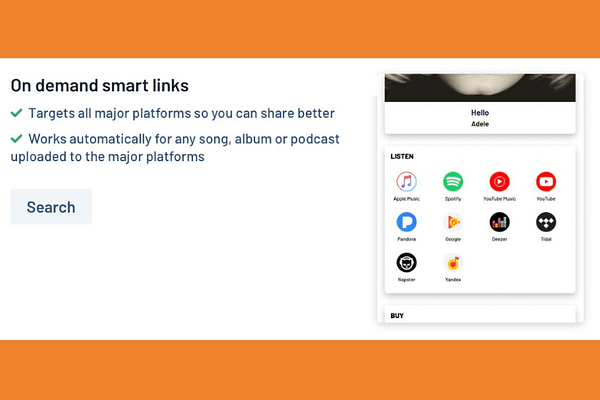
Oh, fabulous. Well, this is the time in the show where we each get to share our recommendations. And I wanted to mention just a really great tool that I make use of on a regular basis. Here’s the problem we run into. We find a song that we love, and we want to share it with friends or, I don’t know, with podcast listeners, but we don’t know what service someone uses. And so I wanted to recommend a service which used to be called Songlink and is now called Odesli. And what happens is you can go search for a song, or an album, or an artist, and then it will give you back a unique link that has on the link, all the different places that you could listen. So you don’t have to worry if your friends use Spotify and you use a different service or whatever, it will give them a link that they can go tap, and find that song and their preferred service.

Bonni Stachowiak [00:39:12]:

And I didn’t realize this until I was getting ready for today’s conversation with Rebecca, that it also has it for podcasts. I don’t know if I just missed it all this time or had forgotten, or what, as in, I don’t know how long it has been there. But I tried searching for Teaching in Higher Ed. So if you ever wanted to share Teaching in Higher Ed, but you weren’t sure which service people used, it has, we showed up in the link. If you search for, under the podcast tab, search for Teaching in Higher Ed, and it offered services such as Apple Podcasts, YouTube, Pocket Cast, Overcast, Castbox, RSS. And then something I found interesting is, it did not include Spotify. 

Bonni Stachowiak [00:39:52]:

And so I’ve, I’m not super familiar with Spotify and what it does and doesn’t, but I can tell you that this limit of Spotify, kind of, being its own little thing sitting out here is, is a real thing that happens a lot, where I can’t even get podcast metrics that include them. I have to manually go and log into Spotify to see that data. By the way, I try not to think a lot about numbers because I do this for the joy of it, not because I’m trying to get numbers, but on occasion, I do get curious about my numbers, and that’s more of a manual process. But all this to say, Songlink, now called Odesli, super, super easy way to share a song and then make it more inclusive with whoever you share it with, so they can get some straight to that song and start enjoying the music you want to share. So, Rebecca, I get to pass it over to you for whatever you’d like to recommend.

Rebecca Fordon [00:40:39]:

Okay, I have, so I have two things. One is a tool, and one is a book, but it’s for fun. The book is a fun book. So the tool is Snipd, which you may have heard of, but I’ve been using it a lot lately. It is an AI podcast tool, so I can- I have a lot less time for listening to podcasts than I used to. I mentioned that I’ve been a longtime fan of yours, but I listened to hours and hours and hours of you when I lived in Southern California, and I was like back and forth on the 405 all the time. Now my commute’s 15 minutes. So, in order to like, still get my podcast intake, I love this app.

Rebecca Fordon [00:41:18]:

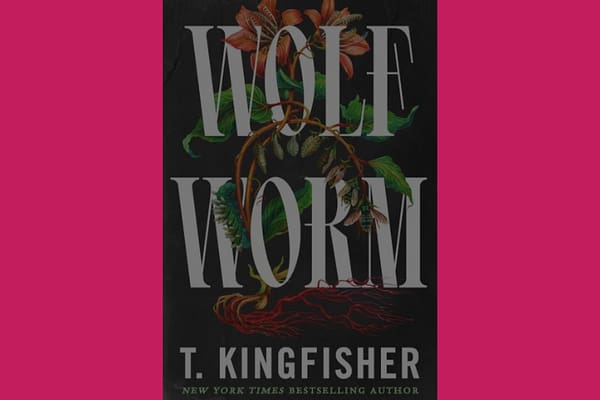
I can get right to the parts that I want within the app, and it will snip them for me and save them, so that I can go back to that part and reference it in… I do it a lot with students. I’ll say, okay, here’s the part I want you to listen to. I’ll give them the time code, and so they can go and listen to the portion I want them to get to. And then my fun one is, I read a lot of horror and have recently been reading T Kingfisher, and she has a new book out that is the grossest book I’ve ever read, but it was also fantastic. It’s called Wolf Worm, and if you have a problem with medical stuff, or body horror, or any of that, don’t read it. But if you’re okay with that, then I very much enjoyed the book.

Bonni Stachowiak [00:42:05]:

It’s a fun one. Is Snipd also the one where you can easily send clips, or am I confusing it with something else?

Rebecca Fordon [00:42:11]:

I think you can. Yeah, I think you can send that, the clip to other people as well.

Bonni Stachowiak [00:42:15]:

I listen on Overcast, and I really enjoy being able to just send a particular piece of it. But I have heard of Snipd, but I haven’t played with it yet, so. Oh, I guess we should also say that this, where I found your post, I subscribed to the RSS feed for the AI law librarians, and do you want, I’m going to definitely put that in the show notes too. Do you want to tell people anything else about that entity?

Rebecca Fordon [00:42:41]:

Sure. Yeah. It’s a few law librarians we started a couple years ago, mostly because we didn’t think there was much as much discussion about AI as we thought there should be in the profession. Since then, like it’s everywhere, there’s plenty of discussion, but it’s nice to have one place that we can kind of concentrate our thinking of it, on it. So yeah, we write for an audience of a lot of librarians, a lot of lawyers, but increasingly, like other people in education, are finding their way there, which I think is wonderful.

Bonni Stachowiak [00:43:13]:

Yeah, I will say that I found every single example that you included absolutely riveting. And I do not work in a law school, nor do we have a law school where I work, but absolutely riveting. And I could see instant connections with the teaching that I do. I mean, it was just immediate. So thank you for your post and for your ongoing contributions, and to your colleagues as well. And what a joy it was to get to talk to you today.

Rebecca Fordon [00:43:37]:

Yeah. Thank you so much for having me.

Bonni Stachowiak [00:43:41]:

Thanks once again to Rebecca Fordon for joining me on today’s episode of Teaching in Higher Ed. I feel like I should say, until we meet again, cuz that was such a joy-filled conversation. Thanks to everybody for listening to today’s episode. It was produced by me, Bonni Stachowiak. It was edited by the ever-talented Andrew Kroeger. If you’ve been listening for a while and haven’t yet signed up for the weekly Teaching in Higher Ed update, you can receive all of the episode show notes, and this one’s going to be a good one. Head over to teachinginhighered.com/subscribe.

Bonni Stachowiak [00:44:19]:

You can also receive other things that go above and beyond the show notes. Thank you so much for listening, and I’ll see you next time on Teaching in Higher Ed.

Expand Transcript Text

TOOLS

  • Blog
  • Podcast
  • Community
  • Weekly Update

RESOURCES

  • Recommendations
  • EdTech Essentials Guide
  • The Productive Online Professor
  • How to Listen to Podcasts

Subscribe to Podcast

Apple PodcastsSpotifyAndroidby EmailRSSMore Subscribe Options

ABOUT

  • Bonni Stachowiak
  • Speaking + Workshops
  • Podcast FAQs
  • Media Kit
  • Lilly Conferences Partnership

CONTACT

  • Get in Touch
  • Support the Podcast
  • Sponsorship
  • Privacy Policy

CONNECT

  • LinkedIn
  • Instagram
  • RSS

CC BY-NC-SA 4.0 Teaching in Higher Ed | Designed by Anchored Design