Follow the Teaching in Higher Ed Podcast
About this Episode
Kevin Kelly shares about how to create flexibility for students and ourselves on episode 406 of the Teaching in Higher Ed podcast.
People are used to using tags as a way to filter information.
Kevin Kelly
On episode 406 of Teaching in Higher Ed
Voices on this Episode


Show Notes + Resources
- How to turn a Zoom chat into a useful summary
- AAEEBL Meetup: How can students generate evidence of their learning in a remote world?
- Flexible Course Run of Show Template
- Startup & shutdown checklists
- CSU Flexible Course Delivery
- EDUCAUSE: 7 Things You Should Know About Google Jockeying
- Kitchen Confidential, by Anthony Bordain: Preparation, practice, planning
- Chat jockeys (volunteer in-person students who monitor the Zoom chat while you lecture)
- LaGuardia Community College Student Technology Mentor Program
- Google Docs
- Lewis Carroll
- Maya Angelou quarter
- Hypothesis
- Classroom Salon
- eMargin
- tiny.cc
Recommendations from this Episode
Resource
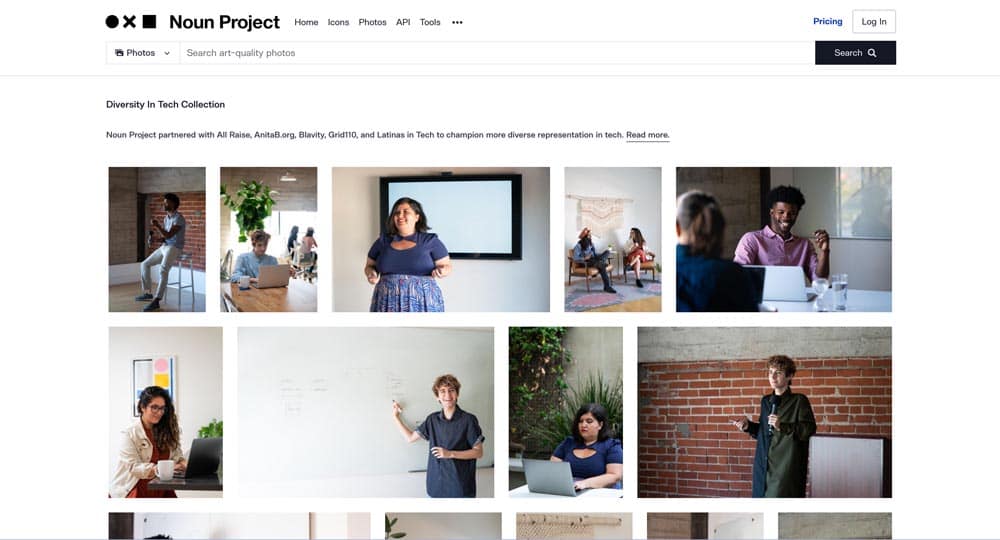
The Noun Project’s Diversity and Technology

Resource
Keyword analysis of ed tech articles over 20 years

Article
‘Stanley Tucci: Searching for Italy’: What’s on the menu
Book
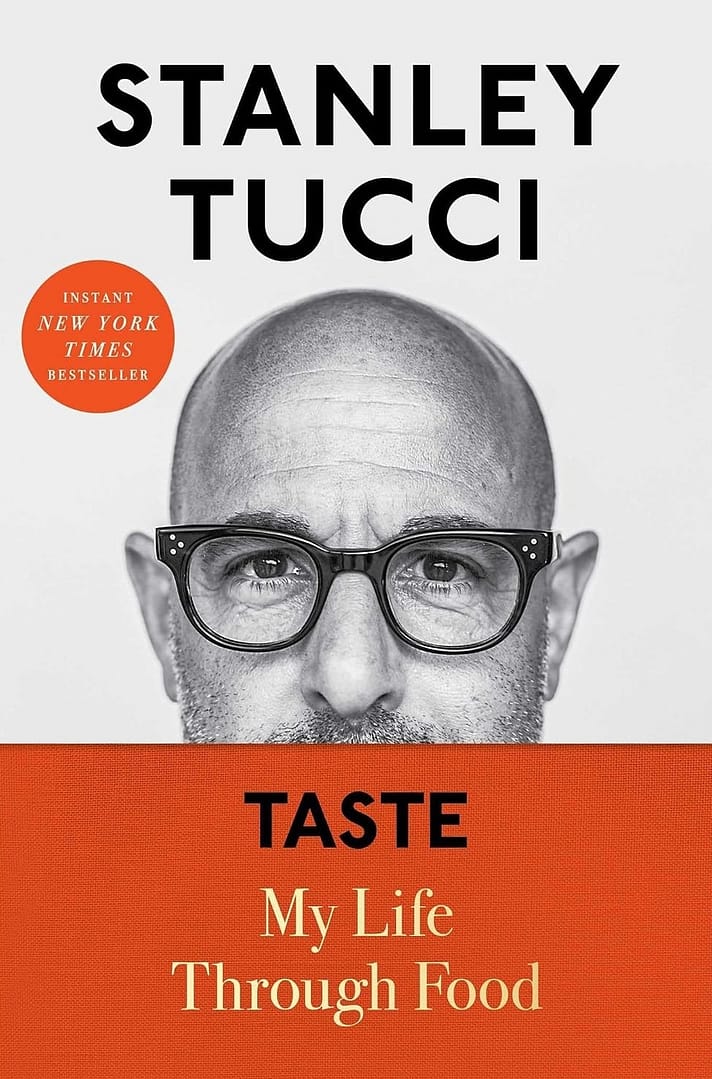
Taste by Stanley Tucci

Resource
Use Bit.ly or another link shortener

Resource
Get to know the live text feature on iOS
Transcript
[00:00:00] Bonni Stachowiak: Today on episode number 406 of the Teaching in Higher Ed podcast, Kevin Kelly’s back, this time to talk about how to create flexibility for students and ourselves.
[00:00:14] Production Credit: Produced by Innovate Learning, maximizing human potential.
[music]
[00:00:23] Bonni: Welcome to this episode of Teaching in Higher Ed. I’m Bonni Stachowiak. This is the space where we explore the art and science of being more effective at facilitating learning. We also share ways to improve our productivity approaches so we can have more peace in our lives and be even more present for our students.
[music]
Kevin Kelly teaches online courses as a lecturer in the Department of Equity, Leadership Studies and Instructional Technologies at San Francisco State University, where he also previously served as the online teaching and learning manager. He works with colleges and universities as a consultant to address distance education, educational technology, and organizational challenges. Kevin co-authored with Todd Zakrajsek the 2021 Stylus book, Advancing Online Teaching: Creating Equity-Based Digital Learning Environments. Kevin Kelly, welcome back to Teaching in Higher Ed.
[00:01:31] Kevin Kelly: Thank you so much for having me. It’s a pleasure to be back.
[00:01:34] Bonni: You know how people say that sometimes social media can just be a cesspool? Well, I don’t find it that way. Just the other day, I was on Twitter and saw you talking about how to turn a Zoom chat into a useful summary, and you ignited my imagination. I’d love to have you tell us a little bit about what this approach is and how we might use it in our teaching or in other aspects of our work?
[00:02:00] Kevin: Sure. Well, I’ve used it in professional development circumstances, conference presentations, and in my own class, and it can work for any video conference solution, but the one that I put on the tweet that you just referenced was specifically for Zoom. I just did it last week for a university in Massachusetts, where I did an online professional development event for them with, I don’t know, somewhere between 30 and 50 faculty. At the end, faculty were saying things like, “I want to use this idea with my students.”
Then one of the instructional designers said, “Hey, can we talk about how you did this?” I hopped on Zoom with her and walked her through some steps, and I said, “Enough people have said those same things, that I really should make this just open for everybody.” What I did is, I went through the process again for myself and the stuff that I’ve been doing over 10 years to streamline how you move. You probably remember that Zoom chat documents, when you download them and save them, are unwieldy. They are a number and then from some to everyone, and then you get to the heart of the ideas.
I wanted to come up with a quick and easy way to strip out all this stuff that didn’t make any sense so that I could start doing what is in effect qualitative data analysis, where I’m looking at, what are the patterns that are emerging? Because I wanted to facilitate these conversations with people and make it easy for myself and others to make these summaries, I started with this, well, before we even have the engagement, I need to start using some technique to make it easy to group all of the ideas that people present.
That’s back 10 years ago, I came up with this idea of using hashtags in the Zoom chat or the Adobe Connect chat, or the WebEx chat, whatever you’re using, so that you can basically see when people are addressing a specific topic. That has helped me create the groupings, and then later on, you can count how many times people said specific things, pull out quotes that people used to expand on an idea or share how they’re performing a specific teaching technique. It’s been a really rich way to generate these summaries from the Zoom chat.
[00:04:22] Bonni: I wanted to give an example. When you were first sharing about it, the first thing that popped into my mind is, I have a community building thing that I do at the start of most of my classes, and we ask two questions of each other. Since we last met, what’s something that brought you life, as in brought you joy? Since we last met, what is something that took life away, as in wasn’t the best part of your life? I was thinking even of a hashtag. There could be a hashtag #brought life and a hashtag #took life away, or whatever that case might be. For listeners who aren’t familiar with hashtags, they’re generally represented with a pound sign.
Kevin, I suspect this has probably happened to you as well, but I’ve had it. I don’t mean to poke fun at people. They just don’t know sometimes, but they’re talking about– they could talk to their IT department about setting up a hashtag for a conference. It’s like, “Oh, actually, you don’t really have to do that.” You could just type in the pound sign, and all of a sudden you’ve just created a hashtag. They really are easy to create. So many social media now use them. For so many of our students, they’re just accustomed to the idea of hashtags, but what they may not be as accustomed to is how this allows them to track better with the conversation.
As you said, in real time, seeing the patterns that are emerging right there, oh, that person’s mentioning this concept or this idea, and you having that be more prescriptive of the grouping in advance. We can see it in real time. Then would you talk a little bit about what that then turns into after the fact when I download that and you do a little bit of work to do this kind of analysis.
[00:06:04] Kevin: You bet. To piggyback on your definition of hashtags, if we just look at the second half of that tag, people are used to using those as a way to filter information. We’re just being proactive in creating tags that have this little hash symbol or pound sign, as you say. I think there’s an actual word for it in the dictionary that I can’t remember right now, but it’ll come to me.
The idea that we want to get rid of all the information we don’t need, so we can summarize what’s important from the discussion. Using tips and tricks from things like Microsoft Word, you can insert a tab here and there, so that basically when you convert the entire body of text into a table, you can delete the first column, which has all the time codes, and delete the second column, which has all the people’s names, if you want people to be anonymous, or you can do a find and replace so it just shows their name and not the “from Bonni to everyone:”. Then you’re using a much cleaner body of text to start doing your analysis.
I typically do it in a couple of different ways. One, I’ll do it as a background knowledge probe to identify what people already know about a topic so that we can see that there’s alignment between what I present and what they already know. We can talk about the outliers and things that they don’t understand or haven’t associated with a term. A lot of my talks recently, because of the book that Todd Zakrajsek and I put together about equity for online teaching, I’ll put hashtag #equity and ask people, what are three to five words or phrases that you associate with that term?
Then you get this rich list of things like fairness and removing barriers and all those great things. Then you can create a list of, a lot of people associate it with fairness, a lot of people associate it with removing barriers. Only a couple people associate it with addressing assumptions and biases. That’s really interesting. Let’s discuss that. One person put what makes them feel more equity as an instructor or as a student. We put that as a quote, and then you have this nice, tight bullet list or paragraph that summarizes something that took maybe three to five minutes, but many lines. Maybe even a page or two of text and summary is now down to a bullet list or a paragraph.
You can do it, again, like I said, before you present an idea or after. Sometimes I’ll say, “Hey, here are my strategies for assessment.” I’m going to discuss Universal Design for Learning, design for learning equity, human connectedness. At the end of this, I’m going to present you with a primary hashtag, #assessment, and some secondary hashtags, #UDL, #equity, and #connectedness. Then people can then use that set of hashtags to make it easy, again, to look at the ideas they’re generating and cluster them in the appropriate ways, and generate something that the students can use in a class that the people who participated in the professional development can use after the fact.
As you mentioned before, people who weren’t able to be there in the live experience, this creates a pathway for them to be part of the conversation. If you really want to go crazy with it, you can turn it into a Google Doc and allow people to add after the fact. If they’re asynchronous participants, they can add their ideas either with a plus-one or with, “Hey, this is what I do in my class.”
[00:09:39] Bonni: I love that thinking about all the ways we can prime people to be thinking about a topic before they come in. You mentioned reflecting on prior learning and then beginning to engage. Are there any tips that you have for us? Because, no doubt, people will forget. I know myself, I sometimes forget to add a hashtag when I know what one is even and I know when I wanted to add, and I’ll just misplace it. Do you have suggestions for how to help people either learn or relearn these norms around adding these hashtags in?
[00:10:09] Kevin: Well, I usually recommend doing it proactively by creating a prompt slide in your presentation so that basically people are forced to sit and think. Even if you just put one question on a slide, there’s research that shows that people move from passive mode to active mode and they start thinking through what they would answer for the question. By putting these hashtags embedded in the question, “what are three to five words you associate with #equity?” then they see that as a visual cue and you can put some instructions.
What I usually do is use a two-column slide and have the question on the left, and on the right, I’ll say, “In the chat, type that word #equity and then add your ideas.” That way you have the question that’s getting people to think and then some instructions, because after they think they forget what I’ve said. I don’t want to have to repeat it all the time, but it’s a visual reminder, an auditory reminder. We’re using universal design even in the presentation of the activity.
[00:11:11] Bonni: What I love about this practice is that it provides us with that flexibility that we’ve been talking about. If I wasn’t able to be there, I can engage after the fact. Also you’ve introduced to us some flexibility for ourselves as facilitators, as instructors, to not have to do the painstakingness of analysis. That it helps to create it where we can use our minds more for what they’re good at, but also this converting this data to a table and then being able to remove easily the superfluous information is great. You’ve also done that by knowing that those people who are listening right now who want to learn more, they can go and click the link to learn about this practice.
Then you also have this wonderful sample from a conference that you did, and that’s the– I don’t know how to pronounce it, AAEEBL Meetup. Do you want to talk about that? What people might see in that sample just to get some more inspiration, then we’ll look at some other practices?
[00:12:11] Kevin: Sure. We ran an online event for AAEEBLE, the Association of Authentic, Experiential, and Evidence-Based Learning, one of the longest acronyms out there. Because it was an international event, one of the first things that I did was created a hashtag #hello, and I asked three questions, “Who are you? Where are you? How are you?”
As part of that, people would put their institution, what city they’re in, and so I was able to generate a Google Map by just searching for the institutions that people had entered so that people can see how many people from Australia, Ireland, Grenada, different countries around the world, Morocco, United States. They could see all the pins and be interested in the international community in investigating these ideas of generating evidence of learning through e-portfolios and other digital means.
Again, I offered that up as an example, A, because it’s a public document. We made it available to everyone who participated in that online event, but also so that people could see how you can weave these keywords that– “17 people said this particular word when they thought of generating evidence, but here are some great ideas,” and I would put their name and their institution to give them credit for sharing that idea. Just really it’s meant to be an example of what you could do with this practice in different settings.
[00:13:44] Bonni: Well, it’s such a stunning visual display. You talked about the cumbersomeness of the Zoom and other chat functions across different web conferencing tools, and just how beautifully displayed this is, and it instantly invited me into wanting to learn more about what was talked about at this meeting and the visual depiction of all the voices that you were hearing from on that day. It really is a wonderful, wonderful example.
Well, I know this is just one of many tools that you’re going to share with us today about how we can build more flexibility in for our students and also for ourselves. I’m really interested in how you use a startup and shutdown checklist. I’ve even done entire episodes just about checklists before, so I can’t wait to hear about this one. What do you do to help streamline things for a pre-class setup with these checklists?
[00:14:34] Kevin: Well, these days, instructors are faced with a number of different challenges when they head into the classroom and they’re talking to students, addressing their questions. They’re hooking up their laptop to the projector, and if they know that they’re going to be recording the session for students who can’t be there, or if they’re going to be possibly streaming it on Zoom at the same time, then there’re additional aspects of that setup. The last thing you want to do is forget. “Oh, I forgot to hook to the Zoom meeting and those students missed the first 10 minutes of class.”
Creating that checklist in advance makes a lower cognitive load for you as an instructor to remember all these different tasks. You can even add in different pieces of script, like walk in the room and tell everybody, “Hey, I’m going to answer your questions, but I would love to have two minutes to set up with all these different technology gadgets. Talk amongst yourselves, write down your questions. If you’re in the room and have a device, here’s the link to the Zoom that we’re going to be using if you want to be in two modalities right here in the room.” That checklist really allows you to not worry about some of those factors that could prevent you from remembering. “Oh, I forgot to press the record button. I forgot to do all these things.”
It also makes you think, “What are the things I could do before I even get into the room?” One of the things that I’ve been– I think I put this in a blog post or something, but I compared it to Anthony Bourdain’s Kitchen Confidential. He talks about the factors that really make a chef great when they’re slammed in a dinner rush. You boil it down to things like preparation. This checklist is an act of preparation.
Then there’s the idea of practice. You’ve done these different techniques and things enough times that you feel comfortable doing them when you’re in a higher pressure situation than just when you’re at home cooking for your family. Then planning. Making sure that you know, “Hey, I’ve cooked this dish enough times that I know it takes 15 minutes to get it ready to put in the oven to finish off,” or, “It takes me so many minutes to get the salad ingredients ready to combine in a bowl.” Then you’re starting to say, “Okay, well, if it takes that much time, then I need to start thinking about ordering things in a specific sequence so that I am streamlining this process.”
It all comes up to thinking through those different aspects of being a great chef. We can see ourselves as chefs or artists. We often hear the concept that education is both an art and a science. I like to lean into that and give people freedom to be creative, but also, again, I’ll use that word again, intentional, proactive, whatever word you want to use.
[00:17:32] Bonni: I’ve found even once you have a set of pre-class and after-class checklists, there are many contexts in which automation can actually help us do that. I use a Mac and we have something called AppleScript. I didn’t even create these scripts because I’m not much of a programmer, but I modified someone where, these are the applications I want to run every time I start teaching. Do I need to have Zoom running? What is my general setup? What kinds of things? Do I have that “do not disturb” turned on?
In my case, I like to quit out of any applications that might be pretty bandwidth-heavy. Is Dropbox quitting? I don’t need to sync Dropbox files while I’m in the middle of teaching, that kind of thing. Once we have those checklists, then we can look at the little ways in which we might be able to automate. I think that a good starting point, of course, is just to have that checklist, to begin with. I know another tool that you use to help us with this is called a run of show. What kind of a run of show might we use to plan out our class meetings.
[00:18:36] Kevin: Taking that idea of the checklist one step further, and that whole idea of prepare and plan and practice, the run of show is to start thinking a little bit more about what a class meeting might look like in advance. The reason I bring this up is some of us are so comfortable with our material, we can walk in with our slides. We know that we’ll be able to engage students in these great conversations, but as soon as you add in, “Okay, I need to have two different sets of instructions for the face-to-face students or the remote students,” or, “I don’t want to forget that some students might be watching the recording so I want to acknowledge them when I give the instructions.
Now press pause and go do X and come back, and when you press play again, we’re going to discuss the results of what we came up with in real time.”
We’ll find a way to make sure that you can share your ideas so that they’re woven into one entire class experience rather than these two parallel train tracks that never actually touch. The idea of the run of show is then you start planning out. Okay, I want to do maybe a prerecorded mini-lecture that people should watch before they come to class. My opening activity is going to be, rather than sit and listen, I’m going to have students do something. They’re going to do a quick write. They’re going to answer some poll questions. They’re going to do a think-pair-share.
I want to map that out. Again, I need to plan on. I need to give instructions to different groups of students and so I want to make sure that they are ready for what’s going to happen. I’m ready for, “Oh, I told you I was going to put you in breakout rooms.” That means I need time. While the people in the room are talking with each other, I need to go to Zoom and create breakout rooms. You’re increasing the amount of time certain things take when you’re thinking about classrooms that are now expanding the ways in which students can learn.
Instructors sometimes do this by choice, in some cases it’s an institutional choice. Sometimes you might be in something like an AB cohort, where half the students are in the room at a specific time and the other half is online, and then the other day of the week you switch to Tuesday, Thursday, is a good way to do an AB model. Chico State and here in California calls it ChicoFlex rotating. They also have one called ChicoFlex concurrent, where everybody has the choice to be in the room or not. They’re totally avoiding the recordings at the moment, so teachers can focus just two different modalities of teaching and learning instead of three.
These strategies, like a run of show, basically the same way you would do if you were running a panel during a conference, or if you were actually putting together an entire conference. The run of show becomes bigger. We have a break, we have real-time concurrent sessions, and then we have another break and then we have a plenary. It’s just mapping out, what does the time look like? Because time can get away from you. If you know that something’s going to take longer, you’re used to doing a think-pair-share and it only takes five minutes, now you have to double that time, then what are you going to either do differently or prerecord so you have more time for activities in your class? It’s just that act of thinking through your class meetings that helps us be more successful and helps our students as well.
[00:22:01] Bonni: Some people may have thought in the past about putting together lesson plans. What can you tell us about, if we put on a mindset of doing a run of show, what benefits do we get from thinking of it from that kind of a lens that a traditional lesson plan would not necessarily afford us?
[00:22:19] Kevin: Well, I think the key thing, and again, not everybody is going to be in this situation, but when you have students in different modalities that are all learning and moving toward the same learning outcomes, then there’s a concept that a lot of people really like called equivalency. How do we make sure that we’re, even if we’re using different techniques or activities, we’re driving students toward the same learning outcomes?
When we’re coming up with a lesson plan, we might think, oh, wow, a student on a mobile device, they’re going to have a harder time maybe doing X, Y, or Z if they’re sitting in their car. They could still write with a pen and paper, so we could give some prompts to think about how they can be successful learners in whatever modality they’re in, whether it’s by choice or it’s something they’ve been forced to do. Let’s say they work full time and the only option available to them is to be asynchronous. The importance of the prompts is to make sure that students who are learning in different modalities can adopt the right strategies to be successful in reaching the outcomes that we’ve set out for them.
Sometimes it might be very similar, let’s say in person and remote are pretty much on par, but then people who might be watching the recording might have to do something slightly different. Letting them know what those expectations are and how they can be successful is just making it so they don’t have to come up with it on their own. Students aren’t often taught how to learn, so we want to guide them however we can.
[00:23:51] Bonni: I know that so much of the conversation around providing this kind of flexibility, by the way, very understandable frustration is just the additional work that it places on people. I don’t want anyone to get the impression that you or I aren’t concerned about those things. Yet I also can’t resist bringing up that when we do some of these approaches that you’re talking about, it actually– you mentioned cognitive load earlier, Kevin. These kinds of things can just help us be able to, in advance, plan out how to not have it be as work intensive or require so much of our focus.
There’s so many failure points when we haven’t thought it out in advance, how we’re going to do these things and providing instructions and all of that. I don’t want to miss out on your last two before we get to the recommendations. Could you share us how we could go about soliciting what you call chat jockeys, and what’s their role and how could we use it?
[00:24:51] Kevin: Well, you may remember, back in the day, we had a concept called Google jockeys, where in the classroom, an instructor would ask one of the students to be a voluntary Google jockey. Their role was to look up terms that might be unfamiliar to some of the students and to basically find resources related to concepts that students could refer to after the fact. Let’s say again, we’re having a professional development activity. We use the term backward design. Some people haven’t heard about it before, or even the concept of hashtag, as you brought up earlier.
The Google jockey goes and looks it up, and then at an appropriate moment, the teacher can point to them and say, “What did you come up with?” and so on. As we’ve been delving into ways to reduce that workload for instructors, when they are either by choice or, again, asked to teach in multiple modalities, then how do we delegate? How do we make many hands make light work approach to teaching and learning? One way is to ask students who are in the room, who have a device, “Hey, who wouldn’t mind being the chat jockey today?”
Basically, their role is to monitor the chat and see if questions come up. When I take my pause every, let’s say 10 minutes for Q&A, that they can say, “Hey, we have a question in the chat,” and make it so that while you’re giving a lecture, you don’t have to be paying attention to your slides, to the Zoom, to all the different things that are happening at the same time. It allows you to focus your attention on one particular area and then use what I call continuous partial attention instead of multitasking, because multitasking isn’t possible for humans, but continuous partial attention is.
Again, if we think about the chefs, hey, I started this dish and I set it aside because I want it to come out at the same time as this other dish, and it will be done too quickly if I let it finish all the way right now. The same thing is true for us as teachers, we need to be thinking about how we can use the things at our disposal. Sometimes that’s volunteers in our classroom. In other cases, there are students who might be hired by the campus.
I’ve been promoting the idea that I first saw from LaGuardia Community College, their student tech mentors that work with both faculty and students just to be successful tech users. Now campuses that are supporting faculty as they teach in multiple modes, they’re assigning teaching assistants to be tech support in the class, but pedagogically, adequate tech support, where they’re thinking through, “Hey, I’m going to have this activity. Here’s what I’d like you to do. I’d like you to create the breakout. I’d like you to monitor the chat.”
Whether it’s a volunteer or a work study assistant or something in between, we can start thinking about how we can maintain our role as the person who’s guiding people through the learning process without having to take on every other multimedia role that people are hired to do in normal circumstances.
[00:27:59] Bonni: You’re reminding me too, Kevin, of that, yes, we can do this from a pedagogical thing, but to me it’s also more inclusive even beyond a classroom setting to be inviting other voices to be– rather than expecting whoever’s facilitating, whoever’s presenting or teaching, whatever role they’re playing, to do all of those roles. You’re going to miss stuff. Versus if there’s another person that’s looking from the perspective of, oh, what questions are emerging and what patterns do I see out of that?
What a wonderful way to just share that load and what positive outcomes there are from doing that for sure. Then the last practice I know that you have to share with us, at least before we get to the recommendations, is to use collaborative annotation tools to bring all students into an environment when we’re viewing course materials. Could you tell us a little bit about this practice?
[00:28:54] Kevin: Sure. Well, I brought up Google Docs earlier as a way that students could interact around, let’s say a hashtag chat summary that you’ve created, but you might have some course materials that you want students to review and you want them to be able to do so together. Let’s say it’s a poem, the Jabberwocky poem by Lewis Carroll, or maybe it’s something by Maya Angelou, because now that she’s on the quarter, you want to have a real world explanation of what are some of the great things that are shown on the quarter that you can find in her works.
Using a tool like Hypothesis or Classroom Salon, or, I think there’s another one called eMargin. These are all tools that allow students to annotate or put comments. They can highlight things that they find important. There are a lot of different tools that you can use where students can read a body of text or a piece of media because there are other tools that allow you to annotate video or audio. There are ways that you can then turn this into a rich interactivity for students across the modality.
Some students are going to do things asynchronously, but this is still an opportunity for them to interact with their classmates. Some students who are live can then refer back to the comments that someone else made in the class conversation that’s a follow-up to the assignment. These collaborative annotation tools really work towards, again, not only creating equivalent pathways for students to reach the outcomes, but also pathways that are cohesive so the students feel like they’re part of one class instead of multiple.
[00:30:39] Bonni: Oh, that’s wonderful. Thank you so much. This is the time in the show where we each get to share our recommendations. My recommendations so often don’t link to the topic of the main show, but this time they do because I think they’re extending just a couple of things that people may or may not be aware of. One, something that not all faculty may be aware of is the power of using a link shortener. The one that I use is called Bit.ly.
People have probably seen these kinds of links before. They start B-I-T. L-Y. There are other link shorteners that are out there too, but what they do is they take the gigantic backslash, forward slash 22/7. All this gibberish of very difficult to type in links if you’re not able to just click on a link, and they make it shorter. Of course, people probably are also somewhat familiar with QR codes that’s in so many of our phones today. You can just open up your camera on your phone, and if there’s a QR code in front of it, it’ll allow you to tap on a link to access it that way.
This just came up because some of my colleagues have been able to receive grants recently for speaker series. The flyers that were produced had really long links, and I thought, “Oh, gosh, that’s not going to be very helpful.” It’s just top of mind for me of another way to make the content of a class or other ways that you’re sharing in the world a little bit more easy for people to get to. That’s my first recommendation, is to use Bit.ly or another link shortener.
The second one is specific to the iOS world. I don’t mean to leave those of you who use Android out. Since 80% of people who listen to the show are iOS users, I see that from the stats, I wanted to let you know that there is a fairly new feature out that is called Live Text. If you take a picture of something, if that thing had a phone number on it, and I took a picture, I could go back to my photos and literally tap on the phone number and call that place. Or if it had a link on it, by the way, and someone hadn’t used a link shortener, you can literally tap on the link. You can also even click and drag and select text and copy that text and then paste it in.
What a whole world this opens up to us to be able to be encountering things, whether that be digitally or whether that be in an analog fashion, and then be able to interact with them in that way. It’s called Live Text, and it’s been fun. I still haven’t even played with all of the features on it. I did link in the recommendations. You can see how Live Text and another feature that’s related to it called Visual Look Up on your iPhone to be able to say, “What is this thing that I am looking at right here?” There’s also some translation possibilities here, ways of looking up information on the web.
I’m just encouraging everyone to go with a childlike spirit and go check this out if you use that kind of a phone. Knowing the Android users, you’re all probably yelling into the void right now saying, “We have something like that. In fact, we have had that for more years than you do.” I’d love to hear from you. If you’re listening and you want to share with me what the equivalent might be on an Android phone, I’d love to learn that. Kevin, I’m going to pass it over to you for your recommendations, or if you’d like to comment on either link shorteners or the live text feature.
[00:34:03] Kevin: Regarding the link shorteners, I’m a fan of tiny.cc because if you create a free account, you can create the unique text that the link is. It’s not just a35746? I’ll do that for presentations, like the name of the conference, that AAEEBL conference that you described earlier, and then 2022, and then my last name Kelly. You have a nice short link, but it’s got some meaning behind it as well. When people see it, they know what they’re looking at.
[00:34:37] Bonni: It has the cutest name too, Kevin. That’s adorable. [laughs] I’ll have to check it out. It’s so cute, tiny.cc.
[00:34:45] Kevin: Yes. Some of the things that have been interesting to me lately, and I thought of this one because we were talking about a tweet that talked about using hashtags or keywords. I found this tweet about keyword analysis of educational technology articles over 20 years. They basically came up with the top 50 terms. Basically, if they’re something that’s on the rise, they’re more frequency in recent years, or something that’s on the decline, something that used to be a popular keyword and now isn’t. Seemed like a really interesting look at the industry of educational technology over the last 20 years.
Another thing that is something that was precipitated by a tweet will follow that theme, is a colleague tweeted at me, “Hey, Kevin, here’s something for your list of diverse image galleries.” Because I’ve put out on the interwebs, using a tiny.cc/diverse-image-galleries. They told me about how The Noun Project, which we usually associate with those fun, little free icons that we can put on things, has now a set of diversity and technology collection of images. I added it to my free open list of galleries that emphasized diversity and equity in their images.
Those are probably the two big ones. Then if we stray a little bit from the technology and teaching world, I’ve been reading Taste, by Stanley Tucci. I was inspired to read this because he had a series on CNN related to his Italian background and his love of Italian food. He traveled to different regions in the country to talk about the flavors that are predominant, and the different foods that you might find there, and the ingredients.
I was inspired to read this book that he wrote, that goes into more depth about his experience growing up in an Italian household and living in Italy as a child for a year when his dad did a sabbatical as a high school art teacher. It’s just rich. It’s a nice way to put work aside, put technology aside, and pick up a book in my hands and just enjoy thinking about food.
[00:37:15] Bonni: I’m going to ask, Kevin, I’m assuming this would be one that would make us hungry, because how could it not? [laughs]
[00:37:21] Kevin: The jacket liner, all of the things on the back by other authors and chefs say, “Reading this book made me hungry.” It definitely come with a good appetite. The nice thing is, it’s not just stories, but he also shares recipes.
[00:37:40] Bonni: Oh my gosh.
[00:37:40] Kevin: It’s a nice combination and it’s, for lack of a better word, it’s rich. [chuckles]
[00:37:46] Bonni: Well, I’m laughing too, because you could either come with a healthy appetite, or you do that thing with the grocery store, they tell you don’t go into the grocery store hungry. Then just don’t read the book hungry, and then maybe [laughs] … but with the recipes, that does sound so delightful. I love that. I’m going to have to check this out.
Well, Kevin, it’s been such a delight to get to talk to you again. This is so fun just to get to explore some of these really unique ideas for how we can just help again make it more where we can create that flexibility for our students, but also for ourselves as well. Thank you so much for today’s conversation and just ongoing getting to learn from you.
[00:38:25] Kevin: Absolutely. Well, I appreciate the opportunity. I love chatting with you any chance there is. Hopefully, I’ll tweet something in the near future that you’ll see that we’ll have to have another conversation.
[00:38:35] Bonni: I’m looking forward to it so much.
[music]
Thanks once again to Kevin Kelly for being a guest on today’s episode of Teaching in Higher Ed. Today’s episode is 406. If you head on over to teachinginhighered.com/406, you can view the show notes for today’s episode, download the transcripts or view them on screen, check out the recommendations and more. I highly suggest, if you haven’t done this yet, head on over to teachinginhighered.com/subscribe, because that will automatically mean that the show notes show up in your inbox just once a week along with other related shows, recommendations that don’t show up on the podcast episode, and some quotable words and more.
Thank you so much for listening to Teaching in Higher Ed. Kevin Kelly, you have given me so many things to go and explore, and look at and experiment with. Thank you again for being a guest on today’s show.
[music]
[00:39:42] [END OF AUDIO]
The transcript of this episode has been made possible through a financial contribution by the Association of College and University Educators (ACUE). ACUE is on a mission to ensure student success through quality instruction. In partnership with institutions of higher education nationwide, ACUE supports and credentials faculty members in the use of evidence-based teaching practices that drive student engagement, retention, and learning.
Teaching in Higher Ed transcripts are created using a combination of an automated transcription service and human beings. This text likely will not represent the precise, word-for-word conversation that was had. The accuracy of the transcripts will vary. The authoritative record of the Teaching in Higher Ed podcasts is contained in the audio file.